The best customer collaboration software depends on where your team and your customers actually work together.  Slack and
 Front are where you talk with them,
 Dock,
 Rocketlane and
 Asana are where you plan work with them, and
 Clinked and
 Moxo are where you exchange files, forms and approvals. Most teams end up with one tool for the conversation and one for the shared plan, and four of the seven tools below let customers in at no extra seat cost.
- tools compared
- 7
- ways to work with a customer
- 3
- tools with no per-customer seat fee
- 4
- G2 rating range
- 4.4 to 4.8
Best customer collaboration software at a glance
Customer collaboration software gives your team and a customer one shared place to talk, plan and exchange files. The seven tools here cover three different shared places: a conversation, a plan and a file room. The picks below follow that split, and they are not ranked against each other because a chat channel and a project plan solve different problems.
- Best for fast conversationSlackA shared channel with the customer's own Slack workspace, so the account team, support and engineering answer in one thread.
- Best for email-first customersFrontEvery customer message becomes a shared conversation with internal comments and the account next to the thread.
- Best for a shared plan with a free startDockA workspace per customer with a plan, forms and resources, and free access for the customer.
- Best for services-led onboardingRocketlanePhases, tasks and owners in a branded customer portal, with unlimited customer members.
- Best if your team already runs on itAsanaCustomers join your workspace as free guests and work tasks and forms you already use.
- Best for files and an audit trailClinkedA white-label portal with folders, tasks, approvals and guests that do not count against the plan.
- Best for forms and sign-offsMoxoCustomers act through a magic link with no account, in a flow of forms, file requests and approvals.
 For what none of them trackThe Customer Success ManagerRecords the promises your team made to each customer. It is not a collaboration space.
How the seven tools compare
| Tool | Type of tool | How the customer joins | Starting price | G2 rating |
|---|---|---|---|---|
| Slack | Team chat with shared channels for customers | Shared channel or DM through Slack Connect | Free plan; Pro, Business+ and Enterprise+ are paid per user per month | 4.5 (39,000) |
| Front | Shared inbox / customer service platform | Customer writes by email or chat, your team works in the shared inbox | From $25 per seat per month, billed annually | 4.7 (2,529) |
| Dock | Client workspaces and mutual action plans | Customer opens a shared workspace, free for external collaborators | Free plan; Standard $350 per month with 5 seats; Premium $1,000 per month with 10 seats, billed annually | 4.6 (481) |
| Rocketlane | Customer onboarding and implementation platform | Branded customer portal, unlimited customer members | $49 per user per month (Standard) or $69 (Premium), billed annually, 5-seat minimum | 4.7 (Capterra, 128) |
| Asana | General work management | Customer joins your workspace as a free guest | $10.99 per user per month (Starter, billed annually); free plan for up to 2 users | 4.4 (14,029) |
| Clinked | White-label client portal and secure collaboration workspace | Branded portal, guests do not count against the plan | Start Up $11 per user per month (1 to 25 users, 2 GB); Standard $239 per month (100 members, 1 TB); Premium and Enterprise cost more and the Premium figure differs between the plan card and the table; list prices before a 20% yearly discount | 4.8 (143) |
| Moxo | Client portals and workflow orchestration | Branded portal or a magic link with no account | No published price list; pricing links lead to a demo request | 4.5 (194) |
| The Customer Success Manager Our product | Customer commitment tracking | Records what your team promised each customer and whether delivery was verified | From $49 per month per workspace; card required at checkout (vendor homepage, as of 2026-11-05) | No reviews yet |
Prices and plan details as of November 2026. G2 review counts are rounded; Rocketlane's rating is from Capterra.
What customer collaboration software is
Customer collaboration software is a shared space where a vendor and a customer talk, plan and exchange files on the same account, with both sides seeing the same state. For a customer success manager it answers three plain questions: what did we agree, who owes the next step and where does the customer see it.
How it differs from team collaboration tools
- Team collaboration tools such as Microsoft Teams or Google Workspace connect people inside one company. Customer collaboration software lets a person outside your company in, with permissions that stop them seeing your other accounts.
- A client portal is one form of it. Our client portal software guide compares portals in depth, and this guide also covers shared channels and shared inboxes that are not portals.
- Customer onboarding software is the version built around a launch project. See customer onboarding software for tools designed for that single workflow.
- A customer success platform scores health and runs playbooks. It does not give the customer a place to work, which is why customer success software and the tools below are usually bought together.
Three ways teams work with customers
Every tool here fits one of three shared places, and many customer success teams use two. The conversation is where questions get answered quickly. The plan is where both sides see who owes what by when. The file room is where documents, forms and approvals move with a record of who did what.
- Place 1Talk
- Slack
- Front
Limit a conversation is fast, but a commitment buried in a thread is easy to lose, so decisions need to be copied somewhere with an owner - Place 2Plan
- Dock
- Rocketlane
- Asana
Limit a shared plan only works if the customer opens it, so look for views that show who has opened what - Place 3Share
- Clinked
- Moxo
Limit file rooms and flows suit paperwork, but they are heavy for a small team that mostly needs a checklist
Where you talk with customers
Slack and Front start from the message. One puts the customer in a channel next to your team, the other keeps the customer in email and gives your team a shared inbox.
Slack
Slack Connect
Place: talk. A channel your team shares with the customer's own Slack workspace.
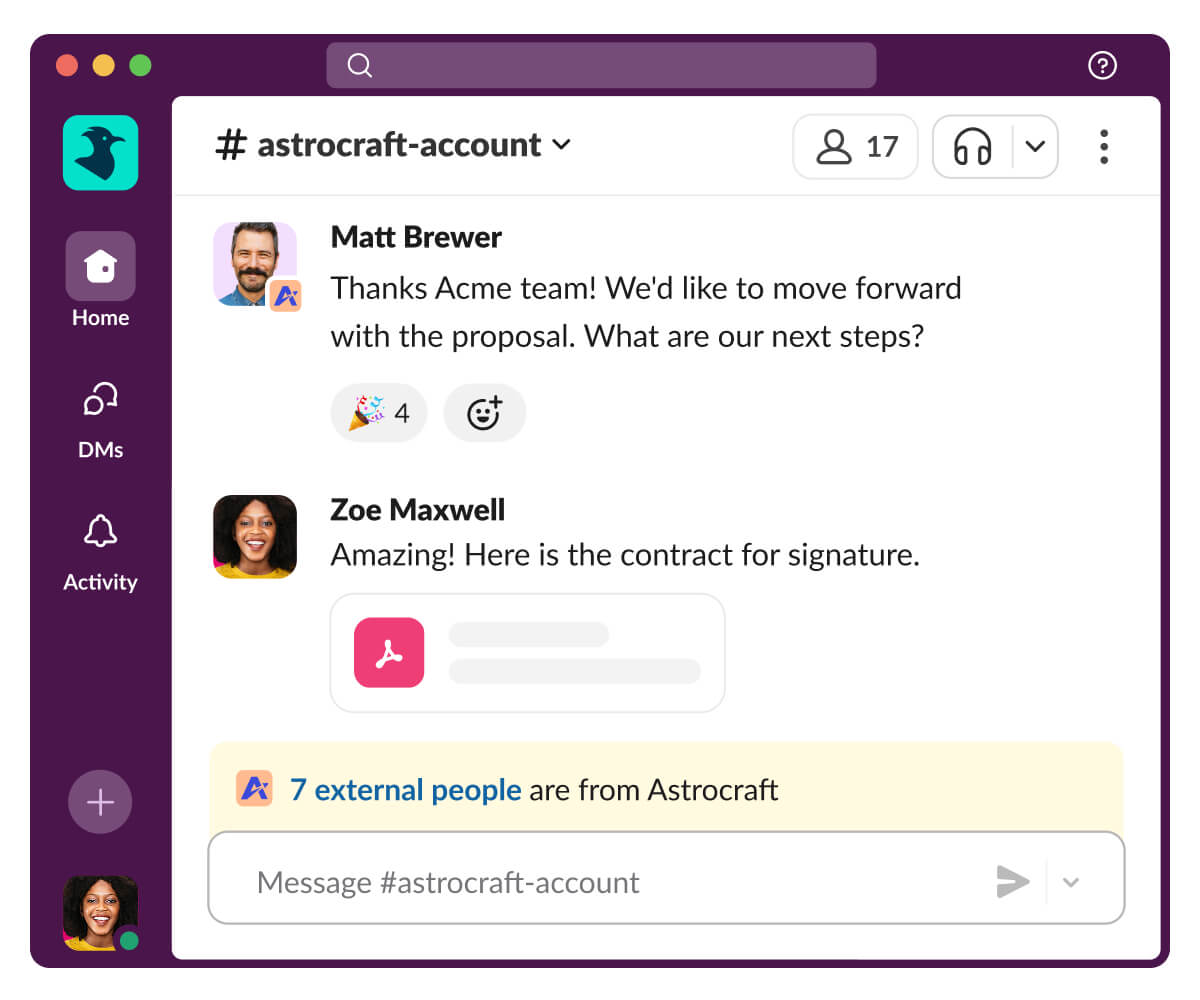
Slack Connect lets you work with people from another organization in a channel or a direct message instead of email. A channel can host up to 250 organizations, which suits an account with several partners or a services firm working with the customer alongside you. People in a shared channel can send each other DMs, and apps and workflows can be used there, although some workflows can never run in a shared channel.
The owner of a channel matters. Only the organization that owns the channel can invite or remove organizations and manage who may post, so create customer channels from your workspace, not the customer's. The Free plan allows one-to-one external messages only. Shared channels need a paid plan, and each organization in the channel needs a paid plan too, with an option to invite a company that is not on Slack to try Slack Connect for free.
- Your customers already use Slack and want a quick thread with the whole account team
- You want support, engineering and the CSM in one channel with the customer instead of forwarding messages
- You need a plan, tasks with due dates or forms for the customer: a channel is a conversation, not a project
- The customer is not on a paid Slack plan and will not take the invitation, because group channels need a paid plan on both sides
- Users like
- organized communication, easy integrations and collaboration efficiency
- Users dislike
- notification overload, data exposure in poorly managed channels and a learning curve
- Source: G2, 39,000 reviews
What reviewers say
G2 lists Slack at 4.5 from about 39,000 reviews. Reviewers praise organized communication and integrations. The recurring complaints are notification overload, sensitive data exposed in poorly managed channels and a learning curve. For customer channels, the second one is the one to plan for: decide who may be invited and what is never posted before the first channel opens.
- Starting price
- Free plan; Pro, Business+ and Enterprise+ are paid per user per month
- Free plan
- 1:1 external messages only
- Shared channels
- Pro and above; one channel can host up to 250 organizations
- Requirement
- Each organization needs a paid Slack plan to work in a shared channel
- Channel owner
- Only the organization that owns a channel can invite or remove organizations and manage posting permissions
- Place
- Talk
- Customer joins
- Shared channel or DM through Slack Connect
- Gate
- Shared channels from Pro; both organizations on a paid plan
Front
Front
Place: talk. The customer keeps using email or chat, and your team answers from one shared inbox.
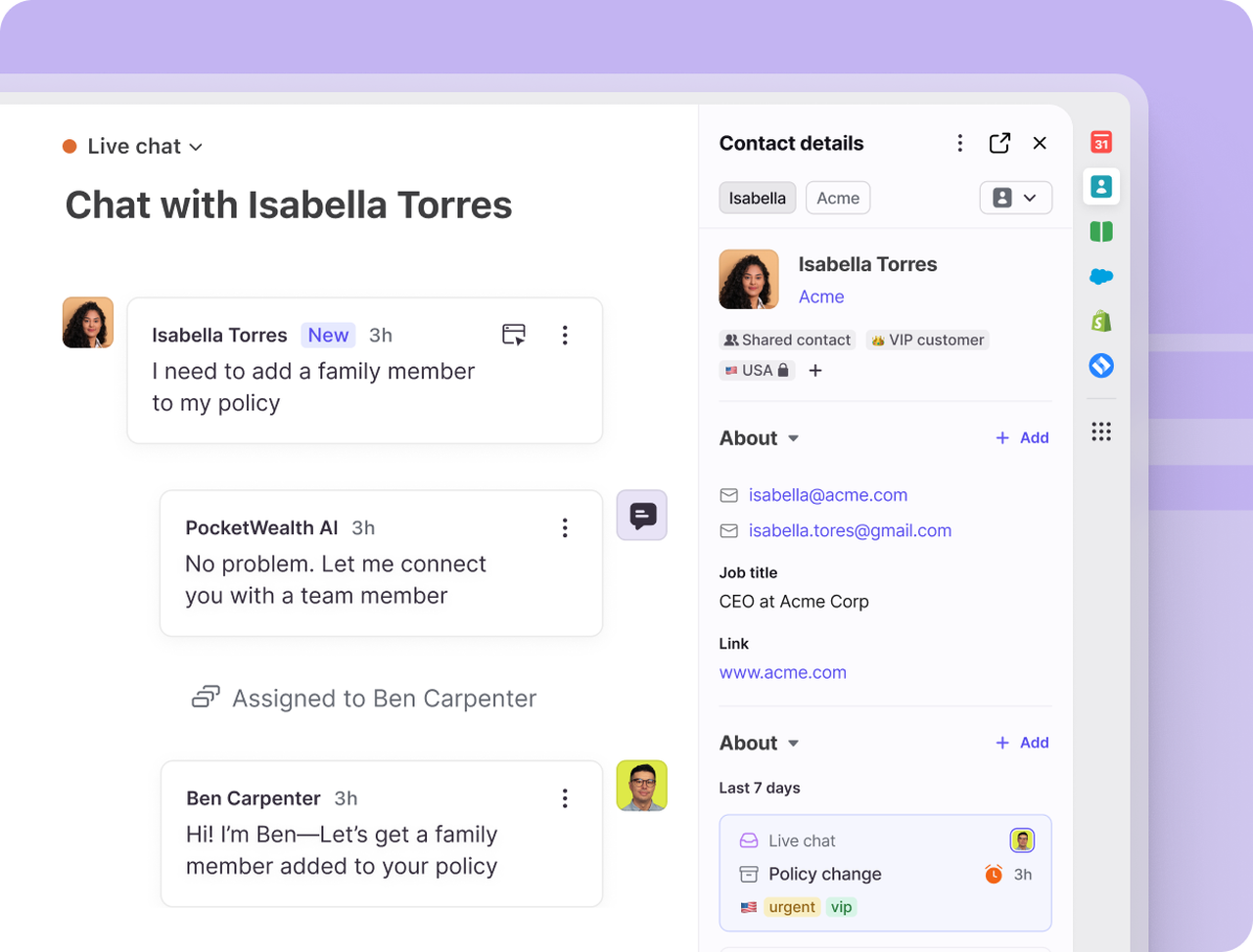
Front treats every customer message as a shared conversation that can be assigned, commented on and tracked against reply and resolution time goals. Teammates leave internal comments the customer never sees, which is the collaboration that matters for most account teams. Accounts sync from Salesforce, HubSpot or Dynamics, so a CSM sees the account next to the thread.
The customer never has to join anything, and that's the main difference from Slack. The catch is that the customer has no shared view of a plan or of what is open. Front is for answering well, not for planning together.
- Your CS team lives in email and wants routing and internal comments in one shared inbox
- You want reply and resolution time goals and a CRM-synced account view without a full CRM suite
- You need a free plan, since Front offers only a 14 day trial
- You want the customer to see a plan or tasks: Front has no customer-facing workspace
- Users like
- Easy to use, strong team collaboration through shared inboxes and internal comments
- Users dislike
- Learning curve and rule setup complexity
- Source: G2, 2,529 reviews
What reviewers say
G2 lists Front at 4.7 from about 2,500 reviews. Reviewers praise ease of use and team collaboration through shared inboxes and internal comments. The complaints are a learning curve and the effort of setting up rules.
- Starting price
- From $25 per seat per month, billed annually
- Unit of work
- Conversation (ticketing available on all channel types)
- Channels in base plan
- Starter: one channel type; Professional and up: omnichannel (email, chat, SMS, social, voice, WhatsApp as paid add-on)
- AI pricing
- Autopilot from $0.05 per conversation; Copilot $20 per seat, included in Enterprise
- Account view
- Relationships plugin shows account, domain, activities, contacts and notes; CRM sync
- Billing
- Annual per seat, 14 day trial, no free plan
- Place
- Talk
- Customer joins
- Not needed, the customer uses email or chat
- Starting price
- $25 per seat per month, billed annually
- Starter
- One channel type; omnichannel from Professional
Where you plan work with customers
Dock, Rocketlane and Asana give both sides one plan with owners and due dates. They differ in how much the customer sees and how much of it you have to build.
Dock
Dock
Place: plan. A shared workspace per customer, built from a template, free for the customer to open.
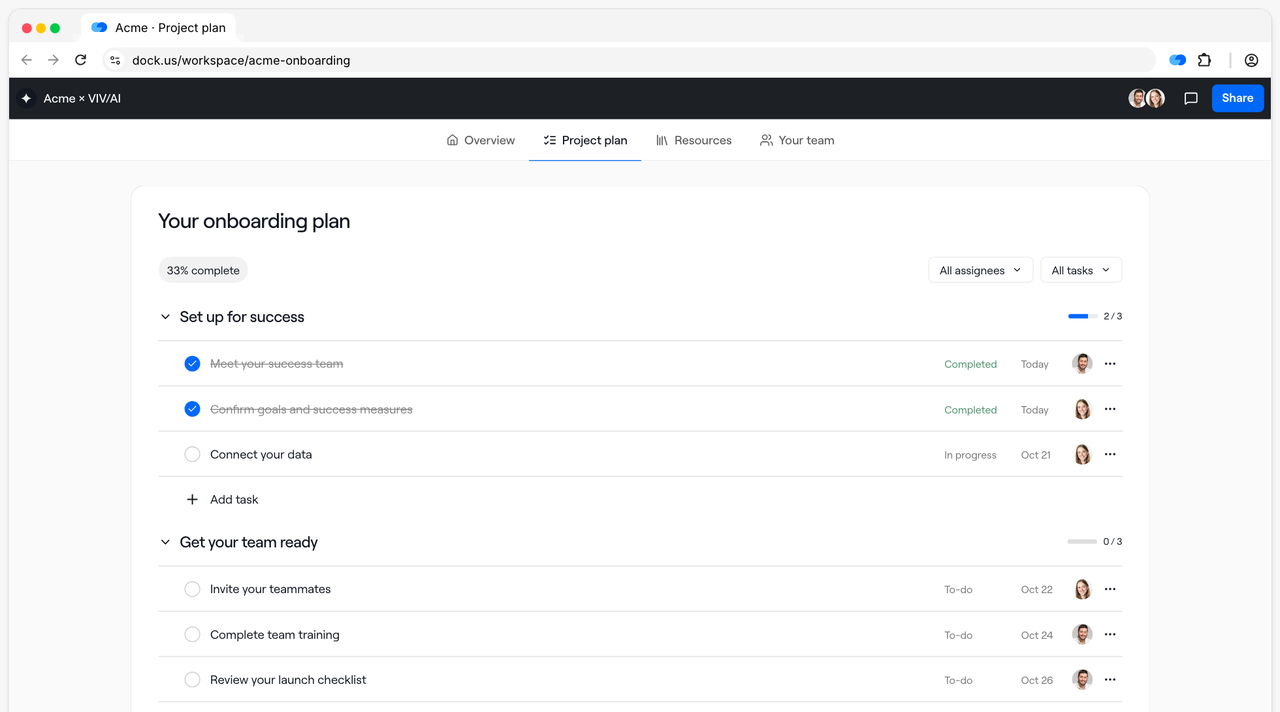
Dock builds a workspace for each customer from a template, with a plan that gives each task an owner and a due date, intake forms and a resource area for documents and videos. You can see which customers opened the workspace and which tasks they finished, which tells a CSM early whether an account is engaged.
The free plan allows 10 workspaces, so a small team can try the model on real accounts before paying. Paid plans are priced by seat, and Salesforce and HubSpot sync starts on Standard.
- A small customer success team wants a customer-facing plan and a resource hub without a long setup
- You want to see which customers opened the workspace and which tasks they finished
- You need webhooks on a mid budget: they start on Premium at $1,000 per month and the API is Enterprise only
- You need a Gmail, Outlook or Jira connector: none is listed on Dock's integrations page
- Users like
- ease of use and one place for customer content
- Users dislike
- limited customization and missing features
- Source: G2, 481 reviews
What reviewers say
G2 lists Dock at 4.6 from about 480 reviews. Reviewers praise ease of use and having customer content in one place. The complaints are limited customization and missing features.
- Starting price
- Free plan; Standard $350 per month with 5 seats; Premium $1,000 per month with 10 seats, billed annually
- Free plan
- 10 workspaces, 1 playbook, limited AI
- Seats
- 5 on Standard, 10 on Premium, extra seats $50 per month
- Customers
- Free access for external collaborators
- CRM
- Salesforce and HubSpot from Standard
- Place
- Plan
- Customer joins
- Shared workspace, free for external collaborators
- Paid plans
- Standard $350 and Premium $1,000 per month, billed annually
Rocketlane
Rocketlane
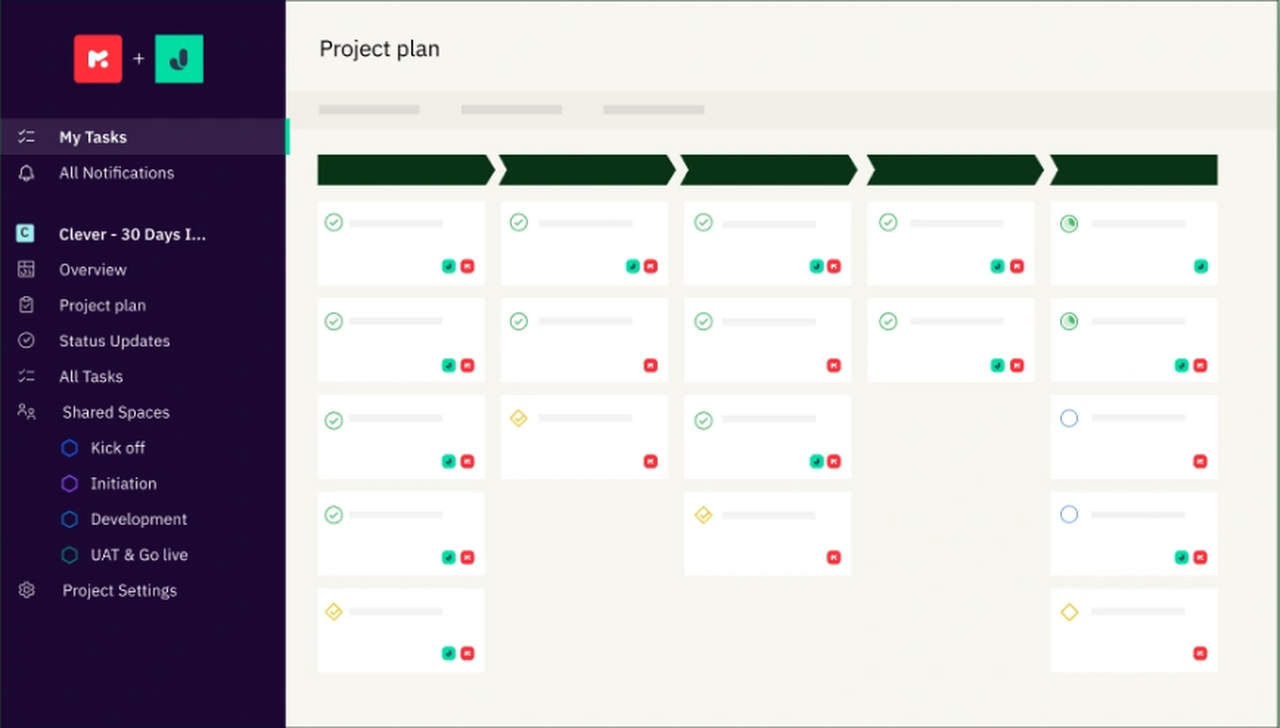
Place: plan. A branded portal where the customer works phases and tasks you set up from a template.
Rocketlane starts each customer project from a template and gives the customer a white-labeled portal where they see progress, finish their own tasks and fill in forms. Customer members are unlimited on every plan, so adding a customer's whole team costs nothing extra.
It is built for services-led onboarding with phases and owners, which makes it heavier than Dock for a team that only wants a simple checklist. A won deal in HubSpot can start a project on Standard, and Salesforce on Premium.
- You run services-led onboarding with phases, tasks and owners and want the customer to see progress in a branded portal
- You want a won deal in HubSpot or Salesforce to start a project from a template
- You have fewer than five internal users: Standard and Premium both carry a five-seat minimum
- You need deep custom reporting before the Enterprise plan: reviewers describe the default reports as basic
- Users like
- a customer portal that shows clients live project progress, plus intuitive templates
- Users dislike
- basic reporting and a learning curve during setup
- Source: Capterra, 128 reviews
What reviewers say
Capterra lists Rocketlane at 4.7 from about 130 reviews. Reviewers praise a portal that shows clients live project progress and intuitive templates. The complaints are basic reporting and a learning curve during setup.
- Starting price
- $49 per user per month (Standard) or $69 (Premium), billed annually, 5-seat minimum
- Plans
- Standard $49, Premium $69, Enterprise custom
- Customer members
- Unlimited on all plans
- Salesforce sync
- Premium and up
- Trial
- 14 days, no free plan
- Place
- Plan
- Customer joins
- Branded portal, unlimited customer members
- Price
- Standard $49 and Premium $69 per user per month, billed annually
- Minimum
- 5 seats
Asana
Asana
Place: plan. Your own work management tool, with customers invited in as free guests.
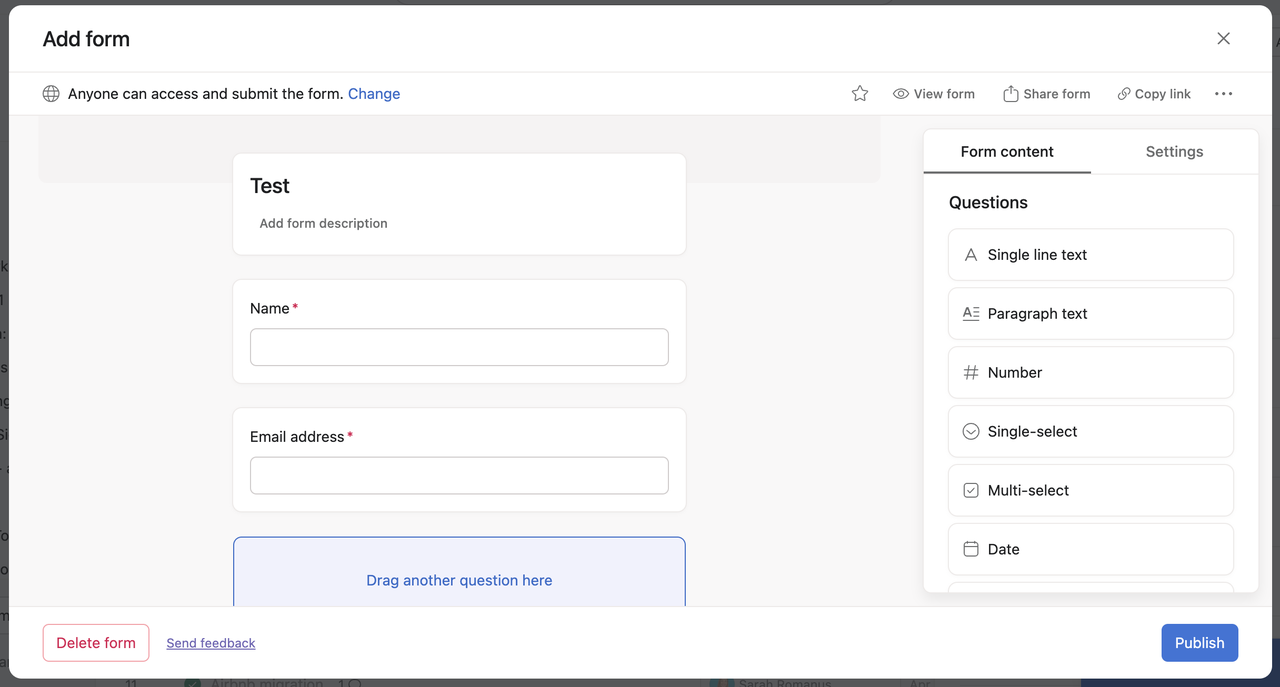
Asana is general work management. For customer work, teams use a template, a form that collects the customer's goals and rules that assign the tasks. Guests are free and unlimited, with no seat cap on Starter, so the customer can open the project and complete tasks without a license.
The customer joins your workspace as a guest. Asana's documentation shows no white-label portal, so the customer sees Asana, not your brand. Forms are on Starter and above, with branching on Advanced.
- You already run on Asana and want a customer template with forms and rules without buying another tool
- Your customers are fine joining your workspace as free guests
- You want a branded customer portal: customers join as guests and we found no white-label portal in the documentation
- You need customer health or renewal data: Asana has no customer success data model
- Users like
- ease of use and task management
- Users dislike
- missing features and a steep learning curve
- Source: G2, 14,029 reviews
What reviewers say
G2 lists Asana at 4.4 from about 14,000 reviews. Reviewers praise ease of use and task management. The complaints are missing features and a steep learning curve.
- Starting price
- $10.99 per user per month (Starter, billed annually); free plan for up to 2 users
- Forms
- Starter and up; branching on Advanced
- Salesforce connection
- Advanced and up
- Guests
- Free and unlimited, no seat cap on Starter
- Place
- Plan
- Customer joins
- Free guest in your workspace
- Price
- From $10.99 per user per month, billed annually; free for up to 2 users
Where you share files and approvals
Clinked and Moxo are for work where documents and sign-offs are the job. Both keep a record of who did what, which matters for customers in regulated fields.
Clinked
Clinked
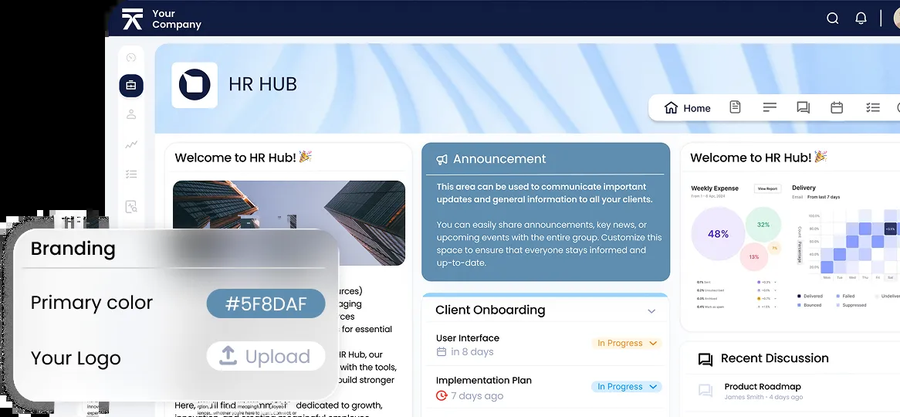
Place: share. A white-label portal per client with folders, tasks, approvals and an audit trail.
Clinked is built around shared folders, tasks, approvals and an audit trail. Guest users don't count against the plan, so you pay for your team and not for each customer contact. Plans are flat by size, such as Standard at $239 per month for 100 members.
Branding scales with the plan: a custom domain starts on Standard, white-label email on Premium and single sign-on on Enterprise. Clinked lists ISO 27001 certification as a vendor claim.
- Your customer work is file exchange, approvals and an audit trail, and customers care about security
- You want flat plans with unlimited guests instead of paying per client seat
- You want a native Salesforce or HubSpot sync: none is listed, so you would rely on Zapier or the API
- You need SSO or a branded mobile app at a small scale: both sit on Enterprise
- Users like
- ease of use and keeping files, tasks and discussions in one branded space
- Users dislike
- limited customization and integration gaps
- Source: G2, 143 reviews
What reviewers say
G2 lists Clinked at 4.8 from about 140 reviews. Reviewers praise ease of use and having files, tasks and discussions in one branded space. The complaints are limited customization and integration gaps.
- Starting price
- Start Up $11 per user per month (1 to 25 users, 2 GB); Standard $239 per month (100 members, 1 TB); Premium and Enterprise cost more and the Premium figure differs between the plan card and the table; list prices before a 20% yearly discount
- Custom domain
- From Standard
- White-label email
- Premium
- SSO
- Enterprise
- 2FA
- From Premium
- Certification
- ISO 27001 (vendor)
- Hosting
- AWS Ireland or Virginia
- Place
- Share
- Customer joins
- Branded portal, guests are free
- Price
- Start Up $11 per user per month for 1 to 25 users
Moxo
Moxo
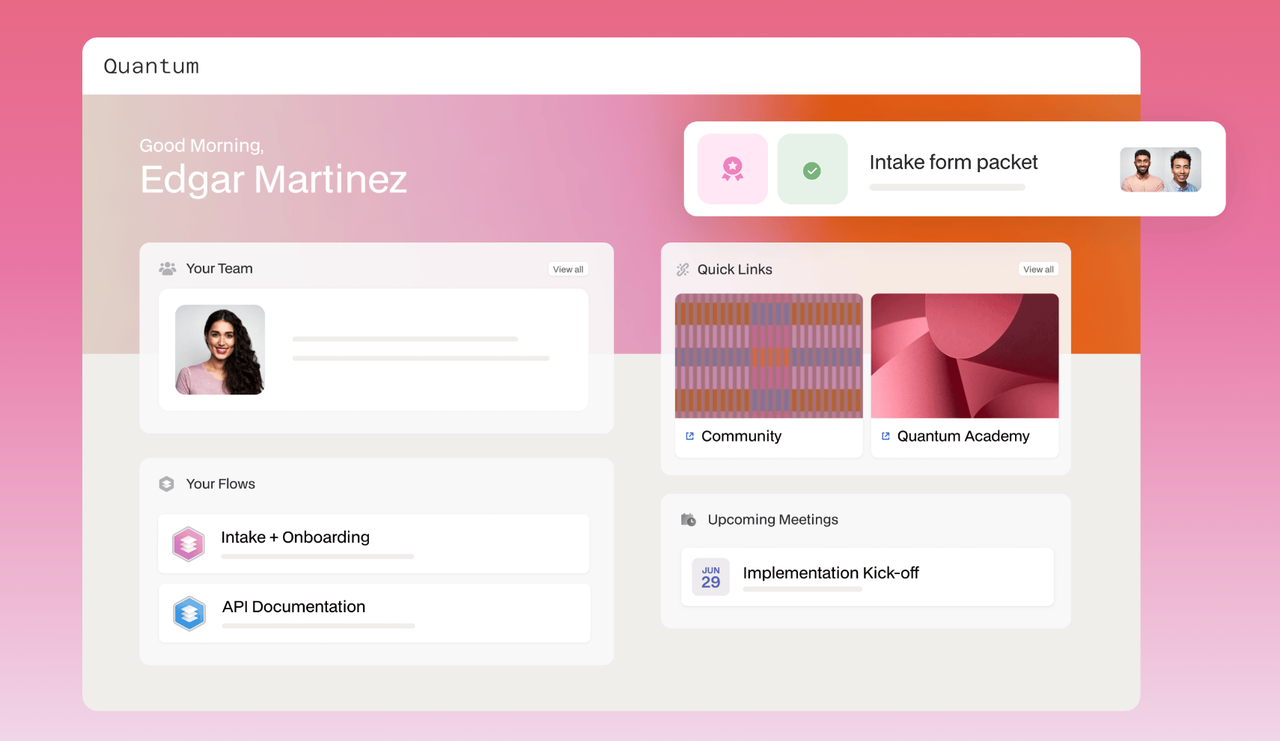
Place: share. Forms, file requests, approvals and e-signatures strung into a flow the customer completes.
A Moxo flow template strings together forms, document requests, approvals and e-signatures. Customers act through a branded portal or a time-bound magic link, so they don't need an account. Salesforce, HubSpot and Microsoft Dynamics sync are listed.
Moxo shows no public price list, and its pricing links lead to a demo request. It is built for workflow orchestration rather than a simple shared checklist.
- Your customer work is mostly paperwork, such as forms, document requests and sign-offs, and you want an audit trail
- You work in a field such as financial services or accounting, where Moxo's customers and security pages point
- You want published prices to compare: Moxo shows none
- You need a plain shared checklist for a small CS team: reviewers cite missing features and limited customization
- Users like
- ease of use and customer support
- Users dislike
- missing features and limited customization
- Source: G2, 194 reviews
What reviewers say
G2 lists Moxo at 4.5 from about 190 reviews. Reviewers praise ease of use and customer support. The complaints are missing features and limited customization.
- Starting price
- No published price list; pricing links lead to a demo request
- Trial
- Free trial offered, terms not published
- Client access
- Branded portal or time-bound magic link, no account needed
- CRM sync
- Salesforce, HubSpot, Microsoft Dynamics
- Place
- Share
- Customer joins
- Branded portal or magic link, no account
- Price
- No public price
How customers get in and what they see
The access model decides whether customers use the tool at all. A customer who has to create an account for every vendor often won't.
| Tool | Customer account needed | Branded for you | Shared plan with due dates |
|---|---|---|---|
| Slack | Slack account, paid plan for shared channels | No | No |
| Front | None, the customer uses email | No | No |
| Dock | Free external access | Workspace branding | Yes |
| Rocketlane | Portal login | White-label portal | Yes |
| Asana | Free guest account | No | Yes |
| Clinked | Portal login, guests are free | White-label, custom domain from Standard | Tasks |
| Moxo | None with a magic link | Branded portal | Flows |
Questions to settle before you buy
- Which place do your customers need first: conversation, plan or files?
- Do customers need an account, and will they actually create one?
- How many external people can join before the price changes?
- Can you set permissions so one customer never sees another's data?
- Which plan unlocks your brand, custom domain and single sign-on?
- Does the tool connect to your CRM, or will you copy updates by hand?
- Who on your team owns each customer space after launch?
How to choose
- Customers prefer a quick chat with the whole account teamSlack, if the customer is on a paid Slack plan
- Customers write by email and you need team answersFront
- A shared plan with a free startDock
- A branded portal for a services-led launchRocketlane
- You already run on AsanaAsana with free guests
- Files, approvals and an audit trailClinked
- Paperwork and sign-offs with no customer accountMoxo
A common pairing is one tool for the conversation and one for the shared plan, such as Slack with Dock or Front with Rocketlane. Adding a third place raises the odds that nobody knows where the latest answer lives, so name one of them as the record before you start.
What these tools don't record
A shared channel or portal holds the conversation, but a promise made in it is still a sentence. Someone says "we will have the SSO fix by the end of the month" in a call or a thread, and nothing marks it as an owned item with a due date and proof of delivery. The Customer Success Manager keeps that ledger. It isn't a collaboration space, and it has no customer-facing view.
FAQ
What is customer collaboration software?
Customer collaboration software is a shared space where a vendor and a customer talk, plan and exchange files on the same account, with both sides seeing the same state.
How is it different from a client portal?
A client portal is one form of customer collaboration software. Others are shared Slack channels, which put the customer in your team's conversation, and shared inboxes such as Front, which keep the customer in email.
Do customers need to pay or create an account?
Whether customers need a paid seat or an account depends on the tool. Dock, Rocketlane, Asana and Clinked let customers in without a paid seat, Moxo lets customers act through a magic link with no account, and Slack shared channels need a paid Slack plan on the customer's side.
What does customer collaboration software cost?
Customer collaboration software ranges from free to quote-only. Dock has a free plan, and its paid plans are $350 and $1,000 per month. Rocketlane starts at $49 per user per month with a five-seat minimum, Asana at $10.99 per user per month, Front at $25 per seat per month and Clinked at $11 per user per month. Slack has a free plan with paid tiers, and Moxo publishes no price.
Can I use Slack with customers?
Yes, you can use Slack with customers. Slack Connect lets you share a channel or direct message with another organization. The free plan allows one-to-one messages, and shared channels need a paid plan on both sides.
Which tool is best for onboarding a new customer?
Dock and Rocketlane both start from a template and give the customer a shared plan. Rocketlane suits phased, services-led onboarding, and Dock suits a small team that wants a lighter start.