The best customer onboarding software depends on what your onboarding looks like. For a services-led implementation with a customer portal, Rocketlane and GUIDEcx are the strongest fits. Dock and Moxo suit lighter shared workspaces and paperwork-heavy flows, Gainsight and Vitally run onboarding inside a customer success platform, Userpilot guides users inside the product, and Asana works if you already run on it. This guide compares eight tools for B2B customer success teams on what they cost, what each plan unlocks and who should skip them.
It covers onboarding for customers who bought software or a service from you. It leaves out HR tools for onboarding employees, and it doesn't go deep on designing in-app flows. For in-app flows and lifecycle messages after go-live, see our guide to customer engagement software.
- tools compared
- 8
- of 8 publish a price
- 4
- have a free plan
- 2
- review rating range
- 4.4 to 4.7
Best customer onboarding software at a glance
 Best for services-led onboarding with a portalRocketlaneUnlimited customer members on every plan; Salesforce sync needs Premium.
 Best for a clean sales-to-implementation handoffGUIDEcxCustomers see their own tasks and a forecast end date without a login. Pricing is by quote.
 Best for a light shared planDockOne shared plan per customer on a free tier with 10 workspaces.
 Best for playbook-driven onboarding projectsVitallyA playbook turns a closed-won trait into a project and a kickoff email.
 Best for onboarding inside the productUserpilotFlows and checklists for end users, with no project plan behind them.
 Best if you already run on AsanaAsanaTemplate, goals form and assignment rules inside a tool many teams already pay for.
| Tool | Type of tool | What it handles | Starting price (USD) | Rating |
|---|---|---|---|---|
| Rocketlane | Customer onboarding and implementation platform | Project templates, a customer portal and CRM-created projects | $49 per user per month (Standard) or $69 (Premium), billed annually, 5-seat minimum | 4.7 (Capterra, 128) |
| GUIDEcx | Customer onboarding and implementation platform | Closed-won launch, templates and a login-free customer portal | Quote only, no public price (Starter, Premium and Advanced packages) | 4.7 (Capterra, 64) |
 Moxo Moxo | Client portals and workflow orchestration | Flow templates with forms, approvals and e-signatures for external parties | No published price list; pricing links lead to a demo request | 4.5 (194) |
| Dock | Client workspaces and mutual action plans | A shared workspace per customer with a plan, forms and engagement tracking | Free plan; Standard $350 per month with 5 seats; Premium $1,000 per month with 10 seats, billed annually | 4.6 (481) |
 Gainsight Gainsight | Enterprise customer success platform | Scorecards, risk CTAs and renewal forecasting | Custom, no public price (Essentials and Enterprise, quote only) | 4.5 (1,600) |
| Vitally | Mid-market customer success platform | Health scores and hourly playbook automations | Custom, no public price (three plans, quote only) | 4.5 (700) |
| Userpilot | In-app engagement and product analytics | Segment-triggered in-app flows, surveys and retention reports | $299 per month (Starter, up to 2,000 MAU), Growth from $849 per month | 4.6 (950) |
| Asana | General work management | A template, a form for client goals and rules that assign tasks | $10.99 per user per month (Starter, billed annually); free plan for up to 2 users | 4.4 (14,029) |
 The Customer Success Manager Our product The Customer Success Manager Our product | Customer commitment tracking | Records what your team promised each customer and whether delivery was verified | Access code | No reviews yet |
Prices as published by each vendor and checked on October 19, 2026. Quote only and no public price mean the vendor shows no figure. Ratings are G2 unless the row says Capterra, because G2 blocks automated access for some tools. Gainsight, Vitally and Userpilot ratings were collected on October 17 and Asana's on October 15.
What is customer onboarding software?
Customer onboarding software runs the steps between a signed contract and a customer's first real value. It gives you a plan with owners and due dates, a place where the customer sees and completes their part, and a way to tell whether the plan is on time.
For a customer success team, the software does five jobs.
- It starts the work, because a closed deal creates a project from a template instead of a CSM rebuilding the plan from a spreadsheet.
- It names an owner on both sides, so the customer's admin, security contact and sponsor each have a task with a date.
- It shows progress to the customer in one place instead of in a long email thread.
- It flags slipping steps before the customer asks what is happening.
- It hands the account over cleanly at go-live, so the renewal owner can see what was set up.
How is it different from user onboarding tools?
Customer onboarding software coordinates people and projects, and user onboarding tools guide individual users inside a product. A tour that appears when a new user first logs in belongs to the second group, and a kickoff plan with a data import and a training session belongs to the first. Userpilot sits on the in-app side and is included because many CS teams own both jobs.
Do you need it, or is a spreadsheet enough?
A spreadsheet is enough while one person onboards a few customers with the same steps. It stops working when several people share the work, when customers need to see their own tasks, or when each deal needs a slightly different plan. Those are the signals to look at the tools below.
Three jobs, three kinds of tools
Search results for customer onboarding software mix three different jobs, and the right tool depends on which one you have. Pick the job first, then the tool.
| Job | What you need | Tools in this guide |
|---|---|---|
| Client-facing onboarding projects | A plan per customer, task owners on both sides, a portal, CRM-triggered start | Rocketlane, GUIDEcx, Dock, Moxo |
| Onboarding inside a customer success platform | Success plans or projects tied to health, playbooks and renewals | Gainsight, Vitally |
| In-product onboarding and low-cost setups | In-app flows for end users, or a project tool you already own | Userpilot, Asana |
Many teams run two of these together, for example a customer success platform for health and renewals plus a portal tool for the implementation project. If you are still choosing the platform side, see our guide to the best customer retention software.
Who owns each onboarding step
A good onboarding plan names an owner for every step, and the tool matters less than whether it shows those owners. Use this sequence as a baseline and check which tool below can assign each row to a person, with a date.
- SalesWrites down what was promised and hands over the deal notes At closed-won
- CSMCreates the project from the template and sends the kickoff invite Right after handoff
- CustomerCompletes the intake form, names an admin and uploads required data Before kickoff
- CSMRuns the kickoff call, confirms goals, dates and success criteria Kickoff
- Implementation or supportConfigures the product and trains the customer's team During implementation
- Customer adminSigns off the go-live checklist At go-live
- CSMReviews usage and open items, then hands over to the account plan About 30 days after go-live
If you also want your own help articles to support these steps, our guide to the best knowledge base software covers that side.
The 8 best customer onboarding tools, reviewed
Each entry opens with the team the tool fits, then walks through what onboarding looks like inside it, and ends with what that team will miss. The expandable part lists plan limits and integrations. Review notes are the most common themes on G2 or Capterra, not our own testing.
Customer onboarding platforms built around a client portal
Rocketlane, GUIDEcx, Moxo and Dock give the customer a place to see the plan and do their part. They differ in how much project structure sits behind that place.
Rocketlane
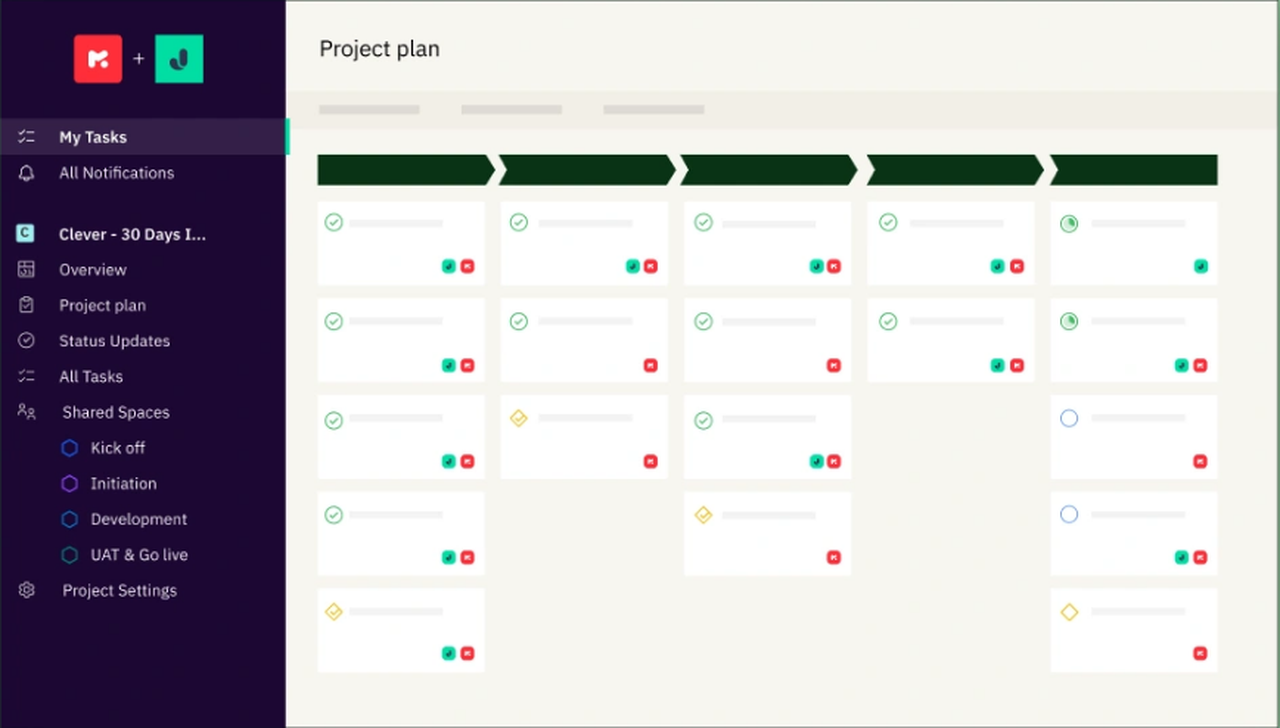
An implementation platform that starts each customer project from a template, gives the customer a white-labeled portal and can create projects from Salesforce or HubSpot deals.
Fits a services-led team that runs onboarding as a project with phases and tasks, and whose customer needs to see progress.
In practice, a project is created from a template when a deal is won. Dynamic templates carry conditions, for example Region is Europe, so only the phases and tasks that apply to that customer are created, and the effort of skipped tasks drops out of the estimate. The customer gets a white-labeled portal with views by user level, where they see status, share documents and chat, and some views need no login. Automations send updates and reminders. What that team misses is cheap Salesforce sync and strong reporting: Salesforce needs Premium, and reviewers call the default reports basic.
- you run services-led onboarding with phases, tasks and owners and want the customer to see progress in a branded portal
- you want a won deal in HubSpot or Salesforce to start a project from a template: HubSpot is on Standard, Salesforce on Premium
- you have fewer than five internal users: Standard and Premium both carry a five-seat minimum
- you need deep custom reporting before the Enterprise plan: reviewers describe the default reports as basic
- Users like
- a customer portal that shows clients live project progress, plus intuitive templates
- Users dislike
- basic reporting and a learning curve during setup
- Source: Capterra, 128 reviews
Plans, limits and integrations
Projects and customer members are unlimited on every plan, and Standard and Premium need at least five team members. Standard includes the client portal, templates and time tracking, with HubSpot, Jira and Slack integrations and 200 automation runs per user per month. Premium adds resource and financial management, Salesforce and Workato, and 500 runs. Enterprise makes automations unlimited and adds role-based access and SAML.
Several templates can be combined when a project is created, but a template can't be swapped on a live project. Implementation packages cost extra, the Nitro AI tiers are quote only, and an AI Fills add-on costs $29 per user per month. Rocketlane says its agents turn a statement of work into a project plan, but the pricing page doesn't say which tier includes that, so confirm it in the quote.
- Starting price
- $49 per user per month (Standard) or $69 (Premium), billed annually, 5-seat minimum
- Plans
- Standard $49, Premium $69, Enterprise custom
- Customer members
- Unlimited on all plans
- Salesforce sync
- Premium and up
- Trial
- 14 days, no free plan
GUIDEcx
An onboarding platform that launches a project from a closed-won CRM deal with a template applied, and gives each customer a branded portal that needs no login.
Fits a team whose onboardings stall at the handoff from sales and wants the project to start itself.
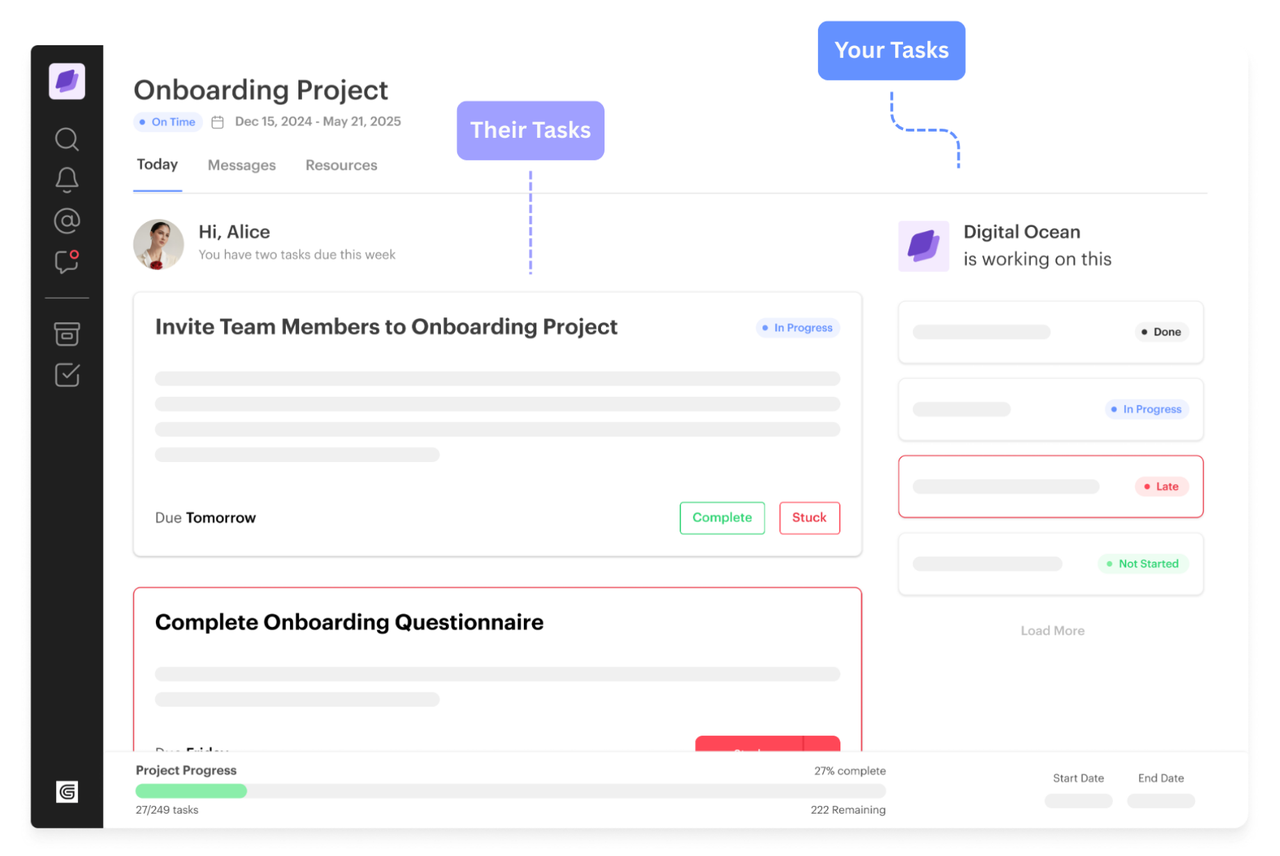
A project can start on its own when a CRM opportunity reaches Closed Won, with the right template applied and customer data pre-filled. Each customer gets a branded portal, called Compass, that shows only their tasks, deadlines and a forecast end date. Customers don't need a login and can add teammates. When one task slips, dependent tasks move with it, and the status flows back to the CRM. Event-based triggers send reminders by email or SMS. What that team misses is a price it can plan with and a quick start: all three packages are quote only, there is no trial, and the vendor cites an average setup of about 45 days.
- the handoff from sales to implementation is where your onboardings stall and you want the project to start itself on closed-won
- you want customers to own tasks and see a forecast end date without creating accounts
- you want self-serve signup or a price to budget with: all three packages are quote only and there is no free trial
- you need a tool live within days: the vendor cites an average setup of about 45 days
- Users like
- customer visibility into onboarding progress and customizable templates
- Users dislike
- lag when updating tasks and notification emails that are hard to control
- Source: Capterra, 64 reviews
Plans, limits and integrations
Templates exist at project, phase, milestone and task level in a Template Library. Admins and managers build them, and project owners can add units to a live project, but edits to a shared unit don't reach projects that are already running.
Starter includes the portal, white-labeling, task and email automation, and Gantt, list and board views. Premium adds the CRM, Jira, Slack, Gainsight, NetSuite and ticketing integrations, the API, SSO, SMS and CSAT surveys. Advanced adds an embedded portal, resource management, utilization and billing and margin reports. The Closed Won launch works with Salesforce, HubSpot and Microsoft Dynamics. GUIDEcx says customers and non-owner internal contributors are free and unlimited, which is the vendor's own claim. AI features start on Premium.
- Starting price
- Quote only, no public price (Starter, Premium and Advanced packages)
- Packages
- Starter, Premium, Advanced
- Trial
- None, demo only
- Integrations
- Premium and up
- Customer seats
- Free and unlimited (vendor claim)
Moxo
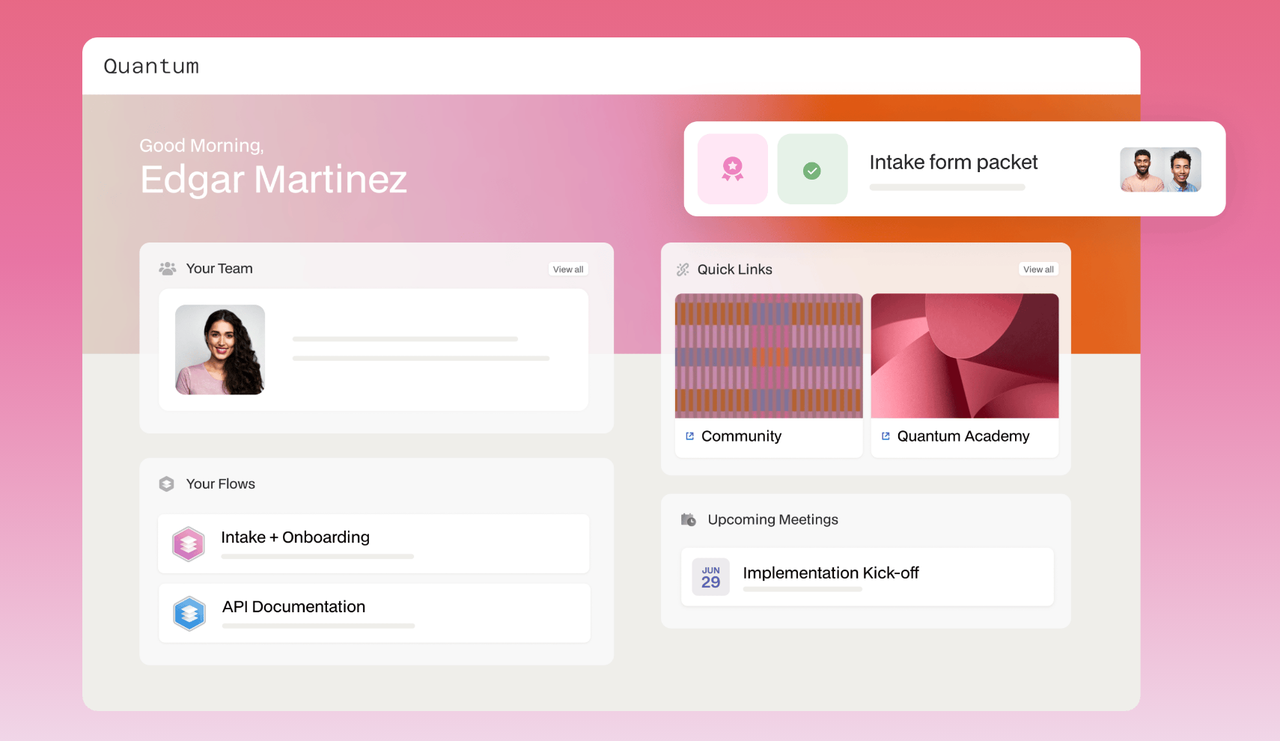
A workflow tool for processes that involve clients: a flow template strings together forms, file requests, approvals and e-signatures, and customers act through a branded portal or a magic link without an account.
Fits an onboarding that is mostly paperwork between you and the customer: forms, documents, approvals and signatures.
An admin builds a flow template in a no-code builder by dragging in forms, file requests, approvals and e-signatures, with roles, branches and SLA timers. To onboard a customer, a CSM creates a workspace from the template, assigns real people to the roles and starts it. The customer acts through a branded portal or a time-bound magic link without creating an account, and every action is logged. Clients can also start a flow themselves from their portal. What that team misses is a published price and a simple task plan: Moxo is built for workflow orchestration, and reviewers mention missing features and limited customization.
- your onboarding is mostly paperwork with the customer, such as forms, document requests and sign-offs, and you want an audit trail
- you work in a field such as financial services or accounting, where Moxo's customers and security pages point
- you want published prices to compare: Moxo shows none, and the sources we found disagree on how it prices
- you need a plain shared checklist for a small CS team: Moxo is built for workflow orchestration and reviewers cite missing features and limited customization
- Users like
- ease of use and customer support
- Users dislike
- missing features and limited customization
- Source: G2, 194 reviews
Plans, limits and integrations
Moxo lists data sync with Salesforce, HubSpot, Microsoft Dynamics and Zoho, plus Zapier, a REST API with webhooks, and Google Calendar and Outlook meeting sync. Slack and Jira appear on G2 and in Moxo's own blog posts, but not on its support page of integration types, so confirm them before you rely on them.
The homepage lists SOC 2 Type II, GDPR, SAML SSO and an audit trail. AI agents pre-fill forms and check for missing items, and Moxo doesn't publish which plan includes them. A Moxo blog post from October 14, 2026 cites a Team plan at $5,000 per year with 100 flows, while another post the same day says pricing follows active users, so treat any number as unconfirmed until you have a quote.
- Starting price
- No published price list; pricing links lead to a demo request
- Trial
- Free trial offered, terms not published
- Client access
- Branded portal or time-bound magic link, no account needed
- CRM sync
- Salesforce, HubSpot and Microsoft Dynamics
Dock
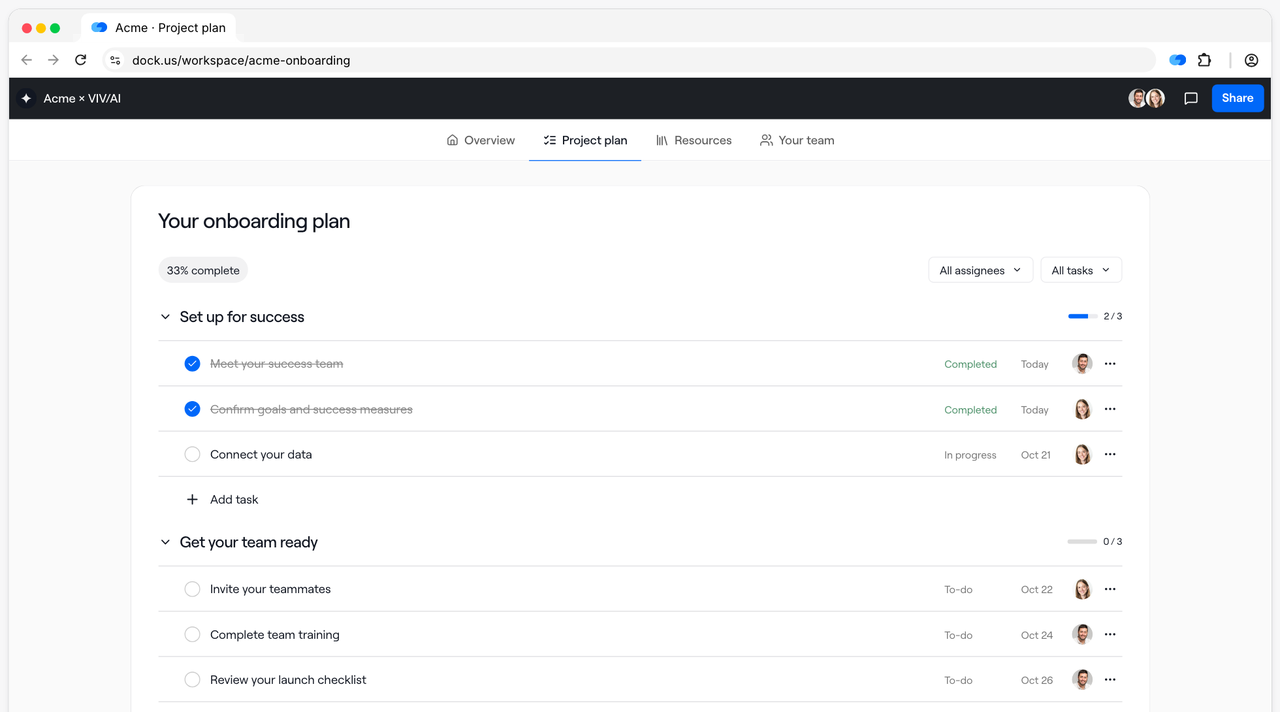
A shared workspace per customer, built from an onboarding template, with an owner and due date per task, intake forms and a view of what the customer has opened.
Fits a small customer success team that wants one shared plan per customer without building a project system.
A CSM creates a workspace from the Customer Onboarding template, which has sections for an introduction, a success plan, an intake form, admin setup, a project plan, a product university, a resource center and end-user enablement. Each task gets an owner and a due date, and the intake form collects the customer's uploads before kickoff. The workspace is shared by link, and access can be limited by email, domain, magic link or Google sign-in. Afterward the CSM sees task progress, form submissions and engagement such as visitors, page views and time spent. What that team misses is automation and an API on lower plans: both sit on Enterprise.
- a small customer success team wants a customer-facing plan and a resource hub without a long setup
- you want to see which customers opened the workspace and which tasks they finished
- you need webhooks on a mid budget: they start on Premium at $1,000 per month and the API is Enterprise only
- you need a Gmail, Outlook or Jira connector: none is listed on Dock's integrations page
- Users like
- ease of use and one place for customer content
- Users dislike
- limited customization and missing features
- Source: G2, 481 reviews
Plans, limits and integrations
The free plan allows 10 workspaces, 25 content assets, 1 playbook and limited AI, and its limits count active and archived items. Standard is billed monthly and adds unlimited workspaces and Salesforce and HubSpot sync with 5 seats. Premium is billed annually and adds custom fields, webhooks, logo removal and Google Drive and SharePoint sync with 10 seats. Extra seats cost $50 per month, and customers are free, so only your own team pays for seats. Automations, the API, a custom domain and SSO sit on Enterprise.
Slack, Microsoft Teams and call tools such as Gong and Zoom connect, and Gmail, Outlook and Jira aren't listed. Dock's pricing page and its help center disagree on whether CRM works on the free plan, so check that before you rely on it.
- Starting price
- Free plan; Standard $350 per month with 5 seats; Premium $1,000 per month with 10 seats, billed annually
- Free plan
- 10 workspaces, 1 playbook, limited AI
- Seats
- 5 on Standard, 10 on Premium, extra seats $50 per month
- Customers
- Free access for external collaborators
- CRM
- Salesforce and HubSpot from Standard
Customer success platforms that run onboarding too
Gainsight and Vitally run onboarding next to health scores and renewals. That keeps everything in one record, and it costs you setup time and a customer view that is thinner than a portal.
Gainsight
A rule-driven customer success platform that turns health scorecards into risk tasks for each CSM and adds renewal forecasting on its Enterprise plan.
Fits an enterprise customer success team that wants onboarding to run on the same platform as health scores and renewals.
An admin builds a success plan template made of objective tasks, called CTAs, and each one is mapped to a playbook that holds a preset task list. When a customer signs, a CSM applies the template from the customer's 360 view and keeps the CTAs that fit. Rules can raise CTAs on their own, for example a launch-risk task for the project manager when a customer misses a milestone. Plans can be shared with customer contacts by email once an admin turns sharing on, and single CTAs can be hidden from outside viewers. Journey Orchestrator adds the customer-side nudges, such as emails, surveys and in-app steps with waits and branches. What that team misses is a ready-made portal and a fast start, because admins must configure CTA types, plan types and rules first.
- you manage a large book of accounts and want scorecards that create risk tasks for CSMs automatically
- you need renewal and expansion forecasting and have several CSMs: the Enterprise plan includes 20 full users
- you have no CS operations or admin owner: scorecards and risk tasks are built with rules, and setup complexity is the most common complaint in G2 reviews
- you need a published price before talking to sales: both plans are quote only
- Users like
- centralized customer data and health monitoring that is easy to see at a glance
- Users dislike
- complex, time-consuming setup and customization
- Source: G2, 1,600 reviews

Plans, limits and integrations
Playbooks and success plans are on both plans. Essentials includes 10 full users and 100 customers per user, and Enterprise includes 20 and 200. Template changes affect only plans created afterward. Journey Orchestrator programs allow one audience source, and delay steps run up to 365 days.
The official connector list names Salesforce, HubSpot, Microsoft Dynamics, Pipedrive, Zoho, Zendesk, Jira, Intercom and Segment, with Zuora as the only billing connector. Slack is a program element in Journey Orchestrator rather than a connector. The Salesforce connector doesn't offer real-time two-way sync. For the health and renewal side of the platform, see our Gainsight pricing breakdown.
- Starting price
- Custom, no public price (Essentials and Enterprise, quote only)
- Plans
- Essentials and Enterprise
- Seats included
- 10 full users (Essentials), 20 (Enterprise)
- Renewal forecasting
- Enterprise only
Vitally
A customer success platform where health scores and playbooks run on the same hourly clock, with every plan including unlimited automations.
Fits a mid-market customer success team that wants a closed deal to start an onboarding project and a kickoff email by itself.
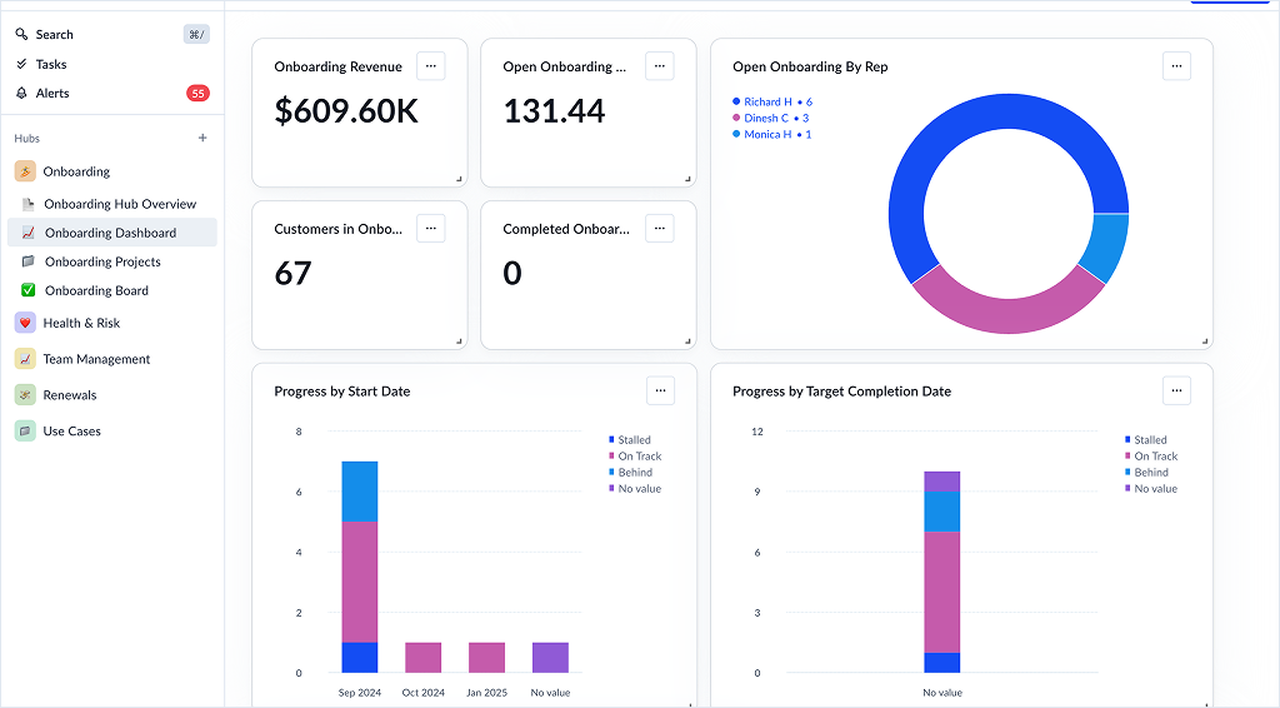
A CRM trait such as a closed-won date enrolls an account in a playbook. The playbook can add the account to an onboarding segment, assign the onboarding owner by key role, create a project from a template, start an email conversation, and wait until the project completes before it stamps the completion date. The owner works milestones and tasks, and playbooks can complete milestone tasks from product data. The customer sees the conversations and a shared onboarding doc with an embedded project template, because project comments stay internal. What that team misses is a customer portal and instant triggers: playbooks evaluate hourly, so an action can lag by up to an hour.
- you want a health-score drop to start a playbook without paying for a higher tier: all plans include unlimited automations
- you run different health models for different segments, such as new and established accounts
- you need real-time scoring: scores and playbooks run hourly, so an action can lag a trigger by up to an hour
- you need a price to budget with before talking to sales: all three plans say Request Pricing
- Users like
- ease of use, a customizable interface and playbook automation
- Users dislike
- complex, time-consuming setup and integrations that need workarounds
- Source: G2, 700 reviews
Plans, limits and integrations
Project templates are built at account or organization level, with milestones and tasks owned by a key role or a named user. The key role is resolved once, when the project is created, so changing it later doesn't update projects that already exist. Team projects can't be created from templates, milestones don't roll up across projects, and edits to a task template don't reach copies already added to a project template.
Playbooks support AND and OR filters, split branches, waits, run limits and actions such as create project, start a conversation, assign a key role and ping a webhook. Vitally publishes an onboarding blueprint that bundles a hub, project board, playbook, segment, survey and kickoff emails, and it needs email connected plus accounts and users integrated. All three plans include unlimited automations and differ in seats and touch model. Salesforce and HubSpot sync both ways, Stripe, Chargebee and Recurly bring in billing data, and there is a REST API and an MCP server.
- Starting price
- Custom, no public price (three plans, quote only)
- Plans
- Tech-Touch, Hybrid-Touch, High-Touch
- Health score refresh
- hourly
- Automations
- unlimited on all plans
In-app onboarding and the project tool you may already own
Userpilot and Asana sit at the edges of the category. Userpilot guides users inside the product, and Asana is a general project tool that many teams already pay for.
Userpilot
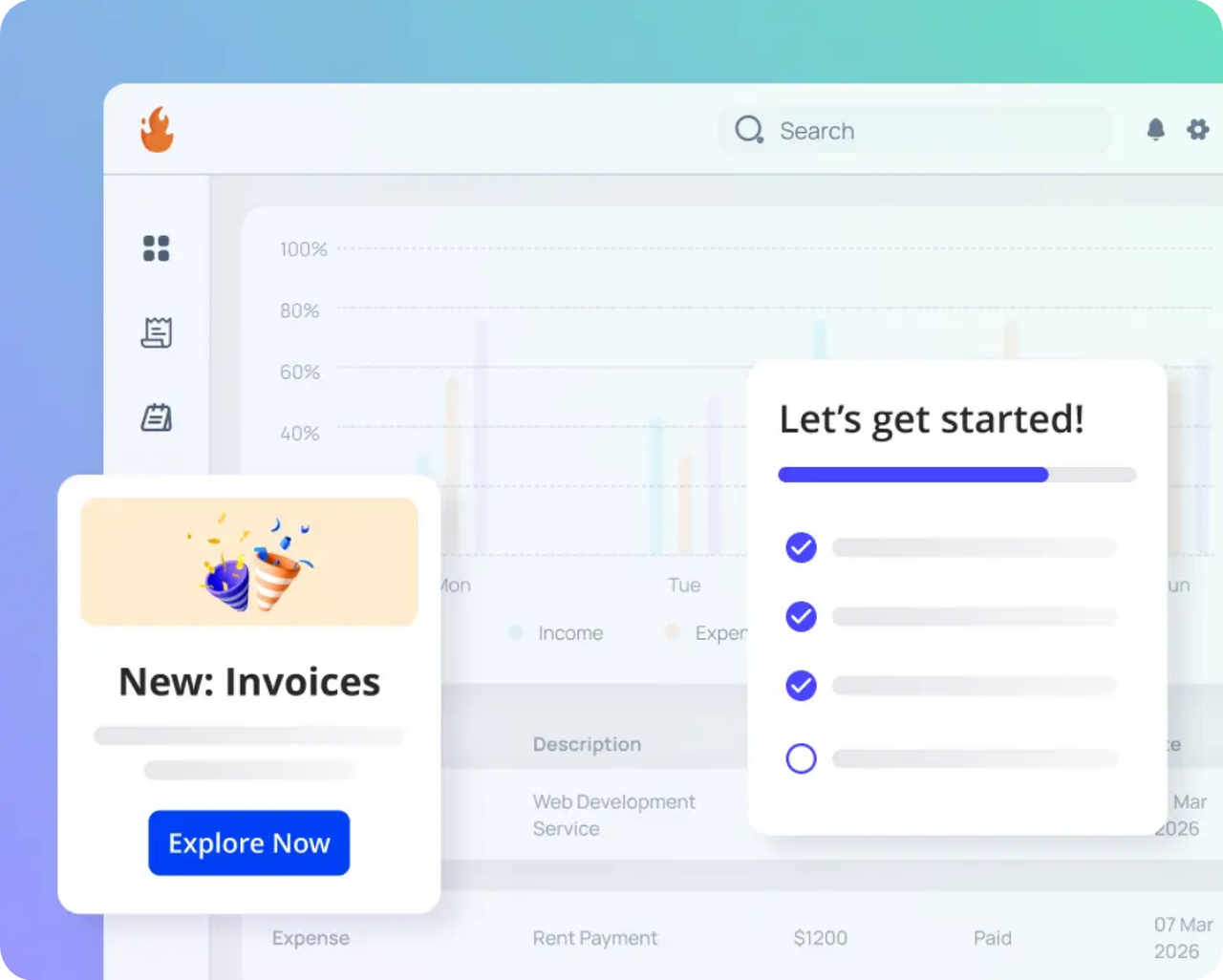
A product-led tool that finds low-adoption users through event segments and reaches them with in-app flows, checklists and surveys.
Fits a product-led team that needs to activate end users inside the product and doesn't need a project plan.
A product or CS team installs a JavaScript snippet and builds flows in a no-code editor on top of the live app. A welcome survey on first login can branch the path by role or goal. Checklists list tasks that can go to a page, trigger a flow or run a script, and audiences are picked by segment, URL, event or user property. Dashboards show signups, activation and flow completion. What that team misses is everything outside the app: Userpilot has no project plan, task owners or customer sign-offs, so a services-led implementation still needs another tool.
- you sell a SaaS product and want to reduce churn by guiding low-adoption users inside the product
- product and CS share ownership of onboarding and feature adoption and need retention analytics in one tool
- you need account health scores, renewal dates and a CSM task queue: Userpilot works on users inside the product, not on accounts
- your product has more than 2,000 monthly active users on a small budget: Starter is capped there and Growth starts at $849
- Users like
- self-serve onboarding flows without engineering and strong support
- Users dislike
- a steeper learning curve for new users
- Source: G2, 950 reviews
Plans, limits and integrations
Flows, spotlights, banners, embeds and checklists are on every plan. Starter is capped at 2,000 monthly active users, 3 seats and 10 segments. Growth adds the resource center, email, workflows, A/B testing, funnels and unlimited segments. A checklist holds up to 15 tasks, and only one checklist can trigger on a page at a time.
HubSpot, Salesforce and data warehouse sync are paid add-ons on Growth and Enterprise, and Userpilot doesn't publish prices above the 2,000 user tier.
- Starting price
- $299 per month (Starter, up to 2,000 MAU), Growth from $849 per month
- Starter limit
- 2,000 MAU, 10 segments
- Retention reports
- Growth plan and above
- CRM sync
- HubSpot and Salesforce are paid add-ons
Asana
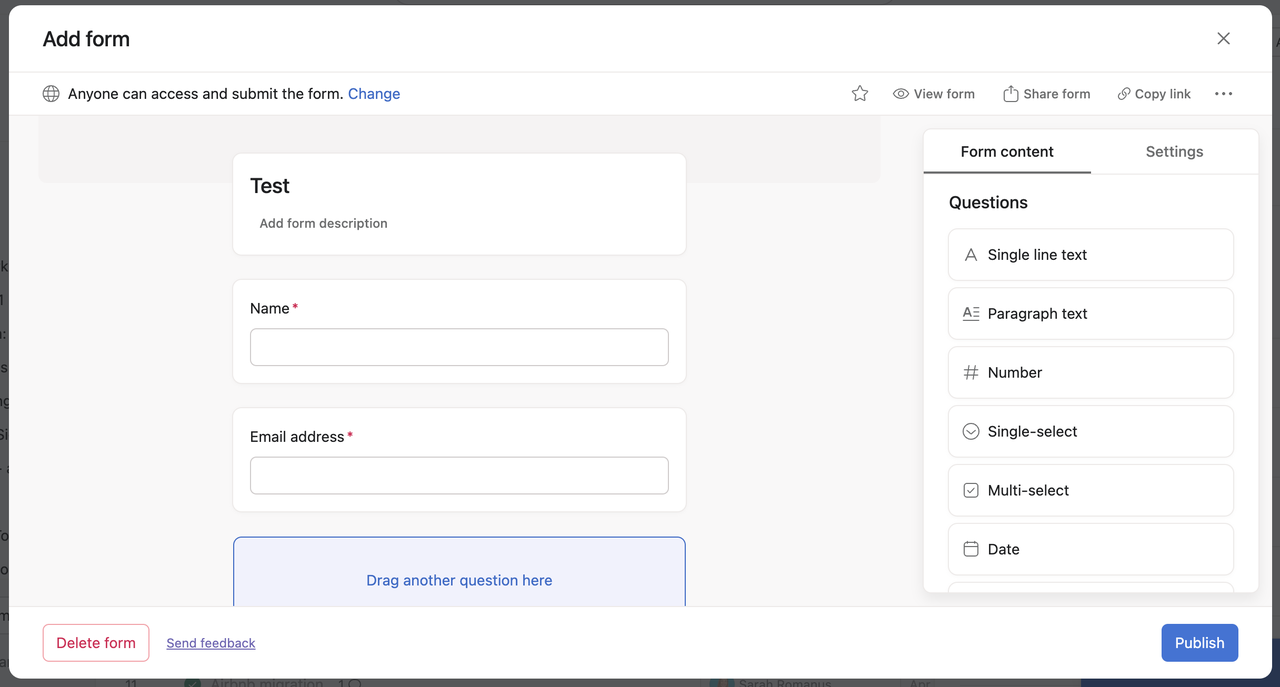
A general work management tool that many teams use for customer onboarding projects: a template, a form that collects client goals and rules that assign the tasks.
Fits a team that already runs on Asana and wants onboarding projects there, with no new tool to buy or learn.
Asana's client onboarding template has six stages, from internal kickoff and a client welcome kit through contracts and billing, a goals form, implementation phases, and training and check-ins. A form collects the client's goals, and each submission becomes a task in the project. Rules assign tasks, send reminders and update status on due dates or form submissions. Clients join as guests who see only what you share, and portfolios on Advanced roll up many onboardings. What that team misses is customer success data: we found no health score, branded portal or product usage data in Asana's documentation.
- you already run on Asana and want an onboarding template with forms and rules without buying another tool
- your clients are fine joining your workspace as free guests
- you want a branded customer portal: clients join your workspace as guests, and we found no white-label portal in Asana's documentation
- you need customer health or renewal data: Asana has no customer success data model
- Users like
- ease of use and task management
- Users dislike
- missing features and a steep learning curve
- Source: G2, 14,029 reviews
Plans, limits and integrations
Forms are on Starter and up, but branching and multiple forms per project need Advanced or higher. Rules are on Starter and up, they run only on the first level of subtasks, and edits apply going forward. Guests don't count toward paid seats, they can trigger rules but not create them, and they can't edit task templates.
The Salesforce integration, which can create tasks on events such as a closed-won opportunity, needs Advanced, Enterprise or Enterprise+. Portfolios and time tracking also start on Advanced at $24.99 per user per month billed annually. The praise and complaint themes above come from general Asana reviews, not from onboarding use.
- Starting price
- $10.99 per user per month (Starter, billed annually); free plan for up to 2 users
- Forms
- Starter and up, branching on Advanced
- Salesforce connection
- Advanced and up
- Guests
- Free and unlimited, no seat cap on Starter
How to choose customer onboarding software
Choosing customer onboarding software comes down to four questions: what the customer sees, how a project starts, who pays for seats, and what you can budget for before a sales call.
- A multi-phase implementation with a branded portalRocketlane
- A project that starts itself on closed-won, with no customer loginGUIDEcx (quote)
- Forms, document requests and sign-offs with an audit trailMoxo (no public price)
- A shared plan per customer on a free planDock
- Onboarding next to health scores and renewalsGainsight or Vitally
- Checklists and flows for end users inside the productUserpilot
- Onboarding in a tool you already pay forAsana
What does the customer actually see?
The customer view differs more than the feature lists suggest. Rocketlane, GUIDEcx and Moxo give customers a branded portal, and GUIDEcx and Moxo don't require a login. Dock gives them a shared workspace you send by link. In Gainsight a customer sees only a success plan you chose to share, and in Vitally they see conversations and a shared doc, since project comments stay internal. In Asana customers work as guests inside your workspace.
How does a project start?
A project can start from a CRM event in most of these tools, but the plan that unlocks it differs.
| Tool | CRM trigger for a new onboarding | Plan |
|---|---|---|
| Rocketlane | HubSpot creates projects from workflows, Salesforce syncs and creates projects | HubSpot on Standard, Salesforce on Premium |
| GUIDEcx | Launches a project on Closed Won with the template applied | Integrations on Premium and up |
| Dock | Salesforce and HubSpot sync | Standard and up |
| Vitally | A CRM trait enrolls the account in an onboarding playbook | All plans |
| Gainsight | Rules create CTAs from connector data, with Salesforce and HubSpot connectors | Both plans |
| Asana | Salesforce rule can create tasks on events such as closed-won | Advanced and up |
Moxo lists CRM data sync with Salesforce, HubSpot and Microsoft Dynamics but doesn't publish plan details, and Userpilot works on in-app activity, not CRM events.
How long does setup take?
Setup time is rarely published, and the vendors' own figures are the only public numbers. GUIDEcx cites an average setup of about 45 days on its pricing page, Vitally claims customers go live in 1.9 months on average, and Rocketlane says most teams are live in 4 to 12 weeks. All three are vendor claims, so ask each vendor for customer references that match your team size. Gainsight depends on an admin configuring CTA types, plan types and rules before CSMs can work, and Dock, Asana and Userpilot can be started on a free or trial plan before a sales call is needed.
What does it cost a small team?
Customer onboarding software costs a small team between nothing and a few hundred dollars a month. For five people, the published entry prices work out as follows.
- Asana Starter: 5 users at $10.99 is $54.95 per month, billed annually.
- Rocketlane Standard: 5 users at $49 is $245 per month, billed annually, and five seats is the minimum.
- Userpilot Starter: $299 per month for up to 2,000 monthly active users.
- Dock Standard: $350 per month with 5 seats included.
- GUIDEcx, Moxo, Gainsight and Vitally publish no price, so budget only after a quote.
Dock's free plan and Asana's free plan for up to 2 users are the cheapest ways to test the process before you commit.
Customer onboarding plan template
A usable onboarding plan names the owner, the date and the evidence for every step. Copy this list into whichever tool you choose, or into a shared doc if you are not ready to buy one.
- Handoff note from sales: what was promised, by whom and by when
- Customer goals and success criteria in the customer's own words
- One named owner on your side and one on the customer's side
- Kickoff date set and the agenda sent in advance
- Intake form completed: admins, data sources and security contact
- Milestones with due dates for setup, data, training and go-live
- Training sessions booked and recordings shared
- Go-live checklist signed off by the customer
- Review booked about 30 days after go-live with usage and open items
- Handover to the account plan: renewal date, expansion goals and open commitments
What none of these tools track
Every tool above tracks tasks, and the customer success platforms also track health. None of them keeps a record of what your team promised the customer before the project began. Those promises are made in the sales cycle, in the kickoff call and in QBRs, and they sit in call notes and Slack threads until someone leaves.
The Customer Success Manager is built for that gap. It keeps one evidence-backed ledger of customer commitments: who confirmed each one, what exactly was promised, who owns it and whether delivery was verified. People confirm and verify each entry, and you can ask about open promises in Claude or ChatGPT. It isn't an onboarding platform or a customer success platform, and it works alongside the tools above.
FAQ
Which tool is used for customer onboarding?
The tool used for customer onboarding depends on the job. Rocketlane and GUIDEcx run onboarding as a project with a customer portal, Dock and Moxo give the customer a shared workspace or workflow, Gainsight and Vitally run onboarding inside a customer success platform, Userpilot guides users inside the product, and Asana works if your team already uses it.
How do I onboard a customer?
To onboard a customer, start from what sales promised, name an owner on both sides, collect an intake form, run a kickoff call and set milestones with dates. Then train the customer's team, get a signed go-live checklist and review usage about 30 days later. The plan template in this guide lists each step.
What is the best onboarding software for small businesses?
Test the process on a free plan first: Dock offers 10 workspaces and Asana covers up to 2 users. Rocketlane needs five seats from the start, so it fits once several people onboard customers.
What is the difference between customer onboarding software and user onboarding tools?
Customer onboarding software and user onboarding tools solve different problems. One manages a project with owners and dates, and the other shows prompts and checklists inside the product. Many teams need one, and some need both.
Does customer onboarding software replace a customer success platform?
No. Platforms such as Gainsight and Vitally score account health, run playbooks and track renewals, and they can run onboarding projects too. Portal tools such as Rocketlane, GUIDEcx and Dock focus on the customer-facing plan, and many teams run one of each.
How much does customer onboarding software cost?
Customer onboarding software costs depend on the tool, and four of the eight publish a price. Asana Starter is $10.99 per user per month, Rocketlane Standard is $49 per user per month, Userpilot Starter is $299 per month and Dock Standard is $350 per month, all billed as the vendors publish. GUIDEcx, Moxo, Gainsight and Vitally publish no price.