
The best client portal software depends on what your customers need to do in it. Dock and Rocketlane give each customer a shared plan, Clinked, Moxo and SuiteDash give them a branded space for files, forms and approvals, HubSpot Service Hub and Zendesk put a login in front of the tickets you already work, and Softr lets you build a portal on your own data. This guide compares eight tools for customer success teams on how a customer gets in, what they see, which plan unlocks branding and single sign-on, and who should skip each one.
It is written for teams that sell software or services to business customers and want one private place per account for onboarding steps, requests and files. It leaves out portals built for billing-first or compliance-first niches such as accounting and law firms. Our guide to the best client onboarding software goes deeper on the onboarding project itself, and the best customer success software guide covers the platforms that score account health.
- tools compared
- 8
- have a free plan
- 2
- review rating range
- 4.3 to 4.8
Best client portal software at a glance
 Best for a shared plan per customerDockCustomers open a branded plan with tasks and files at no per-customer fee. There is a free plan; Standard is $350 a month.
 Best for services-led onboardingRocketlaneA branded portal where customers work tasks, with permissions you set per account. From $49 per team member a month, five seats minimum.
 Best for files, approvals and an audit trailClinkedA white-label portal with a guest share for occasional collaborators. Start Up is $11 per user a month.
 Best for forms and sign-offsMoxoCustomers act through a magic link with no account. No public price.
 Best for low cost with unlimited clientsSuiteDashPortal, CRM, projects and invoicing in one tool from $19 a month, with a steeper setup.
 Best if your customers live in HubSpotHubSpot Service HubCustomers sign in to see and reply to tickets. Needs Service Hub Professional, about $90 to $100 a seat a month.
 Best for support-led portalsZendesk GuideA sign-in help center where customers track requests. Suite Team is $55 per agent a month billed annually.
 Best to build on your own dataSoftrEach client sees only their own records from Airtable or Google Sheets. Paid plans start at $19 a month.
 Our product · for promises made in the threadThe Customer Success ManagerNot a portal. It records what your team promised a customer, with owner and evidence.
| Tool | Portal type | How a customer uses it | Starting price | Rating |
|---|---|---|---|---|
| Dock | Client workspaces and mutual action plans | Customers open one branded link to a plan with phases, tasks, files and comments; the team sees who opened it | Free plan; Standard $350 per month with 5 seats; Premium $1,000 per month with 10 seats, billed annually | 4.6 (481) |
| Rocketlane | Customer onboarding and implementation platform | Customers enter a work email and get a magic link into a project portal; you set what they can edit | $49 per user per month (Standard) or $69 (Premium), billed annually, 5-seat minimum | 4.7 (Capterra, 128) |
| Clinked | White-label client portal and secure collaboration workspace | Invited clients log in to folders, tasks and approvals limited by role and group | Start Up $11 per user per month (1 to 25 users, 2 GB); Standard $239 per month (100 members, 1 TB); Premium and Enterprise cost more and the Premium figure differs between the plan card and the table; list prices before a 20% yearly discount | 4.8 (143) |
| Moxo | Client portals and workflow orchestration | Customers open a magic link with no account and complete forms, uploads and sign-offs | No published price list; pricing links lead to a demo request | 4.5 (194) |
| SuiteDash | All-in-one client portal with CRM, projects, forms and invoicing | Customers get an invite, set a password and land on a dashboard; optional magic link | Start $19 per month or $180 per year (100 GB); Thrive $49 per month or $480 per year (500 GB); Pinnacle $99 per month or $960 per year (2 TB); unlimited clients and staff on all plans | 4.8 (620) |
| HubSpot Service Hub | CRM-native service and customer success suite | Customers sign in with a password, magic link or SSO and work tickets that live in the CRM | From $90 per seat per month on Professional (the page shows $90 and $100 without labeling which is annual billing), plus a $1,500 one-time onboarding fee | 4.4 (3,018) |
| Zendesk Guide | Help desk with built-in help center | Customers sign in to the help center, submit requests and track them in the same ticket | Help center comes with Suite plans: from $55 per agent per month billed annually ($69 monthly) on Suite Team | 4.3 (6,700) |
| Softr | No-code client portal builder | Clients sign in and see only the records that match their email in your data source | Free plan; Basic $19 per month billed annually ($25 monthly), Pro $99, Business $329; Enterprise custom | 4.7 (Capterra, 64) |
| The Customer Success Manager Our product | Customer commitment tracking | Not a portal: records the promises your team makes in the thread, with owner and evidence | From $49/month per workspace | No reviews yet |
What is client portal software?
Client portal software is a private, signed-in space where a business shares files, tasks, messages and status with one customer. For a customer success team that usually means one workspace per account holding the onboarding plan, shared documents, open requests and the next steps both sides agreed.
A portal replaces the email thread where the same questions come back every week, and it gives both sides one place to look. Teams typically put five things in it. The first is the onboarding or success plan, with an owner and a due date per step. The second is files, both the ones the customer sends and the documents you send back. The third is forms and approvals, such as a data request or a sign-off. The fourth is open requests and their status. The fifth is a short list of what happens next.
How is a client portal different from a customer portal or a customer success platform?
A client portal is built around one account and shared work. A customer portal usually means self-service for many customers: a help center, ticket tracking and an order or account page. A customer success platform is an internal tool that scores account health, and customers don't log in to it. Some tools in this guide sit across two of these. HubSpot Service Hub and Zendesk are customer portals tied to a ticket system, while Dock and Rocketlane are client portals built around a plan.
Four kinds of client portal
Four different products share the same label, and the difference matters far more than the feature lists suggest. Pick the kind first, then the tool.
| Portal type | What the customer sees | Tools in this guide |
|---|---|---|
| Shared customer workspace | A plan with phases, tasks, files and comments for their account | Dock, Rocketlane |
| Secure collaboration portal | Folders, forms, approvals and messages in a branded space | Clinked, Moxo, SuiteDash |
| Portal on your system of record | Their own tickets and help articles, stored in your CRM or help desk | HubSpot Service Hub, Zendesk |
| Portal you build | Pages and records you design on your own data | Softr |
Shared customer workspaces
Dock and Rocketlane start from a plan. A customer success manager builds a workspace from a template, adds the customer and both sides work the same list. They overlap with the tools in our guide to the best client onboarding software, which covers the onboarding project in more depth.
Dock
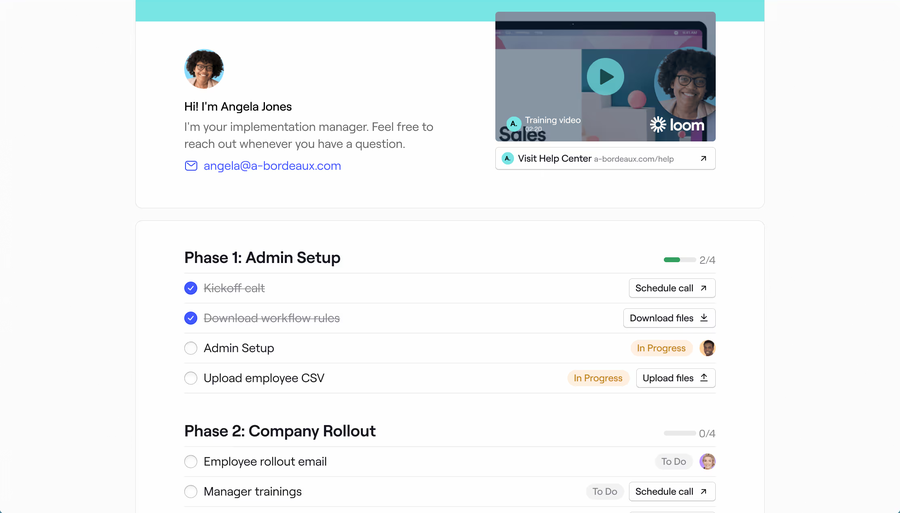
A branded plan and resource hub per customer, shared by link, with seller-side view tracking.
Fits a small customer success team that wants a branded plan and resource hub per customer, with no fee for the customers who open it.
A CSM builds a workspace from a template such as an onboarding plan, a resource hub or an order form, brands it and shares one link. Access is restricted to named emails or domains, open to anyone with the link after an email prompt, or fully open in landing page mode. The customer sees phases, tasks with owners and due dates, files, comments and agreements, and can upload files, answer surveys and sign order forms. Team members can post internal-only messages and hide sections until they are relevant. Views, visitors and time spent are tracked on your side, so you can see whether the customer opened the plan. It breaks on gating: a custom domain is Enterprise only, and webhooks and removing the Dock logo start at Premium.
- you want customers to open a branded plan with no per-customer fee and see who opened it
- you are a small team that needs a workspace per customer without a long setup
- you need a custom domain, which is Enterprise only
- you need webhooks or logo removal on a mid budget, since both start at Premium at $1,000 a month
- Users like
- ease of use and one place for customer content
- Users dislike
- limited customization and missing features
- Source: G2, 481 reviews
Plans, limits and integrations
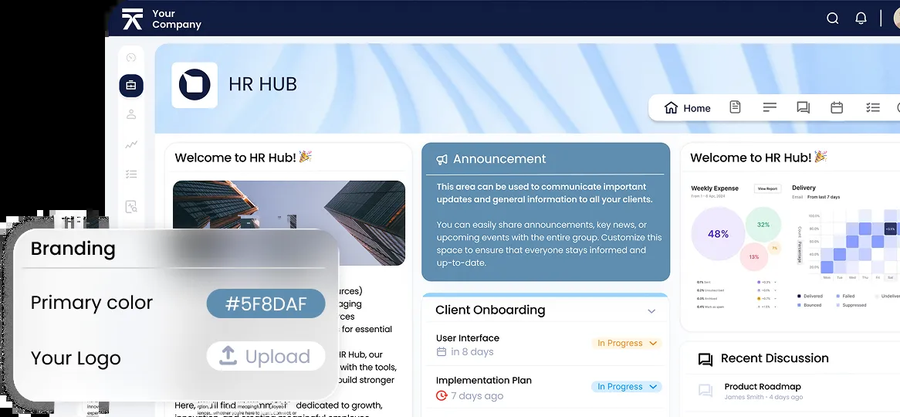
Free covers 10 workspaces and one playbook. Standard costs $350 a month with 5 internal users, Premium $1,000 a month with 10 users billed annually, and extra internal seats are $50 a month. Customers and other external collaborators are free. Custom branding with logo, banner, colors and fonts is on every plan. Connected Workspaces, which put a sales room, onboarding and renewal behind one customer link, start on Premium. Salesforce and HubSpot integrations start on Standard and the API is Enterprise only. Customer-side notifications and the mobile experience aren't described on the published vendor pages.
- Starting price
- Free plan; Standard $350 per month with 5 seats; Premium $1,000 per month with 10 seats, billed annually
- Free plan
- 10 workspaces, 1 playbook, limited AI
- Seats
- 5 on Standard, 10 on Premium, extra seats $50 per month
- Customers
- Free access for external collaborators
- CRM
- Salesforce and HubSpot from Standard
Rocketlane
A project tool with a branded portal where customers work tasks, with per-account permissions.
Fits a services-led onboarding team whose customers work through tasks in a branded portal and where you want control over what they can edit.
The CSM or implementation lead starts a project from a template and invites the customer from the project or by sharing the portal link. The customer enters a work email, gets a magic link and lands in a portal with phases, tasks, documents, files and chat for that project. An admin can limit access to the customer's email domains and set customer-level permissions, such as editing tasks, uploading files or inviting colleagues. Customers can be assigned tasks, asked for approvals and given forms. For product-led teams the portal can be embedded in your own app and signed in with a JWT. It breaks on weight: it's a project tool first, and the five-seat minimum and extra implementation packages make it heavier than a team needs for a light shared page.
- you run onboarding with phases, owners and dependencies and want customers to work tasks in the portal
- you want fine control over what customers can edit, or a portal embedded in your own product
- you have fewer than five internal users, since both paid plans carry a five-seat minimum
- you want a lightweight shared page for a few accounts, because setup and packages cost more than that needs
- Users like
- a customer portal that shows clients live project progress, plus intuitive templates
- Users dislike
- basic reporting and a learning curve during setup
- Source: Capterra, 128 reviews
Plans, limits and integrations
Standard costs $49 and Premium $69 per team member per month billed annually, with a five-member minimum, and Enterprise is custom. Customer members are unlimited on all plans. The branded portal is included from Standard, Custom Domains is listed on Standard and Custom Email Domain on Premium. Customer two-factor sign-in, SAML and role-based access are listed on Enterprise. Shared invite links expire after seven days. Zapier, HubSpot, Jira and Slack are on Standard and Salesforce is on Premium.
- Starting price
- $49 per user per month (Standard) or $69 (Premium), billed annually, 5-seat minimum
- Plans
- Standard $49, Premium $69, Enterprise custom
- Customer members
- Unlimited on all plans
- Salesforce sync
- Premium and up
- Trial
- 14 days, no free plan
Secure collaboration portals
Clinked, Moxo and SuiteDash lean toward files, forms, approvals and, for Clinked and Moxo, an audit trail. They suit customer success teams whose accounts exchange documents rather than work a project plan.
Clinked
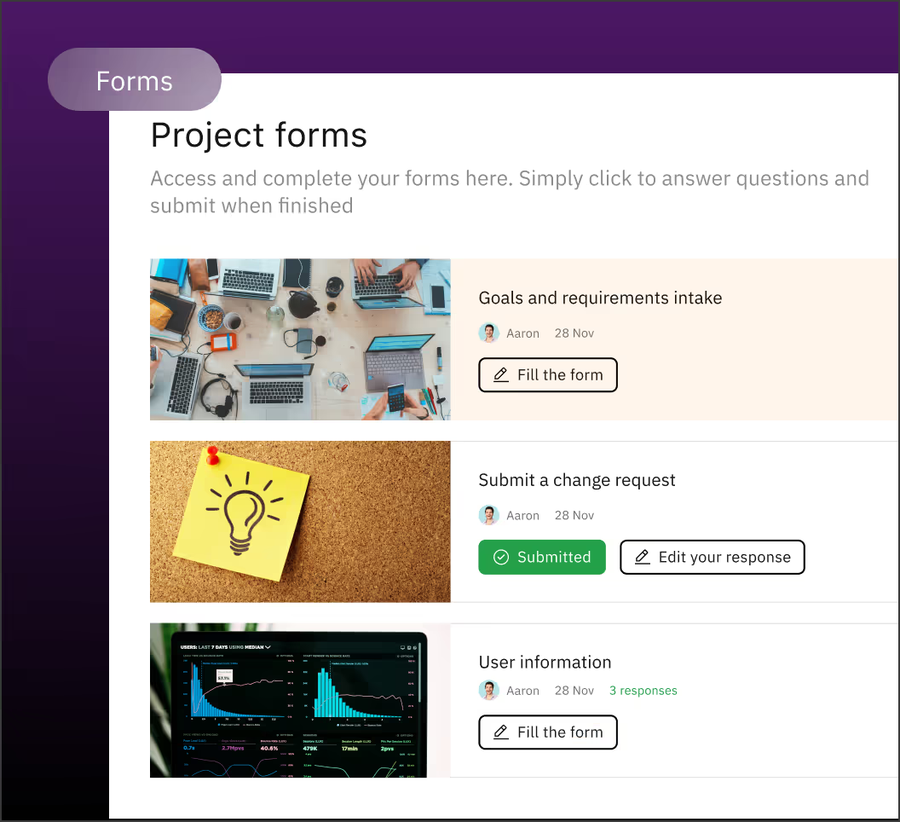
A white-label portal built around folders, tasks, approvals and an audit trail, with guest users.
Fits a team whose customer work is file exchange, approvals and an audit trail, and whose customers ask about security.
The team creates a branded portal with its logo and colors, builds folders, tasks and groups inside it, and invites clients, who log in with their own credentials. Role and group permissions limit each client to the files, discussions and tasks meant for them, and occasional collaborators can be given a guest share. A client logs in, uploads requested documents into a project folder, previews files in the browser, comments, and approves items or e-signs. Notifications go out by email and in the app, and a free mobile app lets clients respond on the go. We couldn't find documentation of the exact invitation steps, so confirm the flow in a trial. It breaks at the CRM: we found no native Salesforce or HubSpot connector, only Zapier and an API.
- your customer work is file exchange, approvals and an audit trail, and customers ask about security such as ISO 27001
- you want flat monthly plans for 100 or more members rather than a per-user price, and Clinked confirms how your clients are counted
- you want a native Salesforce or HubSpot sync, because none is listed
- you need single sign-on or a branded mobile app at small scale, since both sit on Enterprise
- Users like
- ease of use and keeping files, tasks and discussions in one branded space
- Users dislike
- limited customization and integration gaps
- Source: G2, 143 reviews
Plans, limits and integrations
Start Up is $11 per user per month for 1 to 25 users with 2 GB. Standard is $239 a month for 100 members and 1 TB, and Premium and Enterprise cost more; the Premium figure differs between the plan card and the comparison table on the page, so ask for a quote. These are list prices before the 20% yearly discount. Clinked says in a G2 reply that its guest structure is unlimited, but we found no definition of how clients and team members are counted, so confirm that before you promise unlimited clients. A custom domain starts on Standard, white-label email notifications on Premium, and a white-label mobile app and single sign-on on Enterprise. Clinked states ISO 27001 certification and hosting in AWS Ireland or Virginia. Native integrations include Google Workspace, OneDrive, DocuSign and Adobe Acrobat Sign.
- Starting price
- Start Up $11 per user per month (1 to 25 users, 2 GB); Standard $239 per month (100 members, 1 TB); Premium and Enterprise cost more and the Premium figure differs between the plan card and the table; list prices before a 20% yearly discount
- Custom domain
- From Standard
- White-label email
- Premium
- SSO
- Enterprise
- 2FA
- From Premium
- Certification
- ISO 27001 (vendor)
- Hosting
- AWS Ireland or Virginia
Moxo
Flow templates with forms, approvals and e-signatures that customers complete through a magic link.
Fits a team whose customer work is mostly paperwork, such as forms, document requests and sign-offs, and that needs an audit trail.
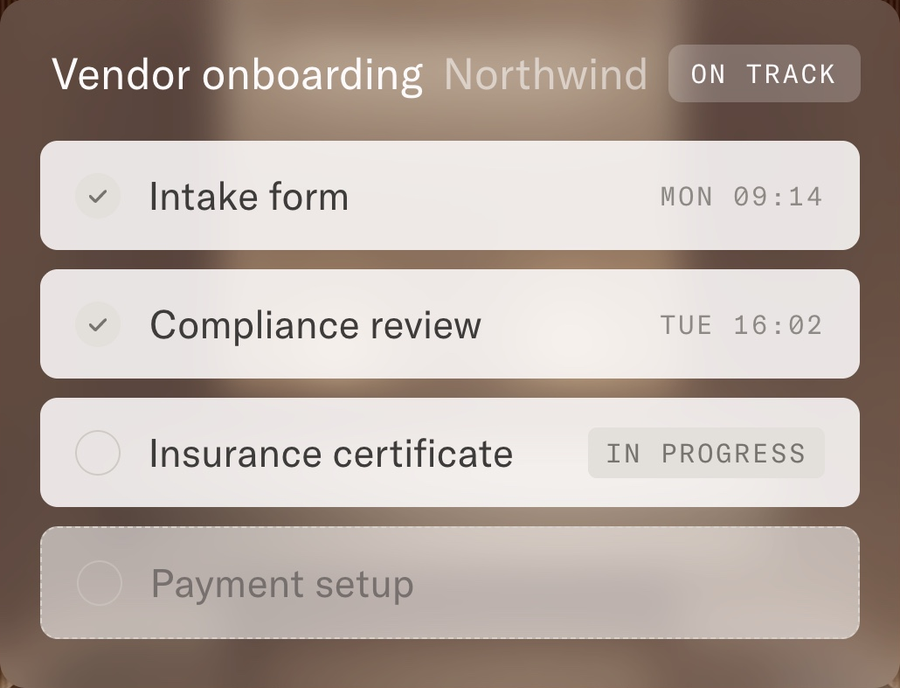
The team builds a flow template that strings together forms, document requests, approvals and e-signatures and assigns it to a customer. The customer gets an email with a magic link and opens a branded portal with no account, password or app download. The portal shows which steps are done, in progress or upcoming, and the customer uploads documents, completes forms, signs and messages the team in one thread. Staff see every client, stalled step and due date in one view. Separate portals can be set up for clients and vendors. It breaks on transparency and weight: there's no public price, and Capterra reviewers describe heavy setup, a learning curve when building workflows, and clients who need reminders to use the portal instead of email.
- your customer work is paperwork-heavy and you need an audit trail and strong security
- you want customers to act through a magic link with no account and separate portals for clients and vendors
- you want a published price to compare, since Moxo shows none
- you want a light success plan for a small team, because Capterra reviewers describe heavy setup
- Users like
- ease of use and customer support
- Users dislike
- missing features and limited customization
- Source: G2, 194 reviews
Pricing, security and what we couldn't confirm
Moxo's pricing page redirects to a demo request and shows no plan prices; third-party sources quote figures from $99 to $500 a month that disagree, so we don't print one. Portals carry the firm's logo, colors and tone. Moxo lists SOC 2 Type II, GDPR, single sign-on with SAML, an audit trail and role-based access. We couldn't confirm the plan that includes a custom domain, the integrations or any customer engagement analytics.
- Starting price
- No published price list; pricing links lead to a demo request
- Trial
- Free trial offered, terms not published
- Client access
- Branded portal or time-bound magic link, no account needed
SuiteDash
A portal on the same database as a CRM, projects, forms and invoicing, with unlimited clients.
Fits a team that wants a low-cost portal with unlimited customers and can invest time in building it, ideally replacing a few other tools.
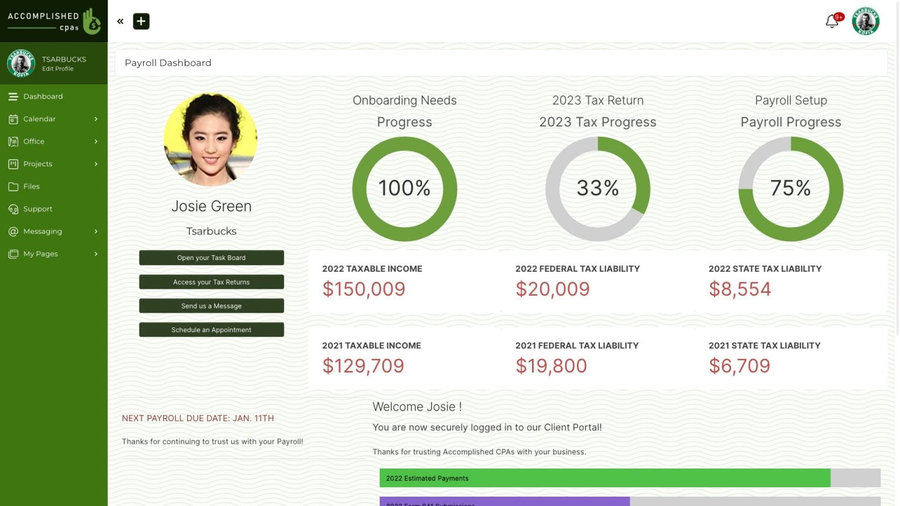
The CS lead adds the customer as a contact with the Client role in the built-in CRM, and optionally puts them in a Circle that holds the dashboards, portal pages and files for that segment. The invitation goes out by manual add, a kickoff form, CSV import or the Send Invite button, and the customer gets an email with a unique link, sets a password and lands on a dashboard, a start page or an onboarding flow. Inside, they see project timelines and milestones, exchange files, comment, message the team and submit support tickets under your logo and custom URL. Optional Magic Link login removes passwords, and the white-label mobile app is a progressive web app installed from the login page rather than a store app. It breaks on learning curve: G2 reviewer summaries we found describe a steep one.
- you want a low-cost portal with unlimited customers and want CRM, projects, forms and invoicing in the same tool
- you need segment-based access with Circles and automated onboarding without per-seat or per-client fees
- you already run a CRM or success platform and want a light portal on top, because SuiteDash replaces systems rather than layering on them
- you need single sign-on, a store-listed mobile app or a stated security certification, none of which we found on official pages
- Users like
- all-in-one value once it is set up
- Users dislike
- a steep learning curve and time to set up and customize
- Source: G2, 620 reviews
Plans, limits and what we couldn't confirm
Start costs $19 a month or $180 a year with 100 GB, Thrive $49 a month with 500 GB and Pinnacle $99 a month with 2 TB. Clients, staff and portals are unlimited on every plan, and extra storage costs $5 a month per 250 GB. White labeling and a white-label progressive web app are listed on Start. Marketing autoresponders start on Thrive and the full automation toolkit is on Pinnacle. Paid Portal Access can require a payment before a customer enters. We found no native Salesforce or HubSpot connector, and single sign-on, a public API and a security certification were not stated on the published vendor pages.
- Starting price
- Start $19 per month or $180 per year (100 GB); Thrive $49 per month or $480 per year (500 GB); Pinnacle $99 per month or $960 per year (2 TB); unlimited clients and staff on all plans
- Clients
- Unlimited on every plan
- White label
- From Start
- Mobile app
- Progressive web app, not store-listed
- Magic Link
- Optional passwordless login
- Extra storage
- $5 per month per 250 GB
Portals on your system of record
If your customers already exist as contacts in your CRM or help desk, the lowest-effort portal may be the one that comes with it. These two portals show tickets and help articles, not plans or files. Our guide to the best knowledge base software covers the help center side in more depth.
HubSpot Service Hub
A login-protected ticket and knowledge base portal on top of the HubSpot CRM.
Fits a customer success team whose contacts, companies and tickets already live in HubSpot and whose customers mostly need to follow and answer support requests.
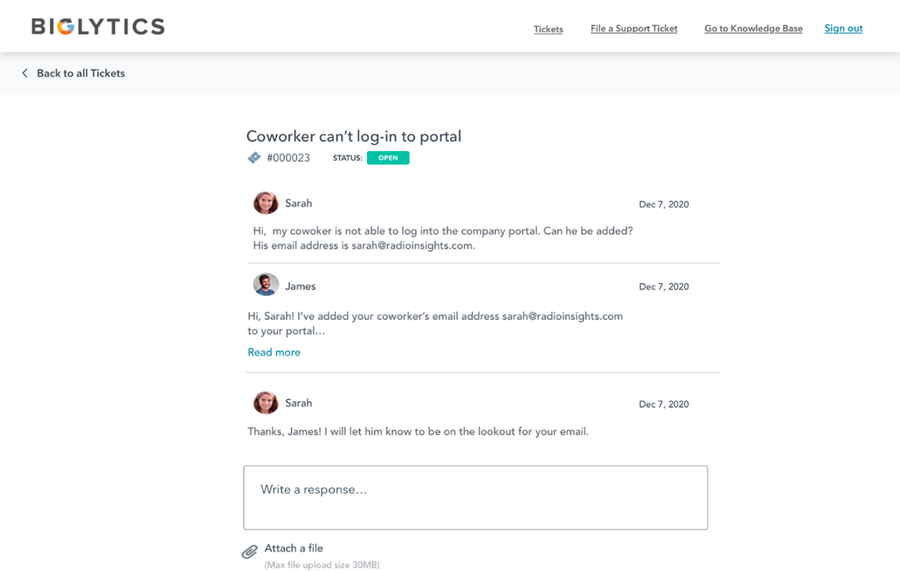
A CSM or admin turns on the portal under Service, Customer Portal and links it to a default inbox or help desk. Customers who are CRM contacts get a registration email through an access group, or sign up themselves if self-registration is enabled. They sign in with a password, a magic-link email, or single sign-on through SAML or OIDC. Inside they see their tickets, optionally also their company's tickets, can open or reply to tickets and search the knowledge base. Replies land in the same ticket your team works in the HubSpot inbox, so the CRM stays the single record. It breaks on scope: the documentation covers tickets and the knowledge base only, with no deals, custom objects or shared file library, and the invite flow needs a connected custom domain.
- your contacts, companies and tickets already live in HubSpot and customers need to track tickets in a login-protected space
- you need single sign-on for the portal without moving to a custom-priced plan
- you want customers to see deals, projects, invoices or a shared file library, since the documentation covers tickets and the knowledge base only
- you have many customer groups on Professional, where access groups are capped at 2 and each seat costs about $90 to $100 a month plus onboarding
- Users like
- ease of use and the CRM integration
- Users dislike
- missing features, limited customization and cost
- Source: G2, 3,018 reviews
Plans, limits and what to check
The portal needs Service Hub Professional or Enterprise; Free and Starter don't include it. Professional costs about $90 to $100 per seat per month, because the pricing page doesn't label which figure is annual billing, plus a $1,500 one-time onboarding fee. Enterprise starts at $150 per seat with a $3,500 onboarding fee. HubSpot's documentation lists no per-customer fee, and customers sign in as CRM contacts. Access groups, which are shared with the private knowledge base, are capped at 2 on Professional and 100 on Enterprise. SAML or OIDC single sign-on for the portal is available from Professional. Documented branding options are the portal name, the URL slug and the connected domain.
- Starting price
- From $90 per seat per month on Professional (the page shows $90 and $100 without labeling which is annual billing), plus a $1,500 one-time onboarding fee
- Needs
- Service Hub Professional or Enterprise
- Access groups
- 2 on Professional, 100 on Enterprise
- Single sign-on
- SAML or OIDC from Professional
Zendesk Guide
A sign-in help center where customers submit, track and reply to requests.
Fits a support-led team that already runs Zendesk and wants customers to sign in to submit, track and reply to requests and read restricted articles.
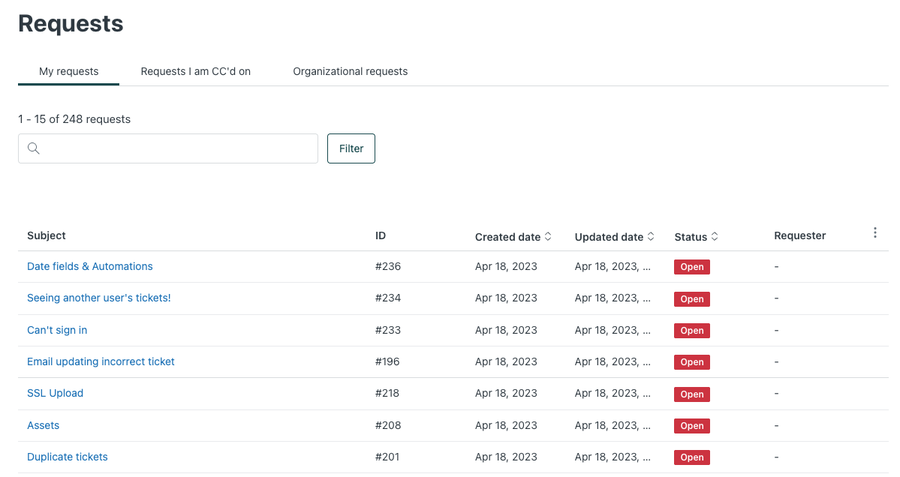
Customers reach the help center on a branded Zendesk or custom domain and register or sign in with a password, Google, Microsoft, JWT or SAML. Once signed in they submit a request, then open the profile menu to track all their requests, filter by status and reply in the thread. Members of a shared organization also see Organization requests for their whole company and can follow them for updates. Admins can require sign-in so anonymous visitors see only the login page, and limit article views to user segments. It breaks on scope and tier: the documented portal covers requests and articles only, and segment-restricted articles and custom themes need Suite Professional.
- your support team already works in Zendesk and customers need a login to submit, track and reply to tickets
- you need help articles restricted by customer tier or organization, which Suite Professional supports
- you want customers to see deals, projects, files or health data, since the documented portal covers requests and articles only
- you want a standalone client portal on a small budget, because it's bundled into agent-priced Suite plans
- Users like
- a user-friendly interface and quick set-up of a self-service help center
- Users dislike
- cost and complicated pricing
- Source: G2, 6,700 reviews
Plans, limits and what to check
The help center comes with the Suite plans, and Zendesk's own request-tracking article doesn't name Suite Team, so confirm the tier in a trial. Suite Team costs $55 per agent per month billed annually ($69 monthly) and includes one help center with standard themes. Suite Professional costs $115 annually ($149 monthly) and adds up to five help centers, custom and Marketplace themes and custom user segments for article visibility. Suite Enterprise is quote only. The pricing page lists single sign-on and a custom domain on both Team and Professional. Because the price is per agent, the bill follows your support headcount, not the number of customers who log in.
- Starting price
- Help center comes with Suite plans: from $55 per agent per month billed annually ($69 monthly) on Suite Team
- Plan with help center
- Suite Team and up
- Help centers
- 1 on Suite Team, up to 5 on Suite Professional
- Languages
- 1 default on Suite Team, 40+ on Suite Professional
Portals you build
Softr
A no-code builder where each client logs in and sees only the records that match them.
Fits a team whose customer data already sits in Airtable or Google Sheets and that has someone able to build a portal from tables and permissions.
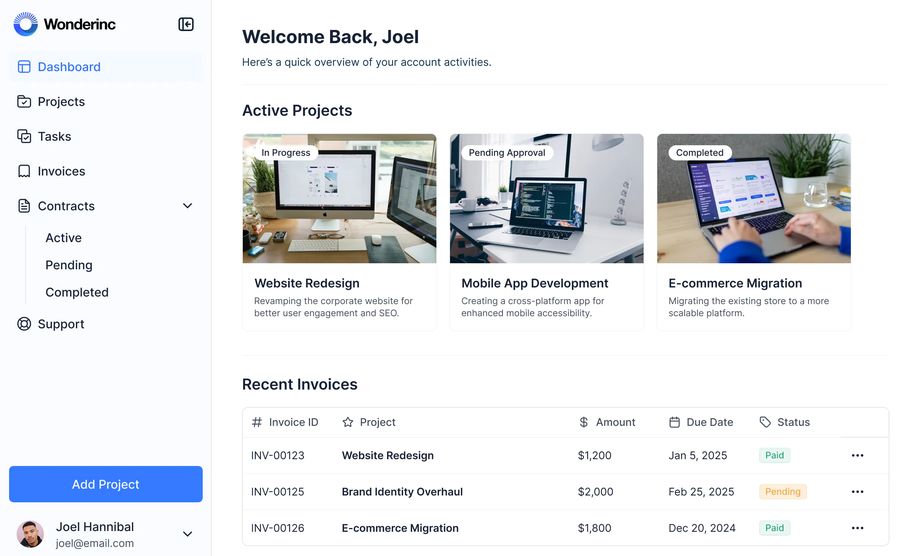
The CS team connects Airtable, Google Sheets, a SQL database or Softr's own database, then assembles pages from blocks such as lists, tables, forms, kanban boards and charts. Clients register through a sign-up form or are added by an admin, then sign in with a password, a one-time email code, Google or single sign-on. Each client is assigned to a user group, and record filters match a field such as the client's email so they see only their own projects, files, tasks or invoices. Page, block and action visibility rules hide anything a group should not see. The portal runs on a Softr subdomain or your own custom domain. It breaks on assembly: you get building blocks rather than a ready-made onboarding module or ticketing, and you maintain the data model yourself.
- you want a branded portal where each client sees only their own records and someone on your team can build it without developers
- your customer data already sits in Airtable or Google Sheets and you don't want a license per client in a CRM
- you need single sign-on for client logins on a small budget, since it's Enterprise only or a Business add-on
- you want ticketing, health scores or a ready-made onboarding module, because you assemble those yourself
- Users like
- ease of use and fast portal building on Airtable data
- Users dislike
- restrictive customization beyond standard blocks and some slow screens
- Source: Capterra, 64 reviews
Plans, limits and what to check
Free costs $0 for up to 5 combined users, per Softr's docs. Basic is $19 a month billed annually ($25 monthly), Pro $99 ($119 monthly) and Business $329 ($395 monthly), with Enterprise custom. Client logins are counted users: Pro includes 50 and Business 100, with extra logins at $1 and $2 a month. Three user groups come with Pro and ten with Business. The one-time email code sign-in is limited to Pro and Business. Single sign-on through SAML and OpenID is Enterprise only or a paid add-on on Business. Softr's own docs disagree on whether the Free plan includes a custom domain, so confirm that before you rely on it. Softr states SOC 2 and GDPR compliance.
- Starting price
- Free plan; Basic $19 per month billed annually ($25 monthly), Pro $99, Business $329; Enterprise custom
- Free plan
- 5 app users, 5K records, 3 builders
- Plans
- Basic $19, Pro $99, Business $329 (annual billing)
- Client access
- Logins that count against the app-user limit
- User groups
- 3 on Pro, 10 on Business
- Client logins
- 5 on Basic, 50 on Pro, 100 on Business
How customers get in and what they see
The first five minutes really decide whether a customer uses the portal or goes back to email. The table shows how each tool lets a customer in, whether customers cost extra, and which plan unlocks branding. It reflects what each vendor documents, and a blank in the documentation is marked as such.
| Tool | How a customer gets in | Do customers cost extra? | Branding gate |
|---|---|---|---|
| Dock | Link restricted to named emails or domains, or open after an email prompt | No, external collaborators are free | Branding on every plan; logo removal on Premium; custom domain on Enterprise |
| Rocketlane | Work email, then a magic link; allowed email domains; seven-day shared links | No, customer members are unlimited; granular permission toggles are documented, plan not stated | Portal from Standard; custom email domain on Premium |
| Clinked | Invitation with the client's own login, limited by role and group | Guests are unlimited, per Clinked | Custom domain from Standard; white-label email on Premium; branded app on Enterprise |
| Moxo | Magic link with no account | Not documented, no public price | Logo and colors; custom domain plan not confirmed |
| SuiteDash | Invite email with a unique link, then a password; optional Magic Link | No, clients are unlimited on every plan | White label from Start; one custom URL per account |
| HubSpot Service Hub | Registration email from an access group, or self-registration; password, magic link or SSO | No customer fee documented; access groups capped at 2 on Professional | Portal name, URL slug and connected domain |
| Zendesk | Registration, Google, Microsoft, JWT or SAML sign-in | Priced per agent, not per customer | Standard themes on Team; custom themes on Professional |
| Softr | Sign-up form or admin invite; password, email code, Google or SSO | Yes, client logins beyond 50 on Pro or 100 on Business cost $1 or $2 a month | One custom domain on paid plans |
What client portal software costs
Small teams can start free with Dock or Softr, or from $19 a month with SuiteDash or Softr Basic. Per-seat tools start much higher: Rocketlane's five-seat minimum is about $245 a month, Dock Standard is $350, and HubSpot adds a $1,500 onboarding fee while Moxo shows no price. Pricing units differ, so compare what the number counts before you compare the number. Prices were checked in October 2026.
| Tool | Free plan | Entry price (USD) | What the price counts |
|---|---|---|---|
| Dock | Yes, 10 workspaces | $350 a month (Standard) | 5 internal users; customers free |
| Rocketlane | No | $49 per team member a month, billed annually (Standard) | Internal members, five-seat minimum; customers free |
| Clinked | No | $11 per user a month (Start Up); $239 a month (Standard) | Start Up counts 1 to 25 users, Standard 100 members |
| Moxo | No, free trial offered | No public price | Quote after a demo |
| SuiteDash | No | $19 a month (Start) | Flat; unlimited clients and staff |
| HubSpot Service Hub | No portal on Free | About $90 to $100 per seat a month (Professional), plus $1,500 once | Each Service Seat; no customer fee documented |
| Zendesk | No | $55 per agent a month, billed annually (Suite Team) | Each agent |
| Softr | Yes, 5 combined users | $19 a month, billed annually (Basic) | Plan tier; Basic has 5 client logins, Pro 50 and Business 100 |
What makes the bill grow?
Three things: internal seats (Rocketlane, Dock, HubSpot, Zendesk), customer logins (Softr) and storage tiers (SuiteDash, Clinked). SuiteDash and Dock don't charge per customer, so accounts can grow without the bill following, while Softr charges extra for client logins past 50 on Pro.
Who owns the portal after launch
A portal goes stale when nobody owns it, and a stale portal is worse than none because customers learn to ignore it. The plan below is our recommendation, not a vendor requirement, and the weeks are a starting point.
- CS leadDecide what lives in the portal and what stays in email Week 0
- CS opsBuild the template, set branding and permissions, test as a customer Week 1
- Security or ITReview sign-in method, domain and what customers can see Week 1
- CSMInvite the first customers and walk them through the first login Week 2
- Customer adminAdd colleagues and confirm who may see what Week 3
- CS opsReview which customers never opened it and fix the template Monthly
Portal adoption checklist
A portal only helps if customers open it. Check these items for the first three customers before you roll it out wider.
- The first screen shows the customer's next step, not a menu
- The invite names the person who sent it and says what to do first
- Customers can sign in without creating a new password, or the password reset works
- Only the account's own users can see its files and tasks
- Internal notes are hidden from the customer view
- Each task has an owner on both sides and a due date
- Customer notifications go to the right people and aren't muted by default
- The portal uses your logo and, where the plan allows, your own domain
- You can see who opened the portal and who has not
- One person on your team owns the template and reviews it monthly
How to choose client portal software
Start with what the customer does in the portal, then test four things: how they get in, what they can see, which plan unlocks your branding and sign-in needs, and who maintains it. Run a trial with a real customer and a colleague acting as a second user at that company.
- A branded plan per customer with free customer accessDock
- Customers work project tasks with controlled permissionsRocketlane
- File exchange, approvals and an audit trailClinked
- Forms and sign-offs through a magic linkMoxo (ask for a quote)
- Lowest cost with unlimited clients and a CRM includedSuiteDash
- Customers track tickets and your contacts live in HubSpotHubSpot Service Hub Professional
- Customers track requests and your support team uses ZendeskZendesk Suite
- A portal on your own Airtable or Sheets dataSoftr
Should you build or buy a client portal?
Building gives you control, but it turns the portal into software you maintain rather than a tool you use. A no-code builder such as Softr sits in between: you own the data model and the pages, and the vendor owns the login, hosting and security. If you have fewer than a few dozen accounts and no one to maintain it, a ready-made workspace such as Dock or Clinked usually costs less than the time a build takes.
What if your customers already use your help center?
Then start with the portal you already pay for. HubSpot Service Hub and Zendesk show tickets and articles to signed-in customers. Add a shared-plan tool only when customers need to see tasks, files or status that live outside the ticket queue.
What a portal doesn't record: promises made in the thread
A portal records the plan, the files and the status. It doesn't record the promise your CSM made in a comment, such as a date for a fix or a custom export. After a handover or a renewal it can be hard to say what was promised or whether it was delivered.
FAQ
What is client portal software?
Client portal software is a private, signed-in space where a business shares files, tasks, messages and status with one customer. For a customer success team it usually holds the onboarding plan, shared documents, open requests and agreed next steps for each account.
What is the difference between a client portal and a customer portal?
A client portal is built around one account and shared work, such as a plan and files. A customer portal usually means self-service for many customers, such as a help center and ticket tracking. HubSpot Service Hub and Zendesk are customer portals, while Dock and Rocketlane are client portals.
How much does client portal software cost?
Prices run from free to $1,000 a month for Dock Premium, with enterprise tiers quote only. Dock and Softr have free plans, SuiteDash starts at $19 a month, Dock Standard costs $350 and Rocketlane starts at $49 per team member with a five-seat minimum. HubSpot Service Hub Professional costs about $90 to $100 per seat plus a $1,500 onboarding fee, and Moxo shows no price. Prices checked October 2026.
Is there free client portal software?
Yes, with limits. Dock's free plan includes 10 workspaces and Softr's free plan allows 5 combined users. Both are enough to test a portal with a few customers. Dock's free plan already has custom branding, while Softr's free plan has a low user cap and its docs conflict on custom domains.
Do customers need an account to use a client portal?
Customers need an account only with some tools. Moxo and Rocketlane let customers in with a magic link, Dock can open a workspace after an email prompt, and Clinked and Zendesk use registration or an invitation with a login. SuiteDash, HubSpot and Softr use accounts too but offer optional magic-link or email-code sign-in. Magic links lower friction, while accounts give you stricter control.
Related: best customer collaboration software compares seven tools for working with customers in a shared channel, a shared plan or a file room, and what each costs per external person.