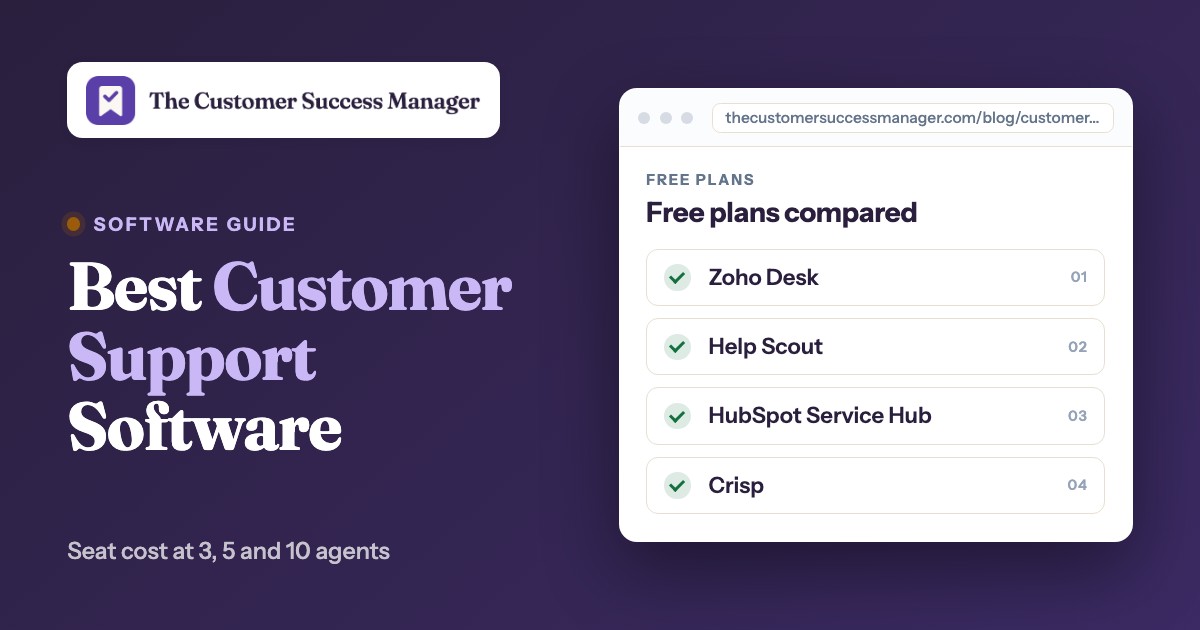
The best customer support software for a small B2B team is the one whose price still makes sense at ten agents. At three agents almost every tool on this list costs under $250 a month, and Zoho Desk, Help Scout, HubSpot and Crisp have free plans. At ten agents the same tools run from $95 a month (Crisp, flat) to $550 a month (Zendesk Suite Team), before AI, phone or onboarding fees. Freshdesk, Intercom, LiveAgent and Help Scout sit in between at $190 to $250. Two of those are soft numbers: LiveAgent's $220 is an offer price through November 22, 2026 (at the regular $29 per agent it is $290), and Intercom's $19 seat price is shown with $29 struck through for new customers.
This guide is for customer success managers and support leads at B2B software companies that are choosing a first help desk or replacing a shared mailbox. For each of the nine tools we read the pricing page, a feature page, a help-center article on how the tool works in practice and, where available, the G2 listing. LiveAgent has no G2 rating cited, Intercom's G2 link leads to its Fin listing and Zoho Desk lists euros, so we say so where it matters. We then did the arithmetic most roundups skip: what each plan costs at 3, 5 and 10 agents, which free plan runs out first and what each tool shows about the customer account next to a conversation. If your question is wider than the support desk, our guide to customer success software covers the platforms that sit on top of it.
- tools compared
- 9
- have a free plan (Zoho Desk, Help Scout, HubSpot, Crisp)
- 4
- monthly list price for 10 agents on the entry plans in the calculator
- $95 to $550
- G2 rating range where available
- 4.3 to 4.5
Best customer support software at a glance
 Best free start for a ticketing deskZoho DeskFree for 3 agents with email ticketing. Paid Express and Standard plans are $7 and $14 per agent per month on G2's USD listing (the vendor page lists euros).
 Best email-like inbox on a free planHelp ScoutFree for 5 users and 1 inbox. Standard is $25 per user per month, and AI drafts are included.
 Best low per-agent price with a free AI allowanceFreshdeskGrowth is $19 per agent per month billed annually, with 500 free AI agent sessions once per account.
 Best flat price for chat and inboxCrispA workspace price, not a seat price: $95 a month covers up to 10 agents on Essentials.
 Best when routing rules matterZendeskTeam routes new and open tickets by capacity once Agent Workspace and Messaging are set up, at $55 per agent. SLAs start on Professional.
 Best for customers who live in SlackPlainSlack and email conversations become threads with account tiers, from $45 per user per month billed annually. Teams and SLAs need Horizon at $99.
 Our product · for promises the desk doesn't trackThe Customer Success ManagerA ledger of what your team promised each customer, with who confirmed it, the owner and whether delivery was verified. It is not a help desk.
| Tool | How it bills | Free option | Entry price (USD) | Rating |
|---|---|---|---|---|
| Zoho Desk | Per agent | Free for 3 agents | Express $7, Standard $14 per agent per month (G2 listing) | 4.4 (8,064) |
| Help Scout | Per user | Free for 5 users, 1 inbox | Standard $25 per user per month | 4.4 (431) |
| Freshdesk | Per agent | 14-day trial, no free plan | Growth $19 per agent per month, annual | 4.4 (3,899) |
 LiveAgent | Per agent | 30-day trial, no free plan | Starter $11, Team $22 per agent per month, annual offer prices | No reviews yet |
| Crisp | Per workspace | Free for 2 agents | Mini $45, Essentials $95 per workspace per month | 4.5 (207) |
| Zendesk | Per agent | 14-day trial, no free plan | Suite Team $55 per agent per month, annual | 4.3 (7,120) |
 Intercom | Per seat plus AI per outcome | 14-day trial, no free plan | Essential $19 per seat per month; Fin $0.99 per outcome | 4.5 (3,949) |
 HubSpot Service Hub | Per seat, CRM-based | Free for 2 users | Starter $7 or $20 per seat per month (basis not labeled); Professional $90 or $100 plus $1,500 onboarding | 4.4 (3,016) |
| Plain | Per user | 7-day trial, no free plan | Foundation $45, Horizon $99 per user per month, annual | 4.5 (27) |
| The Customer Success Manager Our product | Customer commitment tracking | Records what your team promised each customer and whether delivery was verified | From $49/month per workspace | No reviews yet |
List prices checked October 30 and November 3, 2026. Billing basis differs by vendor, see each entry. Ratings: Intercom's is for its Fin listing, Zendesk's for Zendesk for Customer Service, Plain has 27 reviews and LiveAgent's G2 page is not cited.
What is customer support software?
Customer support software is the system a support team uses to receive customer requests from email, chat and other channels, assign each one to an owner and track it until it's resolved. Most products add a help center for self-service, rules for routing and escalation, service-level timers and reports on response and resolution time. You'll also see it called a help desk, a ticketing system or a customer service platform, and the terms overlap heavily. Our companion guide to customer service software compares the same family by unit of work and AI pricing. This page compares it by team size and what you pay.
Is a help desk the same as a CRM?
No. A CRM stores customer records, contacts, companies and deals, and mostly serves sales. A help desk handles incoming requests and tracks them to resolution. HubSpot Service Hub adds tickets to a CRM, and Help Scout and Plain connect to one. If your account data already lives in a CRM, a support tool that reads it saves you a second copy of every company record.
What should a startup look for in customer service software?
A startup should look for a price that holds at ten agents, a free or trial plan that lets you test with real conversations, the channels your customers already use and a way to see the account behind the person who wrote in. Heavy features such as skills routing, sandboxes and custom objects can wait. In the tools below, SLAs, phone and advanced routing are the features most often held back for higher plans, so check those first. AI agents are usually on every plan but billed by usage. Early teams also rarely need the seat count they price for: Zendesk's Suite Team and LiveAgent's Starter plan both work for a handful of agents, and Crisp charges by workspace instead of by person.
What a small team pays: 3, 5 and 10 agents
List prices look small until you multiply them. The calculator below uses the entry plan of each per-seat tool that fits ten agents, at the price shown on the vendor's page or on G2 when the vendor page showed another currency. Move the slider to your team size.
Monthly list price, no AI usage, phone or onboarding fees. Zoho Desk, HubSpot and Plain are not in the calculator: Zoho's Standard plan has a stated cap of 5 users, HubSpot's page doesn't label which Starter price is annual, and Plain's seat tiers are not mapped plan by plan on its page. Free plans are in the next section.
| Tool | 3 agents (USD per month) | 5 agents (USD per month) | 10 agents (USD per month) | Price basis |
|---|---|---|---|---|
| Crisp | $45 | $95 | $95 | Mini covers 4 agents (the page lists extra agents at $10 but not which plans it applies to), Essentials covers 10 |
| Freshdesk | $57 | $95 | $190 | Growth: $19 per agent, annual |
| Intercom | $57 | $95 | $190 | Essential: $19 per seat, new-customer price, basis not stated |
| LiveAgent | $66 | $110 | $220 | Team: $22 per agent, annual offer price (regular $29, so $290 at 10) |
| Help Scout | $75 | $125 | $250 | Standard: $25 per user |
| Zendesk | $165 | $275 | $550 | Suite Team: $55 per agent, annual |
Three things change those numbers once you move off the list price:
- Billing basis. Zendesk is $55 billed annually and $69 billed monthly. LiveAgent's $22 is an offer price (regular $29), and the vendor says the offer price needs a trial or quote request by November 22, 2026. Intercom and Help Scout don't say on the page whether their prices are annual or monthly.
- AI. Freshdesk gives 500 free AI agent sessions once per account, then $49 per 100. Intercom's Fin is $0.99 per outcome. Zendesk includes 5 automated resolutions per agent per month on Team, then charges $1.50 to $2.00. Help Scout's AI Answers is $0.75 per resolution. LiveAgent charges nothing for AI and you pay your own AI provider.
- One-time fees. HubSpot Service Hub Professional adds a $1,500 onboarding fee. Starter does not list one.
Free plans compared, with their limits
Four tools have a permanent free plan. Each one limits something a growing team hits within months, so pick the free plan whose limit you will hit last.
| Tool | Free plan | What runs out first | Next step up |
|---|---|---|---|
| Zoho Desk | 3 agents, email ticketing | Channels and automation: social and web forms start on Express | Express $7 per agent per month |
| Help Scout | 5 users, 1 inbox, 100 contacts per month | The 100 contacts per month and 30 days of reporting history | Standard $25 per user per month |
| HubSpot Service Hub | Up to 2 users, live chat with HubSpot branding | Two users, and branded chat | Starter, then Professional at $90 per seat plus $1,500 onboarding |
| Crisp | 2 agents, 100 customer profiles, no AI credits | Agents and profiles; email arrives on Mini | Mini $45 per workspace per month |
Freshdesk, LiveAgent, Zendesk, Intercom and Plain have no free plan. They offer trials of 14 days (Freshdesk, Zendesk, Intercom), 30 days (LiveAgent) and 7 days (Plain), so a trial of those needs real conversations loaded on day one.
Help desks priced per agent
Freshdesk, Zendesk, LiveAgent and Zoho Desk turn every request into a ticket with a status, a priority and an owner, and charge per agent. They differ in how quickly the cheap plan runs out of routing, SLAs and channels.
Freshdesk
Email first ticketing help desk with a separate Omni line for chat, WhatsApp and Instagram; AI agents are billed per 72 hour session after 500 free ones.
Email-first ticketing at a low per-agent price, with chat, WhatsApp and Instagram in a separate Omni line.
Freshdesk's email and ticketing plans cost $19 (Growth), $55 (Pro) and $89 (Enterprise) per agent per month billed annually, and Freshworks says annual billing saves 20 percent. For 5 agents Growth is $95 a month. There's no free plan, and the 14-day trial gives access to the Enterprise plan. Standard Freshdesk covers email, Facebook and basic web chat. WhatsApp and Instagram need Freshdesk Omni at $29, $79 and $119 per agent per month. Multiple SLA policies and intelligent routing start at Pro, and skill-based routing is Enterprise only.
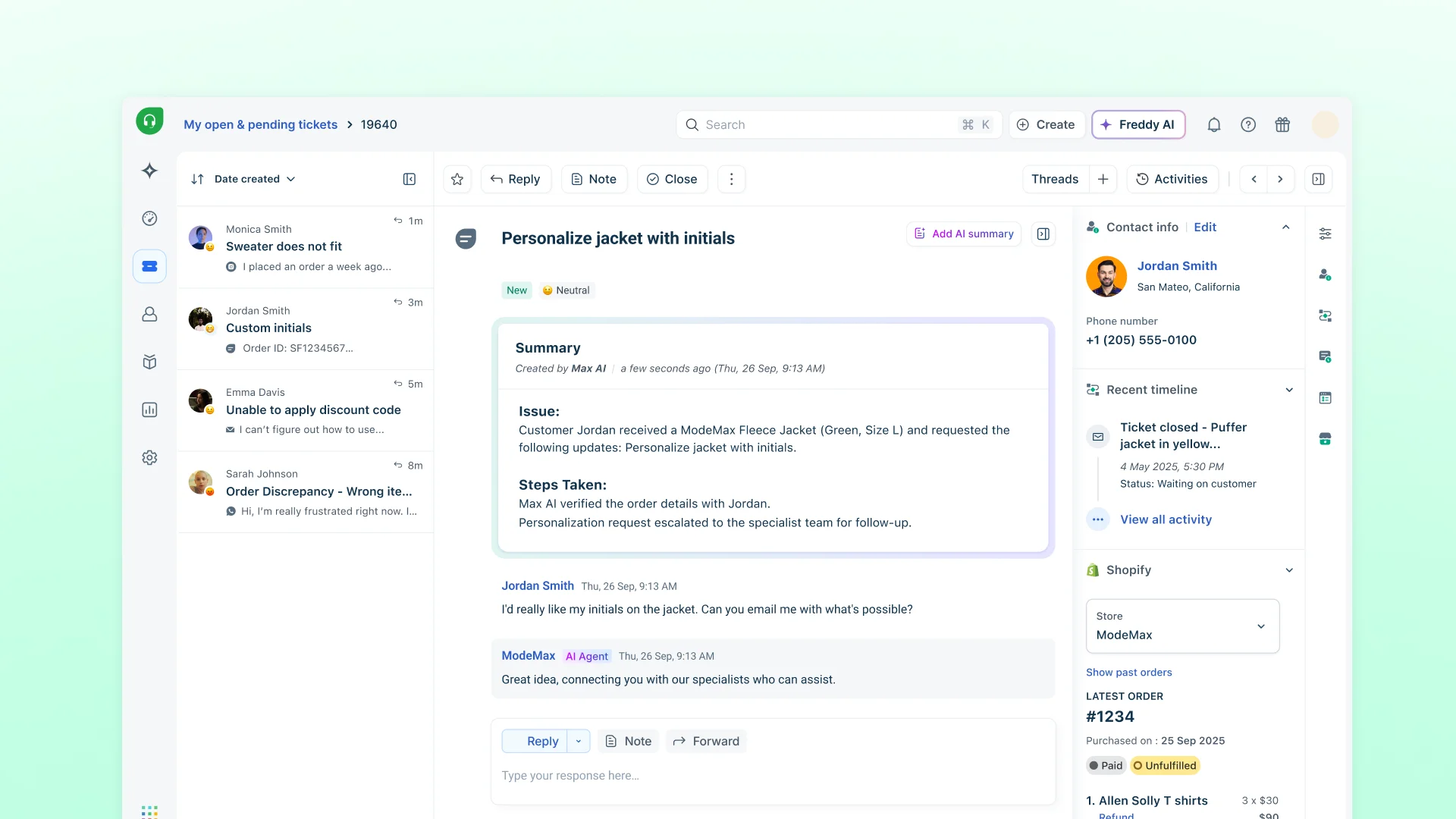
The Freddy AI Agent includes 500 free sessions once per account, then $49 per 100 sessions, where a session is a 72-hour window from the customer's first email. Freshdesk company records can carry a health score, account tier, renewal date and industry on paid plans, which helps a customer success team that wants account context without a CRM.
- You want a low-priced ticketing plan ($19 Growth) and a company object with health score, tier and renewal date fields.
- You want predictable AI agent cost: $49 per 100 sessions after 500 free.
- You need WhatsApp, Instagram or full chat in the plan; those need Omni at $29 and up.
- You need skill-based routing below Enterprise.
- Users like
- Ease of use, automation, ticket management
- Users dislike
- Missing or limited features, ticket handling issues
- Source: G2, 3,899 reviews
- Starting price
- Growth $19, Pro $55, Enterprise $89 per agent/month billed annually; Omni from $29
- Unit of work
- Ticket; every message in Omni's inbox becomes one
- Channels in base plan
- Email, Facebook, basic web chat (WhatsApp and Instagram need Omni)
- AI pricing
- Freddy AI Agent: 500 free sessions once, then $49 per 100 sessions (72 hour window)
- Account view
- Company record with health, tier and renewal fields; ticket display unconfirmed
- SLAs
- Multiple SLA policies from Pro
- Price for 5 agents
- $95 a month (5 x $19, annual)
- AI
- 500 free sessions once, then $49 per 100
Zendesk
Ticket based help desk where email, messaging and calls all become tickets routed by capacity, with SLAs and skills routing from Professional and AI agents billed per automated resolution.
The ticket system most larger teams standardize on, and the most expensive entry price in this list.
Zendesk Suite Team costs $55 per agent per month billed annually ($69 monthly) and Suite Professional $115 ($149 monthly). Enterprise pricing isn't published. That makes 5 agents $275 a month on Team and 10 agents $550. Every inbound contact on every channel becomes a ticket, and Team routes tickets by agent status and capacity, oldest first. SLAs, skills-based routing and routing by ticket priority start at Professional, so a team that needs SLAs pays the $115 price. Zendesk's help articles also list a Growth tier between Team and Professional, shown at $89 on G2, which we could not price from the vendor page.
AI is billed per automated resolution. Team includes 5 per agent per month and Professional 10, with extra resolutions at $1.50 committed or $2.00 pay as you go. There's no free plan; the 14-day trial has full access to Suite Professional, and a Startups program is the only free access Zendesk lists.
- You need email, messaging and phone in one routed queue with capacity rules and SLA based routing.
- You want AI agents billed only when they resolve a request without human help.
- You need a free plan or published Enterprise pricing.
- You want AI resolution costs fixed up front; usage over the included resolutions is billed at $1.50 to $2.00 each.
- Users like
- Ease of use, features, ticket management
- Users dislike
- Missing features, learning curve, limited customization
- Source: G2, 7,120 reviews
- Starting price
- Suite Team $55 per agent/month billed annually; Professional $115
- Unit of work
- Ticket across every channel
- Channels in base plan
- Email, messaging and live chat, social, voice basics (numbers and WhatsApp cost extra)
- AI pricing
- 5 (Team) to 10 (Professional) resolutions per agent per month included, then $1.50 or $2.00
- Account view
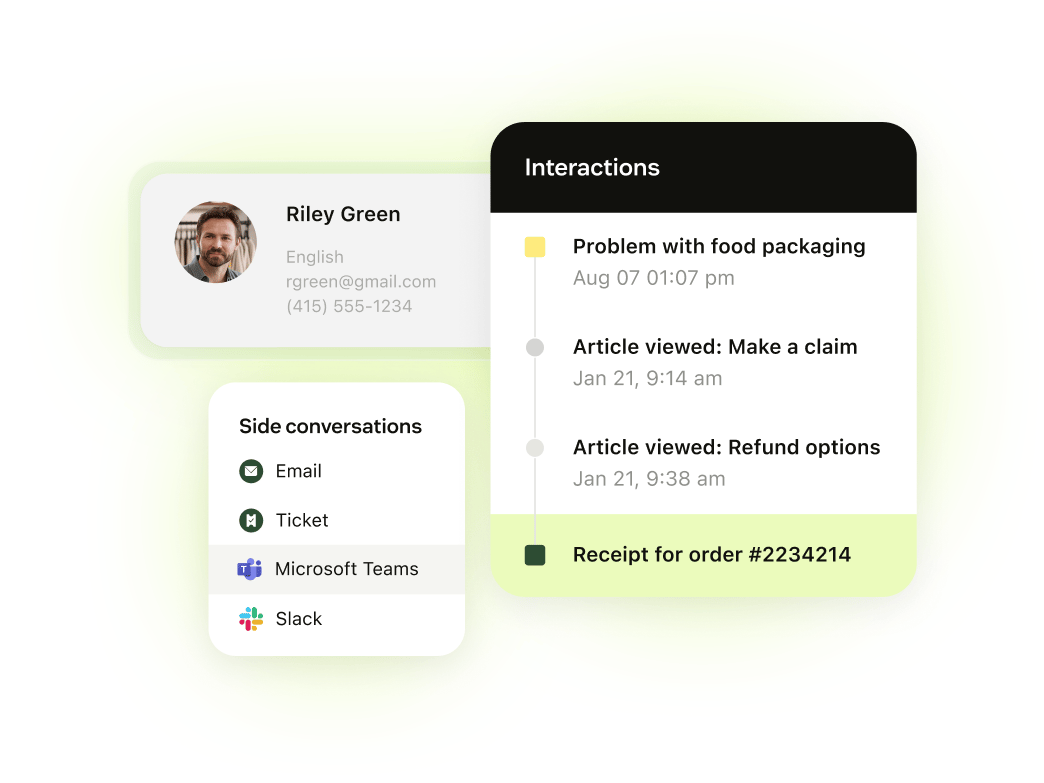
- Organization field on the profile, up to 300 organizations per user on Professional
- SLAs
- Professional and above
- Price for 5 agents
- $275 a month (5 x $55, annual)
LiveAgent
Multichannel help desk with email and chat on every plan, phone and social from Team, and AI at no LiveAgent charge when you bring your own AI provider.
A multichannel help desk with email and live chat on every plan and AI that costs nothing from LiveAgent itself.
LiveAgent's annual offer prices are $11 (Starter, up to 5 agents), $22 (Team, up to 15 agents) and $38 (Business, any size) per agent per month. Regular prices are $15, $29 and $49, and monthly billing is $15, $26 and $44 at the offer price. For 5 agents that is $55, $110 or $190 a month on annual billing. Email and live chat are on every plan, with unlimited ticket history. Phone, Facebook, Instagram and WhatsApp tickets start on Team, in the same queue. Starter has no SLA rules, reporting or social channels, so a B2B team that sells on response times will need Team.
LiveAgent doesn't charge for AI. You connect your own provider, such as OpenAI, Anthropic or Google Gemini, and pay it directly. The help center warns that some plan limits listed on the pricing page may not be enforced yet but could be later.
- You want low per agent pricing: 5 agents cost $110/mo on Team (5 x $22, annual).
- You want AI without a per resolution fee, paying your own provider.
- You need SLA rules, phone or social below Team; Starter has none of them.
- You want company health score, tier or renewal date beside the ticket; only custom company fields were found.

- Starting price
- Starter $11, Team $22, Business $38 per agent/month billed annually (offer prices)
- Unit of work
- Ticket; all channels feed one queue
- Channels in base plan
- Email, live chat, contact forms (phone and social from Team)
- AI pricing
- $0 from LiveAgent; you pay your AI provider; AI agents capped 1/5/50 by plan
- Account view
- Contact details panel in ticket; optional companies with custom fields
- SLAs
- From Team (5 SLA rules/levels); Business 50 rules / 20 levels
- Price for 5 agents
- $110 a month on Team (5 x $22, annual offer price)
- Trial
- 30 days, no card
Zoho Desk
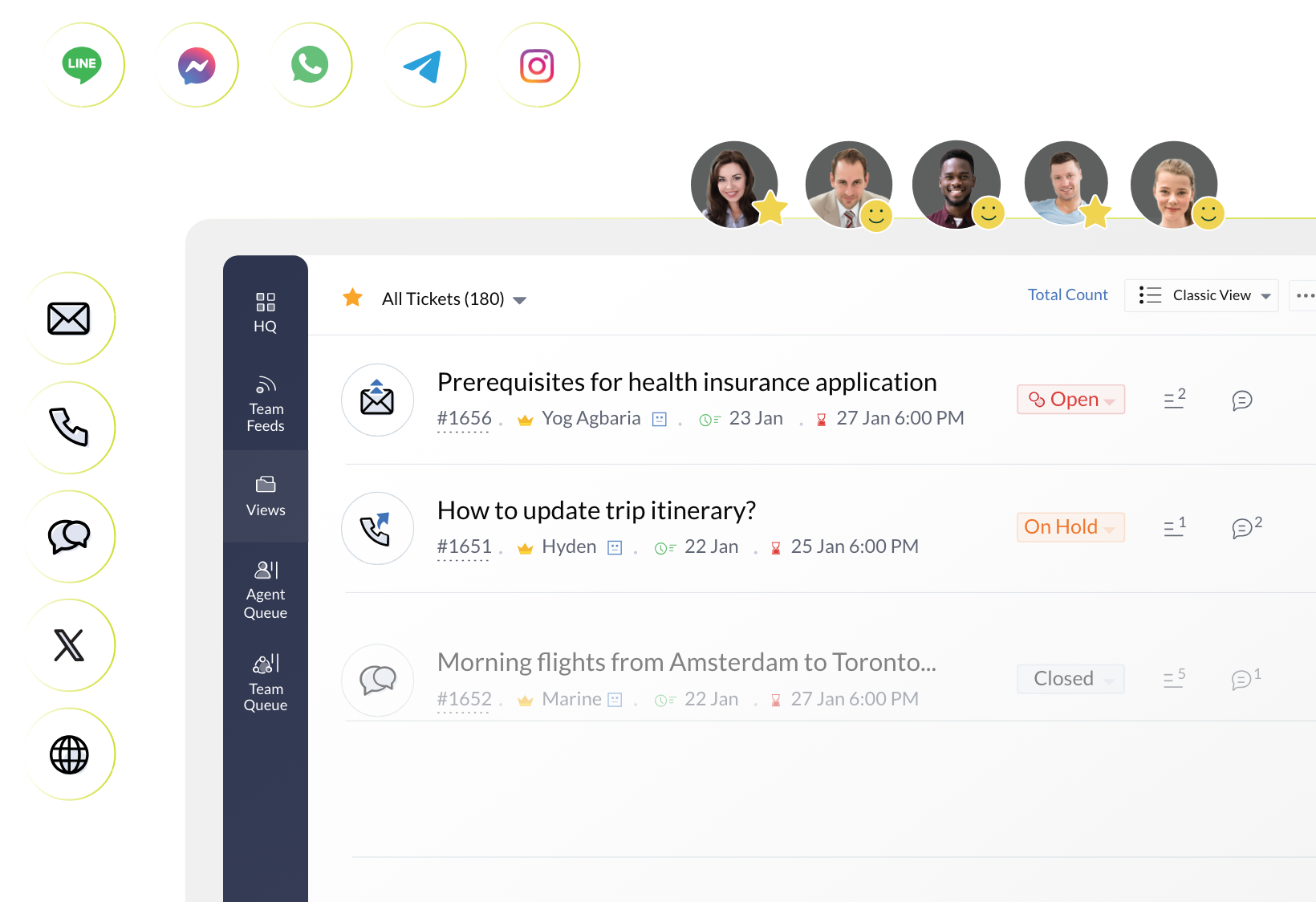
Per-agent help desk where tickets are the unit of work. Account pages sit beside tickets with open, overdue and response-time counts.
The cheapest way to start with real ticketing: three agents free, then low per-agent prices.
Zoho Desk is free for three agents with email ticketing. The paid plans are Express at $7 and Standard at $14 per agent per month billed annually, from G2's USD listing, because the vendor page lists euros. Express adds email, social channels (Instagram, Facebook and X), web forms, workflows and AI agents with a monthly token allowance. Standard adds messaging channels such as WhatsApp, a live chat widget, a knowledge base and custom reports. Phone, the Zia AI features and Blueprints are listed from Professional, and we could not verify Professional's USD price.
The vendor FAQ states a limit of 5 users on Standard, so a team growing past five should check the next plan before buying. An account page shows counts of open and overdue tickets, traffic by channel and average response times, which suits a CS lead more than a bare queue does.
- You want a low per-agent price with email, social and web forms from the Express tier and messaging channels from Standard.
- You want account pages with ticket counts, channel mix and average resolution time
- You need phone, Zia AI or Blueprints, which Zoho lists from Professional.
- You want a published per-resolution AI price; Zoho publishes a token allowance on Express and no per-resolution rate.
- Users like
- Ease of use and ticket management
- Users dislike
- Learning curve and limited customization
- Source: G2, 8,064 reviews
- Starting price
- Free for 3 agents; Express $7 and Standard $14 per agent per month billed annually (USD from the G2 listing; the vendor page lists euros)
- Unit of work
- Ticket (merge, clone, parent and child)
- Channels in base plan
- Express: email, social, web forms; messaging and live chat widget from Standard; phone from Professional
- AI pricing
- Express includes 30M free AI agent tokens a month; no per-resolution price published
- Account view
- Account page with ticket counts, channel traffic and response times
- Seat basis
- Per agent; free plan for 3 users
- Price for 3 agents
- $0 on the free plan
- User cap
- 3 free, 5 on Standard per the vendor FAQ
Shared inbox and chat-first tools
Help Scout, Crisp and Intercom start from a conversation rather than a ticket form. For a small team that means less setup and a more email-like feel, with ticket features added at higher plans.
Help Scout
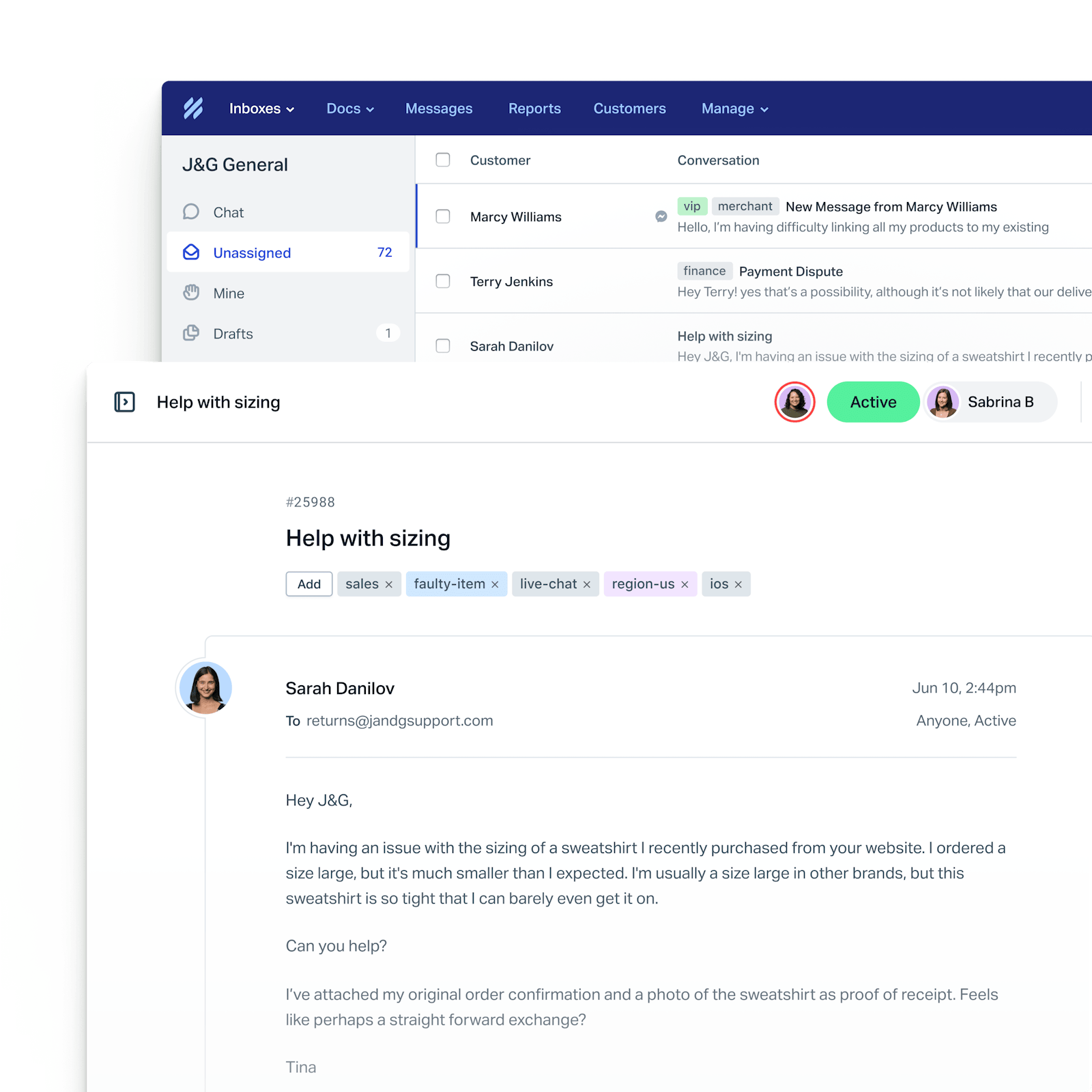
Help Scout runs support as conversations in a shared inbox that reads like email to the customer. Contact and company properties sit in the sidebar of each conversation, and AI drafting is included while AI Answers is billed per resolution.
A shared inbox that reads like email to the customer, with a free plan for up to five users.
Help Scout is free for 5 users with 1 inbox and 100 contacts per month. Paid plans are $25 (Standard), $45 (Plus) and $75 (Pro, demo required) per user per month; the page shows a 16 percent badge on the monthly and annual toggle but doesn't label which price is which. Standard allows 25 users and 2 inboxes, and extra inboxes cost $10 a month on annual billing. Chat, SMS, WhatsApp, Instagram and Messenger are listed from Standard, and phone is an integration only.
AI drafts, summaries and Assist are included at no extra charge, while AI Answers costs $0.75 per resolution with a monthly spend cap you can set. Company and contact properties, up to 50 each, show in the conversation sidebar on paid plans. Plus adds round-robin routing, two SLA policies and CRM integrations, which is where a growing B2B team tends to land.
- Your team wants an email-like inbox with a free tier and flat per-user pricing
- You need company and contact properties visible next to every conversation without a CRM
- You need phone support built in, since phone is listed as an integration only
- You need deep SLA and resolution reporting, which reviewers say requires exports
- Users like
- Clean interface and shared inbox keep the team organized
- Users dislike
- Limited customization and reporting depth, cost grows with team size
- Source: G2, 431 reviews
- Starting price
- Free for 5 users, then $25 to $75 per user per month
- Unit of work
- Conversation in a shared inbox
- Channels in base plan
- Email; chat, SMS and WhatsApp listed from Standard
- AI pricing
- AI drafts included; AI Answers $0.75 per resolution
- Account view
- Company card with up to 50 company properties in the sidebar
- SLAs
- 1 policy Standard, 2 Plus, unlimited Pro
- Price for 5 agents
- $0 on Free, $125 a month on Standard (5 x $25)
- AI
- Drafts included; AI Answers $0.75 per resolution
Crisp
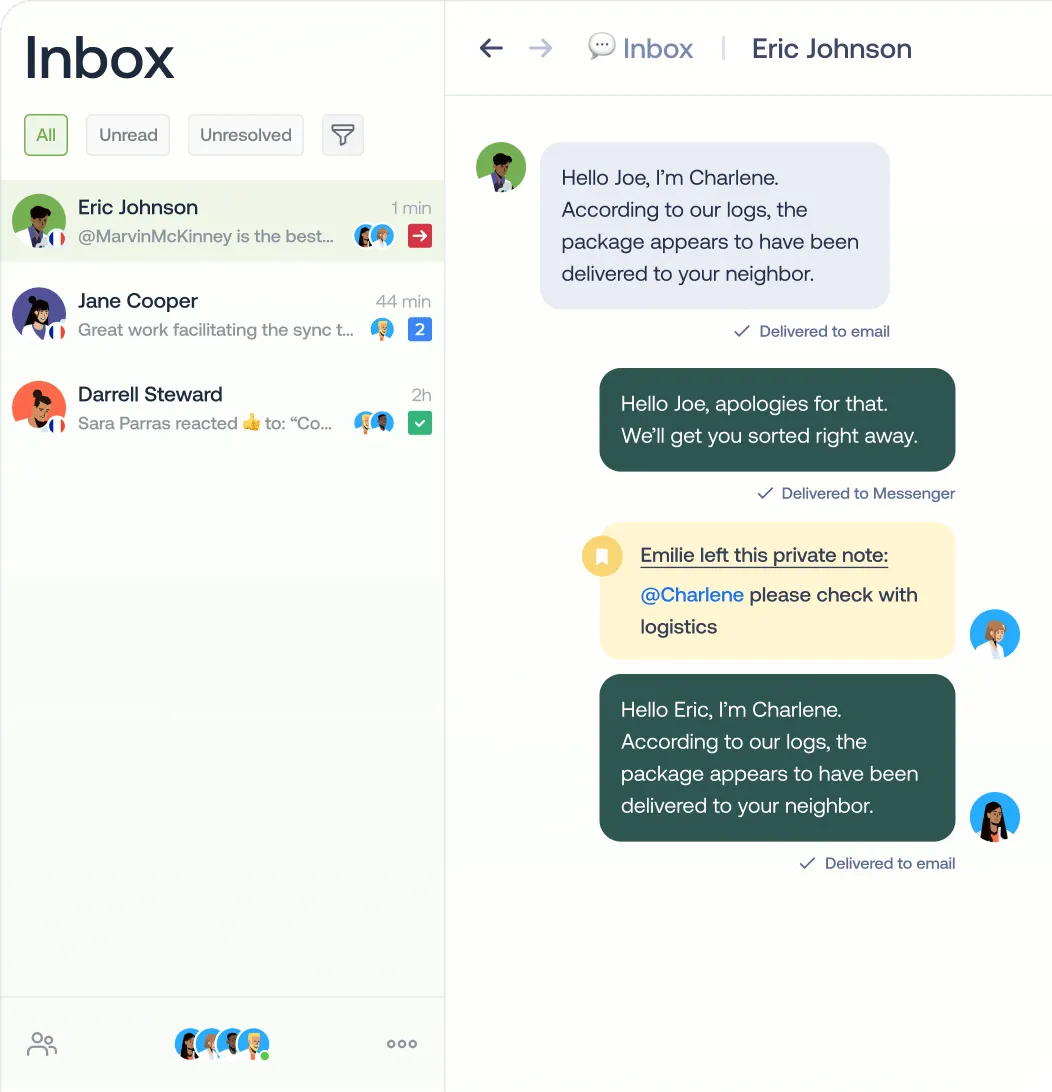
Workspace-priced shared inbox and live chat with a free 2-agent plan; AI agent Hugo is paid from monthly USD credits; ticketing is Plus only.
Live chat and a shared inbox priced per workspace, which makes it the cheapest paid option from about five agents up, once you outgrow Help Scout's five free users.
Crisp prices per workspace rather than per seat. Free covers 2 agents and 100 customer profiles. Mini is $45 a month for 4 agents, Essentials is $95 for 10 agents and 2 sub-inboxes, and Plus is $295 for 20 or more agents. Unlimited conversations are on every plan. Per the pricing page, Mini adds the shared email inbox and Essentials adds WhatsApp Business, Instagram, SMS, a knowledge base, routing rules and workflows. A separate ticketing system is listed on Plus only.
AI is a monthly credit allowance: Mini $5, Essentials $25 and Plus $75, which the vendor estimates at about $0.05 to $0.10 per conversation handled by its AI agent Hugo. The company data Crisp stores comes from its SDK, covering name, URL, description, employment and location, plus custom data you push in, so a CS lead who wants tier or renewal date needs to send those as custom fields.
- You want flat workspace pricing: 5 agents on Essentials is $95/month with 10 agents included.
- You want a free start (2 agents, 100 profiles) and AI credits included from $45.
- You need ticketing, which is listed on the $295 Plus plan only.
- You need a company object with health score, tier or renewal date; docs show only name, url, description, employment, geolocation plus custom data.
- Users like
- Customer service, helpful
- Users dislike
- Missing features, poor customer support
- Source: G2, 207 reviews
- Starting price
- Free; Mini $45, Essentials $95, Plus $295 per workspace/month
- Unit of work
- Conversation in a shared inbox; ticketing on Plus
- Channels in base plan
- Free: chat widget, shared inbox; Mini adds email; WhatsApp, Instagram, SMS on Essentials
- AI pricing
- Hugo credits: Mini $5, Essentials $25, Plus $75 per month; about $0.05 to $0.10 per conversation (vendor estimate)
- Account view
- Company name, url, description, employment, geolocation via SDK plus custom data and segments
- SLAs
- Personalized SLA mentioned for Enterprise only
- Price for 5 agents
- $95 a month on Essentials (flat, up to 10 agents)
- AI
- Credits per month, about $0.05 to $0.10 per conversation (vendor estimate)
Intercom
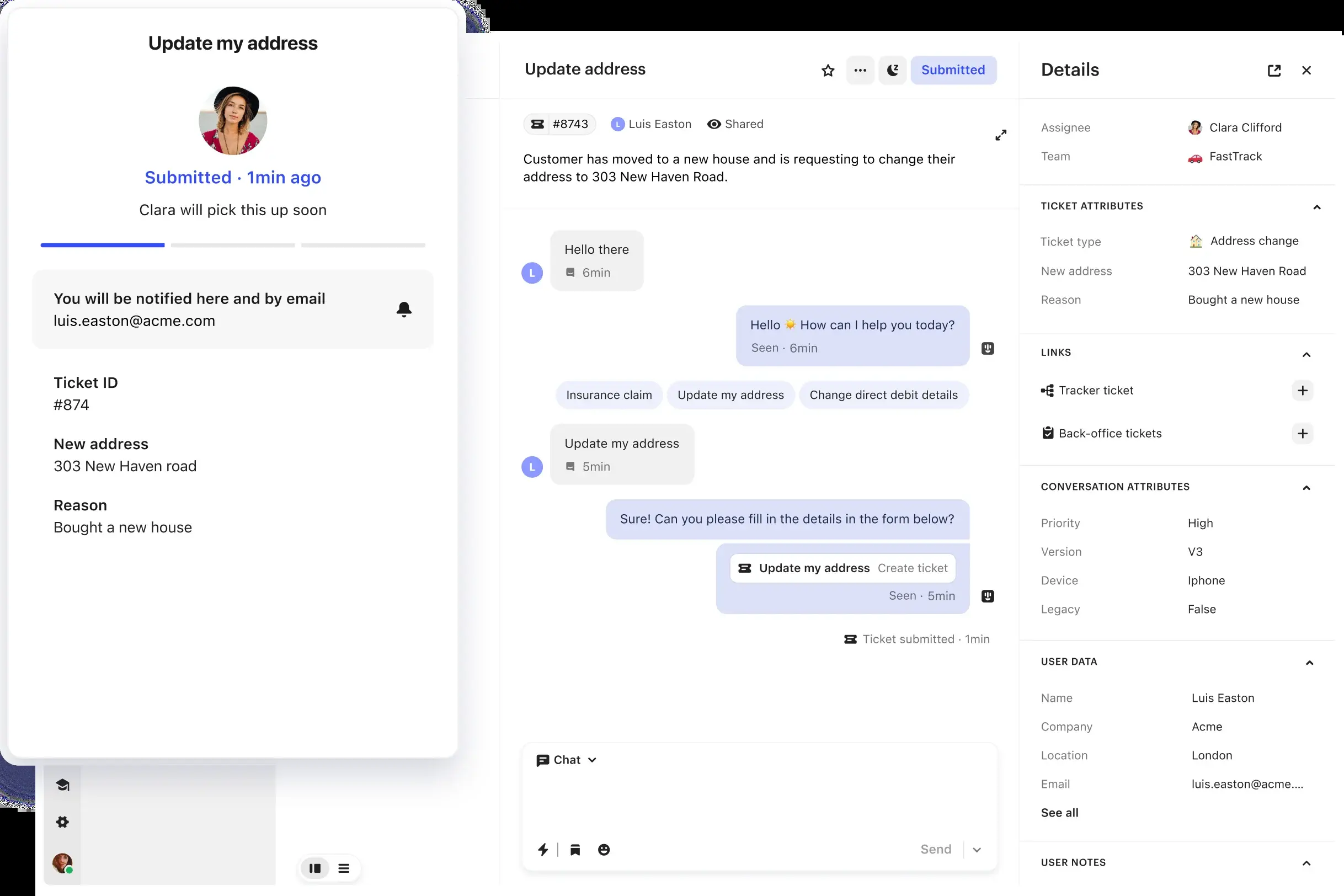
Intercom splits work into conversations and tickets (customer, back-office and tracker) in one inbox. Chat and email are unlimited on every plan, AI is priced per outcome, and SLAs sit on the top tier.
Chat-first conversations and tickets with an AI agent, Fin, priced per outcome and a seat price that rises quickly.
Intercom's seat plans are Essential at $19, Advanced at $85 and Expert at $132 per seat per month. Essential is shown with $29 struck through and a new-customer discount, and the page doesn't state the billing basis, so at $29 ten seats would be $290 a month. Essential includes Fin, the Messenger, a shared inbox and ticketing. Live chat, support email and in-app chats are free and unlimited on all plans, while phone, WhatsApp and SMS are usage based. Advanced adds multiple team inboxes, workflows and round-robin assignment. SLAs sit on Expert, the top seat plan.
Fin costs $0.99 per outcome with no seat required, and with an existing help desk a minimum monthly commitment applies. The 14-day trial includes all features and Fin. There's no free plan. Intercom splits work into conversations for simple queries and tickets for multi-step work, and in the docs we read the details panel shows a Company field plus custom objects once you set them up; we did not find a company page.
- You want an AI agent billed per outcome, with no seat required
- You need back-office and tracker tickets to hand work to other teams and update affected customers
- You need SLAs without paying the top Expert seat price
- You need a company-level view in the inbox, which the docs read did not show beyond a Company field
- Users like
- AI agent handles simple cases and keeps improving
- Users dislike
- Hallucinations, bugs beyond standard cases, limited integrations
- Source: G2, 3,949 reviews
- Starting price
- Essential $19, Advanced $85, Expert $132 per seat per month (billing basis not stated); Fin AI agent $0.99 per outcome
- Unit of work
- Conversation, or ticket (customer, back-office, tracker)
- Channels in base plan
- Chat, email, in-app unlimited; phone, WhatsApp, SMS usage based
- AI pricing
- Fin $0.99 per outcome; Copilot $29 per agent per month annual
- Account view
- Company field in details panel plus Custom Objects; no company page documented
- SLAs
- Expert plan only
- Price for 5 agents
- $95 a month on Essential (5 x $19), before Fin outcomes
CRM-native and B2B-native support
Two tools tie the desk to what you know about the customer's company: HubSpot Service Hub through the CRM, and Plain through accounts, tiers and customer cards built from your own data.
HubSpot Service Hub
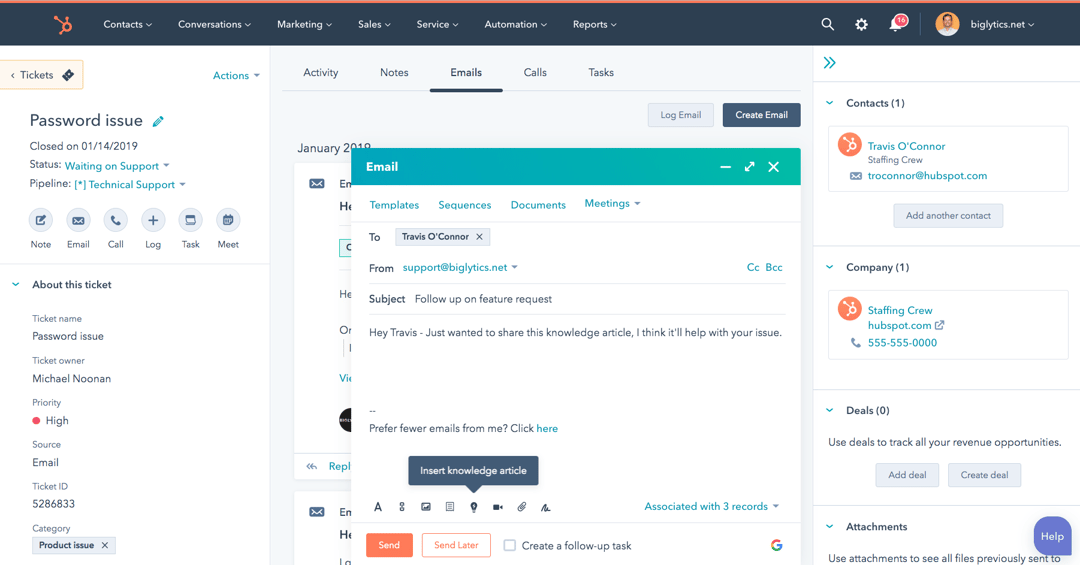
Help desk built on the HubSpot CRM. A ticket can hold several conversations, and the sidebar shows the linked company, contacts and deals.
A help desk on top of the HubSpot CRM, free for two users, with the company and deal beside every ticket.
HubSpot Service Hub's free plan covers up to 2 users with live chat that carries HubSpot branding. Starter is listed at $7 and $20 per seat per month without labeling which is annual, and G2 lists $20 per Core Seat. Professional is $90 or $100 per Service Seat per month, and Enterprise is $150, quote-based. Professional requires a one-time $1,500 onboarding fee and Enterprise $3,500. SLAs need an assigned Service Seat.
Customer Agent, the AI agent, costs $0.50 per resolved conversation, billed as 50 HubSpot Credits at $0.010 each since April 14, 2026. Starter includes 500 credits a month and Professional 3,000. A ticket can hold several conversations, and the sidebar lists the associated contacts, companies and deals. That puts the CRM record beside the ticket, the closest thing to a CRM view in this list for a team already on HubSpot, and a second system to pay for if you aren't.
- Your CS and sales teams already work in the HubSpot CRM and need company and deal data beside every ticket.
- You want AI agent cost tied to resolved conversations ($0.50 each) instead of a per-agent AI add-on.
- You need SLAs on a low-cost plan: SLAs require an assigned Service Seat, and Professional adds a $1,500 onboarding fee.
- You do not run HubSpot CRM and would pay for a second system just for tickets.
- Users like
- Ease of use and case management
- Users dislike
- Limited features and customization
- Source: G2, 3,016 reviews
- Starting price
- Free for up to 2 users; Professional $90 to $100 per seat per month (the page does not label which is annual) plus $1,500 onboarding
- Unit of work
- Ticket holding one or more conversations
- Channels in base plan
- Live chat on Free; email and forms via connected inbox; phone minutes and WhatsApp on paid tiers (WhatsApp from Professional)
- AI pricing
- Customer Agent $0.50 per resolved conversation (50 credits); credits $0.010 each
- Account view
- Right sidebar lists associated contacts, companies and deals
- Seat basis
- Per seat, Service Seats for SLAs
- Starter
- $7 or $20 per seat per month, the page does not label which is annual
- Free plan
- Up to 2 users
Plain
API-first B2B support tool that turns Slack, Teams, Discord, email and chat conversations into threads, with accounts, tiers and JSON customer cards; AI is paid in credits, 100 per Customer Agent resolution.
A support tool for B2B teams whose customers write in Slack channels, with accounts, tiers and customer cards.
Plain turns messages from Slack channels, Microsoft Teams, email, in-app chat and Discord into threads. Foundation costs $45 and Horizon $99 per user per month, both billed annually, and Frontier is custom priced. The pricing page also lists a 7-day trial, without saying which plans it covers, and a 50 percent startup discount whose terms we haven't verified. Five seats on Foundation are $225 a month by list price. Foundation syncs up to 25 Slack channels and includes 1,000 AI credits a month, and Horizon adds Microsoft Teams, SLAs and business hours, escalation paths and CRM integrations.
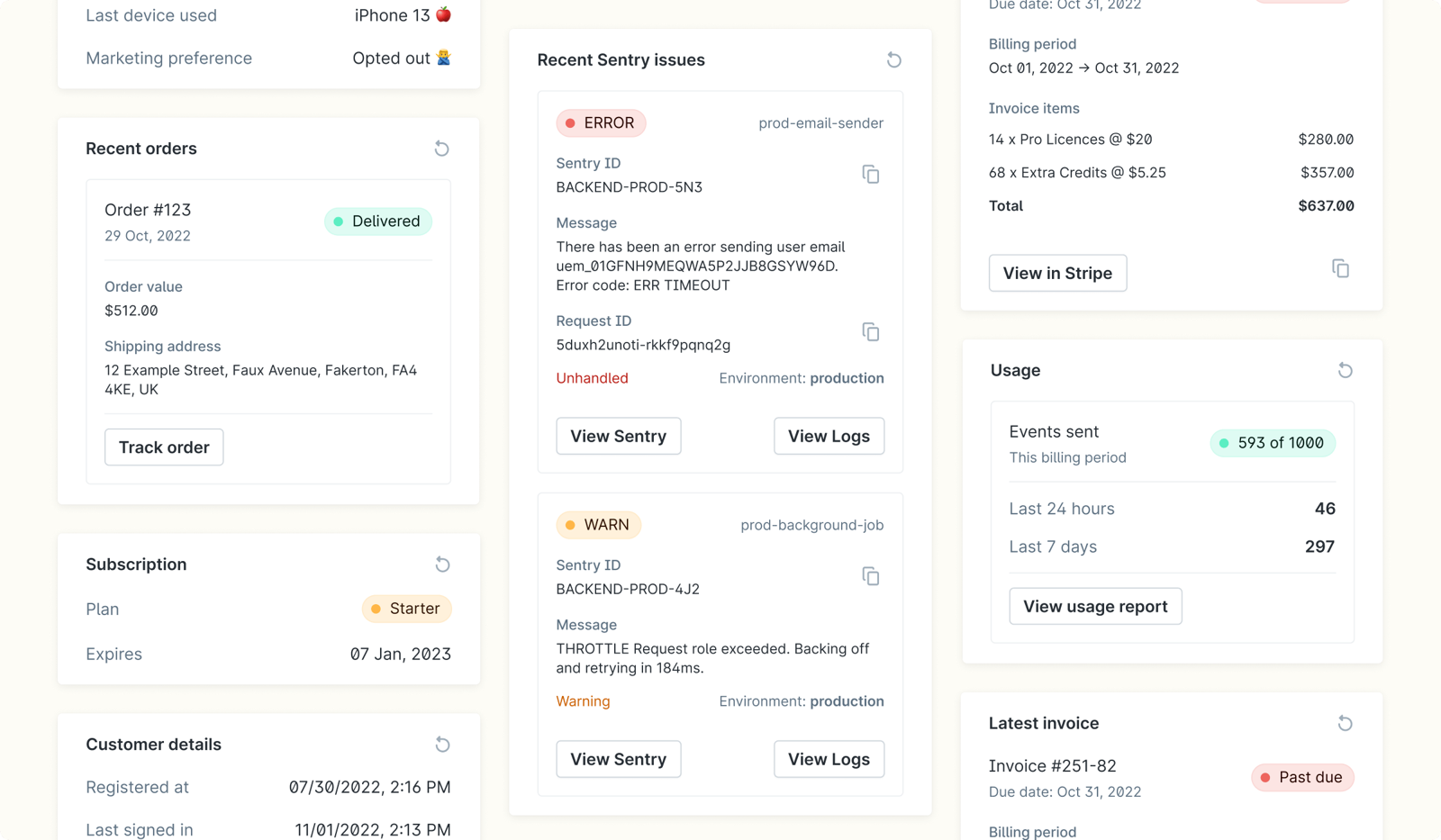
Plain's accounts group customers by email domain, from a CRM or through the API, and every thread from a tiered account shows its tier. Customer cards show data from your own systems, such as subscription status, latest invoice or usage, defined in JSON through your API. That fits a team with an engineer who can build the cards, and it fits a CS lead who wants tier-based routing without a CRM. The AI Customer Agent uses 100 credits per resolution, so Foundation's allowance covers about 10 resolutions a month.
- Your customers talk to you in Slack or Teams channels and you want those as tracked threads with tiers and SLAs.
- You have engineers who can build customer cards from your own backend data.
- You need SLAs or Microsoft Teams on a small budget; both sit on Horizon at $99 per user.
- You want monthly billing or a free plan; only annual billing and a 7 day trial are listed.
- Users like
- Ease of use, integrations, features, ticket management
- Users dislike
- Limited features, missing features, interface issues, ticketing issues
- Source: G2, 27 reviews
- Starting price
- Foundation $45, Horizon $99 per user/month billed annually; Frontier custom
- Unit of work
- Thread
- Channels in base plan
- Slack (up to 25 channels), email, in-app chat; Teams on Horizon
- AI pricing
- 1,000 credits/mo Foundation, 2,500 Horizon; Customer Agent 100 credits per resolution; top-ups from $10 per 1,000
- Account view
- Accounts by email domain/API/CRM with tier, domains, customers, open threads; JSON customer cards
- SLAs
- Horizon plan; tiers can carry SLAs
- Price for 5 seats
- $225 a month on Foundation (5 x $45, annual)
- AI
- 100 credits per Customer Agent resolution
What a CS team sees beside a conversation
Support tools are built around the person who wrote in. A customer success manager cares about the account behind that person: the plan, the renewal date, the open issues and what was promised. The tools differ a lot in how much of that shows up next to a request.
| Tool | What shows next to the conversation | Where renewal or tier data comes from |
|---|---|---|
| Freshdesk | Contact details widget; company records can store health score, tier and renewal date on paid plans, but we could not confirm they show in the ticket view | Fields you fill in |
| Zendesk | Requester profile with an organization field | Organization and custom objects |
| Zoho Desk | Account page with open and overdue ticket counts, channel mix and response times | Account fields |
| Help Scout | Contact and company cards with up to 50 properties each | Properties you set or push through the API |
| HubSpot Service Hub | Contacts, companies and deals in the sidebar | The CRM |
| Plain | Account with tier, domains, customers and open threads, plus JSON customer cards | Your CRM or API |
| LiveAgent | Contact details panel with recent tickets, notes and page visits; optional companies with custom fields | Custom fields |
| Crisp | Contact profile and custom data; company name and URL can be sent from the SDK on paid plans, but we could not confirm where they appear in the inbox | SDK and custom data |
| Intercom | Company field in the details panel, plus custom objects | Custom objects |
All nine describe the account's data and its requests. In the documentation we read, none describes a record of what your own team promised the customer: the fix date given on a call, the credit agreed in a reply or the executive intro offered in a QBR. Those promises end up in a ticket comment or a meeting note, and when the ticket closes or the CSM changes, the commitment goes with it.
When a startup outgrows its first tool
Most teams outgrow the first tool for one of five reasons. Each has a plan or a tool where it appears.
- You need multiple SLA policiesZendesk Professional, Freshdesk Pro, Help Scout Plus, LiveAgent Team or Plain Horizon (Help Scout Standard has one basic policy)
- You need WhatsApp or Instagram alongside emailCrisp Essentials, Freshdesk Omni, LiveAgent Team or Help Scout Standard
- Your customers are in Slack channels your team has added Plain toPlain, where Foundation syncs up to 25 channels as threads
- You need company and deal data in the sidebarHubSpot Service Hub. Help Scout Plus offers Salesforce and HubSpot integrations and company properties in the sidebar, but we did not confirm that deal data shows there
- Your team passes 10 agentsCompare Crisp Plus, Zendesk and LiveAgent Business again at your real seat count
A one-week pilot keeps the choice honest, because every trial in this list is short.
- Support leadPick two tools from the table above and export 30 days of real conversations with personal data removed Day 1
- AdminConnect your main channel and one routing rule in both tools, and invite the whole team Day 2
- Support teamAnswer the same real conversations in both tools and note every missing view or extra click Days 3 to 5
- CS leadCheck what each tool shows about the account behind a conversation and what the AI agent would cost at last month's volume Day 6
- Support leadDecide on seat count, plan and billing basis, then buy annual only if the price is stated Day 7
The gap a support tool doesn't cover
A help desk tracks requests. It does not keep the commitments your team made to the customer along the way, such as a fix date promised on a call. The Customer Success Manager is built for that gap, as a ledger separate from your help desk. It records each commitment with who confirmed it, what was promised, who owns it and whether delivery was verified, and you can ask about open promises from Claude or ChatGPT over MCP. It is not a help desk, a CRM or a customer success platform, so it doesn't replace anything above. Plans start at $49 per month per workspace and a card is required at checkout, per the homepage on November 3, 2026.
FAQ
What is the best customer support software for a small team?
For a team of three to five, Zoho Desk (free for 3 agents), Help Scout (free for 5 users) and Crisp (flat $95 a month up to 10 agents) cost the least. Choose by channel: Zoho Desk for tickets, Help Scout for an email-like inbox, Crisp for live chat.
Is there free customer support software?
Yes. Zoho Desk is free for 3 agents, Help Scout for 5 users, HubSpot Service Hub for up to 2 users and Crisp for 2 agents. Each limits users, contacts, profiles or channels, so check the limit against your volume.
How much does customer support software cost per agent?
Entry plans in this list run from $7 per agent per month (Zoho Desk Express, on G2's listing) to $55 (Zendesk Suite Team), billed annually where stated. Crisp charges per workspace instead, from $45 a month.
Do I need a help desk or a shared inbox?
A shared inbox such as Help Scout or Crisp is enough while requests are simple email and chat threads. Move to a ticket-based help desk such as Freshdesk, Zendesk or LiveAgent when you need SLAs, structured fields or routing rules by priority.
Which customer support tool is best for B2B customers in Slack?
Plain syncs the Slack channels its bot has joined into threads with account tiers and customer cards, starting at $45 per user per month billed annually. It is the only tool in this list whose docs we read that describe a Slack-channel inbox; for the others we did not find one.
Are AI agents extra in customer support software?
Usually yes. Intercom charges $0.99 per outcome, HubSpot $0.50 per resolved conversation, Help Scout $0.75 per AI Answers resolution and Zendesk $1.50 to $2.00 beyond the included resolutions. LiveAgent charges nothing itself, and you pay your own AI provider.