The best customer service software depends on what your team treats as the unit of work. Zendesk, Freshdesk, Zoho Desk and Salesforce Service Cloud turn every request into a ticket or case. Help Scout and Front keep requests as conversations in a shared inbox. Intercom centers on chat conversations with an AI agent billed per outcome, and HubSpot Service Hub hangs tickets on the CRM records your sales and customer success teams already use. That choice decides routing, reporting and what anyone outside support can see about an account.
This guide is for customer success managers and CS leaders at B2B software companies who choose, or co-own, the support stack. For each tool we read the pricing page (Zoho Desk's lists only euros, so we used G2's USD listing), a feature page, a help-center article on how the tool works in practice and the G2 listing. Two things most roundups skip shaped the list: how each vendor bills its AI agent, and what the tool shows about the customer account next to a conversation. If you're choosing a customer success platform instead, start with our guide to customer success software.
- tools compared
- 8
- list price range per AI conversation or resolution (Front starts at $0.05)
- $0.05 to $2.00
- bill AI per resolution, outcome or conversation
- 6 of 8
- G2 rating range
- 4.3 to 4.7
Best customer service software at a glance
 Best for one routed queue across channelsZendeskEmail, messaging and calls become tickets routed by capacity. SLAs and skills routing start on Professional.
 Best for a low-priced ticketing planFreshdeskGrowth is $19 per agent per month billed annually, with 500 free AI sessions once per account.
 Best for account pages on a small budgetZoho DeskFree for 3 agents. An account page shows open and overdue tickets, channel mix and response times.
 Best when cases must live on Salesforce recordsSalesforce Service CloudCases sit beside contact details and related records. Case management is listed from Core at $195 per user per month.
 Best for an email-like inbox with company propertiesHelp ScoutFree for 5 users. Paid plans show up to 50 company properties beside each conversation.
 Best for account-owned shared inboxesFrontA Relationships plugin shows the account next to the thread, synced from Salesforce, HubSpot or Dynamics.
 Best for AI billed per outcomeIntercomFin costs $0.99 per outcome and needs no seat. SLAs sit on the top seat plan.
 Best when support shares the HubSpot CRMHubSpot Service HubThe ticket sidebar lists linked contacts, companies and deals. The AI agent costs $0.50 per resolved conversation.
 For promises made inside repliesThe Customer Success ManagerNot a help desk. A ledger of customer commitments with owner, due date and verified delivery.
| Tool | Unit of work | Account view next to a request | Entry price (USD) | Rating |
|---|---|---|---|---|
| Zendesk | Ticket across every channel | Organization field on the requester profile | $55 per agent per month annual (Suite Team) | 4.3 (7,120) |
| Freshdesk | Ticket; every message in Omni becomes one | Company record with health, tier and renewal fields; ticket display unconfirmed | $19 per agent per month annual (Growth) | 4.4 (3,899) |
| Zoho Desk | Ticket with merge, clone and parent or child | Account page with ticket counts, channel mix and response times | Free for 3 agents; $7 per agent per month annual (Express) | 4.4 (8,064) |
| Salesforce Service Cloud | Case on the Salesforce CRM | Contact details, highlights banner and related records | $25 per user per month (Starter Suite); case management listed in Core at $195 | 4.4 (8,466) |
| Help Scout | Conversation in a shared inbox | Company card with up to 50 properties | Free for 5 users; $25 per user per month (Standard) | 4.4 (431) |
| Front | Conversation with ticketing on every channel | Relationships plugin with account, activity and contacts | $25 per seat per month annual (Starter) | 4.7 (2,529) |
| Intercom | Conversation, plus tickets for multi-step work | Company field in the details panel; custom objects | $19 per seat per month (Essential, billing basis not stated); Fin $0.99 per outcome | 4.5 (3,949) |
| HubSpot Service Hub | Ticket that can hold several conversations | Sidebar with linked contacts, companies and deals | Free for 2 users; Professional from $90 per seat per month | 4.4 (3,016) |
| The Customer Success Manager Our product | Customer commitment tracking | Records what your team promised each customer and whether delivery was verified | From $49/month per workspace | No reviews yet |
Prices checked October 2026 on each vendor's US pricing page; Zoho Desk's USD figures come from its G2 listing. Billing basis is stated only where the vendor states it. Intercom's rating is the Fin listing's.
What is customer service software?
Customer service software is the system a support team uses to receive customer requests from email, chat, phone and social channels, assign each one to an owner and track it until it's resolved. Most products add a help center for self-service, rules for routing and escalation, service-level timers, and reports on response and resolution time. Every vendor in this list also sells an AI agent that answers some requests without a person. You'll also see the category called a help desk, a ticketing system or a customer support platform, and the terms overlap heavily.
The tools split by how they model a request. That model is easy to miss on a pricing page, and it decides how work is routed, counted and shown to people outside support, so the next section starts there.
Is CRM the same as customer service software?
No. A CRM stores customer records, contacts, companies and deals, and mostly serves sales. Customer service software handles incoming requests and tracks them to resolution. The two overlap in HubSpot Service Hub and Salesforce Service Cloud, which add a ticketing layer to a CRM, in Front, which syncs accounts from a CRM, and in Help Scout, which offers CRM integrations on Plus. If your account data already lives in a CRM, a service tool that reads it saves a second copy of every company record.
Four units of work, and why they decide the fit
Every tool in this list hands an agent something to work on, and what that something is changes how the tool behaves. A ticket has a status, a priority and an owner. A shared-inbox conversation reads like an email thread with an assignee. A CRM case sits on a record that already has an account, an owner and a deal history. In Intercom, short chat exchanges are conversations and multi-step work becomes a ticket.
| Unit of work | Tools in this list | What it means in practice | Check before you buy |
|---|---|---|---|
| Ticket | Zendesk, Freshdesk, Zoho Desk | Every contact on every channel becomes a ticket with status, priority and SLA timers | Which channels are in the base plan and which plan unlocks SLAs |
| Ticket or case on a CRM record | Salesforce Service Cloud, HubSpot Service Hub | The request attaches to a company and contact that already exist in the CRM | Whether you pay for the CRM seat and the service seat separately |
| Shared-inbox conversation | Help Scout, Front | Requests stay email-like threads with assignees, notes and shared views | How much company data shows beside the thread |
| Chat conversation plus ticket | Intercom | Short exchanges stay conversations; multi-step or cross-team work becomes a ticket | Which plan includes service-level timers and how the AI agent is billed |
Reporting follows the unit. A ticket tool counts tickets opened, solved and breached. An inbox tool counts conversations and replies. If your customer success team wants to see how many separate issues one account raised in a quarter, a company or organization object has to group the requests, and not every tool shows that object next to the request. The account-view section below compares them.
Ticket-first help desks
Zendesk, Freshdesk, Zoho Desk and Salesforce Service Cloud model every request as a ticket or case. They differ most in which channels are in the entry plan, how SLAs and routing are gated and how each prices its AI agent.
Zendesk
Zendesk Suite
Ticket-based help desk where email, messaging and calls become tickets routed by capacity, with AI billed per automated resolution.
Zendesk creates a ticket for every contact, whatever the channel. Suite Team costs $55 per agent per month billed annually ($69 monthly) and includes email, messaging and live chat, social channels and basic voice. Voice numbers, texting and WhatsApp cost extra. Team routes by agent status and capacity, oldest ticket first, and omnichannel routing needs Agent Workspace and Messaging. SLAs, routing by ticket priority and skills-based routing start on Suite Professional at $115 per agent per month annual ($149 monthly). Enterprise pricing isn't published, and there's no free plan, only a 14-day trial with full access to Suite Professional.
The AI agent is billed per automated resolution, meaning a request the AI resolves without human help. Team includes 5 per agent per month and Professional includes 10. Beyond that, extra resolutions cost $1.50 on a committed add-on or $2.00 pay as you go. Escalated conversations and conversations that fail the verification check aren't counted.
- You need email, messaging and phone in one routed queue with capacity rules and SLA based routing.
- You want AI agents billed only when they resolve a request without human help.
- You need a free plan or published Enterprise pricing.
- You want AI resolution costs fixed up front; usage over the included resolutions is billed at $1.50 to $2.00 each.
- Users like
- Ease of use, features, ticket management
- Users dislike
- Missing features, learning curve, limited customization
- Source: G2, 7,120 reviews
Plan gating, organizations and G2
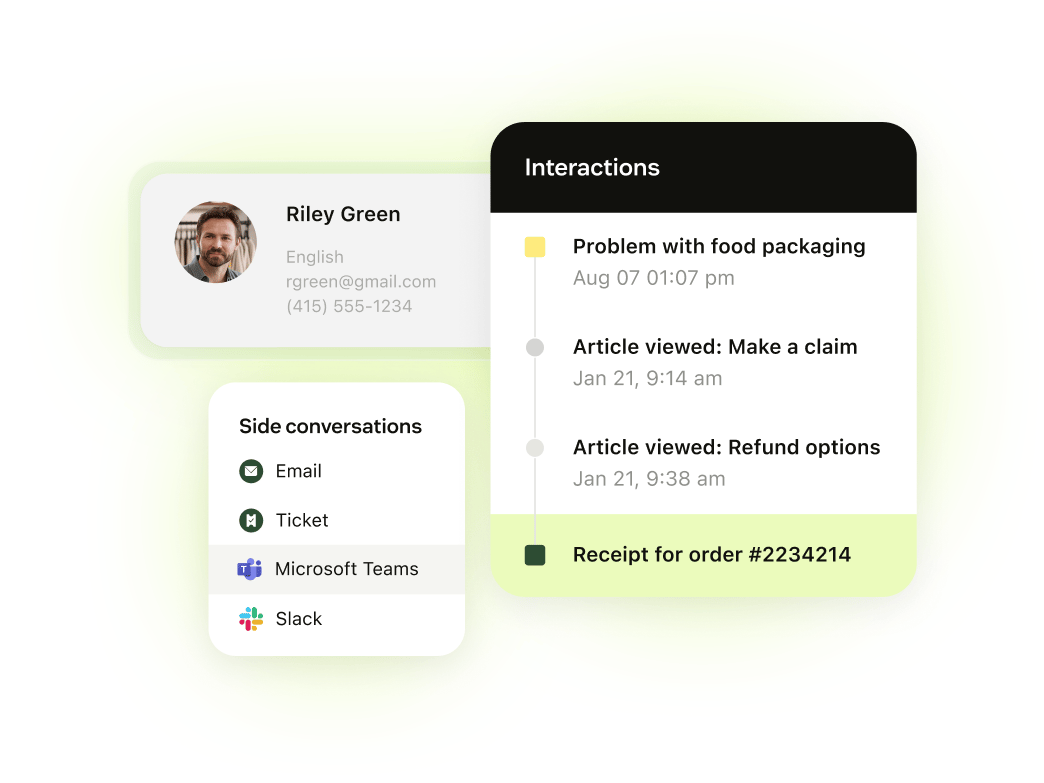
The account view is the organization field on the requester profile. The user profile lists tickets, help center activity and agent-only notes, and the plan decides how many organizations a user can belong to: one on Team, up to 300 on Professional. Custom objects, the way to model accounts beyond that field, are capped at 3 on Team and 30 on Professional. G2 lists Zendesk for Customer Service at 4.3 from 7,120 reviews, with reviewers praising ease of use and ticket management and naming missing features and a learning curve as recurring complaints. The Zendesk Suite listing itself has only 2 reviews, so we used the customer service listing.
- Starting price
- Suite Team $55 per agent/month billed annually; Professional $115
- Unit of work
- Ticket across every channel
- Channels in base plan
- Email, messaging and live chat, social, basic voice
- AI pricing
- 5 to 15 resolutions per agent per month included, then $1.50 or $2.00
- Account view
- Organization field on the profile
- SLAs
- Professional and above
Freshdesk
Freshdesk
Email-first ticketing with a separate Omni line for chat, WhatsApp and Instagram, and AI agent sessions after 500 free ones.
Freshdesk's help article says every message in its Omni inbox becomes a ticket. The email and ticketing plans cost $19 (Growth), $55 (Pro) and $89 (Enterprise) per agent per month billed annually, and Freshworks says annual billing saves 20 percent. There's no free plan. The 14-day trial gives access to the Enterprise plan. Base Freshdesk supports email, Facebook and basic web chat. WhatsApp and Instagram need Freshdesk Omni, which costs $29, $79 and $119 per agent per month annual, with a voice add-on of $15, $39 or $69. Multiple SLA policies start at Pro, and skill-based routing is Enterprise only.
The Freddy AI Agent includes 500 free sessions once per account, then costs $49 per 100 sessions. A session is a 72-hour window from the customer's first email, and every AI reply inside it counts as one session. Freddy Copilot is a separate $29 per agent per month on Pro and Enterprise.
- You want a low-priced ticketing plan ($19 Growth) and a company object with health score, tier and renewal date fields.
- You want predictable AI agent cost: $49 per 100 sessions after 500 free.
- You need WhatsApp, Instagram or full chat in the plan; those need Omni at $29 and up.
- You need skill-based routing below Enterprise.
- Users like
- Ease of use, automation, ticket management
- Users dislike
- Missing or limited features, ticket handling issues
- Source: G2, 3,899 reviews
Company fields, SLAs and G2
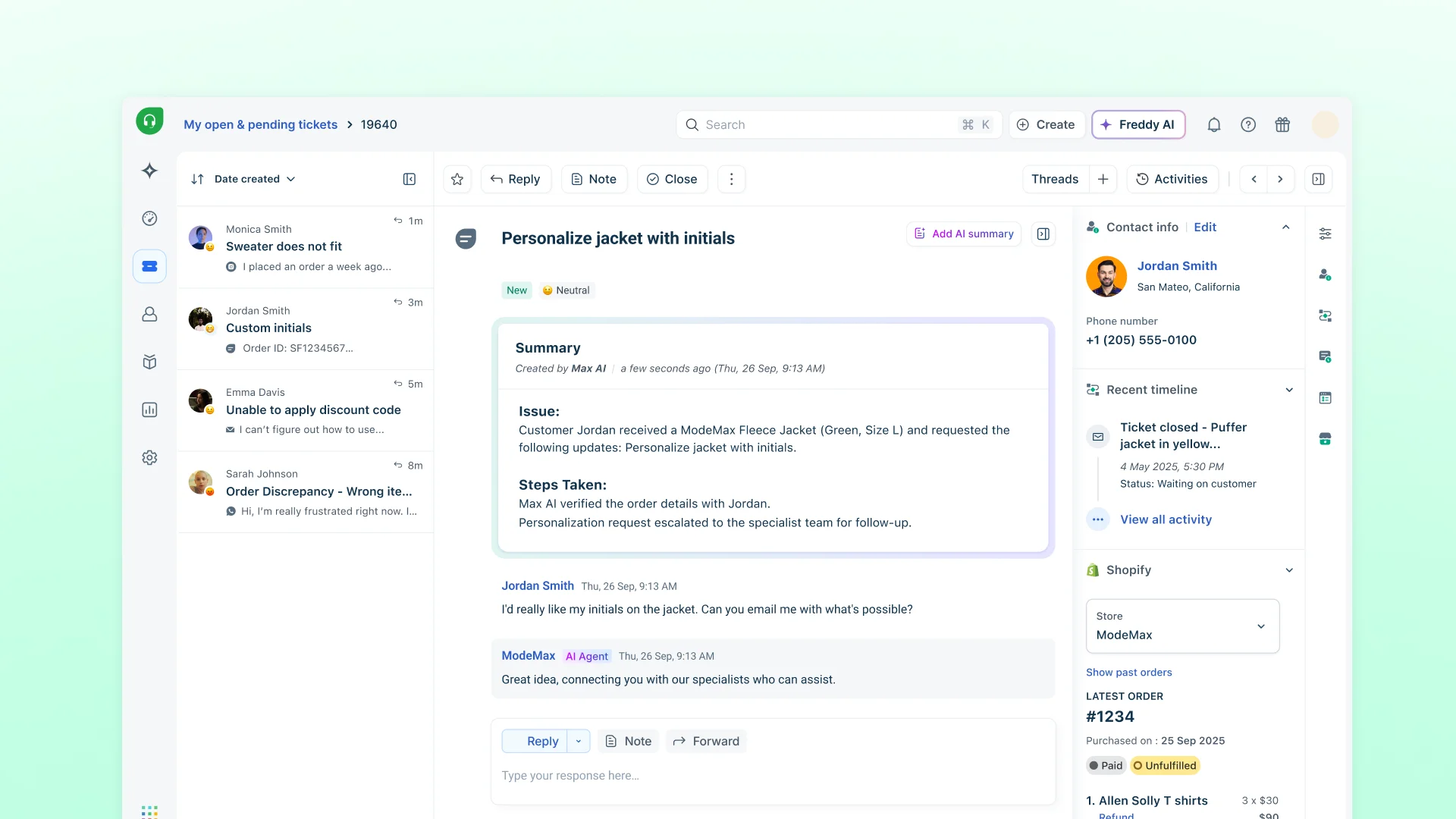
Company records on paid plans carry health score, account tier, renewal date and industry fields, and contacts link to a company by email domain. The ticket details page has a contact widget with the company and the requester's recent tickets. We couldn't confirm in Freshdesk's own documentation that the health score or tier show on the ticket by default, and community requests suggest company details aren't fully visible there, so test it in a trial. G2 lists Freshdesk at 4.4 from 3,899 reviews, praising ease of use and automation and naming missing or limited features.
- Starting price
- Growth $19, Pro $55, Enterprise $89 per agent/month billed annually; Omni from $29
- Unit of work
- Ticket; every message becomes one
- Channels in base plan
- Email, Facebook, basic web chat
- AI pricing
- 500 free sessions once, then $49 per 100
- Account view
- Company record with health, tier and renewal fields
- SLAs
- Multiple SLA policies from Pro
Zoho Desk
Zoho Desk
A per-agent ticketing desk with a free plan for 3 agents and an account page that shows ticket counts and response times.
Zoho Desk's ticket is the core object, and the feature page describes merging, cloning and parent and child tickets. A permanent free plan covers three agents with simple email ticketing. Express and Standard are listed at $7 and $14 per agent per month billed annually on G2's USD listing. Zoho's own pricing page lists euros at the same numbers, and Professional and Enterprise are not confirmed in USD, so we don't quote them. Express includes email, social (Instagram, Facebook, X) and web forms. Business messaging, the live chat widget, a knowledge base and CSAT surveys start at Standard, and telephony, Zia AI and Blueprints start at Professional.
On AI, Express includes 30 million free AI agent tokens a month. Zoho describes Zia's generative features such as ticket summaries and reply assistance as included at no extra cost, and publishes no per-resolution price.
- You want a low per-agent price with email, social and web forms from the Express tier and messaging channels from Standard.
- You want account pages with ticket counts, channel mix and average resolution time
- You need phone, Zia AI or Blueprints, which Zoho lists from Professional.
- You want a published per-resolution AI price; Zoho publishes a token allowance on Express and no per-resolution rate.
- Users like
- Ease of use and ticket management
- Users dislike
- Learning curve and limited customization
- Source: G2, 8,064 reviews
Account page, tiers and G2
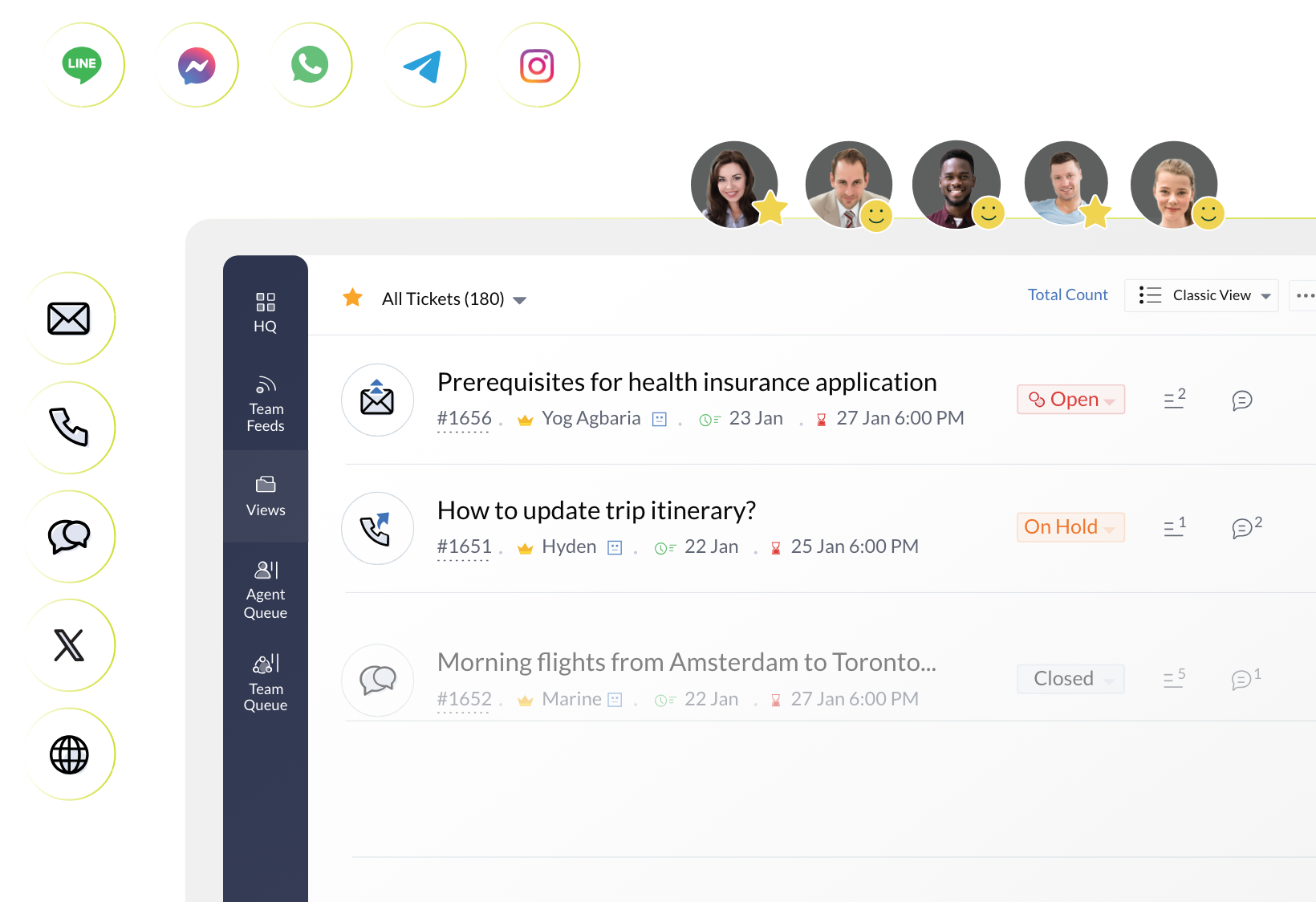
The account detail page is the strongest account view among the ticket tools. Its Overview tab shows counts of all, open and overdue tickets, traffic by channel and average first response, response and resolution times. A Tickets tab filters by open, on hold and overdue. The History tab is Enterprise only, and the Happiness rating tab covers contacts only. The SLA page describes due times by channel, customer or status but doesn't say which plan includes SLAs. G2 lists Zoho Desk at 4.4 from 8,064 reviews, with ease of use and ticket management as the recurring praise and a learning curve and limited customization as complaints.
- Starting price
- Free for 3 agents; Express $7 and Standard $14 per agent per month billed annually (USD from the G2 listing; the vendor page lists euros)
- Unit of work
- Ticket (merge, clone, parent and child)
- Channels in base plan
- Email, social, web forms; messaging from Standard
- AI pricing
- 30M free tokens a month on Express; no per-resolution price
- Account view
- Account page with ticket counts and response times
- Seat basis
- Per agent; free plan for 3 users
Salesforce Service Cloud
Salesforce Service Cloud
Case management on the Salesforce CRM, with AI agents metered separately per action or per conversation.
Service Cloud works on cases inside Salesforce, so a case sits next to contact details and related records. Salesforce lists Starter Suite at $25 per user per month (monthly or annual), Pro Suite at $100, Core at $195, Advanced at $395 and Max at $550, all annual from Pro Suite up. Case management and a self-service help center are listed in Core. The Digital Channels row lists Web Chat without a clear edition, other channels are bought separately, and Enhanced Messaging adds $75 per user per month. Omni-channel routing, entitlements and milestones are listed as features, but which edition includes each is not stated, so check that on a demo.
AI agents are priced apart from the seats. Agentforce Flex Credits cost $500 per 100,000 credits, and a standard action uses 20 credits, or $0.10. The alternative is $2 per conversation for customer-facing agents, and the two can't be used in the same org. Per-user add-ons for Service start at $125 per month.
- Salesforce is already your CRM and CS needs cases linked to account records
- You need entitlements, milestones and routing across channels and have admin capacity to run them
- You want a ready inbox with transparent flat pricing, since channels and AI are bought separately
- You have no Salesforce admin, since edition mapping and setup are heavier than a help desk
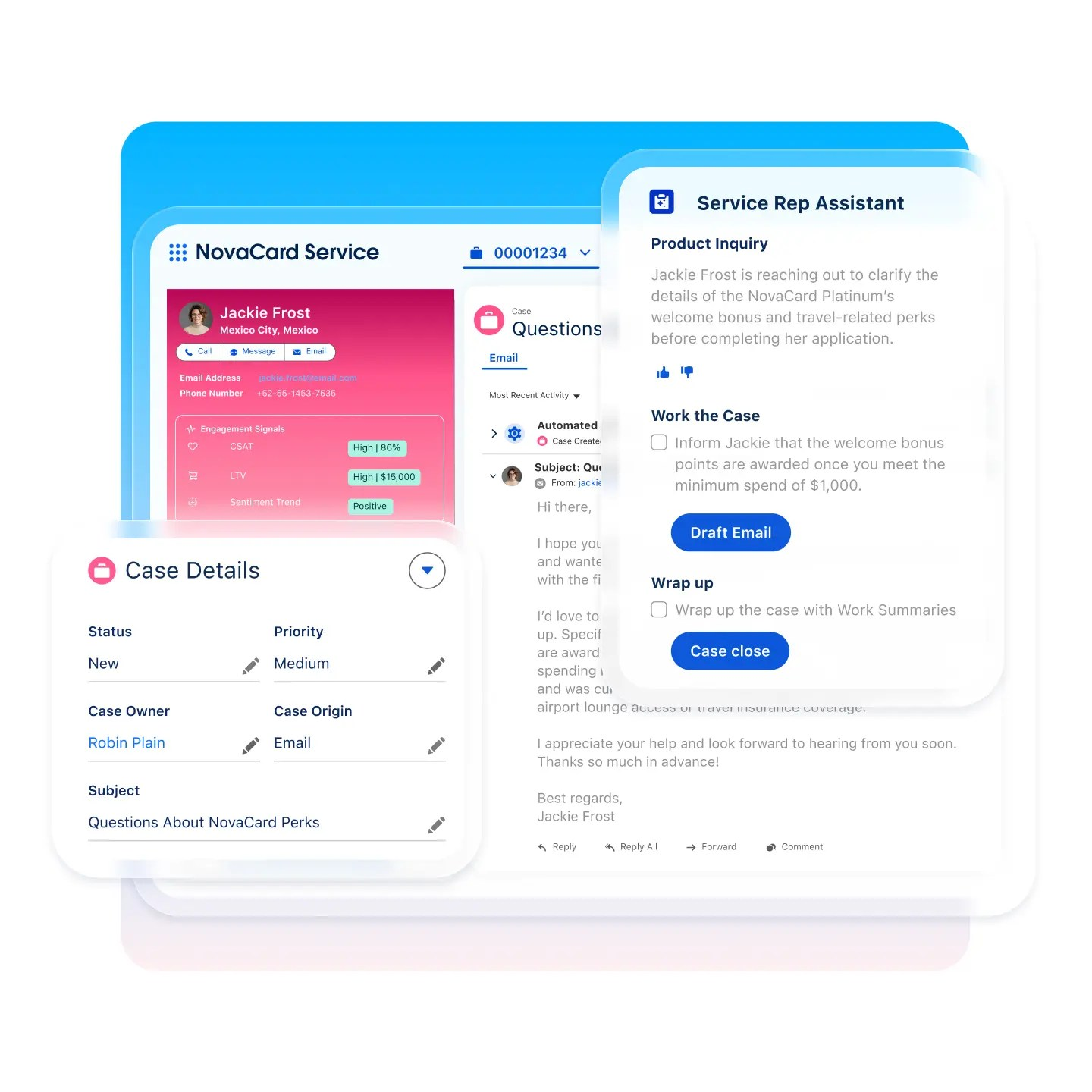
AI metering, case page and G2
On the case page an agent sees a contact details component, a highlights banner with priority and status, related-record panels and a feed of emails, calls and notes. Salesforce's training material says selecting a contact often fills the account on case creation, so the account is usually filled in from the contact. G2 lists the product, now named Agentforce Service, at 4.4 from 8,466 reviews. No review text is quoted, so we don't summarize strengths or complaints. Plan on a Salesforce admin: edition mapping and setup are heavier than for a standalone help desk.
- Starting price
- Starter Suite $25, Pro Suite $100, Core $195, Advanced $395, Max $550 per user per month; Starter Suite monthly or annual, Pro Suite and above annual
- Unit of work
- Case on the Salesforce CRM
- Channels in base plan
- Web Chat; other channels sold separately
- AI pricing
- $0.10 per action or $2 per conversation
- Account view
- Contact details and related records beside the case
- Billing
- Starter Suite monthly or annual; Pro Suite and above annual
Shared-inbox tools
Help Scout and Front keep customer requests as conversations in a shared inbox, closer to email than to a ticket queue. They suit teams that answer customers by email and want assignees, notes and account context without the weight of a ticketing suite.
Help Scout
Help Scout
An email-like shared inbox with a free plan, included AI drafting and company properties in the sidebar.
Help Scout runs support as conversations in a shared inbox. The free plan covers 5 users, 1 inbox, 1 Docs site and 100 contacts per month. Paid plans are listed at $25 (Standard), $45 (Plus) and $75 (Pro) per user per month. The page doesn't say which billing basis those numbers use, and G2's listing suggests $25 and $45 are annual. Email is on every plan. Live chat, SMS, WhatsApp, Instagram and Messenger are listed from Standard, and phone is listed as an integration only. Standard and Plus have a 15-day trial without a card.
AI Assist, AI Drafts and AI Summarize are included. AI Answers, the agent that replies to customers, costs $0.75 per resolution, billed monthly and charged only when the AI resolves the conversation without escalation. You can set a monthly spend cap, and the AI turns off when it's reached.
- Your team wants an email-like inbox with a free tier and flat per-user pricing
- You need company and contact properties visible next to every conversation without a CRM
- You need phone support built in, since phone is listed as an integration only
- You need deep SLA and resolution reporting, which reviewers say requires exports
- Users like
- Clean interface and shared inbox keep the team organized
- Users dislike
- Limited customization and reporting depth, cost grows with team size
- Source: G2, 431 reviews
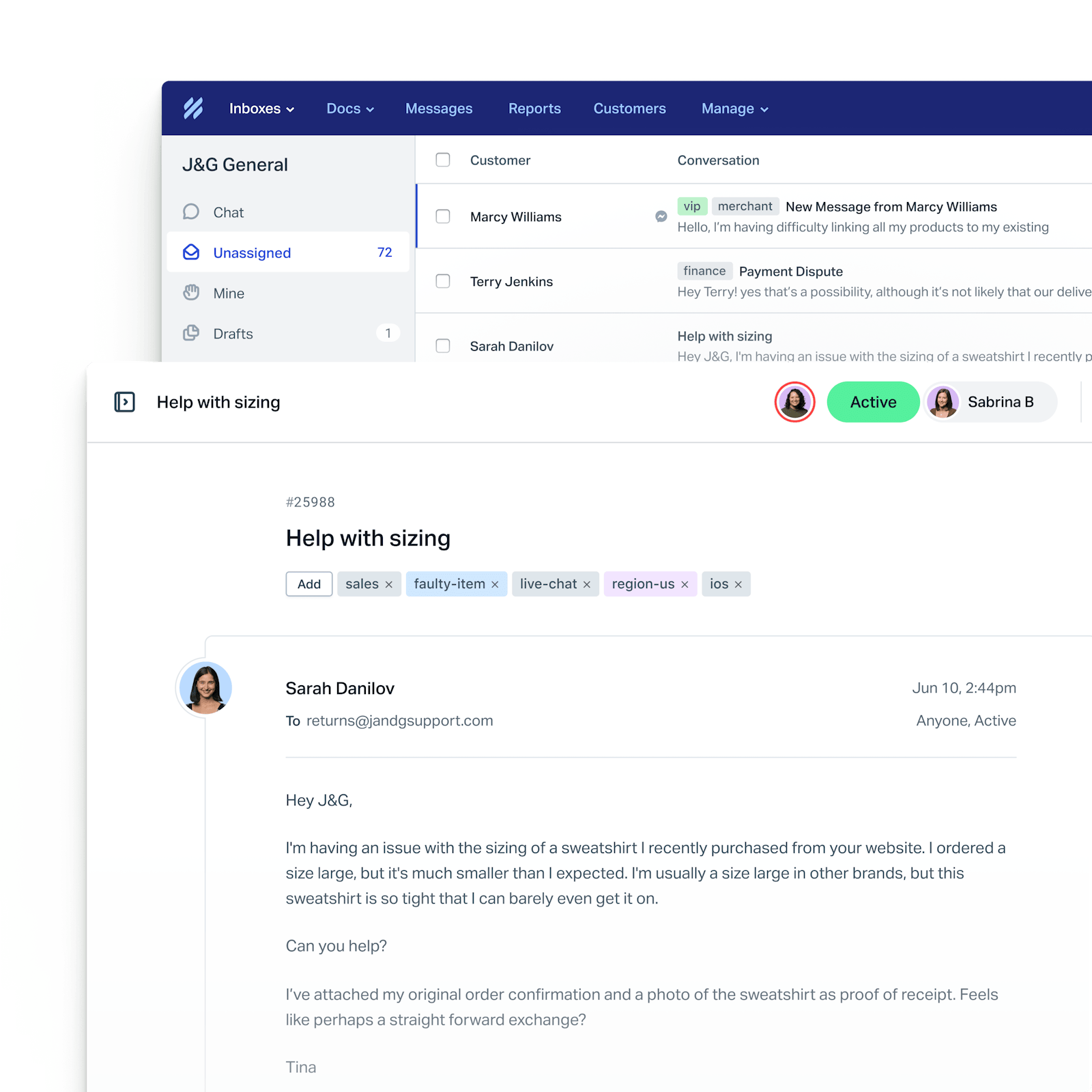
Properties, SLAs and G2
Each conversation shows a contact card and a company card. Paid plans allow up to 50 contact properties and 50 company properties, in text, number, URL, date and dropdown types, shown inline in the sidebar. Only account owners and administrators can create them, using them in workflow conditions needs Plus or Pro, and company properties can be set by hand or through the API but not through Zapier or Beacon. SLA policies are limited by plan: one on Standard, two on Plus, unlimited on Pro. G2 lists Help Scout at 4.4 from 431 reviews, praising the clean interface and shared inbox and naming limited customization and reporting depth.
- Starting price
- Free for 5 users, then $25 to $75 per user per month
- Unit of work
- Conversation in a shared inbox
- Channels in base plan
- Email; chat, SMS, WhatsApp from Standard
- AI pricing
- Drafts included; AI Answers $0.75 per resolution
- Account view
- Company card, up to 50 properties
- SLAs
- 1 policy Standard, 2 Plus, unlimited Pro
Front
Front
A shared inbox where each conversation gets an owner, internal comments and reply-time goals, with the CRM account beside it.
Front treats customer messages as shared conversations, and ticketing is available on every channel type. Starter costs $25 per seat per month, Professional $65 and Enterprise $105, billed annually; no monthly prices are listed, there's no free plan and the 14-day trial includes Professional features without a card. Starter supports one channel type only: email, chat or SMS. Professional and Enterprise are omnichannel, and native WhatsApp is billed at Meta's cost plus a 20 percent fee on those plans. Time goal rules, Front's name for SLAs, have a reply goal and a resolution goal and start on Professional.
AI is sold as add-ons. Autopilot, the AI agent, starts at $0.05 per conversation on every plan. Copilot costs $20 per seat per month on Starter and Professional and is included in Enterprise.
- Your CS team lives in email and wants load-balanced routing and internal comments in one shared inbox
- You want reply and resolution time goals and a CRM-synced account view without a full CRM suite
- You need a free plan, since Front offers only a 14 day trial
- You want AI included: Autopilot is a paid add-on on every plan and Copilot is paid below Enterprise
- Users like
- Easy to use, strong team collaboration through shared inboxes and internal comments
- Users dislike
- Learning curve and rule setup complexity
- Source: G2, 2,529 reviews
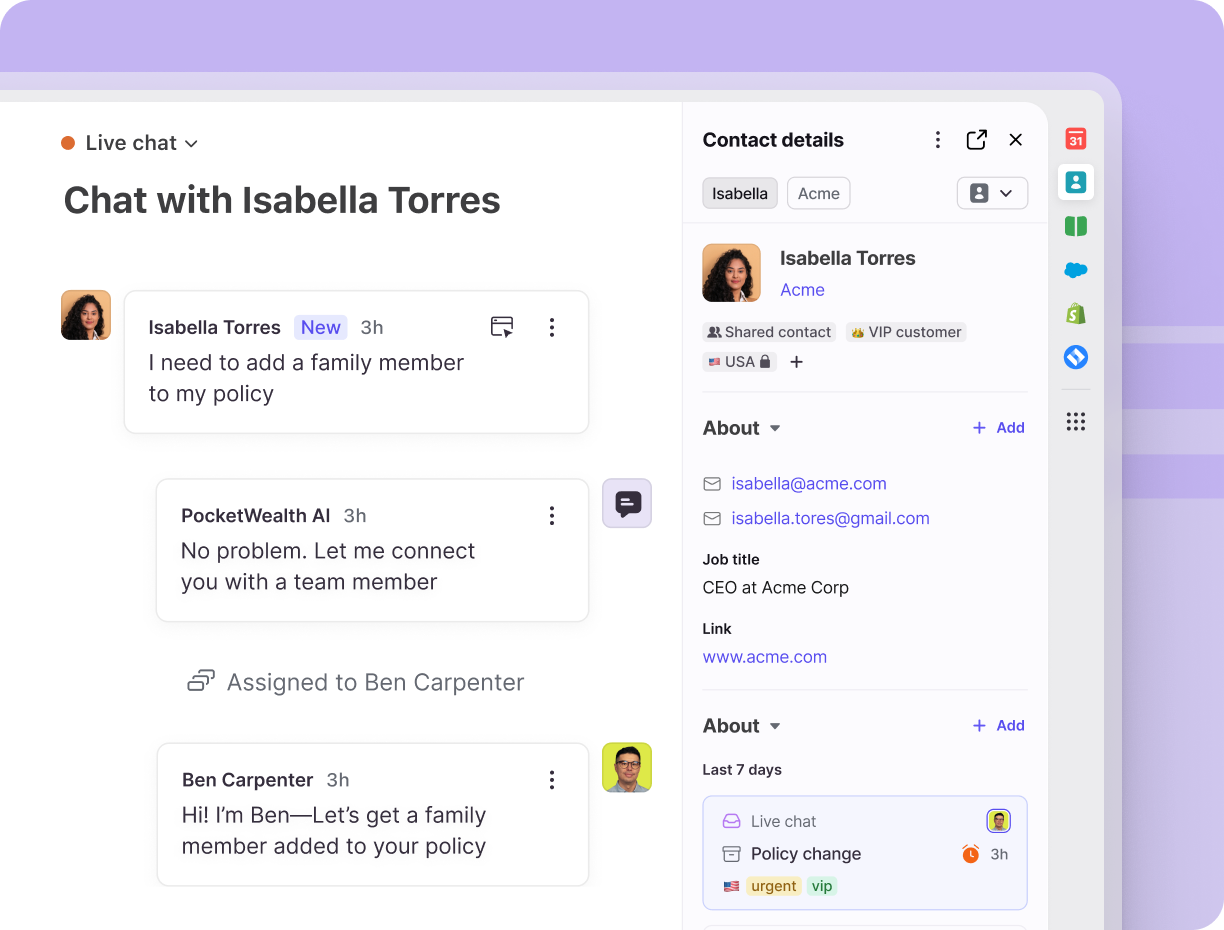
Accounts, time goals and G2
Front's account object is the clearest among the inboxes. Accounts hold a name, domains and custom fields, link to contacts by email domain and can sync from Salesforce, HubSpot or Microsoft Dynamics 365. The Relationships plugin shows, beside a conversation, the account name and domain, its recent conversations, tasks and discussions, associated contacts ranked by conversation volume and internal notes. G2 lists Front at 4.7 from 2,529 reviews, the highest rating here, with shared-inbox collaboration praised and a learning curve and rule setup named as complaints.
- Starting price
- From $25 per seat per month, billed annually
- Unit of work
- Conversation; ticketing on every channel
- Channels in base plan
- One channel type on Starter; omnichannel from Professional
- AI pricing
- Autopilot from $0.05 per conversation
- Account view
- Relationships plugin with CRM sync
- Billing
- Annual per seat, 14 day trial, no free plan
Chat-first and CRM-native tools
Intercom grew from live chat and now sells an AI agent priced per outcome. HubSpot Service Hub sells a help desk on top of its CRM. Both bill AI per outcome or resolved conversation, and they split on whether the account lives in the support tool or beside it.
Intercom
Intercom
A chat-first inbox where conversations and tickets live together, with the Fin AI agent billed per outcome and no seat required.
Intercom's inbox holds two object types: conversations for simple queries and tickets for complex, asynchronous work that needs several steps or other teams. Ticket types are customer, back-office and tracker. A tracker ticket follows an issue that affects many customers, such as an outage, and linked conversations can receive broadcast updates. Seat plans are listed at $19 (Essential), $85 (Advanced) and $132 (Expert) per seat per month. The page doesn't label annual or monthly, and shows $19 beside a struck-through $29. Chat, support email and in-app chats are unlimited on every plan, phone, WhatsApp and SMS are usage-based, and service-level agreements are on Expert only. The trial lasts 14 days.
Fin costs $0.99 per outcome with no seat required. With an existing help desk, a minimum monthly commitment applies. Copilot is $29 per agent per month billed annually.
- You want an AI agent billed per outcome, with no seat required
- You need back-office and tracker tickets to hand work to other teams and update affected customers
- You need SLAs without paying the top Expert seat price
- You need a company-level view in the inbox, which the docs read did not show beyond a Company field
- Users like
- AI agent handles simple cases and keeps improving
- Users dislike
- Hallucinations, bugs beyond standard cases, limited integrations
- Source: G2, 3,949 reviews
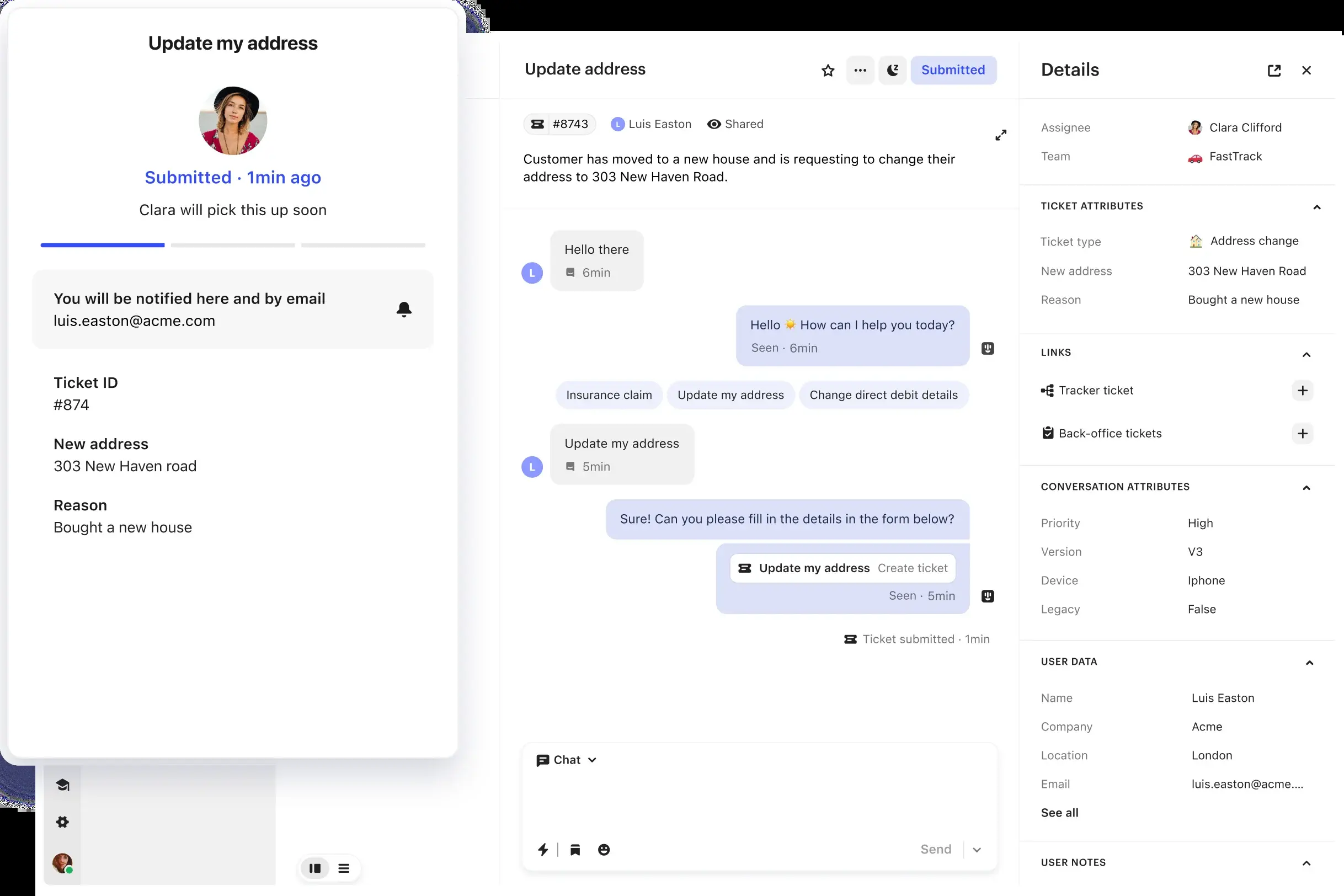
Tickets, account context and G2
The docs we read show a details panel with fields such as ID, Company and Brand, and custom objects linked to a person or conversation can be shown in the inbox sidebar. They don't describe a company page or account-level view, so ask for a demo of the account context. G2 redirects the Intercom reviews URL to the Fin listing, rated 4.5 from 3,949 reviews, so that rating describes the AI agent rather than the help desk. Reviewers praise the agent for handling simple cases and name hallucinations and limited integrations as complaints.
- Starting price
- Essential $19, Advanced $85, Expert $132 per seat per month (billing basis not stated); Fin AI agent $0.99 per outcome
- Unit of work
- Conversation, or ticket for multi-step work
- Channels in base plan
- Chat, email, in-app unlimited; phone, WhatsApp, SMS usage-based
- AI pricing
- Fin $0.99 per outcome
- Account view
- Company field and custom objects
- SLAs
- Expert plan only
HubSpot Service Hub
HubSpot Service Hub
A help desk built on the HubSpot CRM, where a ticket can hold several conversations and the sidebar shows the linked company and deals.
In HubSpot Service Hub a ticket can hold more than one conversation, shown as tabs at the top. Tickets are created automatically from connected channels and one-to-one emails sent from a connected address. The Free plan covers up to 2 users with HubSpot-branded live chat. Starter is listed at $7 and $20 per seat per month, Professional at $90 and $100, and Enterprise at $150. The page doesn't label which figure is annual, and G2's $20 and $100 suggest the higher ones are monthly. Professional adds a one-time $1,500 onboarding fee and Enterprise $3,500. SLAs need an assigned Service Seat, and WhatsApp, up to 1,000 messages a month, starts on Professional.
The Customer Agent costs $0.50 per resolved conversation, billed as 50 HubSpot Credits, effective April 14, 2026, down from $1.00. Plans include 500, 3,000 and 5,000 credits a month on Starter, Professional and Enterprise, extra credits cost $0.010 each and unused credits don't roll over. HubSpot doesn't define what counts as resolved.
- Your CS and sales teams already work in the HubSpot CRM and need company and deal data beside every ticket.
- You want AI agent cost tied to resolved conversations ($0.50 each) instead of a per-agent AI add-on.
- You need SLAs on a low-cost plan: SLAs require an assigned Service Seat, and Professional adds a $1,500 onboarding fee.
- You do not run HubSpot CRM and would pay for a second system just for tickets.
- Users like
- Ease of use and case management
- Users dislike
- Limited features and customization
- Source: G2, 3,016 reviews
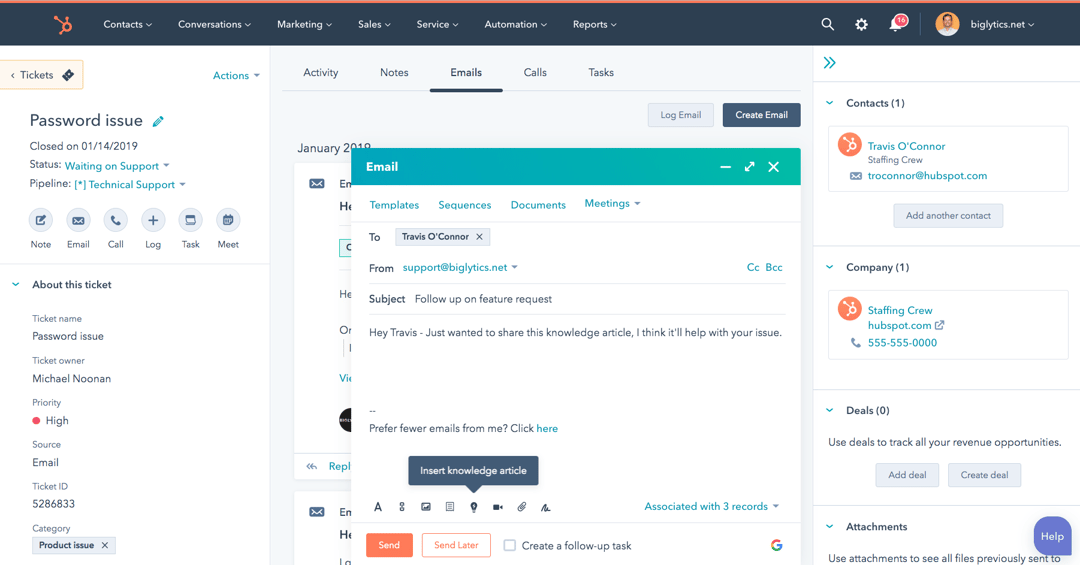
Credits, onboarding and G2
The ticket's right sidebar lists associated contacts, companies and deals with a History tab for the activity timeline, which makes this the most direct CRM account view in the list if HubSpot is already your system of record. The ticketing feature page doesn't describe a company panel, so confirm it matches your setup. G2 lists the product at 4.4 from 3,016 reviews, with ease of use and case management praised and limited features and customization named as complaints.
- Starting price
- Free for up to 2 users; Professional $90 to $100 per seat per month (the page does not label which is annual) plus $1,500 onboarding
- Unit of work
- Ticket holding one or more conversations
- Channels in base plan
- Live chat on Free; email and forms via connected inbox
- AI pricing
- $0.50 per resolved conversation (50 credits)
- Account view
- Sidebar with contacts, companies and deals
- Seat basis
- Per seat, Service Seats for SLAs
How the AI agents are priced
Every vendor in this list now sells an AI agent, and they bill it in several ways: per automated resolution, session, outcome, conversation, action or token allowance. The words sound alike but don't mean the same thing, so a price per resolution at one vendor isn't comparable to a price per session at another.
| Tool | AI billing unit | List price (USD) | What's included |
|---|---|---|---|
| Zendesk | Automated resolution | $1.50 committed or $2.00 pay as you go | 5 per agent per month on Team, 10 on Professional |
| Freshdesk | Session (72-hour window) | $49 per 100 sessions | 500 free sessions once per account |
| Zoho Desk | Token allowance | No per-resolution price published | 30M free AI agent tokens a month on Express |
| Salesforce Service Cloud | Action or conversation | $0.10 per action (20 credits) or $2 per conversation | Credits bought in blocks of 100,000 for $500 |
| Help Scout | Resolution (AI Answers) | $0.75 per resolution | Drafts, assist and summaries included |
| Front | Conversation (Autopilot) | From $0.05 per conversation | Copilot $20 per seat, included in Enterprise |
| Intercom | Outcome (Fin) | $0.99 per outcome | No seat required |
| HubSpot Service Hub | Resolved conversation | $0.50 per resolved conversation (50 credits) | 500, 3,000 or 5,000 credits a month by tier |
Take 1,000 AI-resolved requests in a month. At list price that is about $500 on HubSpot, $750 on Help Scout, $990 on Intercom and $2,000 on Zendesk pay as you go or on Salesforce's per-conversation option, before any included allowance. Those totals aren't equivalent: each vendor defines a resolution differently, and Zendesk verifies it with a language model while HubSpot doesn't say what counts. Freshdesk's sessions and Zoho's tokens can't be turned into a per-request figure from published prices. Treat the table as a way to ask each vendor for your own volume, not as a ranking.
What a CS team sees in support software
Support tools are built around the person who wrote in. A customer success manager cares about the account behind that person: the plan, the renewal date, the open issues and what was promised. How much of that appears next to a request varies a lot.
| Tool | What appears beside the request | Where the account lives |
|---|---|---|
| Zendesk | Requester card with contact data and organization membership, per Zendesk's help article | Organization field; custom objects for more |
| Freshdesk | Contact widget with company and the requester's recent tickets | Company record with health, tier and renewal fields; ticket display unconfirmed |
| Zoho Desk | Contact details; the account page shows ticket counts and response times | Account page with counts and response times |
| Salesforce Service Cloud | Contact details, highlights banner, related-record panels | Account, usually filled in from the contact |
| Help Scout | Contact and company cards | Up to 50 company properties |
| Front | Relationships plugin with account, activity and contacts | Account object synced from the CRM |
| Intercom | Details panel with a Company field | Custom objects; no company page in the docs we read |
| HubSpot Service Hub | Sidebar with contacts, companies and deals | HubSpot CRM records |
What all eight describe is the account's data and its tickets. In the documentation we read, none describes a record of what your own team promised the customer: the fix date given on a call, the executive intro offered in a QBR, the credit agreed in a reply. Those promises usually end up in a ticket comment or a meeting note. When a CSM changes or a ticket closes, the commitment goes with it. That gap is what our own product covers.
Run a two-week bake-off
Demos show the best path through a tool. A short trial on your own requests shows the rest. Most trials in this list run 14 or 15 days (Zendesk, Freshdesk, Front and Intercom 14, Help Scout 15, and Zoho Desk 15 by its own page). HubSpot lists no general trial for Service Hub, and Salesforce doesn't state a length, so ask for a sandbox in writing before you plan around either.
- CS leadWrite five questions: unit of work, channel mix, AI volume, account view and reporting. Shortlist two tools. Day 1
- Support leadExport 30 days of real requests and remove personal data so both trials start with the same material. Day 2
- AdminConnect your main channel, create one routing rule and one reply or resolution goal in each tool. Days 2 to 3
- Support agentsWork live requests in both tools for one week and log every step that took longer than expected. Days 4 to 8
- Customer success managerOpen five accounts and check that plan, renewal date and open issues appear beside the conversation. Day 9
- Finance or opsPrice your monthly AI volume with each vendor's definition of a resolution, in writing. Day 10
- CS leadScore both tools against the five questions and decide. Days 11 to 14
How to choose customer service software
Start with the unit of work and the account view, then price the AI agent at your own volume. A team that lives in email and wants account context without a ticketing suite should look at the shared-inbox tools. A team that already runs on a CRM should price the CRM-native option first, because it removes a second copy of every company record.

- One queue across email, messaging and phone with capacity routingZendesk
- The lowest published per-agent ticketing priceFreshdesk or Zoho Desk
- A free plan to startZoho Desk (3 agents), Help Scout (5 users) or HubSpot (2 users)
- Cases on the Salesforce account recordSalesforce Service Cloud
- An email-like inbox with company propertiesHelp Scout
- Shared inboxes with accounts synced from your CRMFront
- AI billed per outcome, with no seat requiredIntercom (Fin)
- Support, sales and CS sharing one set of company recordsHubSpot Service Hub
- Customer promises tracked to verified deliveryThe Customer Success Manager, beside your help desk
FAQ
What is customer service software?
Customer service software is the tool where customer requests land and get worked: an inbox or queue with owners, status, timers and reports. Zendesk, Freshdesk and Help Scout are typical examples, and most now include a help center and an AI agent.
What is the best customer service software?
The best customer service software depends on how your team handles requests: Zendesk for a routed multichannel queue, Freshdesk or Zoho Desk for the lowest ticketing prices, Help Scout or Front for shared inboxes, Intercom for per-outcome AI billing, and HubSpot or Salesforce if your CRM is already there.
Who is Zendesk's biggest competitor?
On ticketing, the closest alternatives in this list are Freshdesk and Zoho Desk, which both undercut Zendesk's $55 Suite Team entry price, though those plans cover fewer channels (Freshdesk's $19 Growth is email and ticketing only). For teams on a CRM, Salesforce Service Cloud and HubSpot Service Hub compete with it. Which one is closest depends on your channels and your CRM.
What is the common tool used in customer support?
The common tool used in customer support is a help desk or shared inbox. Zendesk, Zoho Desk and Salesforce Service Cloud have the most G2 reviews in this list, between 7,120 and 8,466, and Intercom, Freshdesk and HubSpot each have more than 3,000. Smaller teams often start with Help Scout or Front.
How much do AI agents in customer service software cost?
AI agents in customer service software cost between $0.05 and $2.00 per request, conversation or resolution at published list prices, depending on the vendor's unit, from $0.05 for Front's Autopilot to $2.00 at Zendesk (pay as you go) and Salesforce. Freshdesk and Zoho Desk don't publish a per-request price: Freshdesk bills per 72-hour session and Zoho gives a token allowance.
Can a help desk track customer commitments?
A help desk doesn't track customer commitments directly, at least in the documentation we read. Help desks track tickets, conversations and service-level timers. A promise made in a reply, such as a fix date or a credit, sits in a comment unless someone records it elsewhere. A dedicated commitment ledger keeps the owner, due date and proof of delivery next to the account.