The best help desk software depends on who files the tickets. If your requests come from customers, Zendesk, Freshdesk, Zoho Desk, Help Scout, Front and HubSpot Service Hub are the realistic shortlist. If they're coming from your own employees, Freshservice and Jira Service Management are built for that. Four of the eight tools in this guide have a permanent free plan (Zoho Desk, Help Scout, HubSpot and Jira Service Management), and the paid entry plans run from $7 to $55 per agent or seat per month at list price, with the billing basis varying by vendor. Enterprise tiers are custom or quote-based at Zendesk, Freshservice, Jira Service Management and HubSpot.
Most roundups rank help desks by feature count, but this one follows a single ticket through each desk instead: how it arrives, how it's routed, which clock runs on it, what happens when it escalates and what the agent sees about the customer's account. That last part matters if you're a customer success manager and not a support agent, because a ticket that reaches you without the account behind it is a ticket you'll have to research before you can answer.
Here's how we compared them. For each tool we read the pricing page, a feature page, a help-center article on how the mechanic works and, where available, the G2 listing. Prices carry the billing basis the vendor states, and where a page leaves it out we say so. We compare customer-facing and employee-facing desks side by side because both are called help desk software, but we keep them in separate sections so you can skip the half that doesn't apply. For the same tool family sorted by other questions, see our guides to customer support software, which prices a small team at 3, 5 and 10 agents, and customer service software, which sorts tools by unit of work.
- help desks compared, six customer-facing and two for employee requests
- 8
- have a permanent free plan (Zoho Desk, Help Scout, HubSpot, Jira Service Management)
- 4
- entry plan list price per agent per month where the vendor states it
- $7 to $55
- G2 rating range across the eight tools
- 4.3 to 4.7
Best help desk software at a glance
 Best free ticket queueZoho DeskIt's free for 3 agents with email ticketing, and you'll get escalation rules on the $7 Express plan (USD per G2's listing; the vendor's own page lists euros).
 Best email-like inbox on a free planHelp ScoutIt's free for 5 users with 1 inbox, and the first paid tier, $25 per user per month, adds one basic SLA policy.
 Best when the CRM already holds your accountsHubSpot Service HubFree for 2 users, and the ticket sidebar lists the associated company and deals.
 Best routing depth as you growZendeskIt's got routing that improves at each plan: capacity-based on Team, skills and priority on Professional. It's also the highest entry price, $55 per agent per month billed annually.
 Best free desk for IT and engineeringJira Service ManagementFree for 3 agents with unlimited customers, a portal, queues and automation. Change management waits for Premium.
 Best employee-facing desk with SLAs from $49FreshserviceSLA policies with escalation levels (up to four per its help article) start on Growth at $49 per agent per month billed annually. G2 rating 4.6.
| Tool | Who files the tickets | Free option | Entry price (USD) | Rating |
|---|---|---|---|---|
| Zendesk | Customers | 14-day trial, no free plan | Suite Team $55 per agent per month, annual | 4.3 (7,120) |
 Freshdesk | Customers | 14-day trial, no free plan | Growth $19 per agent per month, annual | 4.4 (3,899) |
| Zoho Desk | Customers | Free for 3 agents | Express $7, Standard $14 per agent per month (G2 listing) | 4.4 (8,064) |
| Help Scout | Customers | Free for 5 users, 1 inbox | Standard $25 per user per month | 4.4 (431) |
 Front | Customers | 14-day trial, no free plan | Starter $25 per seat per month, annual | 4.7 (2,529) |
| HubSpot Service Hub | Customers | Free for 2 users | Starter $7 or $20 per seat per month (basis not labeled); Professional $90 or $100 plus $1,500 onboarding | 4.4 (3,016) |
| Jira Service Management | Employees and customers | Free for 3 agents | Standard about $22.50 per agent per month billed annually at 5 agents ($26.90 billed monthly), cheaper at larger tiers | 4.3 (1,005) |
| Freshservice | Employees | 14-day trial, no free plan | Starter $19, Growth $49 per agent per month, annual | 4.6 (1,387) |
 The Customer Success Manager Our product | Customer commitment tracking | Records what your team promised each customer and whether delivery was verified | From $49 per month per workspace; card required at checkout (vendor homepage, as of 2026-11-05) | No reviews yet |
List prices checked October 30 and November 5, 2026. Billing basis differs by vendor, see each entry. Zendesk's rating is for its Zendesk for Customer Service G2 listing.
What is help desk software?
Help desk software is the system a team uses to turn each incoming request into a ticket with an owner, a status and a history, so that nothing depends on one person's inbox. A ticket is one request tracked from arrival to resolution, and that's all the term needs to mean. If a tool can't give each request an owner, it isn't a help desk, whatever its homepage says. Around it, most products add a queue that shows what is waiting, rules that assign work, a clock for response and resolution targets, a knowledge base that answers repeat questions and reports on volume and speed. You'll see the same product called a help desk, a ticketing system or a customer service platform, and the labels overlap heavily. It's a simple idea, but the details differ a lot.
What's the difference between a help desk, a service desk and a shared inbox?
A help desk is the ticket queue itself: requests come in, an agent owns each one, and it closes. A service desk usually adds a service catalog, change approvals and asset records, and it is most often used for employee and IT requests, though Jira Service Management also serves customers. You can see the line in the plan tables: Freshservice puts the service catalog and SLA management on its $49 Growth plan and change and release management on its $99 Pro plan, and Jira Service Management puts change management on Premium. A shared inbox, which is how Help Scout and Front start, shows several people one mailbox with assignment and internal notes, and treats the conversation as the unit of work. That's the line in practice, and it's why the labels overlap.
Is Jira a help desk tool?
Jira Service Management is. It's the Atlassian product for requests, incidents and changes, and it has a free plan for 3 agents with unlimited customers, a portal, queues and automation. Atlassian licenses agents and doesn't charge for customers, so you won't pay more as the customer base grows. If your engineers already work in Jira, the desk shares its issue model, and G2 reviewers list the Jira and Confluence integration among the top praise. If your team is non-technical, however, G2 reviewers name the learning curve and setup as the main complaints.
What does a help desk do with one ticket?
Every desk on this list moves a ticket through the same five stages, and the tools differ in how much of each stage you get on the cheap plan. Here's what to check before you compare feature lists, because they're what separates the tools in practice.
- Step 1The request becomes a ticket
- Zendesk
- HubSpot Service Hub
- Freshdesk
What breaks a channel isn't connected, so those messages never become tickets - Step 2It's routed to an owner
- Zendesk
- Zoho Desk
- Help Scout
What breaks routing's a plan upgrade, so everything lands in one shared queue - Step 3A clock starts
- Front
- Freshservice
- Help Scout
What breaks the clock exists but nobody is told when it's about to run out - Step 4It escalates
- Zoho Desk
- Jira Service Management
What breaks the escalation goes to a manager and doesn't reach the account owner - Step 5It closes with account context
- Front
- HubSpot Service Hub
What breaks the reply doesn't mention what was promised to this customer earlier
Two of these stages are where the price differences hide, and they're easy to miss. Routing and the response clock are usually the features held back for the second or third plan, while the ticket itself is on every plan: Zendesk puts SLAs and skills-based routing on Suite Professional, Freshdesk puts multiple SLA policies on Pro, Front puts time goal rules on Professional and HubSpot ties SLAs to an assigned Service Seat. Zoho Desk (escalations on Express), Help Scout (one basic SLA policy on Standard) and Jira Service Management (unlimited SLA policies per its feature page) include some form of SLA or escalation on an entry plan.
Five checks before you choose help desk software
Choosing help desk software starts with who files the tickets, since that decides which half of this list you read. Then check five things in this order. Don't skip the third, since it's the one teams forget.
- Where the ticket is created. List the channels your requesters really use, then check which plan includes each. Front's Starter plan supports one channel type, Freshdesk's standard product leaves out WhatsApp and Instagram, and Help Scout lists live chat, SMS and WhatsApp from Standard.
- How routing works on the plan you'll buy. Capacity-based, round-robin, skills-based and load-balanced routing are different features, and they sit on different plans. A small team can often live without skills routing, but a team with two products and a time zone split can't.
- Which clock runs and what it triggers. Look for a response target, a resolution target and an action when one is missed. Zoho Desk escalates a breached ticket to a manager or agent, and Freshservice lists up to four resolution escalation levels in its help article.
- What the agent sees about the account. A contact card isn't an account view. Check whether the company, plan, renewal date and open tickets show next to the ticket, and whether you fill those fields yourself or sync them from a CRM. That's clearly the difference between a contact card and an account view.
- How AI is billed. Seat prices look similar until an AI agent is switched on, and then they don't. Zendesk, HubSpot, Help Scout and Front bill AI per resolution or conversation, while Zoho Desk describes some generative features as included, though Express generative AI uses your own OpenAI or DeepSeek key.
Free plans are worth testing with real tickets, because each one limits something a growing team meets within months: agents, contacts or branding.
Here's the short version. Pick the desk whose free plan or trial you can test with a week of real tickets, and don't buy a plan for a feature you haven't used. You'll learn more from five days of real tickets than from any table, and you won't be locked in by then. It's also the cheapest way to find out what you don't need.
Help desks for customer-facing teams
The six customer-facing help desks start from a customer who writes in by email, chat or a social channel, and they're what most people mean by the term. They differ most in how routing, the response clock and the account view scale with the plan.
Zendesk
Ticket based help desk where email, messaging and calls all become tickets routed by capacity, with SLAs and skills routing from Professional and AI agents billed per automated resolution.
The ticket system larger support teams standardize on, with routing that gets smarter at each plan and the highest entry price of the six.
Zendesk turns every inbound contact on every channel into a ticket. On Suite Team ($55 per agent per month billed annually, $69 monthly) a ticket is routed by agent status and capacity, oldest first, and only tickets with the status new or open are routed. The help article lists routing by soonest SLA breach on a Growth plan between Team and Professional (its price isn't shown on the pricing page), and skills-based routing, priority routing and custom queues arrive on Suite Professional ($115 annual, $149 monthly), which is also where the pricing page puts SLAs. Team is limited to 2 departments.
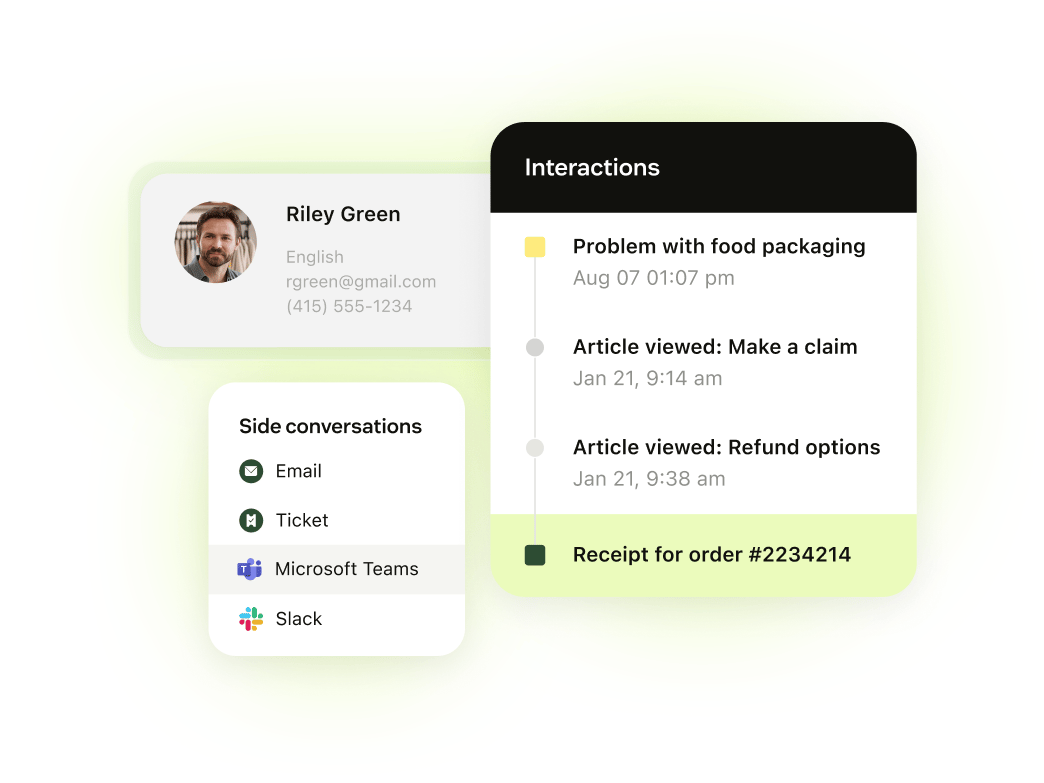
The agent sees a requester profile with an organization field, and the context panel is described as showing name, contact data, time zone and language, with notes attached to the requester and not the ticket (confirm in your trial). Team allows one organization per user, Professional and Enterprise up to 300. The trial lasts 14 days and gives access to Suite Professional, and there is no free plan. AI agents are billed per automated resolution: 5 per agent per month are included on Team, then $1.50 committed or $2.00 pay as you go, and escalated conversations don't count. It's powerful, but you'll pay for that routing depth, and the cheapest plan doesn't include SLAs. If you're weighing it against a cheaper desk, compare the plan that includes SLAs, not the entry plan, because that's the plan you'll actually need.
- You need email, messaging and phone in one routed queue with capacity rules and SLA based routing.
- You want AI agents billed only when they resolve a request without human help.
- You need a free plan or published Enterprise pricing.
- You want AI resolution costs fixed up front; usage over the included resolutions is billed at $1.50 to $2.00 each.
- Users like
- Ease of use, features, ticket management
- Users dislike
- Missing features, learning curve, limited customization
- Source: G2, 7,120 reviews
- Starting price
- Suite Team $55 per agent/month billed annually; Professional $115
- Unit of work
- Ticket across every channel
- Channels in base plan
- Email, messaging and live chat, social, voice basics (numbers and WhatsApp cost extra)
- AI pricing
- 5 (Team) to 10 (Professional) resolutions per agent per month included, then $1.50 or $2.00
- Account view
- Organization field on the profile, up to 300 organizations per user on Professional
- SLAs
- Suite Professional and up
- Entry price
- $55 per agent per month, annual
- AI unit
- Automated resolution, 5 per agent per month included on Team
Freshdesk
Email first ticketing help desk with a separate Omni line for chat, WhatsApp and Instagram; AI agents are billed per 72 hour session after 500 free ones.
Low per-agent pricing for email tickets, with the multichannel inbox sold as a separate Omni line.
Freshdesk email and ticketing costs $19 (Growth), $55 (Pro) and $89 (Enterprise) per agent per month billed annually. WhatsApp and Instagram live in Freshdesk Omni at $29, $79 and $119, where every message becomes a ticket in one inbox. Routing on the standard product is assignment rules. Omniroute, the automatic routing in Omni, assigns by agent availability, skills and ticket capacity. Multiple SLA policies start at Pro, and skill-based routing is Enterprise only.
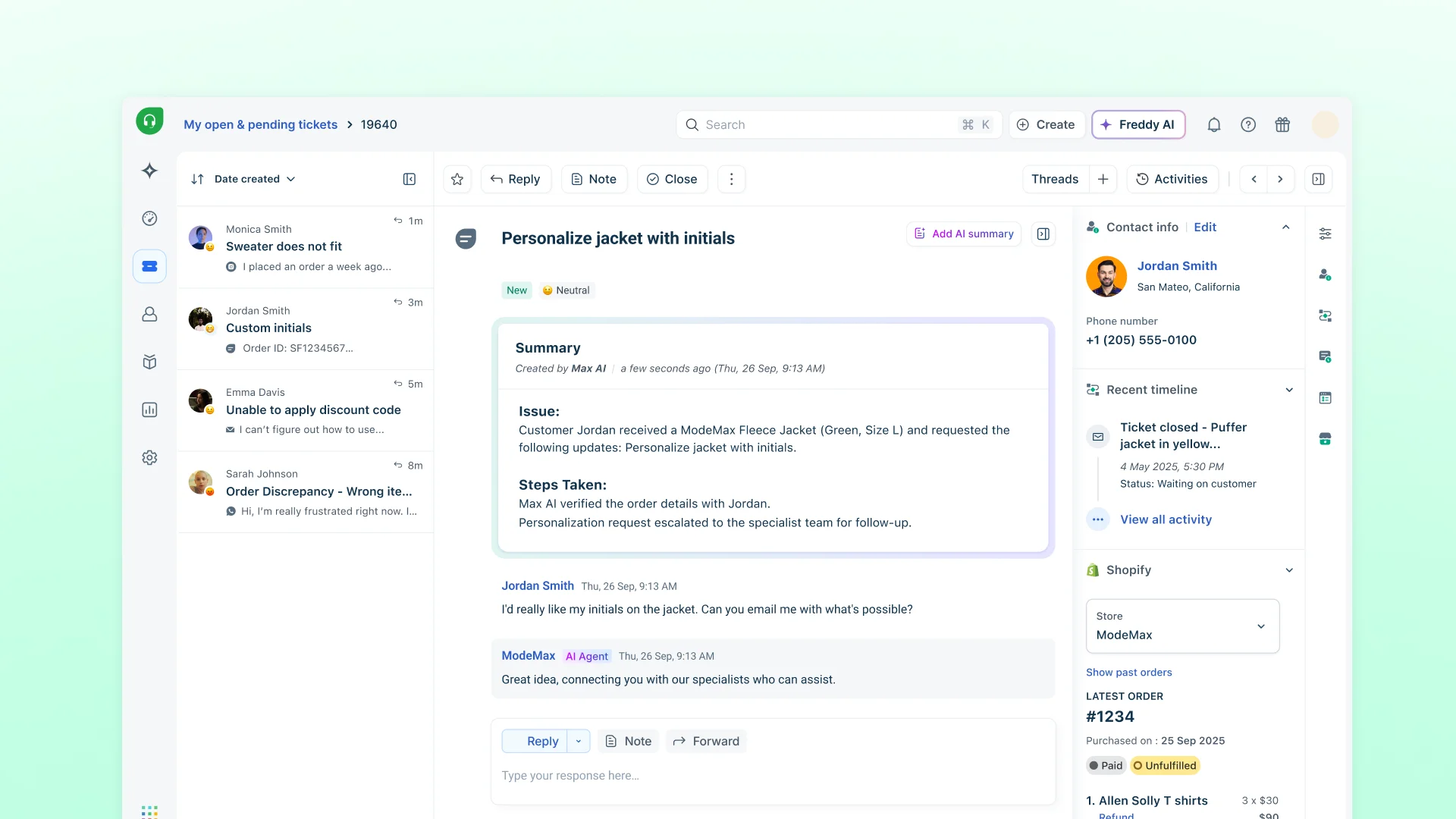
On the ticket the Properties pane carries the first-response and resolution timers, status, priority and group, and the Additional Info pane shows contact details with company, recent tickets and linked tickets. Company records can store a health score, account tier and renewal date on paid plans, and contacts join a company by email domain. We couldn't confirm from the docs that the health score and tier show in the ticket view by default. There's no free plan, but the 14-day trial gives access to Enterprise. The Freddy AI Agent includes 500 free sessions once per account, then $49 per 100. It's cheap per agent, but you'll need Omni, and a higher price, if customers write in on WhatsApp or Instagram. Don't compare Growth to a rival's top plan: you'll want Pro if you need more than one SLA policy, and that's $55.
- You want a low-priced ticketing plan ($19 Growth) and a company object with health score, tier and renewal date fields.
- You want a published AI agent rate: 500 free sessions once per account, then $49 per 100 sessions.
- You need WhatsApp, Instagram or full chat in the plan; those need Omni at $29 and up.
- You need skill-based routing below Enterprise.
- Users like
- Ease of use, automation, ticket management
- Users dislike
- Missing or limited features, ticket handling issues
- Source: G2, 3,899 reviews
- Starting price
- Growth $19, Pro $55, Enterprise $89 per agent/month billed annually; Omni from $29
- Unit of work
- Ticket; every message in Omni's inbox becomes one
- Channels in base plan
- Email, Facebook, basic web chat (WhatsApp and Instagram need Omni)
- AI pricing
- Freddy AI Agent: 500 free sessions once, then $49 per 100 sessions (72 hour window)
- Account view
- Company record with health, tier and renewal fields; ticket display unconfirmed
- SLAs
- Multiple policies from Pro
- Entry price
- $19 per agent per month, annual
- AI unit
- Session, 500 free once then $49 per 100
Zoho Desk
Per-agent help desk where tickets are the unit of work. Account pages show open, overdue and response-time counts for each account.
A permanent free plan with an email ticket queue for 3 agents, and escalation rules on the cheapest paid plan.
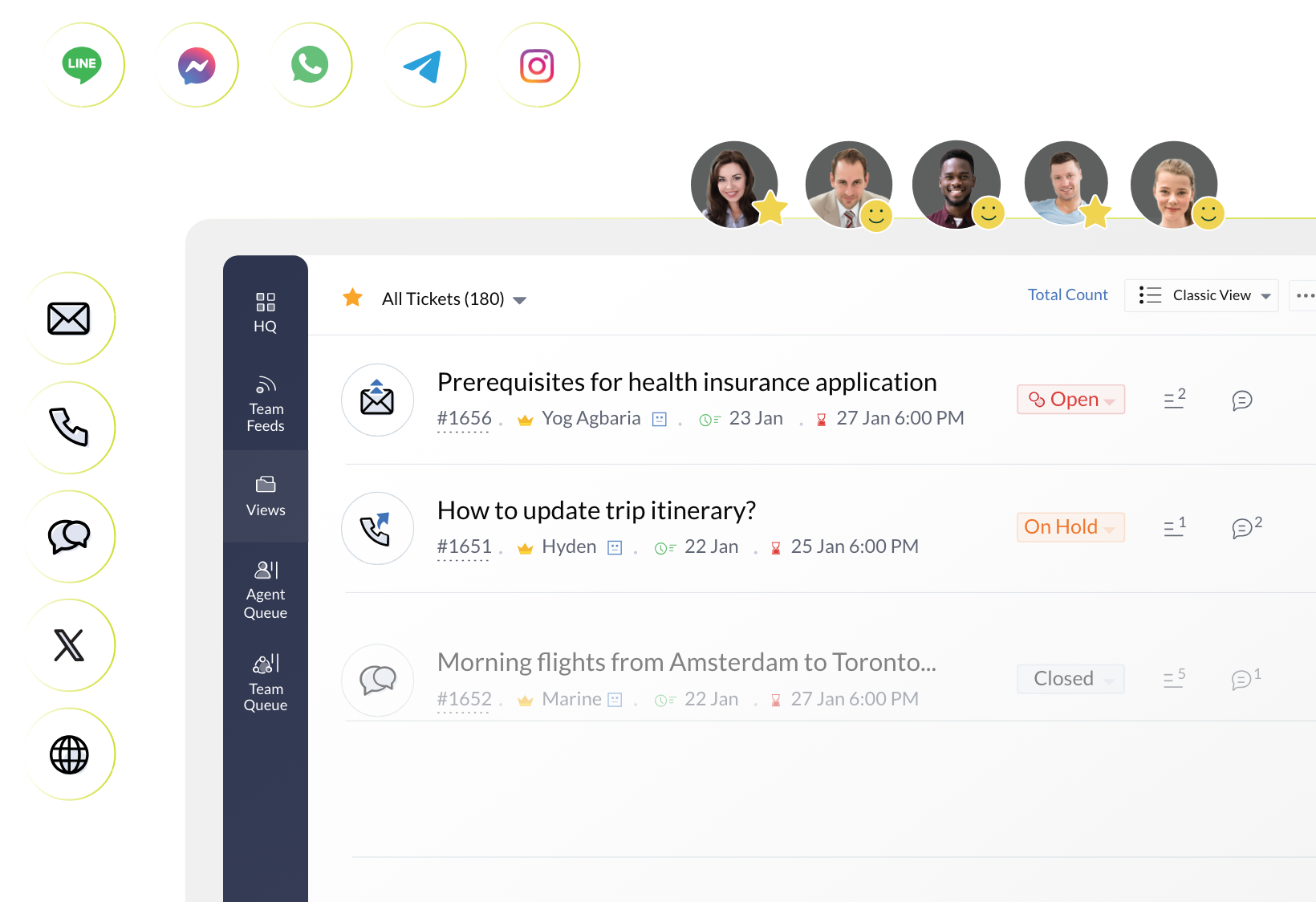
Zoho Desk is free for 3 agents with email ticketing, and the vendor's page lists a 15-day trial of paid plans with no card. Express is $7 and Standard $14 per agent per month on G2's USD listing, which doesn't state the billing basis; the vendor's own page lists euros (annual prices there). Ticket assignment routes by workload, availability and skills according to the feature page, and the plan table lists round-robin assignment from Professional. SLAs set a due time by channel, by customer or by ticket status, and a breached ticket escalates to the responsible manager or agent. Multi-level escalations are listed on Express.
An account page shows counts of all, open and overdue tickets, traffic by channel and average first response, response and resolution times, which gives a CS team an account-level view of ticket load and response times inside the desk. The History tab is Enterprise only. Zoho describes Zia generative features such as ticket summaries as included at no extra cost, but Zia AI is listed from Professional and Express generative AI uses your own OpenAI or DeepSeek key. Phone arrives on Professional, and skills-based assignment and a sandbox on Enterprise. It's the easiest one to start with, but don't expect the free plan to cover chat or social channels. You'll want to check the plan table before you rely on the free tier, since it's email only.
- You want a low per-agent price with email, social and web forms from the Express tier and messaging channels from Standard.
- You want account pages with ticket counts, channel mix and average resolution time
- You need phone, Zia AI or Blueprints, which Zoho lists from Professional.
- You want a published per-resolution AI price; Zoho publishes a token allowance on Express and no per-resolution rate.
- Users like
- Ease of use and ticket management
- Users dislike
- Learning curve and limited customization
- Source: G2, 8,064 reviews
- Starting price
- Free for 3 agents; Express $7 and Standard $14 per agent per month billed annually (USD from the G2 listing; the vendor page lists euros)
- Unit of work
- Ticket (merge, clone, parent and child)
- Channels in base plan
- Express: email, social, web forms; messaging and live chat widget from Standard; phone from Professional
- AI pricing
- Express includes 30M free AI agent tokens a month; no per-resolution price published
- Account view
- Account page with ticket counts, channel traffic and response times
- Seat basis
- Per agent; free plan for 3 users
- Entry price
- Free for 3 agents; Express $7 per agent per month (G2 USD listing)
- SLAs
- Escalations from Express
- AI unit
- Zia features included; AI agents on a token allowance
Help Scout
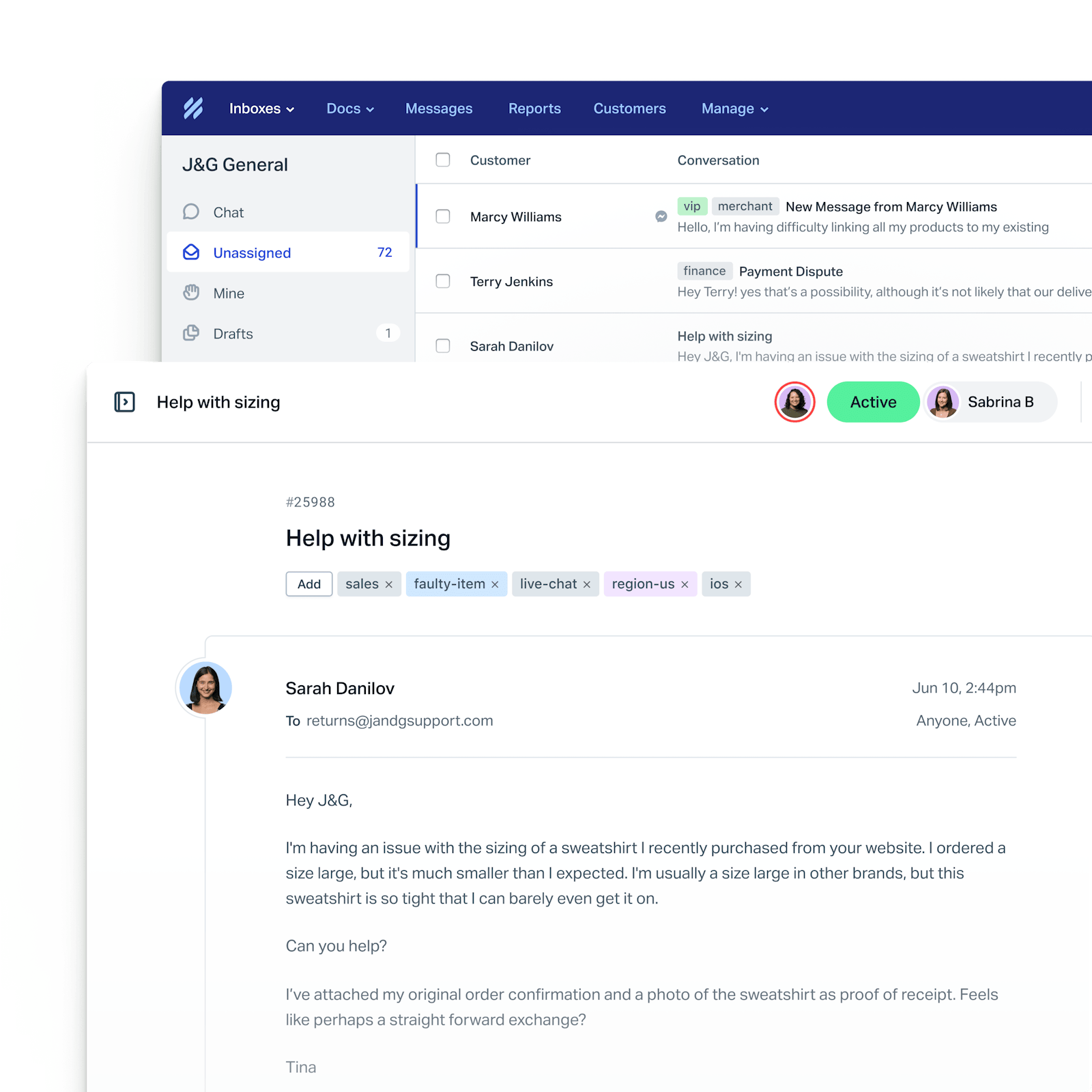
Help Scout runs support as conversations in a shared inbox that reads like email to the customer. Contact and company properties sit in the sidebar of each conversation, and AI drafting is included while AI Answers is billed per resolution.
A shared inbox that keeps the thread feeling like email, with a free plan for up to five users and a single basic SLA on the first paid tier.
Help Scout is free for 5 users with 1 inbox, 100 contacts per month and 30 days of reporting history. Standard is $25, Plus $45 and Pro $75 per user per month, with the billing basis not stated; the page shows a 16 percent badge on the billing toggle without labeling which price is which. Email is on every plan. Standard allows one basic SLA policy and 25 users, Plus two advanced SLA policies and round-robin routing, and Pro unlimited policies and load-balanced routing. The unit of work is a conversation in a shared inbox.
The sidebar shows contact and company cards with up to 50 properties each, available on all paid plans. Using those properties in workflows and saved replies needs Plus or Pro, and Plus adds Salesforce, Jira and HubSpot integrations. AI Assist, Drafts and Summarize are unlimited on the listed plans, while AI Answers is $0.75 per resolution after three free months. It's a good fit if you'd rather not run a ticket form, though it isn't built around ticket queues. If you're moving off a shared mailbox, it's probably the gentlest change, and you won't need to retrain customers on a ticket form.
- Your team wants an email-like inbox with a free tier and flat per-user pricing
- You need company and contact properties visible next to every conversation on a paid plan, filled in manually or through the API
- You need phone support built in, since phone is listed as an integration only
- You need deep SLA and resolution reporting, which reviewers say requires exports
- Users like
- Clean interface and shared inbox keep the team organized
- Users dislike
- Limited customization and reporting depth, cost grows with team size
- Source: G2, 431 reviews
- Starting price
- Free for 5 users, then $25 to $75 per user per month
- Unit of work
- Conversation in a shared inbox
- Channels in base plan
- Email; chat, SMS and WhatsApp listed from Standard
- AI pricing
- AI drafts included; AI Answers $0.75 per resolution
- Account view
- Company card with up to 50 company properties in the sidebar
- SLAs
- 1 basic on Standard, 2 on Plus
- Entry price
- $25 per user per month (Free for 5 users)
- AI unit
- AI Answers $0.75 per resolution
Front
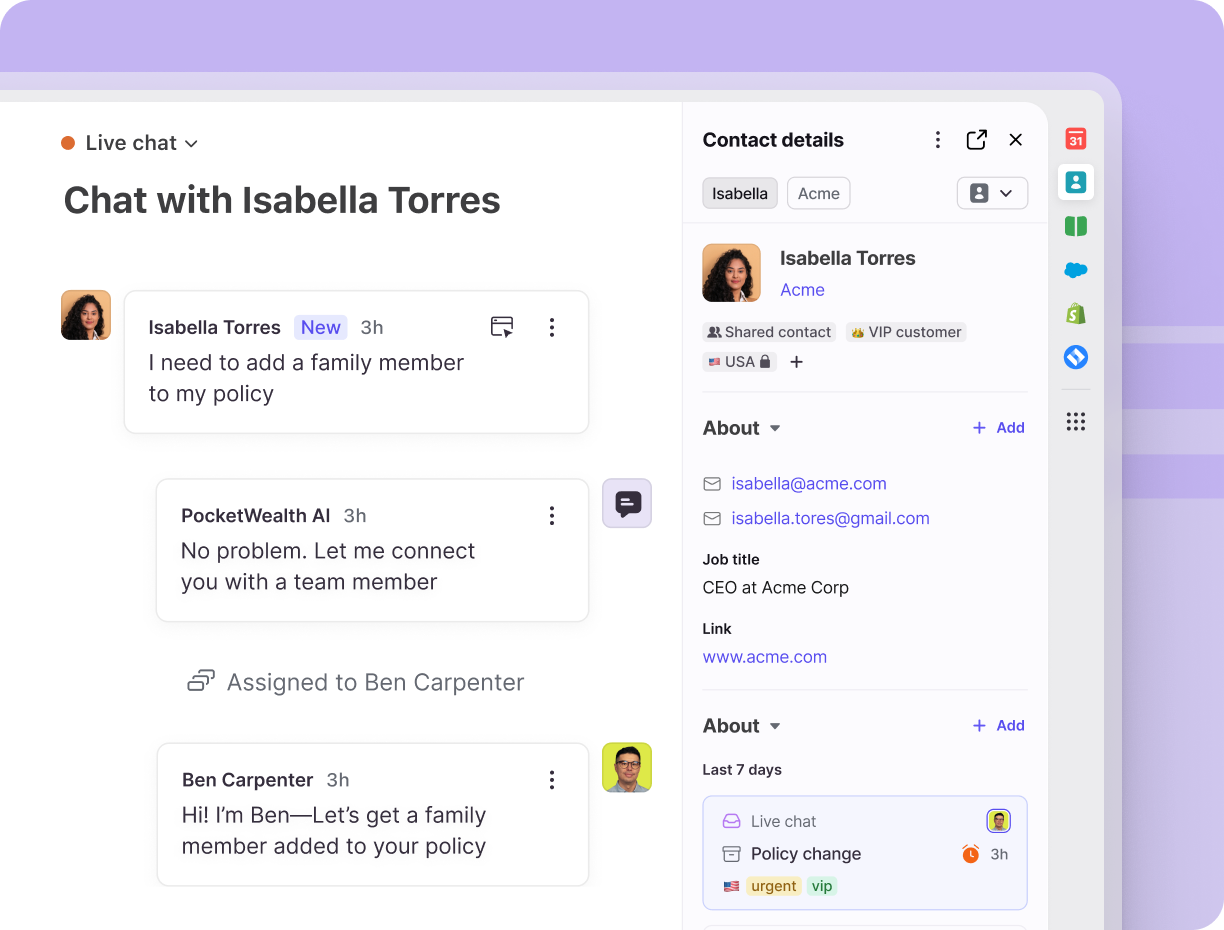
Front treats every customer message as a shared conversation that can be assigned, commented on and tracked against reply and resolution time goals. Accounts sync from Salesforce, HubSpot or Dynamics, so a CSM sees the account next to the thread. AI is sold as add-ons: Autopilot from $0.05 per conversation and Copilot at $20 per seat.
A shared inbox for teams that live in email, with reply and resolution time goals and accounts synced from your CRM.
Front handles every channel as a conversation that can be assigned, discussed in comments and ticketed. Ticketing works on all channel types. Starter costs $25 per seat per month, Professional $65 and Enterprise $105, all shown billed annually, with no free plan and a 14-day trial of Professional features. Starter supports one channel type, up to 10 seats and up to 10 automation rules. Topic-based AI categorization and load-balancing rules are described on the feature page without plan limits.
Time goal rules, formerly SLA rules, set a reply goal and a resolution goal, tag overdue conversations and optionally warn when one is at risk. They need Professional or above and shared rules. The reply timer tracks the oldest unreplied message, and snoozing doesn't extend it. Accounts sync from Salesforce, HubSpot or Dynamics 365, and the Relationships plugin shows the account, its recent conversations, contacts and notes next to the thread. Autopilot starts at $0.05 per conversation (the page doesn't define a billed conversation) and Copilot is $20 per seat below Enterprise. It's strong for email-heavy teams, but you'll pay for AI separately and there's no free plan. If you're on Starter, you'll hit the single channel type quickly, so check that it's the channel your customers really use.
- Your CS team lives in email and wants load-balanced routing and internal comments in one shared inbox
- You want reply and resolution time goals and a CRM-synced account view without a full CRM suite
- You need a free plan, since Front offers only a 14 day trial
- You want AI included: Autopilot is a paid add-on on every plan and Copilot is paid below Enterprise
- Users like
- Easy to use, strong team collaboration through shared inboxes and internal comments
- Users dislike
- Learning curve and rule setup complexity
- Source: G2, 2,529 reviews
- Starting price
- From $25 per seat per month, billed annually
- Unit of work
- Conversation (ticketing available on all channel types)
- Channels in base plan
- Starter: one channel type; Professional and up: omnichannel (email, chat, SMS, social, voice, WhatsApp as paid add-on)
- AI pricing
- Autopilot from $0.05 per conversation; Copilot $20 per seat, included in Enterprise
- Account view
- Relationships plugin shows account, domain, activities, contacts and notes; CRM sync
- Billing
- Annual per seat, 14 day trial, no free plan
- Entry price
- $25 per seat per month, annual
- SLAs
- Time goal rules from Professional
- AI unit
- Autopilot from $0.05 per conversation
HubSpot Service Hub
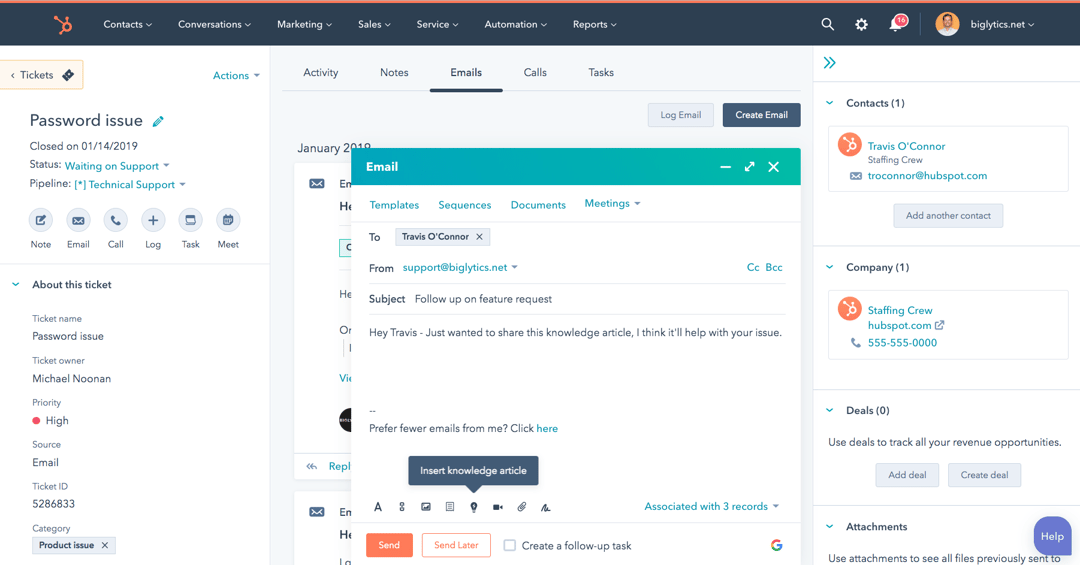
Help desk built on the HubSpot CRM. A ticket can hold several conversations, and the sidebar shows the linked company, contacts and deals.
A help desk inside the HubSpot CRM, free for two users, where the ticket sidebar lists the associated company and deals.
HubSpot Service Hub is free for up to 2 users, with live chat that carries HubSpot branding. Starter is listed at $7 or $20 per seat per month without a label for annual or monthly, and G2 lists $20. Professional is $90 or $100 per Service Seat and Enterprise $150, quote-based. Professional needs a one-time $1,500 onboarding fee and Enterprise $3,500.
Tickets are created from connected channels, for example each form submission and one-to-one emails from a connected address. One ticket can hold several conversations as tabs. The right sidebar lists the associated contacts, companies and deals with a ticket activity timeline, so account context is close to built in once the CRM holds the records, and you can customize the sidebar tabs. SLAs need an assigned Service Seat, and the help article only points to a separate setup guide. The Customer Agent costs $0.50 per resolved conversation, billed as 50 HubSpot Credits, and the pricing page doesn't define a resolved conversation. It's a natural fit if you're already on HubSpot, but it won't make much sense if your CRM lives elsewhere. Don't forget the onboarding fee when you compare: it's $1,500 on Professional, and that's before AI usage.
- Your CS and sales teams already work in the HubSpot CRM and need company and deal data beside every ticket.
- You want AI agent cost tied to resolved conversations ($0.50 each) instead of a per-agent AI add-on.
- You need SLAs on a low-cost plan: SLAs require an assigned Service Seat, and Professional adds a $1,500 onboarding fee.
- You do not run HubSpot CRM and would pay for a second system just for tickets.
- Users like
- Ease of use and case management
- Users dislike
- Limited features and customization
- Source: G2, 3,016 reviews
- Starting price
- Free for up to 2 users; Professional $90 to $100 per seat per month (the page does not label which is annual) plus $1,500 onboarding
- Unit of work
- Ticket holding one or more conversations
- Channels in base plan
- Live chat on Free; email and forms via connected inbox; phone minutes and WhatsApp on paid tiers (WhatsApp from Professional)
- AI pricing
- Customer Agent $0.50 per resolved conversation (50 credits); credits $0.010 each
- Account view
- Right sidebar lists associated contacts, companies and deals
- Seat basis
- Per seat, Service Seats for SLAs
- Entry price
- Free for 2 users; Professional $90 or $100 per seat plus $1,500 onboarding
- SLAs
- Needs an assigned Service Seat
- AI unit
- Customer Agent $0.50 per resolved conversation
Help desks for employee requests
They're built for employees who need access, hardware or a fix, and they add the processes a customer desk doesn't need: a service catalog, change approvals and asset records. Jira Service Management also serves external customers, while the Freshservice page describes employee-facing use only.
Jira Service Management
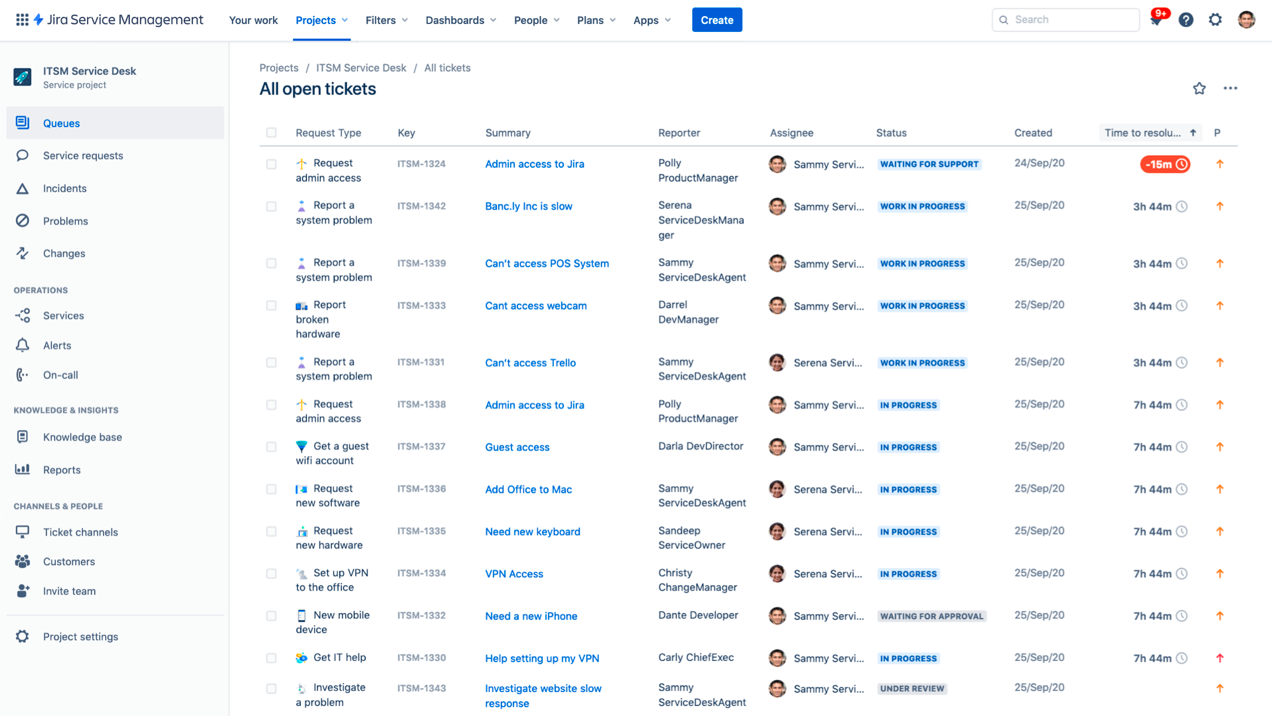
Atlassian's service desk serves both employees and external customers on one platform, with queues and a knowledge base from the free plan and SLA policies described on the feature page. Assets arrive on Standard, change management and the virtual service agent on Premium.
A desk built on Jira work items, with a free plan for three agents and SLAs configured with the same query language as the rest of Jira.
Jira Service Management (JSM) is free for 3 agents with unlimited customers, 2 GB of storage, 100 emails a day, a portal, an embedded knowledge base, queues and multichannel intake from the portal, email, chat, an embedded widget, Microsoft Teams and Slack. Paid plans are priced by agent tier. With the selector at 5 agents the page showed Standard at $26.90 and Premium at $61.60 per agent per month billed monthly. Annual billing works out to about $22.50 per agent for Standard at that tier, and the per-agent price falls at larger tiers. Enterprise is custom.
A request becomes a work item in a queue. You choose the queue filter and columns, can sort by SLA so the item closest to its target comes first and can build one queue per team or locale. SLA goals take a time target, a working-hours calendar and a JQL filter for which items they apply to, and timers adjust when the priority changes. Standard adds Assets and configuration management, and Premium adds change management with approvals and a change calendar. A Customer Service AI agent line on the Atlassian pricing page shows $1 per resolution, so confirm which plan it applies to. Customers can be grouped into organizations, but we found no health score or renewal field. It's flexible, but you'll spend time on setup, and that's exactly what G2 reviewers complain about. You'll want to check which tier your agent count falls in, since that's what sets the per-agent price.
- You want a free start: 3 agents, unlimited customers, portal, queues and automation at $0.
- Your IT or dev teams already run Jira and Confluence and want requests, changes and assets in the same system.
- You need change management or the virtual service agent: both are Premium, about $61.60 per agent per month at 5 agents on monthly billing.
- Your team is non-technical and wants quick setup: G2 reviewers name the learning curve and complex setup as the top complaints.
- Users like
- Ease of use, Jira and Confluence integration, built-in automation
- Users dislike
- Steep learning curve, complex setup
- Source: G2, 1,005 reviews
- Starting price
- Free for 3 agents; Standard $26.90 and Premium $61.60 per agent/month billed monthly at 5 agents (annual cheaper)
- Unit of work
- Work item (request, incident, problem or change) in a queue
- Channels in base plan
- Free: portal, email, chat (Slack, Teams), embedded widget
- AI pricing
- Rovo credits bundled (250 Standard, 700 Premium per user/month); virtual service agent from Premium with 1,000 assisted conversations/month; AI agent $1 per resolution
- Account view
- Customer organizations plus linked Assets objects; no health score or renewal field found
- SLAs
- Unlimited policies, goals by JQL and calendar
- Billing
- Per agent, monthly or annual (annual cheaper), tiered by agent count; free plan for 3 agents
- Entry price
- Free for 3 agents; Standard about $22.50 per agent per month billed annually at 5 agents ($26.90 billed monthly)
- AI unit
- Rovo credits bundled; AI agent $1 per resolution
Freshservice
Freshworks' IT service desk for employees: portal, service catalog, SLAs from Growth, change management from Pro, and a CMDB. Freddy AI Copilot costs $29 per agent on top of Pro.
An employee-facing desk with a service catalog and SLA management on the middle plan and a G2 rating of 4.6, second only to Front among the eight.
Freshservice costs $19 (Starter), $49 (Growth) and $99 (Pro) per agent per month billed annually, with Enterprise custom, no free plan and a 14-day trial. Starter covers incident and knowledge management and one support portal. Growth adds the service catalog and SLA management, and Pro adds problem, change, major incident and release management. For 5 agents Growth is $245 a month and Pro $495. Assets are licensed separately in Asset Unit packs of 500.
Vendor pages mention email, the portal, phone and in-person requests. A service request goes through the catalog like a shopping cart: pick a service, check out, optionally request on someone else's behalf, and a service request ticket appears in the Tickets tab. SLA policies are checked in order, workspace then global then default, and the first match wins, so the strictest should come first. Each sets response and resolution targets per priority, with up to four resolution escalation levels (the help article is inconsistent on the number, so confirm in the trial) and business or calendar hours. A timer pauses through a custom status with the SLA timer off. We found no customer account object in Freshservice, and the vendor page describes employee-facing use, so expect CMDB and asset context rather than a customer account view. Freddy AI Copilot is $29 per agent per month on Pro and Enterprise. G2 reviewers find it easy to use. Don't expect the Starter plan to include SLAs: they're on Growth, which is $49.
- You run an internal IT or employee help desk and want SLA policies with up to 4 escalation levels from the $49 Growth plan.
- G2 reviewers name ease of use as the top praise, with 4.6 from 1,387 reviews.
- You need a free plan: Freshservice has a 14 day trial only.
- You want customer account context: the vendor page describes employee-facing use and we found no customer account object.
- Users like
- Ease of use, features and interface, automation
- Users dislike
- Missing or limited features, steep learning curve
- Source: G2, 1,387 reviews
- Starting price
- Starter $19, Growth $49, Pro $99 per agent/month billed annually
- Unit of work
- Ticket (incident or service request) in an employee portal and catalog
- Channels in base plan
- Starter: support portal, plus email per vendor pages; SLA management from Growth
- AI pricing
- Freddy AI Copilot $29 per agent/month on Pro and Enterprise; Freddy AI Agent (Classic) Enterprise only, 1,200 sessions per year
- Account view
- CMDB and asset context for IT; no customer account object found
- SLAs
- From Growth, up to 4 resolution escalation levels
- Billing
- Per agent, annual or monthly; 14 day trial, no free plan; Asset Units sold in packs of 500
- Entry price
- $19 per agent per month, annual
- AI unit
- Copilot $29 per agent per month on Pro and Enterprise
Ticket path compared
The table lines up the five stages for all eight tools, using only what the vendor's pricing, feature or help pages state. Where a page doesn't say, the cell says so.
| Tool | How a ticket arrives | How it's routed | SLA clock | Account view | AI billing unit (USD where priced) |
|---|---|---|---|---|---|
| Zendesk | Every contact on every channel becomes a ticket | Capacity and agent status on Team, soonest SLA breach on Growth, skills on Professional | Professional and up | Requester profile with an organization field | Automated resolution |
| Freshdesk | Every message becomes a ticket (WhatsApp and Instagram need Omni) | Assignment rules, Omniroute by availability, skills and capacity in Omni | Multiple policies from Pro | Contact widget, company record with optional health score and tier | Session, 500 free once |
| Zoho Desk | Ticket from 10 or more channels | Workload and availability, round robin from Professional, skills-based on Enterprise | Due time by channel, customer or status, escalation to a manager | Account page with open and overdue counts | Zia generative features described as included, AI agents on a token allowance |
| Help Scout | Conversation in a shared inbox | Round robin on Plus, load balanced on Pro | 1 basic on Standard, 2 on Plus | Contact and company cards, up to 50 properties | $0.75 per AI Answers resolution |
| Front | Conversation, ticketing on all channel types | Rules and load balancing, topic-based AI categorization | Time goal rules from Professional | Account synced from a CRM, Relationships plugin | Autopilot from $0.05 per conversation |
| HubSpot Service Hub | Tickets from connected channels and forms | Ticket routing and automation, not detailed on the pricing page | Needs an assigned Service Seat | Contacts, companies and deals in the sidebar | $0.50 per resolved conversation |
| Jira Service Management | Request becomes a work item in a queue | Queues filtered by criteria you set, sortable by SLA | Goals by JQL and calendar | Customer organizations and linked Assets objects | $1 per resolution for the AI agent |
| Freshservice | Employee ticket by email, portal, phone or catalog | Intelligent routing is named on the vendor page | From Growth, up to 4 resolution escalation levels | CMDB and asset context, no customer account | Copilot add-on at $29 per agent |
HubSpot, Front and Zoho Desk have an account object in the product, and each fills it a different way: from the CRM, from a CRM sync and from an account page inside the desk. Freshdesk and Help Scout let you add the fields yourself, and Zendesk gives you the organization field. If a customer success team will answer escalated tickets, that row of the table should weigh more than the price, and it's the one most buyers don't compare.
Which help desk for which situation
If you're a team of three with email tickets, we'd start with Zoho Desk's free plan. It's the cheapest way to find out whether a ticket queue fits how you work. You'll outgrow it when you want a live chat widget, which arrives on Standard, or phone, which arrives on Professional. If your customers already sit in HubSpot, you don't need to compare much: that's where the account data is, so that's where the tickets should go. If your tickets come from employees, don't pick a customer desk at all. Freshservice has the service catalog, and both it and Jira Service Management have change management and asset features on higher plans.
The table below turns that into quick answers.
- You want a free ticket queue to start withZoho Desk (3 agents), Help Scout (5 users, 1 inbox), HubSpot Service Hub (2 users) or Jira Service Management (3 agents)
- Your customer data lives in a CRMHubSpot Service Hub for the HubSpot CRM, Front for Salesforce, HubSpot or Dynamics 365 sync
- You need SLAs or time goalsZendesk Professional or Front Professional for any; for more than one policy, Freshdesk Pro, Help Scout Plus or Jira Service Management
- Employees, not customers, file the ticketsFreshservice or Jira Service Management, where Freshservice has the catalog and both have change management and asset features on higher plans
- Your team lives in email and wants shared mailboxesHelp Scout or Front, where the conversation comes first and the ticket is a layer
- You want the lowest list price per agentZoho Desk Express at $7 (G2 listing) and HubSpot Starter at $7 or $20 (basis not labeled), then Freshdesk Growth and Freshservice Starter at $19
What to do when a ticket escalates to the account owner
An escalation is where a help desk hands a customer to someone who owns the relationship. The ticket moves, but the context often doesn't, and that's the part customers notice. Whichever desk you pick, you'll want to agree on what travels with an escalated ticket before the first one arrives. Here's the checklist we'd run in any of the eight tools, and it's short on purpose, because a long one won't get used.
- The ticket link and the customer's own words, not a summary of them
- The account name, plan and renewal date
- What the customer was promised earlier and by whom
- The deadline on the clock and who set it
- One named owner for the next reply
- A note on what the customer has already been told
- Where the outcome is recorded when the ticket closes
Where promises fit next to a help desk
A help desk records the conversation. It doesn't record what your team promised the customer in a call, a QBR or a kickoff, and those promises are often the context an escalated ticket needs, so they're worth keeping somewhere you can find them. The Customer Success Manager, our product, is a focused ledger for that one job: it records each commitment with who confirmed it, the owner, the due date, the source evidence and who verified delivery. It isn't a help desk and doesn't replace one, and it doesn't read your tickets. You'd use it next to whichever desk you choose.
Frequently asked questions about help desk software
What is help desk software?
It's the software that turns each incoming request into a ticket with an owner, a status and a history, and adds queues, routing rules, response clocks and a knowledge base. That's true whether it's customer-facing desks such as Zendesk and Freshdesk or employee-facing like Freshservice and Jira Service Management.
How much does help desk software cost?
List prices on the entry paid plans run from $7 per agent or seat per month (Zoho Desk Express on G2's listing, HubSpot Starter) to $55 (Zendesk Suite Team, billed annually), and the billing basis varies by vendor. Zoho Desk, Help Scout, HubSpot and Jira Service Management have permanent free plans. Enterprise tiers, onboarding fees and AI usage aren't included in those numbers, so you'll want to price them separately.
What's the difference between a help desk and a service desk?
A help desk is the ticket queue where requests are owned and closed. A service desk adds a service catalog, change approvals and asset records. Freshservice puts the catalog on its Growth plan and change and release management on Pro. Jira Service Management puts change management on Premium.
Is Jira a help desk tool?
Jira Service Management is. It's Atlassian's service desk product, and it's got a free plan for 3 agents, unlimited customers, a portal, queues and automation. Atlassian licenses agents only, so external customers don't raise the bill.
Is there free help desk software?
Yes, free help desk software exists. Zoho Desk is free for 3 agents, Help Scout for 5 users with 1 inbox, HubSpot Service Hub for 2 users and Jira Service Management for 3 agents. Each one limits agents, contacts, branding or storage, so you'll want to test with real tickets before you rely on it.
What are the most common help desk issues?
The most common help desk issues are tickets that never get an owner, response clocks that nobody watches, repeat questions the knowledge base should answer and escalations that arrive without account context. Routing rules, SLA escalation and an account view can help with several of them, but they don't fix a knowledge base nobody maintains.