The best customer feedback software depends on the feedback you want and on where an answer should land next. Survicate, Retently and SurveyMonkey fit NPS, CSAT and CES surveys, and Typeform covers NPS and CSAT through templates. HubSpot Service Hub and Userpilot keep feedback next to the customer record or inside the product. Canny handles feature requests, and CustomerGauge scores B2B accounts instead of single respondents. This guide compares eight tools for customer success teams on how they collect feedback, where a response goes after it arrives, whether the tool knows the account, which plan unlocks that, and who should skip it. If NPS is the metric you care about, our guide to the best net promoter score software compares eight tools on account scoring and detractor routing.
It covers tools a customer-facing team uses to ask customers what they think and act on the answer. It leaves out reputation and review-request tools, session replay and full experience suites such as Qualtrics and Medallia, which our guide to the best customer experience management software covers. Sprig isn't ranked: its blog says it became an enterprise survey platform, its homepage describes AI research agents, and its pricing page lists no prices.
- tools compared
- 8
- have a free plan
- 3
- review rating range
- 4.4 to 4.7
Best customer feedback software at a glance
 Best for surveys inside the product and by emailSurvicateNPS, CSAT and CES with Slack alerts on answer conditions. Growth is the cheapest published plan at $114 a month billed annually.
 Best for alerts your team can assignRetentlyEach response posts to Slack with Star and Resolve buttons and an Assign menu. B2B plans aren't priced publicly.
 Best for a survey customers finishTypeformOne question at a time, with a free plan. Pass the account ID in the link. USD prices unconfirmed.
 Best for one tool across teamsSurveyMonkeyCertified NPS question with benchmarks. Salesforce account roll-ups need Enterprise.
 Best if customers live in HubSpot CRMHubSpot Service HubResponses attach to the contact and company, and workflows can act on them. Needs Professional.
 Best for asking inside the productUserpilotIn-app surveys targeted by company, from $299 a month for up to 2,000 monthly active users.
 Best for feature requestsCannyCustomers vote and CSMs add votes for them. Ranking by revenue through your CRM needs the Business plan.
 Best for account-level B2B NPSCustomerGaugeOne weighted account score and cases, per the vendor, with a 48-hour follow-up target. From $24K.
 Our product · for promises made in your repliesThe Customer Success ManagerNot a feedback tool. It records what your team promised a customer in reply, with owner and evidence.
| Tool | Feedback job | Where a response goes | Starting price | Rating |
|---|---|---|---|---|
| Survicate | Customer feedback survey tool | Slack or email alert on answer conditions; HubSpot, Salesforce and Intercom sync | Growth from $114 per month billed annually (250 responses a month), Pro from $349, Enterprise from $569; 10-day free trial | 4.6 (201) |
| Retently | NPS, CSAT and CES survey platform | Slack post with Star and Resolve buttons and an Assign menu; webhooks and CRM syncs | Ecommerce plans from $89 per month billed yearly ($99 monthly) and $299 per month on Pro; B2B plans (company-level scores) have no published price; 14-day trial, no free plan | 4.7 (29) |
| Typeform | Conversational form and survey builder | Slack, HubSpot or Zapier; the account ID travels in the survey link | Free plan; Basic about $25 to $28 per month billed yearly ($29 to $39 monthly, 100 responses a month), Plus about $50 to $56, Business about $83 to $91; the pricing page showed conflicting USD figures; Salesforce needs the Growth tier | 4.5 (1,004) |
| SurveyMonkey | General survey platform with NPS and CX templates | Alert rules with owners; Salesforce NPS sync on Enterprise | Free Basic plan; Team Advantage 30 per user per month and Team Premier 75, billed annually with a 3-user minimum (listed in EUR; USD list price not confirmed); Enterprise on request | 4.4 (23,500) |
| HubSpot Service Hub | CRM-native service and customer success suite | Response record on the contact and company; workflows can act on it | From $90 per seat per month on Professional (the page shows $90 and $100 without labeling which is annual billing), plus a $1,500 one-time onboarding fee | 4.4 (3,018) |
| Userpilot | In-app engagement and product analytics | Slack notice per response; HubSpot and Salesforce sync (add-on on Growth) | $299 per month (Starter, up to 2,000 MAU, billed annually per the vendor blog), Growth from $849 per month | 4.6 (950) |
| Canny | Feature request boards and roadmap | Votes added from Intercom or Zendesk; status emails back to customers | Free (25 tracked users, 5 managers); Pro $79 per month billed annually (100+ tracked users, 10 managers); Business custom, with HubSpot and Salesforce integrations | 4.5 (108) |
| CustomerGauge | B2B account experience and NPS platform | Detractor alert, then a case; the owner is set manually or by API (vendor playbook: 48-hour target) | From $24K: flat platform fee with unlimited surveys, users and integrations (the page states no period; the FAQ wording points to annual); paid 60 to 90 day pilot | 4.6 (50) |
| The Customer Success Manager Our product | Customer commitment tracking | Not a feedback tool: records the promises your team makes in reply, with owner and evidence | From $49/month per workspace | No reviews yet |
Prices checked on October 24, 2026 on each vendor's page, in USD unless stated. SurveyMonkey lists euros, and Typeform's pricing page shows conflicting USD figures, so neither price is confirmed in USD. Quote only means the vendor publishes no figure. Ratings are G2 unless the row says otherwise. G2 figures come from listing and review pages and can differ slightly from the live page.
What is customer feedback software?
Customer feedback software collects what customers say, through surveys, in-product prompts and feature requests, and routes it to the people who can act on it. For a customer success team, the useful part isn't the survey builder. It's what happens to the answer afterwards: who sees it, where it's stored and whether anyone replies.
Four kinds of feedback sit under the label.
- Scores: NPS asks how likely a customer is to recommend you on a 0 to 10 scale, where 9 to 10 are promoters, 7 to 8 passives and 0 to 6 detractors. CSAT rates one interaction and CES rates the effort it took.
- In-context answers: a short prompt inside the product or right after a ticket closes, while the experience is fresh.
- Requests: ideas and feature asks that customers post, vote on or send to their CSM.
- Account programs: surveys sent to several people at one customer, combined into a single account score.
How is it different from a help desk or a customer success platform?
A help desk records tickets and a customer success platform scores account health across your whole book. A feedback tool asks the question and holds the answer. Some customer success platforms import survey scores rather than collect them, so some teams run a feedback tool next to the platform. Our guide to the best customer success software covers the platform side.
Four jobs, four kinds of tools
Feedback tools answer four different questions, and the categories overlap. Pick the question that matters most first, then the tool.
| Job | The question it answers | Tools in this guide |
|---|---|---|
| Score the relationship or an interaction | How do customers rate us? | Survicate, Retently, Typeform, SurveyMonkey |
| Ask in context | What did the customer just experience? | HubSpot Service Hub, Userpilot |
| Collect requests | What do customers want built? | Canny |
| Run an account program | How does each account feel, and what is it worth? | CustomerGauge |
From response to action: what happens after a low score
A score only matters when someone owns it. Every tool in this guide can collect an answer, and they differ in the next three steps. The four steps below are the ones to test during a trial: send a deliberately low score and watch where it lands.
- Step 1Collect
- Survicate
- Typeform
- SurveyMonkey
- Userpilot
Breaks when the survey reaches a contact who doesn't speak for the account - Step 2Score
- Retently
- CustomerGauge
Breaks when scores stay with the respondent and nobody rolls them up per account - Step 3Route
- HubSpot Service Hub
- Retently
- Survicate
Breaks when the alert lands in a channel with no named owner - Step 4Close the loop
- CustomerGauge
- Canny
Breaks when the reply goes out but the follow-up it promised is forgotten - After step 4Record the promise
- The Customer Success Manager
Catches the commitment made in the reply, with an owner and a due date
Survey tools for NPS, CSAT and CES
Survicate, Retently, Typeform and SurveyMonkey send the survey. They differ in where an answer goes next and in how much they know about the account behind it.
Survicate
A survey tool for NPS, CSAT and CES across email, website, in-product and mobile, with AI topic tagging, low-score alerts and syncs to HubSpot, Salesforce and Intercom.
Fits a team that wants NPS, CSAT and CES surveys inside the product and by email, with Slack alerts and a published starting price.
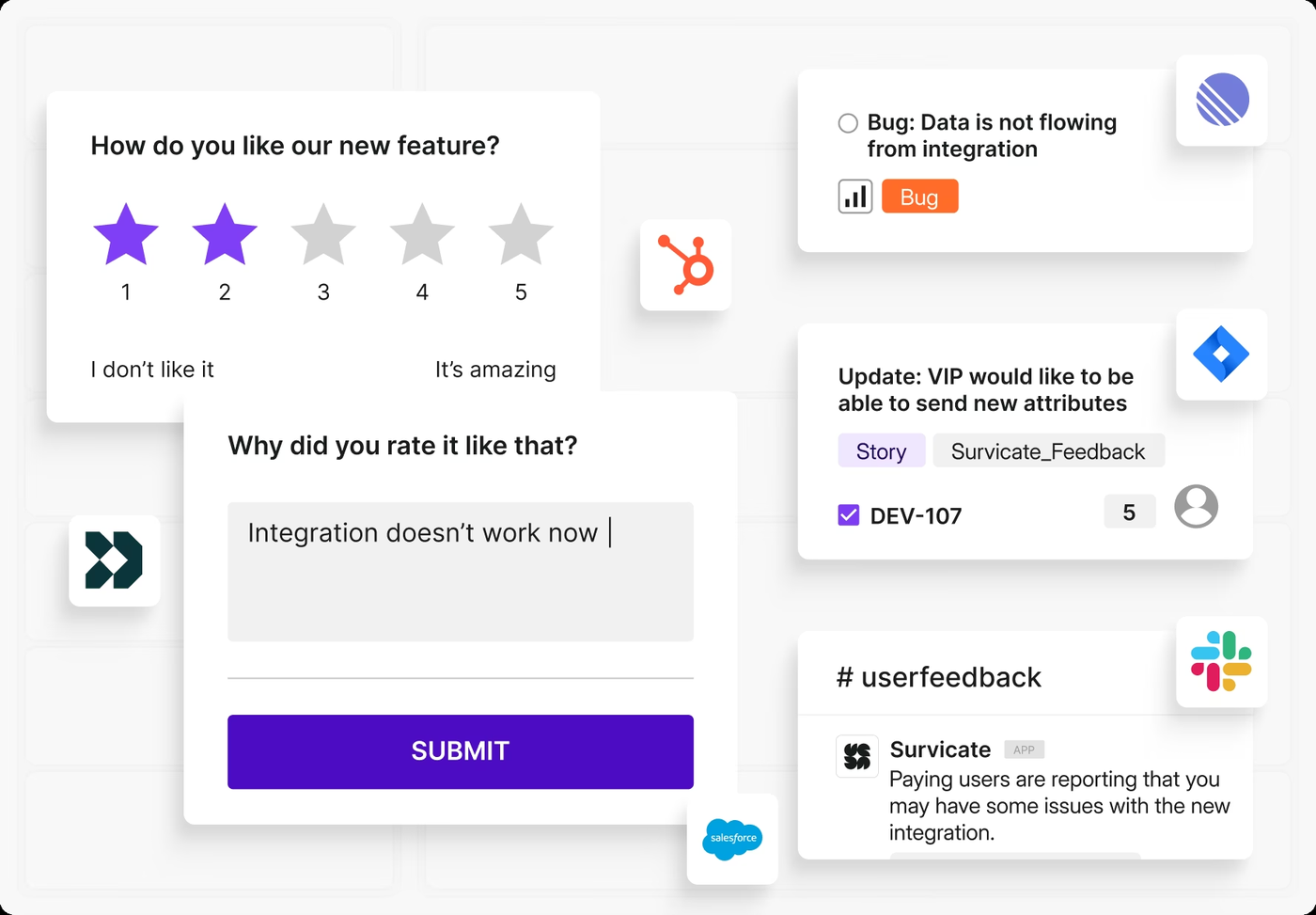
Survicate runs recurring NPS and event-driven CSAT across email, web and in-app. A survey can target a visitor, a logged-in user identified by user_id, or a CSV list of up to 10,000 rows. Slack gets each response in real time, with optional conditions on answers or attributes combined with AND or OR, and email alerts can fire on survey completion or on custom conditions. Answers can map to HubSpot contact properties and appear on the contact timeline, and the Salesforce sync writes to Lead, Contact, Company, Opportunity, Case and custom objects. It breaks at the account: the docs describe attributes per respondent and no separate account scope, so a company score needs a company attribute passed with every user, and whether a report can group by it isn't documented.
- you want NPS, CSAT and CES surveys running inside your product and email this week, with a published price
- you run HubSpot and want survey answers written to contact properties and the timeline
- you need an account-level score across several contacts: Survicate's docs describe attributes per respondent and no account scope
- you want case management for follow-ups: it alerts and syncs, but tasks live in your CRM or help desk
- Users like
- an approachable survey builder with in-product targeting and quick support
- Users dislike
- limited dashboard control, such as no date filter across surveys
- Source: G2, 201 reviews
Plans, limits and integrations
Growth is the cheapest plan with a published price at $114 per month billed annually, with 250 responses a month on the pricing card. The comparison table shows 500 and also lists a Starter plan without a price, so confirm before you buy. Pro is $349 and Enterprise $569, and the page doesn't say whether those are billed monthly or annually. Attribute targeting starts on Pro, and event or behavior targeting is Enterprise only. Slack notifications are on every plan according to the help center, while the email alerts and the Salesforce sync are described as available on some plans and the Intercom doc states no plan. AI categorization and sentiment analysis start on Pro. The trial lasts 10 days.
Survicate also syncs to Intercom user and company attributes and has AI Chat for questions about your feedback, which doesn't know user attributes.
- Starting price
- Growth from $114 per month billed annually (250 responses a month), Pro from $349, Enterprise from $569; 10-day free trial
- Metrics
- NPS, CSAT, CES
- Channels
- Email, website, in-product, mobile, link
- Growth plan
- 250 responses a month on the pricing card
Retently
A survey platform for NPS, CSAT and CES sent by email, link, in-app, SMS and feedback button, with Slack alerts you can assign and resolve and syncs to HubSpot, Salesforce, Intercom and Zendesk.
Fits a B2B team that wants recurring relationship NPS and event-triggered CSAT, with Slack alerts the team can assign and resolve.
Retently sends recurring relationship campaigns by email and transactional surveys triggered by a webhook, the API or integrations such as HubSpot, Salesforce and Zendesk. Surveys also go out by link, embed, in-app, SMS or a feedback button. In HubSpot, a workflow sends a webhook with the contact's email, name, company and tags to start the survey. Each response posts to a Slack channel with Star and Resolve buttons and an Assign menu, so a CSM can take ownership without leaving Slack. The vendor says scores roll up per account and detractor alerts can go to the account owner, and its FAQ places company-level scores on the B2B plans, though we found no help article on how that's set up. It breaks on visibility and workflow: the public pricing page shows only ecommerce plans, and the docs describe assign and resolve in Slack, not a case queue.
- you want recurring relationship NPS plus event-triggered CSAT with Slack alerts your team can star, assign and resolve
- you need scores rolled up per account and can get a B2B plan quote
- you need a published B2B price: the public page lists only ecommerce plans
- you need built-in task or case management: the docs show assign and resolve in Slack, not a case queue
- Users like
- responsive, helpful customer support and ease of use (listing summaries)
- Source: G2, 29 reviews

Plans, limits and integrations
The public pricing page lists Ecommerce Basic at $99 per month ($89 billed yearly) with 2,500 surveys, 10 campaigns and 3 seats, and Pro at $299 per month with 20,000 surveys and 10 seats. Pro adds API access and an MCP server for Claude and ChatGPT. B2B plans, which carry the HubSpot and Pipedrive integrations, company-level scores and recurring campaigns, and Enterprise, where the page puts the Salesforce integration, have no published price. Every plan includes NPS, CSAT and CES, a custom FROM domain, and email and Slack alerts. The trial lasts 14 days and there's no free plan.
Native connectors include Salesforce, HubSpot, Pipedrive, Intercom, Zendesk, Freshdesk, Slack and Microsoft Teams. The Slack doc describes new-response alerts and doesn't mention score thresholds.
- Starting price
- Ecommerce plans from $89 per month billed yearly ($99 monthly) and $299 per month on Pro; B2B plans (company-level scores) have no published price; 14-day trial, no free plan
- Metrics
- NPS, CSAT, CES
- Channels
- Email, link, embed, in-app, SMS, feedback button
- Basic plan
- 2,500 surveys, 10 campaigns, 3 seats
Typeform
A form builder known for one-question-at-a-time surveys, with NPS and CSAT templates, conditional logic, URL parameters to pass an account ID and routing to Slack, HubSpot and Zapier.
Fits a team that wants a short, friendly survey customers finish, and can pass the account ID in the survey link.
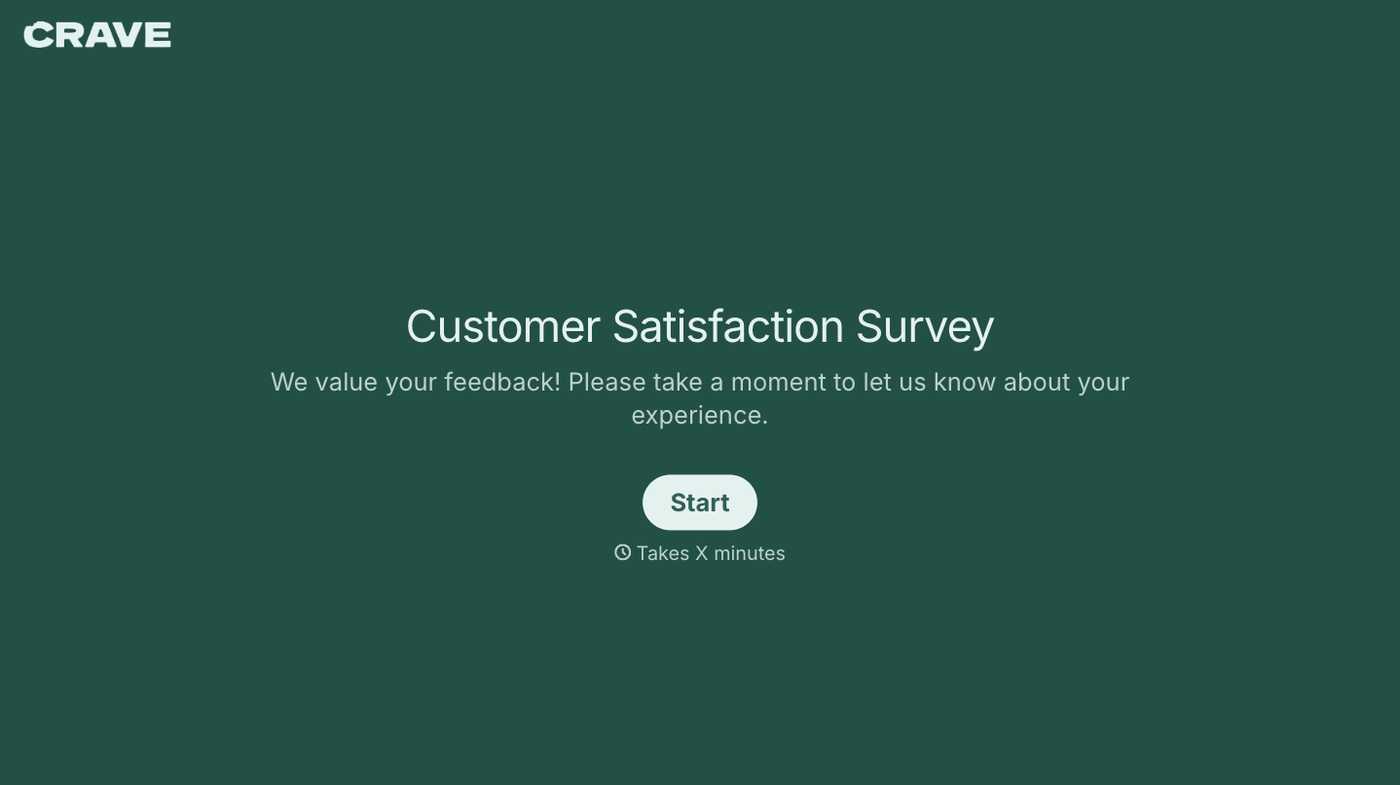
Typeform shows one question at a time. Its customer satisfaction template combines a rating, a 0 to 10 NPS question, touchpoint feedback and an open comment, with logic so low scorers get follow-up questions. URL parameters, formerly called hidden fields, carry data such as an account ID into the link or embed, so each response is stored with it. Responses can go to Slack in real time and to HubSpot, and the template page says a Zapier route can push low scores to a customer success platform or alert an account manager. It breaks at accounts and alerts: in the published vendor pages Typeform has no account object, so the account is whatever ID you pass, we found no account-level NPS roll-up, and an alert is something you assemble through integrations.
- you want a survey customers actually finish, built in an afternoon, with logic that sends low scorers to a follow-up question
- you run small recurring pulses and can pass the account ID in the survey link
- you survey hundreds of accounts a month: Basic caps at 100 responses and the plan tiers jump from 1,000 to 10,000
- you need account-level scores or a case queue: the published vendor pages show no account object and no case queue
- Users like
- easy to build and a conversational format that raises completion
- Users dislike
- price for advanced features and limited reporting
- Source: G2, 1,004 reviews
Plans, limits and integrations
Typeform's published pricing shows conflicting USD figures: Basic at $25 to $28 a month billed yearly ($29 to $39 monthly) for 100 responses a month and 1 user, Plus at $50 to $56 for 1,000 responses and 3 users, and Business at $83 to $91 for 10,000 responses and 5 users. We couldn't confirm which view is current, so check the price before you buy. A free plan has a limited number of responses. Conditional logic and integrations start on Basic, and the Salesforce integration needs the Growth tier, which the pricing page calls Growth Flow and the help center calls Growth Custom. Each plan has a hard ceiling even with add-ons: 750 responses a month on Basic, 2,500 on Plus and 50,000 on Business.
- Starting price
- Free plan; Basic about $25 to $28 per month billed yearly ($29 to $39 monthly, 100 responses a month), Plus about $50 to $56, Business about $83 to $91; the pricing page showed conflicting USD figures; Salesforce needs the Growth tier
- Metrics
- NPS, CSAT via templates
- Account link
- URL parameters (hidden fields)
- Response caps
- 100, 1,000, 10,000 a month by plan
SurveyMonkey
A survey platform with a locked-wording NPS question, CSAT and CES templates, text analytics, alert rules with owners and benchmarks, plus a Salesforce NPS add-on on Enterprise.
Fits an organization that already runs surveys across teams and wants NPS, CSAT and CES on the same platform, with Salesforce roll-ups.
SurveyMonkey has a certified NPS question with locked wording that scores itself, skip logic by NPS group, trend charts and benchmarks that place your score in a quartile against other organizations using the question. The question can sit inside an email invitation so a customer answers in one click, and surveys also go out by link, QR code or embed. The customer feedback product page describes alert rules with assigned owners for detractor and critical comments, though it doesn't say which plans include them. The Salesforce NPS integration maps score, category, comments, contact and account to Salesforce fields, and an admin builds account roll-ups in Salesforce reports. It breaks on plan gating: Salesforce is an Enterprise add-on, and the HubSpot app needs an Advantage plan.
- you run surveys across several teams and want one tool for NPS, CSAT and ordinary research surveys
- you use Salesforce and can build account roll-ups in Salesforce reports
- you want account-level scores in the tool itself: they come from Salesforce reports on Enterprise
- you are a small CS team: seats start at three users and reviewers say useful features sit on higher tiers
- Users like
- ease of use and a large template library
- Users dislike
- cost once you need more features, with essentials on paid tiers
- Source: G2, 23,500 reviews

Plans, limits and integrations
Team plans start at 3 users and bill annually. SurveyMonkey lists euros: Team Advantage at EUR 30 per user per month and Team Premier at EUR 75, and the USD list prices are not confirmed. Team Advantage includes 50,000 responses a year and Team Premier 100,000, with overage at EUR 0.10 per extra response on that page. A free Basic plan limits how many responses you can view. AI analysis and thematic analysis start on Team Advantage, and advanced logic, white label and phone support are on Team Premier. Salesforce, Tableau, Power BI, Marketo and Zoom integrations are Enterprise only, and Enterprise needs 5 users and a demo.
- Starting price
- Free Basic plan; Team Advantage 30 per user per month and Team Premier 75, billed annually with a 3-user minimum (listed in EUR; USD list price not confirmed); Enterprise on request
- NPS
- Locked-wording question with benchmarks
- Salesforce
- Enterprise add-on
- Team plans
- 3-user minimum, annual billing
Feedback that lives in your CRM or product
HubSpot Service Hub and Userpilot don't send a stand-alone survey. They put the question where the customer already is, in the CRM record or inside the product.
HubSpot Service Hub
HubSpot's customer success workspace builds health scores, alerts and renewal tracking directly on the CRM records your team already uses.
Fits a customer success team whose companies, contacts and tickets already live in HubSpot CRM.
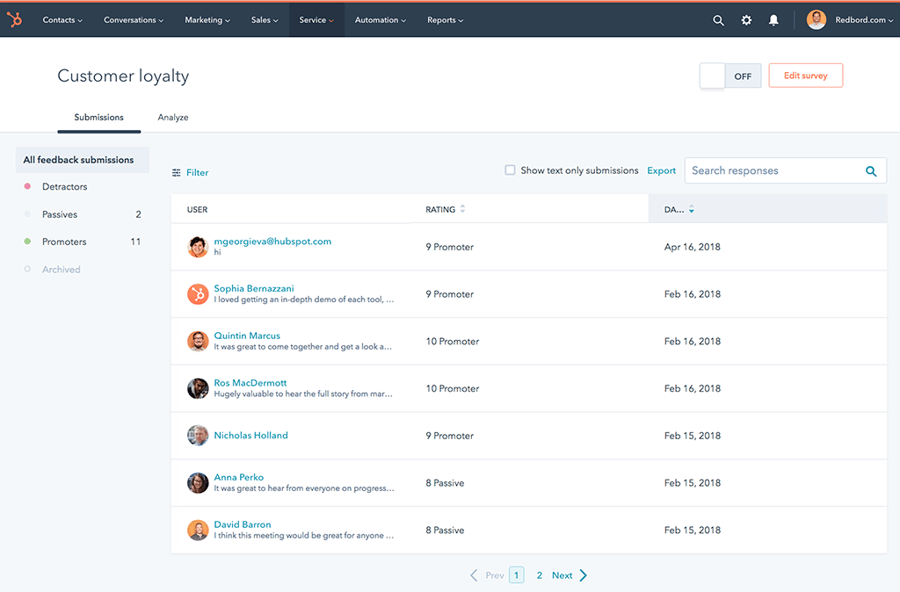
Service Hub offers NPS, CES and CSAT templates and custom surveys, delivered by email, a shareable link, a web page with the tracking code, or a workflow. A support survey goes out when a ticket reaches a status you choose, and a deal-stage survey fires at a milestone such as go-live. Each ticket pipeline or deal stage links to one survey. Responses attach to the contact and its company, and to the ticket or deal for those survey types. Response properties such as rating and sentiment can enroll a workflow, and HubSpot's general workflow tools include a create-task action, though the survey docs we read give no low-score recipe. It breaks on cadence: support and workflow surveys have no reminders, ticket and deal surveys can't recur, and the only on-site option is a web page survey, so a quarterly relationship pulse needs another tool.
- your contacts, companies and tickets already live in HubSpot CRM, so an answer lands on the company record without an integration
- you want a ticket-close CSAT or a deal-stage survey to start a workflow
- you aren't on HubSpot CRM: the value is the CRM association, and each person who builds surveys needs a $90 seat
- you need recurring relationship NPS with reminders or in-product surveys: ticket and deal surveys don't recur and the only on-site option is a web page survey
- Users like
- ease of use and the CRM integration
- Users dislike
- missing features, limited customization and cost
- Source: G2, 3,018 reviews
Plans, limits and integrations
Surveys need Service Hub Professional or Enterprise, and the pricing page shows no survey line items under Free or Starter. Professional is $90 per seat per month, plus a required one-time $1,500 onboarding fee. The page shows $90 and $100 without labeling which is annual billing, and the lower figure appears to be the annual one. and every person who builds surveys needs a paid seat. Professional and Enterprise each list 50 NPS, 50 CES and 100 CSAT surveys. Enterprise costs $150 per seat plus a $3,500 onboarding fee and adds branching logic, custom survey URLs and advanced reporting.
The Responses tab filters by the contact's associated company and by promoters, passives and detractors, and exports to CSV. Each answer is its own response record, and the survey response properties don't appear as properties on the contact.
- Starting price
- From $90 per seat per month on Professional (the page shows $90 and $100 without labeling which is annual billing), plus a $1,500 one-time onboarding fee
- Needs
- Service Hub Professional or Enterprise plus a seat
- Workspaces
- 1 on Professional, up to 5 on Enterprise
- Enterprise adds
- workflow-triggered sequences and multiple health score models
- Survey types
- NPS, CES, CSAT and custom
- Responses attach to
- Contact and company, plus ticket or deal
Userpilot
A product-led tool that finds low-adoption users through event segments and reaches them with in-app flows, checklists and surveys.
Fits a SaaS team that wants to ask users inside the product and read the answers by company.
Userpilot builds in-app surveys from templates or from scratch, with branching per question. The vendor lists NPS, CSAT, CES and PES. Targeting uses a saved segment or custom conditions on user, company or event data, plus sampling, frequency rules and dismissal caps, and the default NPS shows again after 90 days. The NPS responses page filters by segment, company, time period and platform, shows response rate, a score history chart and the promoter, passive and detractor split, and exports to CSV. Slack gets a notice when an NPS response or feedback comes in. HubSpot and Salesforce sync is two-way, though the docs don't say whether the score or the answer text goes across. It breaks outside the product: surveys reach only people who log in, and the docs show company only as a filter on the NPS page, while the vendor's marketing page says NPS rolls up to account level.
- your customers use the product daily and you want NPS or CSAT asked at the moment of use, targeted by company or plan
- you want survey results next to product usage data and in-app guides
- your customers rarely log in: a survey inside the product only reaches people who open it
- you need an account NPS score you can verify: the docs show company only as a filter, and the vendor's marketing page says it rolls up to account level, so ask to see it in a trial
- Users like
- self-serve onboarding flows without engineering and strong support
- Users dislike
- a steeper learning curve for new users
- Source: G2, 950 reviews
Plans, limits and integrations
Starter costs $299 per month (billed annually, per the vendor blog) for up to 2,000 monthly active users with 3 seats and includes an NPS survey. Growth starts at $849 per month with 15 seats and adds advanced in-app surveys and event-triggered surveys. Enterprise is custom. HubSpot and Salesforce sync is an add-on on Growth and included on Enterprise. The pricing page names NPS but not CSAT or CES, so ask which survey types sit on Starter. The integrations overview also lists Segment, Amplitude, Mixpanel, Intercom and webhooks.
- Starting price
- $299 per month (Starter, up to 2,000 MAU, billed annually per the vendor blog), Growth from $849 per month
- Starter limit
- 2,000 monthly active users, 3 seats
- Retention reports
- Growth plan and above
- CRM sync
- HubSpot and Salesforce, add-on on Growth
- Event-triggered surveys
- Growth and above
Feature requests and voting boards
Canny
A feature request tool: customers submit and vote on a board, support and CS add votes on a customer's behalf, requests are ranked by the revenue behind them and voters are emailed when a request ships.
Fits a team where customers keep asking for features and CSMs need one place to log, rank and answer those requests.
Customers post and vote on a board, and admins can add votes and posts on a customer's behalf with the Add Voter link, the Chrome extension, the API or integrations with Slack, Intercom, Zendesk, HubSpot and Salesforce. An agent in Intercom or Zendesk opens Canny from the conversation, searches for a post and adds the customer's vote, and in Zendesk linking a ticket to a post adds that user's vote. Canny shows the recurring revenue of the companies behind each post, with ARR or MRR coming from HubSpot or Salesforce (Business plan), Segment, or a field sent through the SDK or API (plan not stated), so requests can be sorted by revenue. When an admin changes a post's status, voters get a branded email. It breaks outside requests: it collects ideas, not scores, so it doesn't replace an NPS or CSAT tool.
- customers keep asking for features and you need one place to log them, rank them by revenue and tell customers when they ship
- your CSMs and support agents already work in Intercom or Zendesk and can add votes from there
- you want NPS, CSAT or any survey: Canny collects requests, not scores
- you need requests tied to HubSpot or Salesforce records: those integrations are Business-only
- Users like
- easy to use and quick to set up
- Users dislike
- limited customization, filtering and analytics
- Source: G2, 108 reviews

Plans, limits and integrations
Free covers 25 tracked users and 5 managers. Pro costs $79 per month billed annually for 100+ tracked users and 10 managers, and segmentation by attributes starts on Pro. Business is custom and adds the HubSpot and Salesforce integrations, and Salesforce also needs Enterprise Edition and admin rights. The Intercom and Zendesk integrations are on every plan, including Free. Pricing counts tracked users, which appear to be the customers who post, vote or comment (inferred, since the pricing page doesn't define the term), so cost follows the size of the customer base that uses the board. We couldn't confirm the Pro price on monthly billing.
- Starting price
- Free (25 tracked users, 5 managers); Pro $79 per month billed annually (100+ tracked users, 10 managers); Business custom, with HubSpot and Salesforce integrations
- Pricing basis
- Tracked users (customers who post, vote or comment)
- Intercom and Zendesk
- All plans
- HubSpot and Salesforce
- Business plan
Account-level programs for B2B
CustomerGauge
A B2B feedback platform that rolls answers from several contacts into one account-level NPS, ties it to account revenue and opens follow-up cases with owners.
Fits a B2B company that sells to accounts with several decision makers and wants one score per account tied to revenue.
CustomerGauge advises starting with a relationship survey on a schedule, sent to several people per account across front-line, management and executive roles, and adding transactional surveys after key touchpoints once you know which matter. The vendor says its account-centric NPS combines all respondents into a weighted account health score tied to ARR, and the weighting isn't published. For follow-up, a workflow rule sends a new-response alert for scores of 0 to 6, the vendor says cases are created automatically, the owner is set manually or through a CRM or ticketing API connection, and its detractor playbook sets a 48-hour follow-up target with open, in progress and closed statuses. Salesforce records come in through a SOQL query that runs hourly or daily, and a separate outgoing webhook pushes responses back. It breaks on cost and reach: pricing starts at $24K, and the docs we read cover Salesforce and Slack but no HubSpot integration.
- your customers are accounts with several decision makers and you want one score tied to revenue
- you want a follow-up queue with cases and a 48-hour target built around NPS, and can assign owners by hand or through your CRM
- you are a small team: pricing starts at $24K and a pilot is paid
- HubSpot is your system of record: the vendor documents Salesforce and Slack, and we found no HubSpot integration page
- Users like
- responsive support and a focus on revenue-linked customer feedback
- Users dislike
- reporting limited to the built-in settings and a learning curve (from Capterra reviews, mostly from about 2020)
- Source: G2, 50 reviews

Plans, limits and integrations
The pricing page says Starting at $24K, a flat platform fee with unlimited surveys, users and integrations. It states no period or currency next to the figure, and the FAQ says price depends on the size of your account base and the modules you switch on. A pilot typically runs 60 to 90 days on a defined set of accounts, is paid and has no published price. Slack delivers alerts and scheduled reports. Reviewers on Capterra note that reporting is limited to the built-in settings, and most of those reviews date from about 2020.
- Starting price
- From $24K: flat platform fee with unlimited surveys, users and integrations (the page states no period; the FAQ wording points to annual); paid 60 to 90 day pilot
- Account view
- Account-centric NPS across several stakeholders
- Integrations
- Salesforce, Dynamics 365, Gainsight, ServiceNow, Jira
- Pricing
- Flat platform fee, unlimited users
- Salesforce
- SOQL pull hourly or daily; webhook push
Does the tool know the account or only the respondent?
A CSM owns accounts, but most feedback tools store answers by person. The table shows what each tool scores and how it learns which customer a response belongs to, as far as vendor documentation says. A blank in the docs is marked as such, because it's a question to ask in a trial.
| Tool | What it scores | How it learns the account | Gap in the documentation |
|---|---|---|---|
| Survicate | Respondent | A company attribute you pass with each user | The docs describe no account object |
| Retently | Respondent; account roll-up on B2B plans, per the vendor | Not documented; the vendor says scores aggregate per account | No help-center article on company-level scores |
| Typeform | Response | An account ID in the URL parameters | No account object or roll-up in the published vendor pages |
| SurveyMonkey | Response | Salesforce Account lookup, Enterprise add-on | No native account object found |
| HubSpot Service Hub | Response record | The contact's associated company | Reports filter by company; no account score documented |
| Userpilot | User, filterable by company | Company data inside the product | No per-account NPS page in the docs; the vendor says NPS rolls up to account level |
| Canny | Request | Company revenue fields from your CRM or SDK | Not a score tool |
| CustomerGauge | Account, per the vendor | A weighted score across stakeholders | Weighting method not published |
Where a low score goes in each tool
The routing table below covers step three of the flow. It lists what each vendor documents, not what we measured, and it names the plan where the docs do.
| Tool | Alert | Record in your CRM | Who owns the follow-up |
|---|---|---|---|
| Survicate | Slack on all plans; email on some plans | HubSpot contact properties and timeline; Salesforce on some plans | Nothing in the tool; tasks live in your CRM or help desk |
| Retently | Slack post per response with Star and Resolve and an Assign menu | HubSpot on B2B plans, Salesforce on Enterprise per the pricing page | Assigned in Slack |
| Typeform | Slack in real time; Zapier for other routes | HubSpot app; Salesforce on the Growth tier | Nothing in the tool |
| SurveyMonkey | Alert rules with owners; plan not stated | Salesforce NPS add-on on Enterprise | The owner set in the alert rule |
| HubSpot Service Hub | A workflow you build | Response record on the contact and company | A workflow action you define |
| Userpilot | Slack notice per NPS response | HubSpot and Salesforce sync, add-on on Growth | Nothing in the tool |
| Canny | Not a score tool; status email to voters | Salesforce and HubSpot on Business | The admin who changes the status |
| CustomerGauge | New-response alert for scores 0 to 6 | Salesforce pull and webhook push | A case owner set by hand or by API; 48-hour target in the vendor playbook |
What customer feedback software costs
Small teams can start free or under $120 a month. HubSpot starts at $90 a seat plus onboarding and Userpilot at $299 a month, and CustomerGauge starts at $24K, a period its page doesn't state. Pricing units differ, so compare what the number counts before you compare the number.
| Tool | Free plan | Entry price (USD unless stated) | What the price counts |
|---|---|---|---|
| Typeform | Yes, limited responses | About $25 to $28 a month billed yearly (USD unconfirmed) | 100 responses a month, 1 user |
| Canny | Yes, 25 tracked users | $79 a month billed annually (Pro) | 100+ tracked users, 10 managers |
| Retently | No, 14-day trial | $89 a month billed yearly (ecommerce Basic) | 2,500 surveys, 3 seats; B2B plans not priced |
| Survicate | None listed, 10-day trial | $114 a month billed annually (Growth, cheapest published plan) | 250 responses a month on the pricing card |
| SurveyMonkey | Yes, Basic | EUR 30 per user a month (Team Advantage) | Each user, 3-user minimum, 50,000 responses a year |
| HubSpot Service Hub | No surveys on Free | $90 per seat a month (Professional; billing basis not labeled), plus $1,500 once | Each person who builds surveys |
| Userpilot | None listed | $299 a month (Starter, billed annually per the vendor blog) | Up to 2,000 monthly active users |
| CustomerGauge | No | From $24K, period not stated | Flat fee, unlimited surveys and users |
Close-the-loop checklist
Close the loop means that every low score gets a named owner and a reply inside a set time. Set up these nine items once per survey and check them every week.
- Pick the score band that triggers an alert, for example 0 to 6 on an NPS survey
- Send the alert to a named person per account, not to a shared channel
- Set a reply time limit; the CustomerGauge playbook uses 48 hours
- Log the response and the reply on the account record in your CRM
- Tag the cause of each low score, such as pricing, a bug, support or a missing feature
- Send feature asks to the request board and link the account that asked
- Tell the customer what happens next, with a date
- Record any promise made in the reply with an owner and a due date
- Review open low scores weekly and count how many got a reply inside the limit
The eighth line is the one teams lose. A reply such as "we'll ship the export fix by the end of the quarter" is a commitment, and it often lives only in an email.
How to choose customer feedback software
Start with the feedback job, then test four things: where a response goes, whether the tool knows the account, which plan unlocks the routing, and how many responses a month the plan allows. Run a trial with one deliberately low score and follow it to the person who should reply.
- NPS, CSAT and CES by email and in the product, with a published priceSurvicate
- Recurring B2B NPS with Slack alerts your team can assignRetently (ask for B2B pricing)
- A short survey customers finish, at low volumeTypeform
- Surveys across several teams and Salesforce account roll-upsSurveyMonkey Enterprise
- Answers on the company record in HubSpot CRMHubSpot Service Hub Professional
- Questions asked inside your productUserpilot
- Feature requests ranked by revenueCanny
- One score per account tied to revenueCustomerGauge
Where the promise made in your reply gets recorded
Feedback tools record the score, the comment and the request. The promise in your reply, such as a fix date or a custom export, often ends up in an email or a call note. When a handover or a renewal arrives, it can be hard to say what was promised or whether it was delivered.
FAQ
What is customer feedback software?
Customer feedback software collects what customers say through surveys, in-product prompts and feature requests, stores the answers and routes them to the people who can act on them. For a customer success team the routing matters most: who is alerted, where the answer is logged and whether anyone replies.
How much does customer feedback software cost?
Small teams can start free or under $120 a month. Typeform starts at about $25 to $28 a month billed yearly (USD unconfirmed), Canny Pro at $79 and Survicate Growth at $114. HubSpot Service Hub Professional costs $90 per seat plus a $1,500 onboarding fee, Userpilot starts at $299 a month, and CustomerGauge starts at $24K. Prices checked October 2026.
What is the difference between NPS, CSAT and CES?
NPS asks how likely a customer is to recommend you on a 0 to 10 scale and groups answers into promoters (9 to 10), passives (7 to 8) and detractors (0 to 6). CSAT rates satisfaction with one interaction. CES rates how much effort a task took. Each answers a different question, so some teams run NPS for the relationship and CSAT after key moments.
Is there free customer feedback software?
Typeform, Canny and SurveyMonkey have free plans with tight limits on responses or tracked users. Retently offers a trial only, Survicate lists a 10-day trial on its pricing page, and HubSpot's free Service Hub tier shows no survey features on its pricing page. Free plans suit a pilot, not a program that surveys every account.
Which tool works best for B2B customer success teams?
CustomerGauge is the one built around accounts, with a weighted account score and cases, per the vendor. Retently says it rolls scores up per account on its B2B plans. HubSpot Service Hub attaches responses to the company record. The others store answers per person or response, so account roll-ups come from passing a company attribute or, for SurveyMonkey, from Salesforce reports.
How do I stop low scores from going unanswered?
Give every alert a named owner and a reply time limit, log the reply on the account record, and review open low scores every week. Test the setup with a deliberately low score before you survey real customers.
Related: best customer intelligence software compares eight tools by the customer signals they read and where the insight goes.
Related: best voice of customer software compares eight tools by who they hear, where the answer goes and which plan gates it.