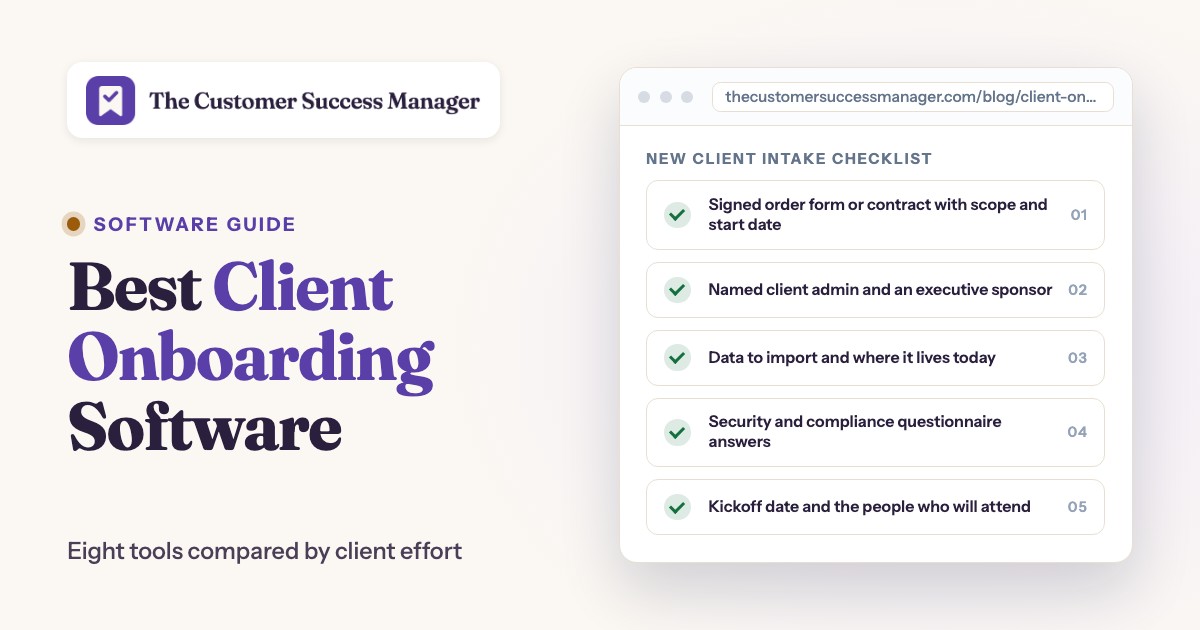
The best client onboarding software depends on what your client has to do in the first weeks. For a shared plan the client opens from a link, Dock, Valuecase and OnRamp fit best. Content Snare and Moxo suit onboarding that is mostly answers, files and sign-offs. Process Street and Rocketlane run the workflow behind the client view, and Softr lets you build your own portal. This guide compares eight tools for B2B customer success and services teams on what the client sees, what your team does, which plan unlocks which limit and who should skip each one.
It covers onboarding for clients who just bought software or a service from you. It leaves out HR tools for onboarding employees and in-app product tours, and it doesn't rank customer success platforms. Our guide to the best customer onboarding software covers those angles.
- tools compared
- 8
- of 8 publish a full USD price list
- 4
- have a free plan
- 2
- review rating range
- 4.4 to 4.9
Best client onboarding software at a glance
 Best for a light shared planDockOne workspace per client on a free plan with 10 workspaces, and clients never pay for a seat.
 Best for HubSpot-triggered SpacesValuecaseOn Growth, a HubSpot deal stage change creates a branded Space, and the client needs no login.
 Best for high-volume B2B onboardingOnRampA closed-won deal creates the project, routes it to a CSM and invites the client. Starts at $15,000.
 Best for collecting answers and filesContent SnareClients work through a checklist from an email link while reminders chase the gaps.
 Best for paperwork and sign-offMoxoForms, file requests, approvals and e-signatures with an audit trail and no client account.
 Best for services-led projectsRocketlanePhases, tasks and a white-label portal, with unlimited customer members on every plan.
 Best for a fixed checklistProcess StreetEach client becomes a run of a checklist with approvals, due dates and guest access.
 Best to build your own portalSoftrClients log in and see only their own records. Free plan, but you assemble the onboarding yourself.
 Our product · for promises made in kickoff callsThe Customer Success ManagerNot an onboarding tool. It records what your team promised the client, with owner and evidence.
| Tool | Job | What the client does | Starting price | Rating |
|---|---|---|---|---|
| Dock | Client workspaces and mutual action plans | Opens a shared workspace from a link and completes tasks and the intake form | Free plan; Standard $350 per month with 5 seats; Premium $1,000 per month with 10 seats, billed annually | 4.6 (481) |
| Valuecase | Client onboarding spaces | Opens a branded Space from a link with no account and fills in forms and tasks | From 59 EUR per month (Starter, 1 internal user); Growth 119 EUR; Scale custom; 14-day trial; no USD price published | 4.7 (74) |
| OnRamp | Customer onboarding platform with a client portal | Opens a portal by magic link and sees milestones and their own tasks | Starts at $15,000 (quote only; scales with playbooks, customer accounts and user types; no self-serve trial) | 4.4 (198) |
| Softr | No-code client portal builder | Logs in to a portal and sees only their own records and files | Free plan; Basic $19 per month billed annually ($25 monthly), Pro $99, Business $329; Enterprise custom | 4.7 (Capterra, 64) |
| Content Snare | Client information and document collection | Answers a checklist of questions and uploads files from an email link | Basic $35 per month billed annually ($42 monthly), Plus $71, Pro $119, Custom from $215; priced by active requests and users; 14-day trial | 4.9 (Capterra, 101) |
| Moxo | Client portals and workflow orchestration | Completes forms, uploads and e-signatures in a portal or by magic link | No published price list; pricing links lead to a demo request | 4.5 (194) |
| Process Street | Workflow and checklist engine | Finishes assigned tasks through a share link or as a guest | No public price: Startup, Pro and Enterprise all show Contact sales; 14-day Pro trial | 4.6 (463) |
| Rocketlane | Customer onboarding and implementation platform | Follows the project in a white-label portal, and some views need no login | $49 per user per month (Standard) or $69 (Premium), billed annually, 5-seat minimum | 4.7 (Capterra, 128) |
| The Customer Success Manager Our product | Customer commitment tracking | Not client-facing: records the promises made to the client, with owner, due date and evidence | From $49/month per workspace | No reviews yet |
Prices checked on October 23, 2026 on each vendor's page, in USD unless stated. Valuecase shows euros only. Quote only means the vendor publishes no figure. Ratings are G2 unless the row says Capterra, and G2 figures are listing figures that can differ slightly from the live page.
What is client onboarding software?
Client onboarding software is the system that carries a new client from signature to first result. Software vendors, agencies and other service firms use it to hold the plan, collect what the client owes them and keep both sides on a schedule. For the part customers finish without a call, see our guide to digital customer onboarding software.
This guide covers account-level tools. For in-app tours and checklists that guide individual users inside your product, see our guide to the best user onboarding software.
What it's used for comes down to five jobs.
- Start: a won deal or a signed order creates the plan from a template, instead of someone copying a spreadsheet.
- Collect: it asks the client for answers, files, access details and approvals in one place.
- Assign: every step gets an owner and a date, on your side and on the client's.
- Nudge: reminders go out before a step slips, so nobody sends the third "just checking in" email.
- Record: it keeps a trail of who did what, which matters when a client later disputes what was agreed.
How is it different from a customer success platform or in-app onboarding tools?
A customer success platform scores account health across your whole book, and in-app tools guide single users inside the product. Client onboarding software sits between them: it coordinates a project between two companies, with a kickoff plan, a data import and a security questionnaire. Many teams run a customer success platform for health and renewals and a client onboarding tool for the first 30 to 90 days. Our guide to the best customer success software covers the platform side.
Do you need it, or is a spreadsheet enough?
A shared spreadsheet works while one person onboards a handful of clients with identical steps. It breaks when clients have to see their own tasks, when two or more people split the work, or when every new account gets the same questions by email. At that point a tool earns its price by saving your team the chasing.
Three jobs, three kinds of tools
Client onboarding tools do one of three jobs: they share a plan with the client, they collect answers and files, or they run the workflow behind the scenes. The three overlap, so pick the job that costs you the most time first, then the tool.
| Job | What you need | Tools in this guide |
|---|---|---|
| Share a plan with the client | A workspace or portal the client opens, with tasks, dates and files | Dock, Valuecase, OnRamp, Softr |
| Collect answers, files and approvals | A request the client completes, with reminders and sign-off | Content Snare, Moxo |
| Run the workflow behind the scenes | Templates, task order, approvals and reporting for your team | Process Street, Rocketlane |
Many teams combine two of these, for example a shared workspace for the plan plus a request tool for the paperwork. If you also keep help articles for new clients, our guide to the best knowledge base software covers that side.
What to collect from a new client before kickoff
Before kickoff, collect nine things: the signed order, a named admin, the client's goals, access details, the data to import, security answers, billing details, the kickoff attendees and the promises made during the sale. Most onboarding delays start with something the client hasn't sent yet, so ask for all nine once, and turn each line into a task with an owner and a date. The list fits B2B software and service onboarding. Regulated industries add identity checks and compliance forms that this baseline leaves out.
- Signed order form or contract with scope and start date
- Named client admin and an executive sponsor
- Goals and success criteria in the client's own words
- Technical contact and access details, such as SSO, sandbox or API keys
- Data to import and where it lives today
- Security and compliance questionnaire answers
- Billing contact and invoice details
- Kickoff date and the people who will attend
- Commitments made during the sale, copied from the deal notes
The last line is the one teams skip most often. A promise made to win the deal, such as a custom export or a security review before go-live, rarely appears in the contract. Copy it into the plan with an owner and a date before the kickoff call.
Who owns each step in the first 30 days
A plan works when every step has one owner and one date. The sequence below is a baseline: test each tool by asking whether it can show the client who owns a row and when it is due. Our customer success plan template shows how the 30-day plan feeds the longer account plan.
- SalesHands over the deal notes, including every promise made during the sale At closed-won
- CSMCreates the client's plan from the template and sends the invite Within one business day
- Client adminCompletes the intake questions and uploads the required files Before kickoff
- CSMRuns the kickoff call and writes down each commitment with an owner and a date Kickoff
- ImplementationConfigures the product and imports the client's data Weeks 1 to 3
- Client adminSigns off the go-live checklist At go-live
- CSMReviews open items and usage, then hands over to the account plan About day 30
The 8 best client onboarding tools, reviewed
Each entry walks through what the client does, what your team does and where the tool breaks, then lists plan limits and integrations in the expandable part. Ratings and recurring review themes come from G2 or Capterra, as the rating line says, and aren't our own testing. We don't link to vendor sites in this guide, so tool names are plain text.
Shared plans and client portals
Dock, Valuecase, OnRamp and Softr give the client a place to open the plan. They differ in how much structure comes ready and how much you build. To compare portals by how customers sign in and which plan unlocks branding, see our guide to the best client portal software.
Dock
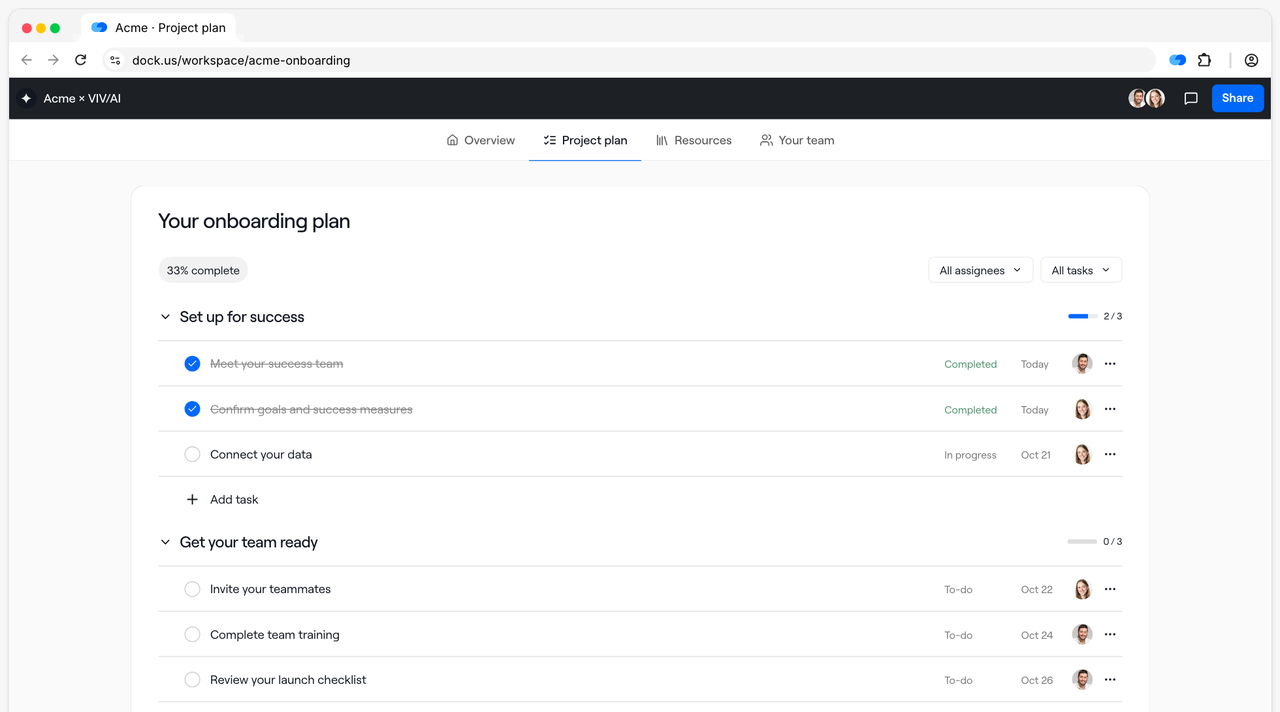
A shared workspace per customer, built from an onboarding template, with an owner and due date per task, intake forms and a view of what the customer has opened.
Fits a small customer success team that wants each new client to get one shared page with a plan, files and an intake form, without buying a project system first.
Dock treats onboarding as a shared page. Your CSM sends the client a link, and who can open it depends on the rule you set: a specific email, a company domain, a magic link or Google sign-in. The client finds their tasks with owners and due dates, uploads the files your intake form asks for before kickoff and reads the resources you pinned. The workspace starts from a Customer Onboarding template that runs from an introduction and a success plan through admin setup to a product university and end-user enablement. On your side, the dashboard shows who opened the page, how long they stayed and which tasks are done. It breaks at automation: automations and the API are Enterprise features, and webhooks start on Premium.
- each client needs one shared page with tasks, files and an intake form, and you want to start on a free plan
- you want to see which clients opened their workspace and which tasks they finished
- you need webhooks without paying $1,000 a month, because they start on Premium and the API is Enterprise only
- you need a Gmail, Outlook or Jira connector, because none is listed on Dock's integrations page
- Users like
- ease of use and one place for customer content
- Users dislike
- limited customization and missing features
- Source: G2, 481 reviews
Plans, limits and integrations
The free plan allows 10 workspaces, 25 content assets, 1 playbook and limited AI. Standard costs $350 per month with 5 seats, lifts the workspace cap and adds Salesforce and HubSpot sync. Premium costs $1,000 per month with 10 seats on annual billing and adds custom fields, webhooks, logo removal and Google Drive and SharePoint sync. A seat beyond the included ones costs $50 per month, and clients never take a seat.
Dock connects to Slack, Microsoft Teams and call tools such as Gong and Zoom, and its integrations page doesn't list Gmail, Outlook or Jira. The pricing matrix shows no CRM sync on the free plan while a help article mentions 5 linked CRM accounts, so check before you rely on it. A dedicated e-signature feature isn't described on the onboarding page.
- Starting price
- Free plan; Standard $350 per month with 5 seats; Premium $1,000 per month with 10 seats, billed annually
- Free plan
- 10 workspaces and limited AI
- Seats
- 5 on Standard, 10 on Premium
- Customers
- Free access for external collaborators
- CRM
- Salesforce and HubSpot from Standard
- Client access
- Link, email, domain or Google sign-in
Valuecase
A tool that builds one branded Space per client from a template, can create it from a HubSpot workflow and lets the client complete forms and tasks from a link without an account.
Fits a B2B team that onboards clients from HubSpot deals and wants each client to get a branded Space they can open without a login.
In HubSpot, a workflow triggered by a deal stage change or a new deal runs the Create Space action, picks a template and maps the company name, the contact and the Space owner, usually the deal owner. The client gets a link and opens the Space with no account, and the team can require an email address or protect the Space with a password. A Space is built from pages with text, media, files, forms, action plans, progress bars and a Gantt view. Forms autosave and support conditional logic, so a client can answer over several days, and reminders go out for task and form due dates. It breaks on signatures: no built-in e-signature appears on the vendor pages, and one G2 reviewer describes a download-and-sign workaround.
- you onboard B2B clients from a HubSpot deal and want a branded Space created when the deal stage changes
- you want clients to fill in forms and tasks from a link with no login and no paid seat
- you need the client to e-sign inside the flow: no built-in e-signature appears on the vendor pages and a reviewer describes a manual workaround
- you run Salesforce on a small budget: the Salesforce integration is on the custom-priced Scale plan
- Users like
- ease of use, templates and forms, and a branded client experience
- Users dislike
- no client digital signatures, no global go-live date and template setup time
- Source: G2, 74 reviews
Plans, limits and integrations
Starter costs 59 EUR per month with 1 internal user and 59 EUR for each extra user, with unlimited clients and Spaces but only 3 templates. Growth costs 119 EUR and adds unlimited templates, the HubSpot and Pipedrive integrations, API access and analytics on time to completion. Scale is custom-priced and adds Salesforce, HubSpot custom objects and SAML SSO. API calls are capped at 1,000 on Starter and 10,000 on Growth, and a custom domain is a paid add-on.
The pricing page shows euros only and lists a second set of figures that looks like monthly billing, so confirm which one your quote uses. There is a 14-day trial without a card. Valuecase hosts on AWS in Germany, connects to Slack, Microsoft Teams, Intercom, Zapier and Make, and offers an MCP connector for Claude and ChatGPT.
- Starting price
- From 59 EUR per month (Starter, 1 internal user); Growth 119 EUR; Scale custom; 14-day trial; no USD price published
- Plans
- Starter 59 EUR, Growth 119 EUR, Scale custom
- Client access
- Shared link, no account, clients are not paid seats
- HubSpot trigger
- Create Space action in a HubSpot workflow
- Salesforce
- Scale plan only
- Trial
- 14 days, no card
OnRamp
An onboarding platform where a closed-won deal in Salesforce or HubSpot creates a project from a playbook, assigns the CSM and invites the client to a portal that needs no password.
Fits a B2B software team with enough accounts to justify a platform budget, where a closed-won deal should start the project by itself.
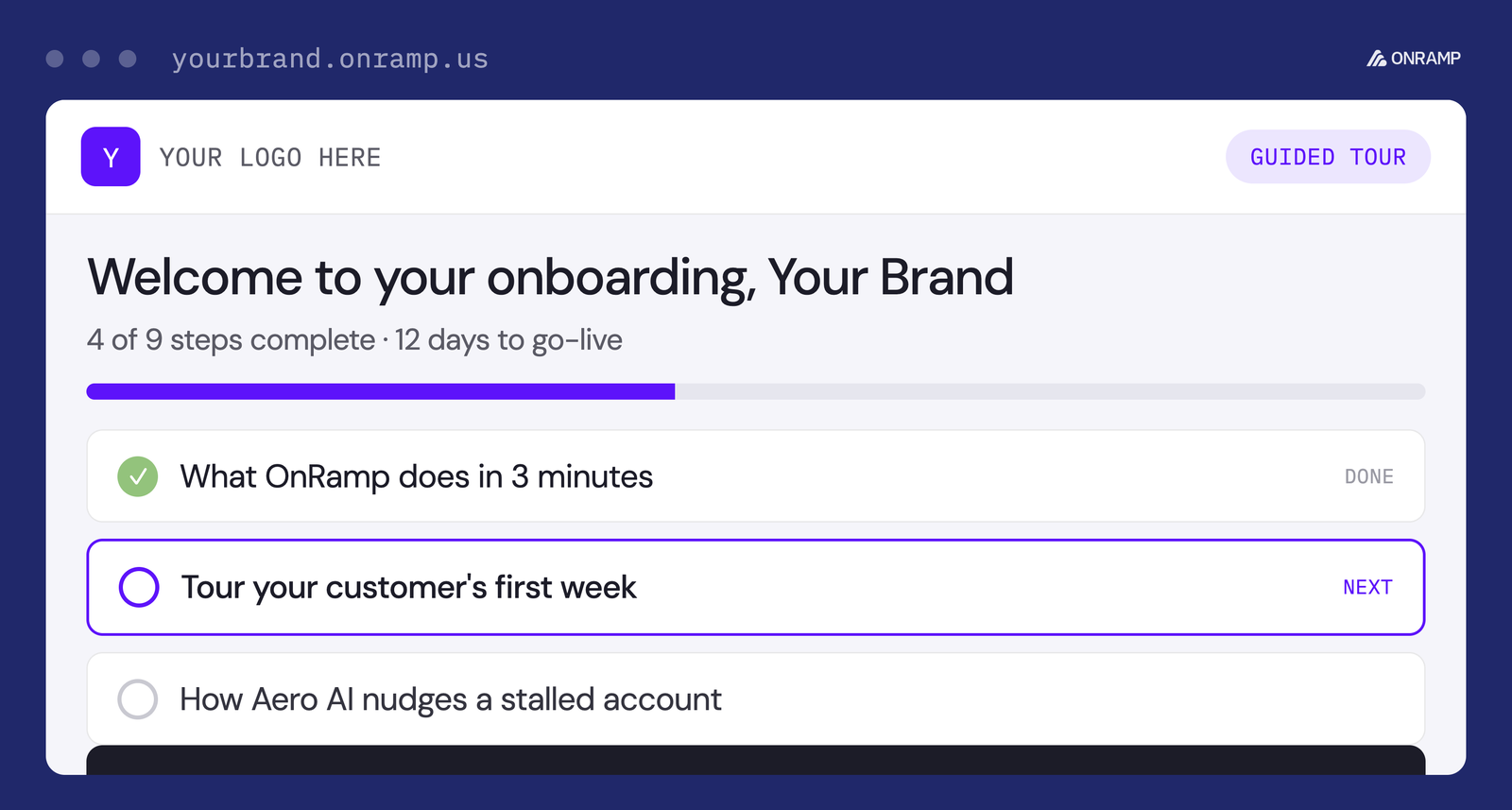
When a deal closes in Salesforce or HubSpot, OnRamp pulls the account context into a playbook, assigns a CSM through routing rules and sends the client a portal invitation. The client opens the portal through a magic link with no password and sees milestones, a Gantt-style timeline, the tasks that are theirs, an estimated go-live date, reminders and messages tied to each task. Playbooks are built from modules with conditional workflows, and task dependencies, auto-assignments and reminders are on every plan. Reporting covers onboarding velocity, time to value and bottleneck detection. It breaks on cost and access: pricing starts at $15,000, scales with playbooks and accounts, and needs a sales conversation, and there's no self-serve trial.
- a B2B team onboards many accounts and wants a closed-won deal to create the project, route it to a CSM and invite the client automatically
- you want unlimited client-side users on every plan, with role-based views
- your budget is under about $15,000 a year: that is the published starting price and there is no self-serve trial
- you need a per-seat price list: OnRamp prices by playbooks, customer accounts and user types and only quotes it on a call
- Users like
- ease of use and a shared client portal that cuts email back and forth
- Users dislike
- missing features, customization limits and per-seat cost
- Source: G2, 198 reviews
Plans, limits and integrations
OnRamp prices on the number of playbooks, active customer accounts and user types, and one customer account can take part in unlimited projects. Plans run from Basic to Premier, and higher tiers add advanced integrations, deeper reporting and API access. All plans include unlimited client users with role-based views. Its Aero AI layer, which drafts playbooks from plain-language input and flags stalled projects, is included on every plan.
Salesforce and HubSpot sync both ways. Zapier and an open API are documented, and Slack, Gong and Jira appear as logos on the integrations page. The vendor lists SOC 2 Type II. Its case studies cite results such as a 53% faster go-live at Qualia, which are vendor figures. A few G2 reviewers call per-seat cost a problem, while the vendor page lists accounts, playbooks and roles instead of seats.
- Starting price
- Starts at $15,000 (quote only; scales with playbooks, customer accounts and user types; no self-serve trial)
- Pricing floor
- $15,000, quote only
- Pricing units
- Playbooks, active customer accounts and user types
- Client users
- Unlimited on all plans
- Client access
- Magic link, no password
- CRM
- Salesforce and HubSpot, two-way
- Trial
- No self-serve trial; sandbox during evaluation
Softr
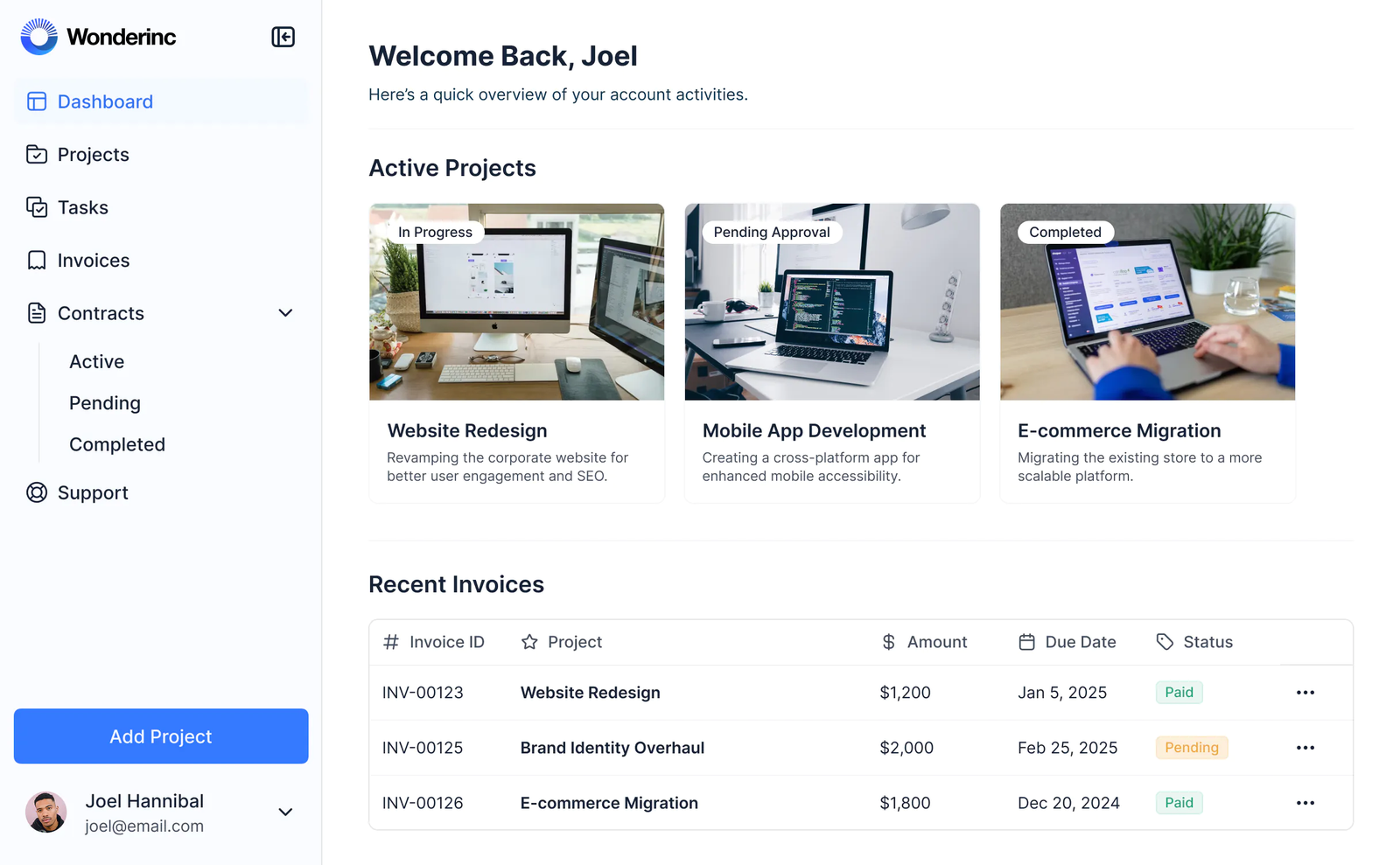
A builder for client portals and internal apps on Airtable, Google Sheets or Softr's own database, where each client logs in and sees only their own records, files and tasks.
Fits a team that wants a branded portal where each client sees only their own projects and files, and has someone who can assemble it from tables and permissions.
Softr is a builder, not an onboarding product. You model clients, projects, tasks and files in Softr's own database or in Airtable, Google Sheets and other sources, then publish a portal where clients log in. User groups with conditional filters show each client only their own company's records. The Client Portal template ships with a sample database of users, projects, tasks, invoices, milestones and files, and separate dashboards for admins, clients and consultants. Forms support file uploads, signature and address fields, multi-step layouts and conditional logic, and workflows can send an email or Slack message when a record is created, updated or deleted, or on a schedule. It breaks on the missing onboarding layer: Softr has no onboarding module, and while the template ships tables for projects, tasks and milestones, the checklist logic and client reminders are built with forms and workflows.
- you want a branded portal where each client sees only their own projects, files and invoices, and someone on your team can assemble it from tables and permissions
- you want to start on a free plan and grow into granular permissions on Pro
- you want a ready-made onboarding checklist with reminders and milestones: Softr has no onboarding module, so you build those with forms and workflows
- you have many client logins on a small budget: Pro includes 10 app users and granular permissions start there
- Users like
- ease of use and fast portal building on Airtable data
- Users dislike
- restrictive customization beyond standard blocks and some slow screens
- Source: Capterra, 64 reviews
Plans, limits and integrations
The free plan allows 5 app users, 5,000 records and 3 builders. Basic costs $19 per month billed annually ($25 monthly) and adds a custom domain and conditional form logic. Pro costs $99 and adds granular permissions, comments and branding removal, with 10 app users included. Business costs $329 and adds global data restrictions that block create, edit and delete, two-factor authentication and an installable app. SSO is Enterprise.
Client logins count against the app-user limit, so many clients on a small plan means paying for extra users. Softr connects to 17 or more data sources, including HubSpot, monday.com and Supabase, plus Make, Zapier and a REST API. The docs still use older plan names, so trust the pricing page over a blog post for plan limits.
- Starting price
- Free plan; Basic $19 per month billed annually ($25 monthly), Pro $99, Business $329; Enterprise custom
- Free plan
- 5 app users, 5K records, 3 builders
- Plans
- Basic $19, Pro $99, Business $329 (annual billing)
- Permissions
- Granular permissions from Pro
- Client access
- Logins that count against the app-user limit
Collecting answers, files and approvals
Content Snare and Moxo start from the paperwork. They're the tools to look at if your onboarding stalls because clients are slow to send things.
Content Snare
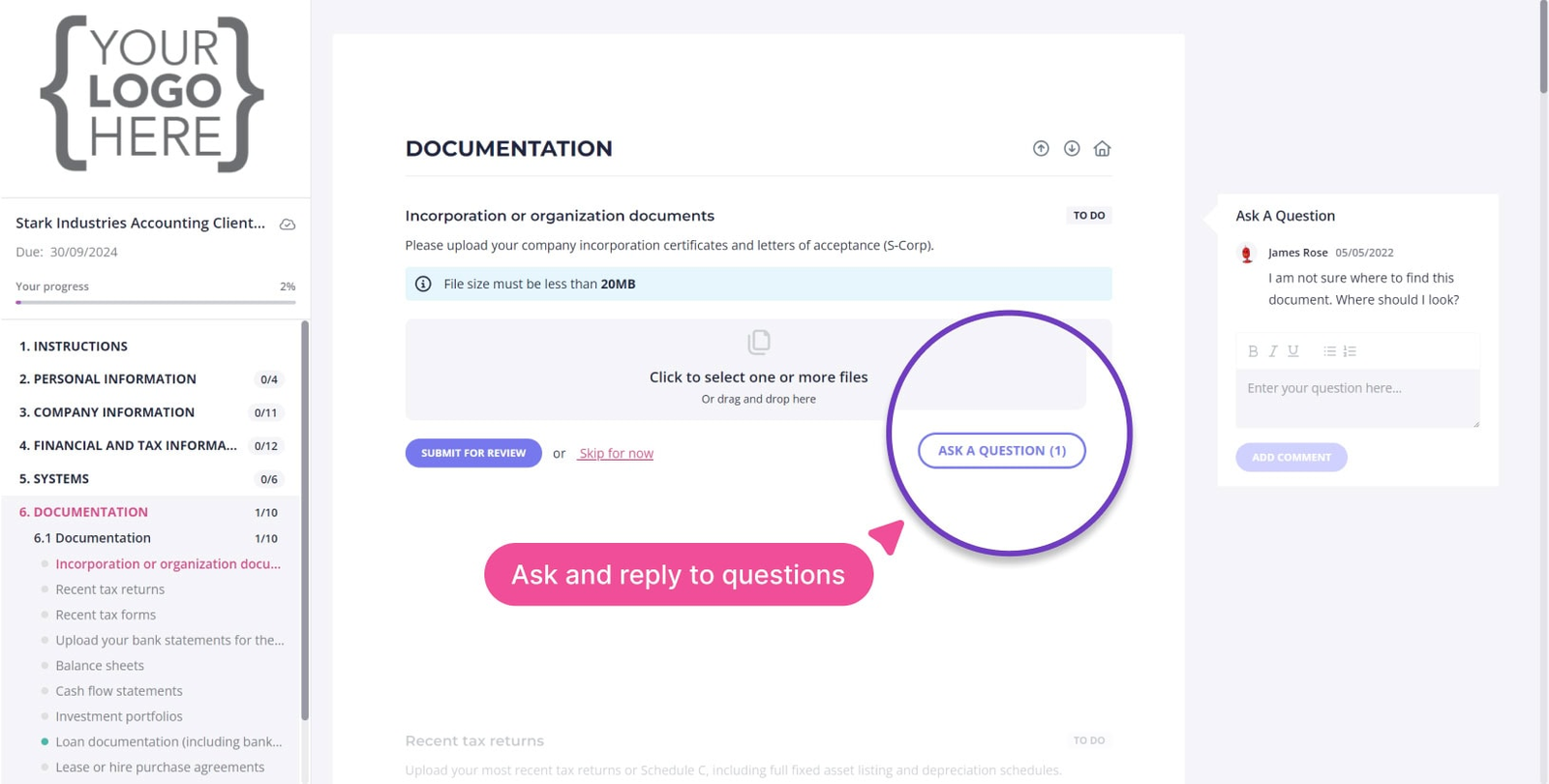
A request builder for collecting answers, files and approvals from clients before work starts, with reminders on a schedule and a link the client opens without an account.
Fits a team that spends the first weeks chasing a client for answers, files and approvals before the real work can start.
A team member builds a request in a drag-and-drop builder with text, file and choice fields, assigns responsibility per item and marks what is required. The client gets an emailed link, needs no account, and works through the checklist one task at a time with autosave and a view of what is still outstanding. Reminders run on a schedule before and after the due date by email, with SMS available, and an email template can list the first 10 unfinished fields. Staff are notified when content is ready and can approve or reject single items with comments, and the client can ask a question inside the checklist. Finished requests export to Google Drive, Dropbox or SharePoint, or download as a PDF. It breaks where onboarding becomes a project: it's built around requests and checklists rather than project plans, and CRM triggers go through Zapier, webhooks or the API.
- you collect documents, forms and answers from clients before kickoff and want automatic reminders plus approve or reject per item
- your onboarding is checklist style and you would rather pay by active requests than by seat
- you need a project plan with milestones and customer-facing timelines: Content Snare collects information and shows no project management features
- you need a native HubSpot or Salesforce trigger: the native integrations are accounting tools, so CRM triggers go through Zapier, webhooks or the API
- Users like
- saving time chasing clients through automatic reminders and one checklist
- Users dislike
- setup effort for templates and reminders, and some interface bugs
- Source: Capterra, 101 reviews
Plans, limits and integrations
Plans are priced by active requests and users, not by clients. Basic costs $35 per month billed annually ($42 monthly) with 20 active requests, 2 users and 40 SMS messages. Plus costs $71 with 50 requests and 5 users, Pro costs $119 with 100 requests and 10 users, and Custom starts at $215. Clients, reminders, questions and templates are unlimited on every plan. Custom branding starts on Plus. There is a 14-day trial without a card.
Zapier offers 9 triggers, such as Request Published, Field Approved and All Fields Completed, plus actions that create a request and a client. The native integrations are accounting tools: Xero Practice Manager, FYI and SuiteFiles, with FuseSign and Annature for e-signature. Most Capterra reviewers are accounting firms, so the evidence for customer success teams is thin.
- Starting price
- Basic $35 per month billed annually ($42 monthly), Plus $71, Pro $119, Custom from $215; priced by active requests and users; 14-day trial
- Plans
- Basic $35, Plus $71, Pro $119, Custom from $215 (annual billing)
- Limits
- Basic 20 active requests and 2 users
- Clients
- Unlimited on all plans
- Client access
- Email link, no account
- Trial
- 14 days, no card
Moxo
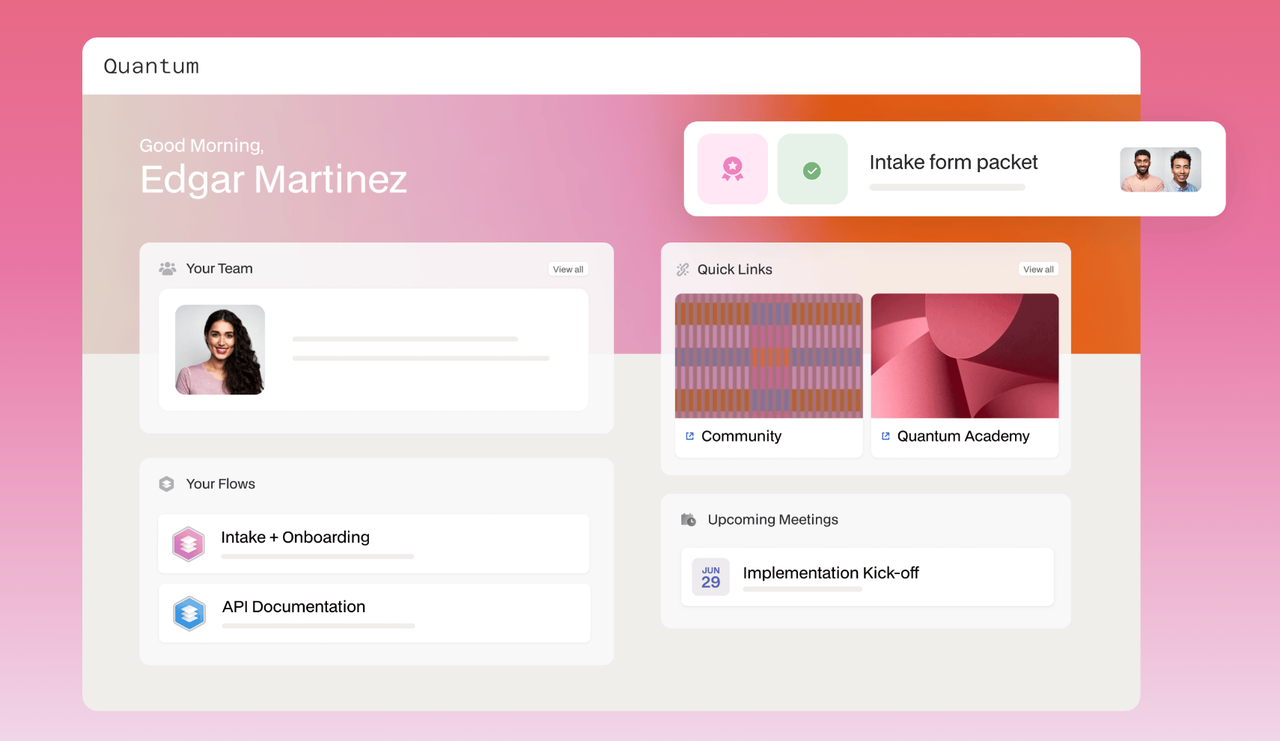
A workflow tool for processes that involve clients: a flow template strings together forms, file requests, approvals and e-signatures, and customers act through a branded portal or a magic link without an account.
Fits an onboarding that is mostly paperwork between you and the client: forms, documents, approvals and signatures, with an audit trail.
Moxo works from a flow template that an admin builds once in a no-code editor. Each step is a form, a file request, an approval or a signature, and steps carry roles, branches and SLA timers. To start a client, the CSM spins up a workspace from the template and names the real people behind each role. The client never needs an account: they get a branded portal or a time-limited magic link, and Moxo logs each action they take. Clients can also open a flow themselves from the portal, from the list of templates the admin allows. It breaks on transparency and simplicity: there's no public price list, and for a plain task plan the tool is heavier than needed. Reviewers cite missing features and limited customization.
- most of the onboarding is paperwork with the client, such as forms, document requests and sign-offs, and you need an audit trail
- you work in financial services, accounting or a similar field, which is where Moxo's customer and security pages point
- you want a published price list to compare tools before a sales call
- you want a plain shared checklist for a small team, because reviewers cite missing features and limited customization
- Users like
- ease of use and customer support
- Users dislike
- missing features and limited customization
- Source: G2, 194 reviews
Plans, limits and integrations
Data sync covers Salesforce, HubSpot, Microsoft Dynamics and Zoho, and Moxo also lists Zapier, a REST API with webhooks and calendar sync for Google and Outlook. Jira appears on G2 and Slack in Moxo's own blog posts, but neither is on its support page of integration types, so confirm them before you rely on them.
The homepage names SOC 2 Type II, GDPR, SAML SSO and an audit trail. AI agents can pre-fill forms from uploads and flag missing items, and Moxo doesn't say which plan includes them. A Moxo blog post dated October 14, 2026 cites a Team plan at $5,000 per year with 100 flows, while the higher tiers are quote-based, so treat any number as unconfirmed until you have a quote.
- Starting price
- No published price list; pricing links lead to a demo request
- Trial
- Free trial offered, terms not published
- Client access
- Branded portal or time-bound magic link
- CRM sync
- Salesforce, HubSpot and Microsoft Dynamics
- Data sync
- Salesforce, HubSpot, Dynamics, Zoho
Workflow engines behind the client view
Process Street and Rocketlane focus on how your team runs the work. The client sees a view of it, but the structure sits on your side.
Process Street
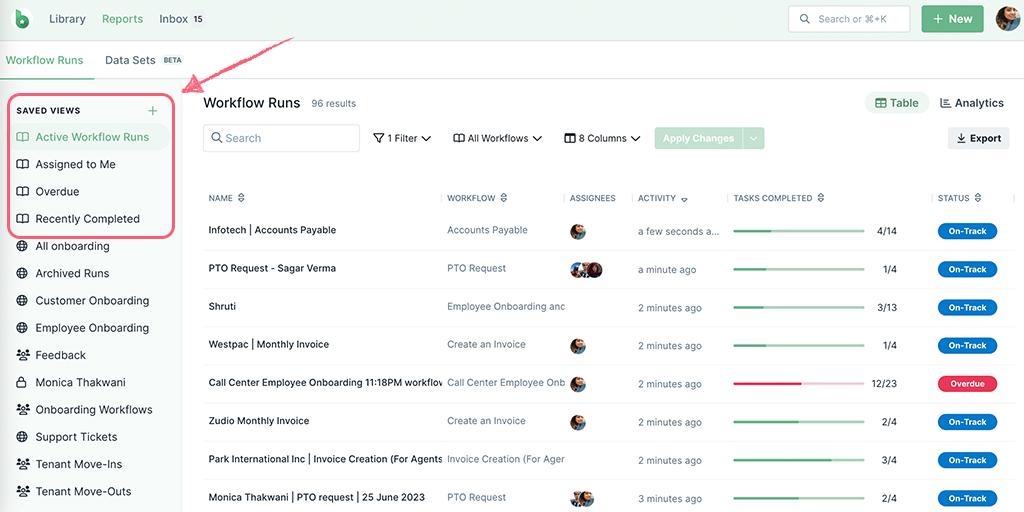
A no-code workflow tool where each new client becomes a run of a checklist template, with intake forms, approvals, dynamic due dates and guests or share links for the client's own steps.
Fits a team that wants onboarding as a repeatable checklist with a fixed order, approvals and due dates, and clients who finish their own steps.
Each new client becomes a run of a checklist template. Process Street links a SaaS client onboarding template and a new client onboarding checklist, with versions for agencies, managed services and website design. Intake questionnaires built into the workflow feed the tasks your team completes next. Task controls include assignments, roles, stop tasks that enforce the order, permissions, dynamic due dates and approvals. The client takes part in one of two ways. A run share link lets someone without an account fill in form fields, upload files and comment, and a guest sees only the runs and tasks assigned to them. Reports can show each client's onboarding progress for one process. It breaks if you expect a portal: no branded client portal appears in its docs, and the plans all say Contact sales.
- you run a repeatable onboarding with a fixed order of steps, approvals and due dates, and want conditional logic in the checklist
- you need clients to complete tasks and forms without an account through a run share link or as scoped guests
- you need a price list before a sales call: every plan shows Contact sales
- you want a branded client portal or CRM-native playbooks: Process Street is a general workflow tool and no such features appear in its docs
- Users like
- turning complex processes into step-by-step tasks and automating onboarding
- Users dislike
- a learning curve for automations and conditional logic
- Source: G2, 463 reviews
Plans, limits and integrations
Startup is meant for businesses with fewer than 15 employees and under $2 million in revenue, and includes 5 users, 10 guests, 10 automation apps and 100 automation actions per month. Pro offers custom numbers of users and guests and all automation apps. Enterprise adds a dedicated success manager and unlimited public API access. All new accounts get a 14-day Pro trial without a card.
The guest docs say share links work on all plans, while a third-party summary of the sharing page says paid plans only, so confirm it for your plan. Integrations include Zapier, Microsoft Power Automate, Make, Tray.io, Asana task sync, Google Calendar and email-to-task, plus an API and an MCP server. We didn't confirm a native CRM integration.
- Starting price
- No public price: Startup, Pro and Enterprise all show Contact sales; 14-day Pro trial
- Plans
- Startup, Pro, Enterprise, all contact sales
- Startup limits
- 5 users and 10 guests
- Client access
- Run share links or guests
- Trial
- 14-day Pro trial, no card
Rocketlane
An implementation platform that starts each customer project from a template, gives the customer a white-labeled portal and can create projects from Salesforce or HubSpot deals.
Fits a services-led team that runs onboarding as a project with phases and tasks, and needs the client to follow progress in a branded portal.
Rocketlane builds the client's plan as a project. When a deal is won, a template creates the phases and tasks, with due dates counted from the start date plus the template's duration, and several templates can be combined. Dynamic templates add conditions, for example Region is Europe, so only the steps that apply to that client are created. The client then works in a white-label portal that shows status, documents and chat, with views set by user level, and some of those views need no login. Automations send the updates and reminders. It breaks on price structure and reporting: Standard and Premium start at five team members, Salesforce sync needs Premium, reviewers call the default reports basic, and a template can't be swapped once the project is live.
- onboarding is a delivery project with phases, tasks and owners, and the client should follow it in a branded portal
- a won deal should start the project: HubSpot works on Standard and Salesforce on Premium
- you have fewer than five internal users, because both paid plans start at five seats
- you need rich custom reports below Enterprise, since reviewers describe the default reports as basic
- Users like
- a customer portal that shows clients live project progress, plus intuitive templates
- Users dislike
- basic reporting and a learning curve during setup
- Source: Capterra, 128 reviews
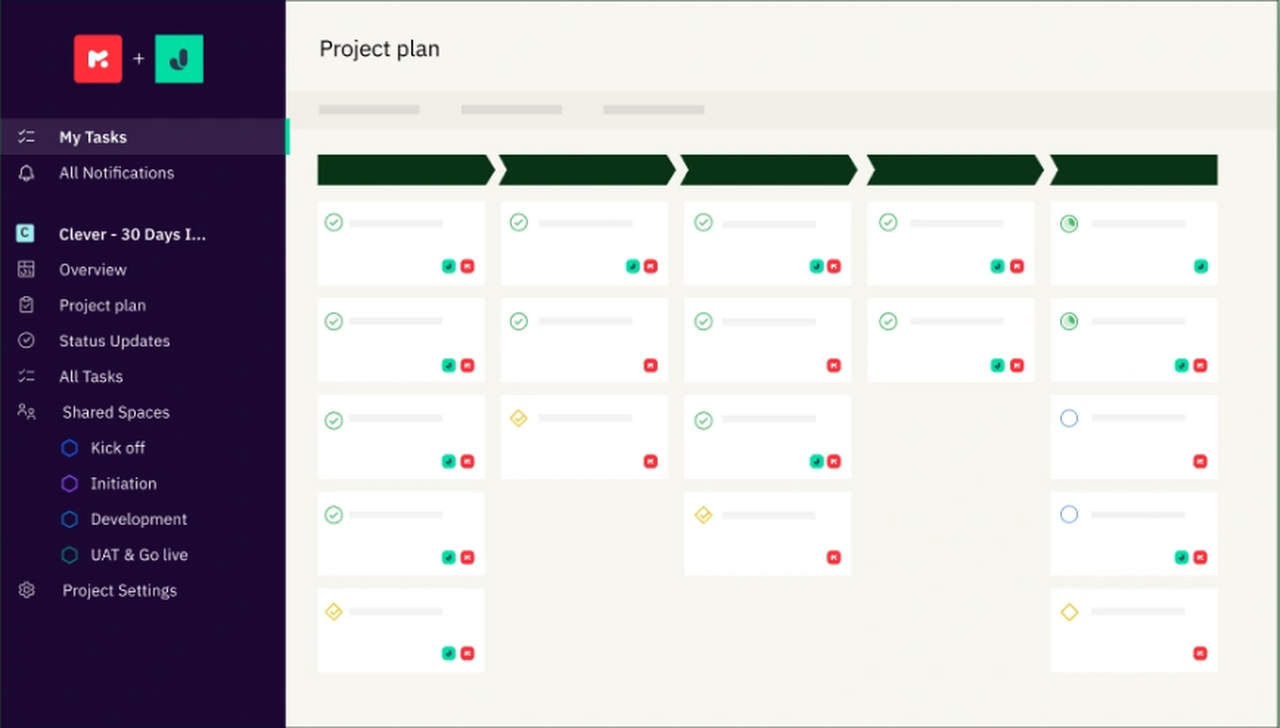
Plans, limits and integrations
Customer members and projects are unlimited on every plan. Standard costs $49 per user per month billed annually and has the portal, templates, time tracking, HubSpot, Jira and Slack, and 200 automation runs per user per month. Premium costs $69 and adds resource and financial management, Salesforce, Workato and 500 runs. Enterprise removes the automation cap and adds role-based access and SAML.
Implementation packages cost extra, and an AI Fills add-on costs $29 per user per month. Nitro AI is quote only, and Rocketlane says its agents turn a statement of work into a project plan without saying which tier includes that, so confirm it in the quote. There is a 14-day trial and no free plan.
- Starting price
- $49 per user per month (Standard) or $69 (Premium), billed annually, 5-seat minimum
- Plans
- Standard $49, Premium $69, Enterprise custom
- Customer members
- Unlimited on all plans
- Salesforce sync
- Premium and up
- Trial
- 14 days, no free plan
- Client access
- White-label portal, some views without login
- CRM
- HubSpot on Standard, Salesforce on Premium
How to choose client onboarding software
Choosing client onboarding software comes down to what the client sees, how a project starts and what you can budget before a sales call. The table maps common needs to a tool, and the sections after it cover each question.
- A shared plan per client on a free planDock
- A Space created from a HubSpot deal, with no client loginValuecase
- Many accounts, a closed-won trigger and a platform budgetOnRamp (from $15,000)
- A portal where each client sees only their own recordsSoftr
- Answers and files chased with automatic remindersContent Snare
- Forms, approvals and e-signatures with an audit trailMoxo (quote)
- A fixed checklist with approvals and due datesProcess Street
- Phases, tasks and a white-label portalRocketlane
What does the client see?
The client view differs more than the feature lists suggest. Dock, Valuecase, OnRamp, Moxo and Content Snare let the client in with a link and no account. Softr gives each client a login, and the login counts against your app-user limit. Rocketlane has a portal with some views that need no login, and Process Street offers a run share link or a guest account. If your clients dislike creating accounts, start with the link-based tools.
Dock or Rocketlane for a small team?
Dock is the lighter choice and Rocketlane the more structured one. Dock costs nothing on its free plan and $350 per month flat on Standard, which includes five seats and unlimited clients. Rocketlane costs $49 per user per month with a five-seat minimum, so $245 per month for five people. Rocketlane is built around phases, tasks and time tracking, while Dock's plan is a shared page with tasks, owners and dates. Pick Dock when the plan is a shared page with tasks and files. Pick Rocketlane when onboarding is a project with phases and hours that someone has to track.
How does a project start?
A client plan can start from a CRM event in most of these tools, but the plan that unlocks it differs.
| Tool | How a CRM event connects to a new client plan | Plan that unlocks it |
|---|---|---|
| Dock | Salesforce and HubSpot sync deal status and customer records; creating a workspace from a CRM event isn't described | Standard and up |
| Valuecase | A HubSpot workflow runs Create Space on a deal stage change | Growth and up, Salesforce on Scale |
| OnRamp | A closed-won deal in Salesforce or HubSpot creates the project | Plan not published |
| Rocketlane | HubSpot workflows create projects, Salesforce syncs and creates them | HubSpot on Standard, Salesforce on Premium |
| Content Snare | A Zapier action creates a request, or you send it by hand | All plans list Zapier |
| Process Street | You start a run by hand, on a schedule or through Zapier | Automation apps by plan |
| Softr | Workflows trigger on a new record, a schedule or a button, and the webhook trigger starts on Pro | Workflows on every plan, with action limits by plan |
| Moxo | Data sync with Salesforce, HubSpot, Dynamics and Zoho is listed, but how a CRM event starts a flow isn't documented | Plan details not published |
What does it cost a small team?
For a five-person team, entry cost runs from nothing to about $1,250 a month if OnRamp's $15,000 is an annual price, which its page doesn't state. The table below uses published prices only, billed annually where the vendor offers it, and counts five internal users where a tool prices by user. Clients don't take a paid seat on Dock, Valuecase, OnRamp, Content Snare or Rocketlane. Process Street caps named guests on Startup, Moxo's terms are unpublished, and Softr logins count against your app-user limit.
| Tool | Entry cost per month (USD, EUR for Valuecase) for five internal users | What drives the bill up (USD, EUR for Valuecase) |
|---|---|---|
| Dock | Free, or $350 per month on Standard | 10 workspaces on the free plan, then flat tiers |
| Softr | Free (3 builders, 5 app users), or $19 on Basic (1 builder, 5 app users); staff and clients share these limits | App users and granular permissions on Pro at $99 |
| Content Snare | $71 per month on Plus | Active requests, 50 on Plus |
| Rocketlane | $245 per month on Standard | Five-seat minimum at $49 per user |
| Valuecase | 295 EUR per month on Starter, if the 59 EUR rate is the annual one | Each extra internal user at 59 EUR |
| OnRamp | About $1,250 per month if the $15,000 starting price is annual (quote only) | Playbooks, active accounts and user types |
| Moxo | Quote only | Not published |
| Process Street | Quote only | Not published |
OnRamp says most teams launch a first playbook within 1 to 2 weeks, which is a vendor figure. We found no typical go-live time for the other tools, so ask each vendor for references from a team of your size.
What onboarding tools don't record: promises made in the kickoff
Every tool above tracks tasks, forms and dates. None of the features reviewed above is built to record the promises your team made on the sales call and the kickoff call, such as "we'll build the export before your first renewal". Those commitments usually sit in a CSM's notes, and they're especially easy to lose when the account changes hands.
FAQ
What is client onboarding software?
Client onboarding software runs the steps between a signed contract and a client's first result. It creates a plan from a template, collects answers and files from the client, assigns owners and due dates on both sides, sends reminders and keeps a record of who did what.
How much does client onboarding software cost?
For five internal users, published entry prices run from free on Dock and Softr to $245 per month for Rocketlane Standard and about $1,250 per month for OnRamp, whose $15,000 starting price is probably annual. Moxo and Process Street have no pricing page with figures, though a Moxo blog post cites a Team plan at $5,000 per year. Check what drives the bill, which is often active requests, accounts or seats.
Is there free client onboarding software?
Yes, two tools in this guide have a free plan. Dock allows 10 workspaces, and Softr allows 5 app users and 5,000 records. Content Snare, Valuecase, Process Street and Rocketlane offer 14-day trials instead. A free plan usually caps workspaces or users, so check the limit against your client count.
What is the difference between client onboarding software and project management software?
Project management software plans work for your own team. Client onboarding software adds a client-facing space, forms and file requests, reminders and sign-off, so the client completes their part without learning your tools. Rocketlane and Process Street sit closest to project tools, while Dock and Content Snare are built around the client side.
Do clients need an account to use these tools?
Often not. Dock, Valuecase, OnRamp, Moxo and Content Snare let clients in through a link or magic link, and Process Street offers run share links. Softr gives each client a login that counts against your app-user limit, and Rocketlane has a portal where some views need no login.
How long does it take to set up client onboarding software?
A shared workspace or request can be live within days, while a platform with CRM triggers and playbooks takes longer. OnRamp says most teams launch a first playbook within 1 to 2 weeks, which is a vendor claim. We found no typical go-live time for the other tools, so ask each vendor for references.