Customer training software is the platform where your customers, not your employees, take courses on your product. The first decision isn't a brand. It's where the lesson happens: in a standalone academy that customers log into, or inside your product as a checklist or guide. Thinkific, TalentLMS, LearnWorlds, Skilljar and Docebo run the academy. Userpilot sits in the product and points people to one.
This guide is for customer success managers and CS leaders at B2B software companies who have to train admins, end users or partners and want to see the training status next to the account. For each tool we read the vendor's pricing page, a customer training feature page and the G2 listing, plus help-center material where we could find it. Skilljar and Docebo publish no prices, so for those two we say what the pricing model is instead of guessing a number. Thinkific lists euros, so its dollar figures come from Thinkific's information page for AI tools. We left WorkRamp out because its site now redirects to Confirm and the product carries three different names there. If you want the wider picture of what a CS team runs, our guide to customer success software covers health scores and playbooks.
- tools compared
- 6
- publish no price (Skilljar, Docebo)
- 2 of 6
- has a free plan (TalentLMS, up to 5 users)
- 1
- G2 rating range
- 4.3 to 4.7
Best customer training software at a glance
 Best for a fast, branded academyThinkificStart is $82 per month billed annually with a 10,000 student cap. SSO and the Salesforce and HubSpot connectors need the quote-only Plus plan.
 Best for a free start, with separate customer portals from CoreTalentLMSFree for up to 5 users. Paid plans add branches, each a separate portal with its own URL and users.
 Best for HubSpot teams that also sell coursesLearnWorldsA native HubSpot sync (either direction or both, set per field) and an API start on Learning Center at $249 per month billed annually.
 Best when training data must reach Gainsight or SalesforceSkilljarBuilt for customer academies and acquired by Gainsight, announced April 2, 2025. Quote only, with an annual plan plus a fee per active user.
 Fits customer portals on their own domainsDoceboExtended Enterprise gives each customer branch its own URL, branding and catalog, up to 10 domains on Enterprise. Quote only, priced on active learners.
 Best for in-product training that links to an academyUserpilotChecklists, flows and a Resource Center inside your app. Not an LMS, from $299 per month.
 For the training promises you madeThe Customer Success ManagerNot training software. A ledger of commitments such as a promised onboarding session, with an owner and verified delivery.
| Tool | How customers learn | Customer-facing setup | Entry price (USD) | Rating |
|---|---|---|---|---|
| Thinkific | Branded course academy | White-label academy on all plans; separate academies and SSO on Plus | From $82 per month billed annually; Plus quote only | 4.4 (427) |
| TalentLMS | Course portals called branches | 1 branch on Core, 3 on Grow, 15 on Pro, unlimited on Enterprise | Free for 5 users; paid from $119 per month on monthly billing | 4.6 (817) |
| LearnWorlds | White-label course academy | Up to 10 client groups on Learning Center | From $44 per month billed annually | 4.7 (403) |
| Skilljar | Public customer academy | 1 to 3 academy sites by plan, learner SSO on every plan | Quote only | 4.6 (410) |
| Docebo | Portals per customer branch | Extended Enterprise clients, up to 10 domains on Enterprise | Quote only | 4.3 (752) |
| Userpilot | In-app checklists and guides | Resource Center on Growth and above links out to course content | From $299 per month (2,000 MAU) | 4.6 (1,022) |
| The Customer Success Manager Our product | Customer commitment tracking | Records what your team promised each customer and whether delivery was verified | From $49/month per workspace | No reviews yet |
Prices as listed on vendor pages or, for Thinkific, its information page in November 2026. Skilljar and Docebo do not publish prices.
What is customer training software?
Customer training software is a learning platform for people outside your company: users who need to learn your product, admins who configure it and partners who resell or implement it. It delivers courses, quizzes and certificates, tracks who finished what, and increasingly feeds that data back to the CRM or customer success platform. Teams also call it customer education software, customer academy software or an external LMS. The names point at the same job, so don't let the label steer your search.
It differs from an employee LMS in three ways. Learners are customers, so they sign up through a public page or single sign-on from your product rather than an HR system. Each customer company usually needs its own group, and sometimes its own branding. And the number that matters is not course completion for compliance, it is whether trained accounts use the product more and need fewer support tickets. The platform has to tell you which account a learner belongs to.
Most buyers are not choosing between 40 brands. They are choosing between a self-serve course tool that costs a few hundred dollars a month, an enterprise platform with a sales cycle, and a guide built into the product. The next section helps you pick the type before you read any single tool.
Should you build an academy, in-app guidance, or both?
An academy is a separate site where customers take structured courses and earn certificates. In-app guidance is a checklist, tooltip or help panel shown inside your product at the moment someone needs it. They solve different problems, though most teams that start with one add the other within a year.
- Step 1Teach the product
- Thinkific
- LearnWorlds
- Skilljar
Where Courses, quizzes and certificates live in the academy, with a branded domain and sign-in - Step 2Prompt at the right moment
- Userpilot
How A checklist task can open an external URL, so it can send a new admin to the right course - Step 3Record who finished
- Skilljar
- LearnWorlds
- Thinkific
Check Salesforce, Gainsight or HubSpot receives completions; plan gates differ by vendor - Step 4Act on it in CS
 Gainsight Customer Success
Result Skilljar sends progress, completions and last access into Gainsight dashboards, health scores and CTAs - Across allKeep the promises
- The Customer Success Manager
Records A promised admin training session is a commitment with an owner and a due date
Pick an academy when customers need depth: certifications, role-based paths for admins and end users, partner programs, or paid training you sell. Pick in-app guidance when the lesson is short and tied to a screen, such as setting up the first integration. Pick both when new customers need an onboarding path and a place to go for deeper material later. If your goal is only the first week after signup, our guides to customer onboarding software and user onboarding software are the better starting point.
| Need | Academy (LMS) | In-app guidance |
|---|---|---|
| Courses, quizzes, certificates | Yes | No |
| Shows up inside your product | Only as a link or embed | Yes |
| Sells paid training | Thinkific, LearnWorlds, TalentLMS and Docebo list e-commerce | No |
| Needs an engineer | Light, for SSO or CRM sync | Yes, to install the snippet |
| Measures | Enrollment, completion, quiz scores | Checklist and flow completion, drop-off |
Best platforms for a customer academy
These five are learning platforms. They host courses, enroll external learners and report on completion. They differ in who they are built for: Thinkific, TalentLMS and LearnWorlds started as general course or learning tools and added customer features. Skilljar was built for customer education. Docebo is an enterprise platform that serves customers through a feature called Extended Enterprise.
Thinkific
Thinkific
Thinkific Plus and self-serve plans
Course platform with a white-label academy, certificates and flat pricing, where SSO and CRM sync sit on the quote-only Plus plan.
Thinkific lists three self-serve plans in dollars: Start at $109 per month, or $82 billed annually; Grow at $219, or $164; and Expand at $499, or $374. All three cap at 10,000 current students, counted as unique students with unexpired access to at least one course. There is a 30-day trial and no free plan. Courses are unlimited, and completion certificates come with every plan. The customer training page describes a white-label academy with your own domain, logo and colors, automated enrollment and re-enrollment, branded certificates that expire and prompt renewal, and a way to sell training.
The customer success features are on Plus, where pricing is a custom flat rate with no per-learner fee. Plus adds SSO (OpenID Connect; SAML and Entra ID are not native), separate learning environments per audience run from one admin panel, SCORM import and exams. The Salesforce connector, also Plus only, shows course enrollments and student progress inside the matching Salesforce contact, matched by email. It does not show groups, certificates or quiz results, and it has no two-way sync, so you cannot enroll a learner from Salesforce. The REST API and webhooks start on Grow.
- You want a branded customer academy live quickly, with optional paid courses and certificates.
- You can budget for Plus to get SSO and CRM sync, and flat pricing with no per-learner fee suits you.
- You need single sign-on below the quote-only Plus plan, since SSO is listed on Plus only
- You need the CRM to enroll learners or to see quiz results and certificates; the Salesforce connector is view-only.
- Users like
- Easy to use, with strong course builder and support.
- Users dislike
- Limited features and customization.
- Source: G2, 427 reviews
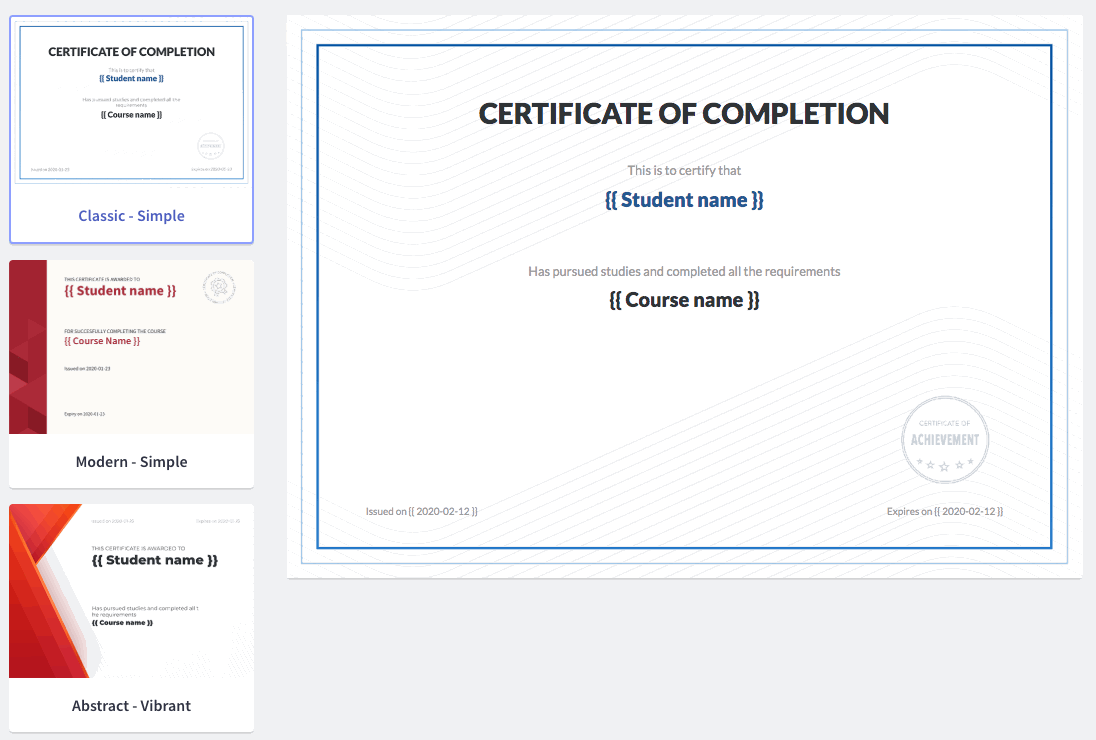
What the Salesforce connector shows and what it leaves out
G2 lists Thinkific at 4.4 from 427 reviews. Reviewers credit ease of use, the course builder and support, and their most repeated complaints are limited features and limited customization. Skip it if you need a customer success view of training: a CSM would see enrollments in Salesforce but not the quiz result that shows whether an admin understood the setup.
- Starting price
- From $82/month billed annually; Plus custom, not published
- Learner model
- Up to 10,000 current students on Start, Grow and Expand
- Customer-facing setup
- White-label academy on all plans; SSO and separate academies on Plus
- Integrations
- Salesforce (view only) and HubSpot on Plus; API from Grow; Zapier
- Reporting
- Completion, quiz score and engagement analytics
- Price basis
- Flat monthly plan, about 25% off annual
TalentLMS
TalentLMS
Core, Grow and Pro
General LMS with a free tier and branches, separate portals you can give to each customer group.
TalentLMS has a free plan for up to 5 users and 10 courses, with no card and no time limit. Paid plans are listed at $119 per month for Core, $229 for Grow and $449 for Pro, and the bill is based on monthly active users, meaning unique people who log in that month rather than everyone you registered. Pro includes up to 100 users and adds $6 for each extra one, and Enterprise is quote only. Yearly billing is listed as 20% cheaper than monthly.
The feature that fits customer training is branches. A branch is an independent portal with its own URL, theme, homepage, language, users, courses, learning paths and e-commerce setup. You can restrict a branch so members log in only through its address. Core includes one branch, Grow three, Pro fifteen and Enterprise unlimited. The extended enterprise page says external learners can join by self-registration, bulk import or SSO, and a single dashboard tracks completion and compliance across external organizations. The pricing page lists SSO, the API, a HubSpot integration and LTI 1.3 from Core upward.
- You need several separate customer or partner portals under one account, each with its own branding and sign-in.
- You want to start free or with small active-user counts and pay per active user.
- Your CRM is Salesforce and you need a documented sync, since the pricing page names only HubSpot, LTI 1.3 and the API
- You need a customer-success-first workflow; TalentLMS is built as a general-purpose LMS.
Branch limits and who should skip it
G2 lists TalentLMS at 4.6 from 817 reviews. No review text is quoted, so we do not summarize strengths or complaints here. Skip it if your CRM is Salesforce and you need a documented sync, because the pricing page names HubSpot but not Salesforce (a Salesforce data connector help article exists, but we did not read it), or if you want a tool built around customers first, since G2 describes TalentLMS as a tool for employees, partners and customers alike.
- Starting price
- Free up to 5 users; paid from $119/month by monthly active users; Enterprise not published
- Learner model
- Billed on monthly unique logins; Pro adds $6 per extra user
- Customer-facing setup
- Branches: 1 on Core, 3 on Grow, 15 on Pro, unlimited on Enterprise
- Integrations
- HubSpot, LTI 1.3, API, Zapier
- Reporting
- One dashboard for completion and compliance across external organizations
- Price basis
- Per monthly active user tier; 20% off yearly
LearnWorlds
LearnWorlds
Starter, Pro Trainer and Learning Center
Course platform with white-label academies, built-in e-commerce and a two-way HubSpot sync on its top self-serve plan.
LearnWorlds lists Starter at $49 per month, or $44 billed annually, Pro Trainer at $99 or $79, and Learning Center at $299 or $249. Corporate is custom. Active learner caps are 1,000 on Starter and 2,000 on Pro Trainer and Learning Center, with 1, 5 and 25 admin seats. Starter also charges $5 per enrollment. There is a 30-day trial and no free plan. Certificates start on Pro Trainer, and reports are basic until Learning Center adds advanced and scheduled ones.
The plan that fits customer training is Learning Center. It includes full white label, up to 10 client groups and API access, and it is where the native HubSpot integration begins. The sync can run from LearnWorlds to HubSpot, from HubSpot to LearnWorlds, or both ways per field, matches contacts by email, and updates within a few minutes. It never changes enrollments or roles from the HubSpot side. Starter and Pro Trainer use a tracking code that sends a smaller data set. We found no native Salesforce or Gainsight link on the customer training page, so other CRMs connect through Zapier.
- Your CRM is HubSpot and you want learner data synced both ways
- You also plan to sell paid courses or run several branded client academies
- You need a native Salesforce or Gainsight CS integration
- You need more than 2,000 active learners without a custom Corporate quote
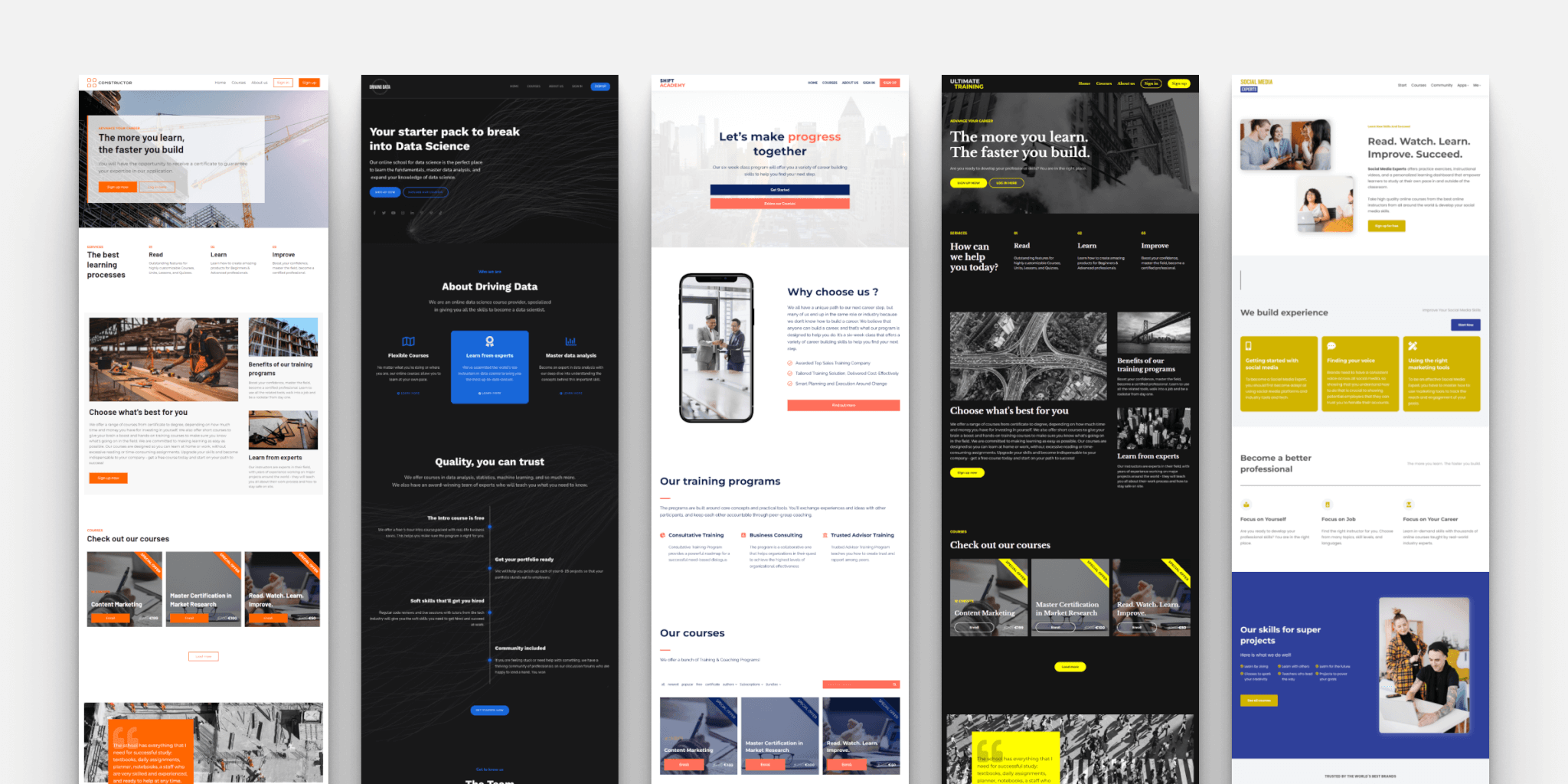
HubSpot sync details and who should skip it
G2 lists LearnWorlds at 4.7 from 403 reviews, the highest rating in this list. No review text is quoted, so we do not summarize strengths or complaints. Skip it if you run Salesforce or Gainsight and want a native link, or if you expect more than 2,000 active learners without a custom Corporate quote.
- Starting price
- From $44/month billed annually (Starter); Learning Center $249/month annual
- Learner model
- Flat plan fee with a monthly active learner cap of 1,000 to 2,000
- Customer-facing setup
- White-label academy; up to 10 client groups on Learning Center
- Integrations
- HubSpot and API on Learning Center; Zapier
- Reporting
- Basic on Pro Trainer, advanced and scheduled on Learning Center
- Price basis
- Annual saves about 10 to 20% against monthly
- Trial
- 30 days, no free plan
Skilljar
Skilljar
Skilljar by Gainsight
External LMS built for customer academies, owned by Gainsight, with Salesforce and Gainsight CS integrations.
Skilljar sells an annual subscription on Essentials, Professional or Enterprise plus a tiered fee per active user, and publishes neither. Only users who register and consume content by email count, once per month, based on an annual estimate. Published add-ons start at $10,000 for Content Syndication and Language Packs and $25,000 for the Data Connector that pushes learning data to BI tools. There is no free trial, only a demo, a test academy and a sandbox.
The plans differ by academy sites: one on Essentials, two on Professional and three on Enterprise. Learner SSO and the REST API are on every plan. The integrations are the reason CS teams look at it. A Salesforce managed package syncs registration, completion and engagement data and can flag incomplete learning. The Gainsight CS integration pulls progress, completions, certifications, last access and time spent into dashboards, health scores and CTAs. Certifications include proctored exams and links to Credly and Accredible. Gainsight announced the acquisition of Skilljar on April 2, 2025, and had bought Northpass in 2023. Customers have since discussed moving from Northpass to Skilljar in Gainsight's community, though we found no official end-of-life notice.
- You run Gainsight CS or Salesforce and want training data in health scores
- You need public-facing academies with certifications and many external learners
- You want published prices or a self-serve trial
- You mainly train employees or run HubSpot as your CRM
- Users like
- Easy implementation and migration support, clean learner interface
- Users dislike
- Limited self-service custom reporting
- Source: G2, 410 reviews

Pricing model, integrations and who should skip it
G2 lists Skilljar at 4.6 from 410 reviews. The first reviews we read credit easy implementation and a clean learner interface, and mention limited self-service custom reporting. Skip it if you want a published price or a self-serve trial, if you run HubSpot as your CRM, since HubSpot is not among its listed integrations, or if you mostly train employees.
- Starting price
- Not published: annual plan plus tiered active user fee, by quote
- Learner model
- Annual plan plus tiered fee per active user
- Customer-facing setup
- 1 to 3 academy sites by plan, learner SSO on all plans
- Integrations
- Salesforce package, Gainsight CS, Zendesk, Credly, REST API
- Reporting
- Engagement analytics, benchmarking, Data Connector add-on from $25,000
- Price basis
- Annual contract, quote only
- Ownership
- Gainsight, acquired April 2, 2025
Docebo
Docebo
Elevate and Enterprise
Enterprise learning platform that serves customers through Extended Enterprise, a separate portal per customer branch.
Docebo publishes no dollar prices. Both plans, Elevate and Enterprise, say to ask for pricing, and the cost is based on active learner usage under a monthly active user, yearly active user or registered active user model. No free plan or trial is listed, though a proof of concept can be scoped.
Extended Enterprise is the customer training feature. An Extended Enterprise client is a variant of the main platform tied to one user branch and its own URL, as a subfolder of your domain or a separate domain. For each client you can set branding, language, catalogs, e-commerce, single sign-on and self-registration. The Enterprise plan includes it for up to 10 domains, while Elevate does not list it, and it is also sold as an add-on. Docebo for Salesforce is a paid add-on, and the Enterprise plan lists upgraded API access at 100 calls per minute. Reporting covers prebuilt dashboards, a custom report builder and BI integrations, with advanced analytics on Enterprise.
- You need several branded customer or partner portals from one platform.
- You want e-commerce, SSO per portal and a BI-ready reporting layer.
- You want a published price or a self-serve start.
- Your team is small and has no admin time for a long rollout (G2 reports about 4 months).
- Users like
- Reviewers most often credit ease of use, course creation and customization.
- Users dislike
- Reviewers most often cite limited or missing features, a learning curve and complexity.
- Source: G2, 752 reviews
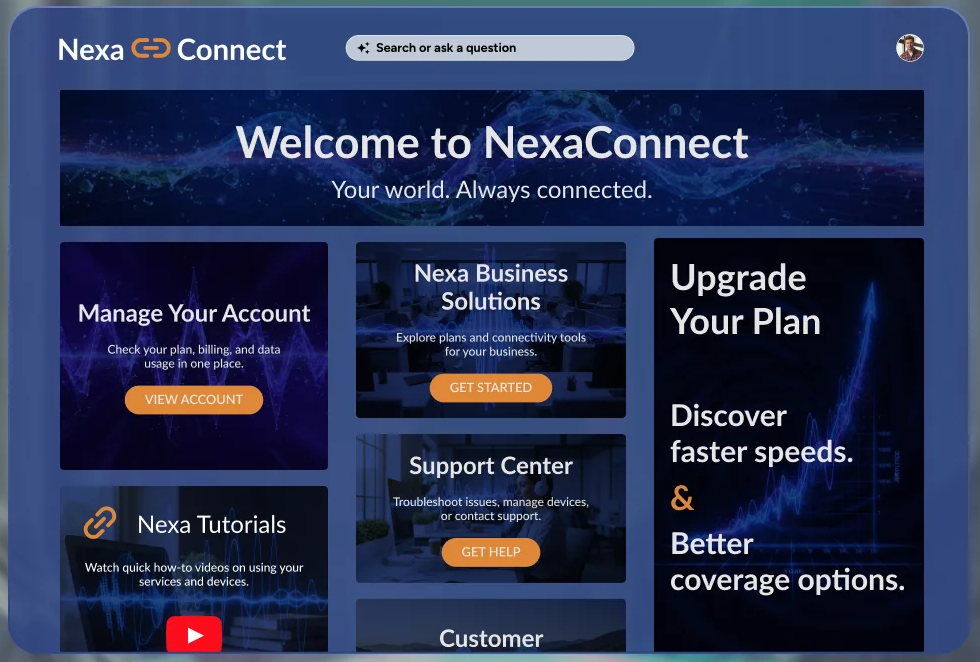
Extended Enterprise and who should skip it
G2 lists Docebo at 4.3 from 752 reviews, the lowest rating in this list. Reviewers credit ease of use, course creation and customization, and cite limited features, a learning curve and complexity. G2 reports an average implementation time of about 4 months. Skip it if you want a published price or a self-serve start, or if you have little admin time for a long rollout.
- Starting price
- Not published; quote based on active learner usage
- Learner model
- Priced on active learners, in three models
- Customer-facing setup
- Extended Enterprise client per branch, own URL; up to 10 domains on Enterprise
- Integrations
- Docebo for Salesforce (paid add-on); API with webhooks
- Reporting
- Prebuilt dashboards, custom report builder, BI export
- Price basis
- Quote only; no free plan or trial listed
Best in-app guidance for customer training
In-app guidance does not replace an academy. It gets customers to the right lesson without leaving your product. One tool in this list does that, and it is the one most CS teams already have a version of in their onboarding stack.
Userpilot
Userpilot
Starter, Growth and Enterprise
No-code in-app guidance with checklists, flows and a Resource Center that can send customers to your academy.
Userpilot is not an LMS. It has no courses, quizzes, certificates or learner registry. What it does is show checklists, flows, tooltips and surveys inside your product, targeted by segment, role, company or behavior. Starter is $299 per month for up to 2,000 monthly active users and 3 seats, Growth starts at $849 per month with 15 seats, and Enterprise is quote only. The 14-day trial is mentioned on the pricing page, and there is no free plan.
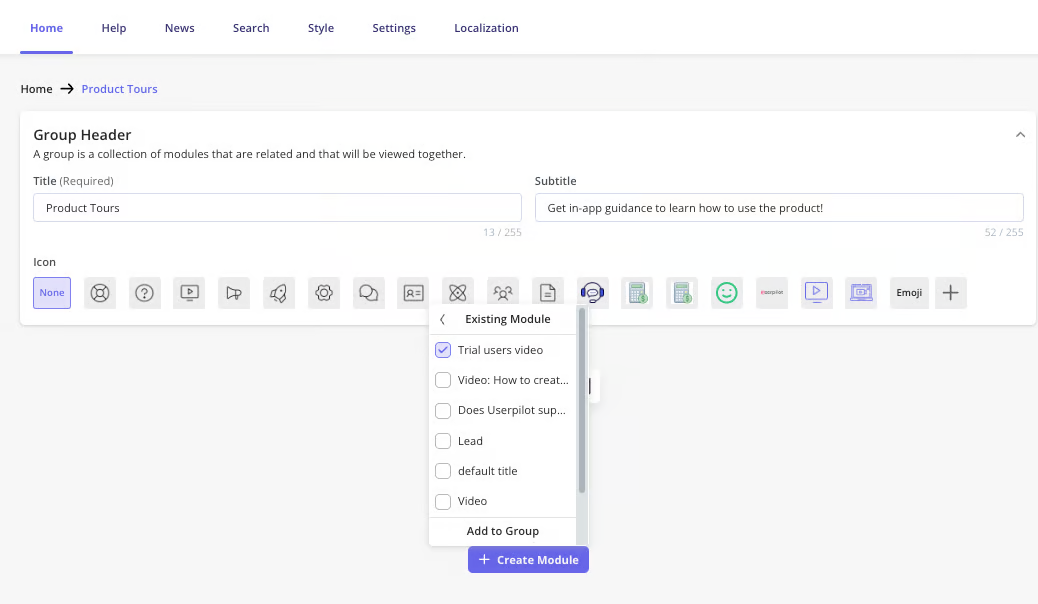
For training, the useful pieces are checklist tasks and the Resource Center. A checklist task can go to a page, including an external URL, so one task can open your academy at the right course. A checklist holds up to 15 tasks. The Resource Center, available on Growth and above, can hold modules that link out to a knowledge base, embed a video, start a flow or run custom JavaScript, and its help tab can search a connected help center in Zendesk, Intercom, Document360 and others. Checklist analytics show started, completed and dismissed counts with a per-task breakdown, filterable by segment or company. HubSpot and Salesforce syncs are listed as add-ons on Growth and above, and Gainsight is not listed.
- You want to push customers from the product into your academy or onboarding content at the right moment, targeted by segment or company
- You want completion and drop-off numbers on in-app guidance next to product analytics
- You need to host courses, quizzes or certificates, since no learning content module exists
- You need the Resource Center on a small budget, since it requires Growth at $849/mo or more
- Users like
- Easy to use and quick to set up, with helpful support
- Users dislike
- Steep learning curve for deeper features and limited advanced customization
- Source: G2, 1,022 reviews
Checklist tasks, Resource Center and who should skip it
G2 lists Userpilot at 4.6 from 1,022 reviews. Reviewers repeatedly cite ease of use and quick setup, and they mention a steep learning curve for deeper features, limited advanced customization and a high price. Skip it if you need to host courses or issue certificates, or if you need the Resource Center on a small budget, since it starts on the $849 plan.
- Starting price
- Starter $299/mo (2,000 MAU), Growth from $849/mo, Enterprise quote only
- Learner model
- No learners; priced on monthly active users
- Customer-facing setup
- In-app checklists and flows; Resource Center on Growth and above
- Integrations
- HubSpot and Salesforce add-ons, Segment, Intercom, Zendesk, webhooks, API
- Reporting
- Checklist and flow completion, by segment or company
- Price basis
- Monthly active users, from $299 per month
What to check before you buy
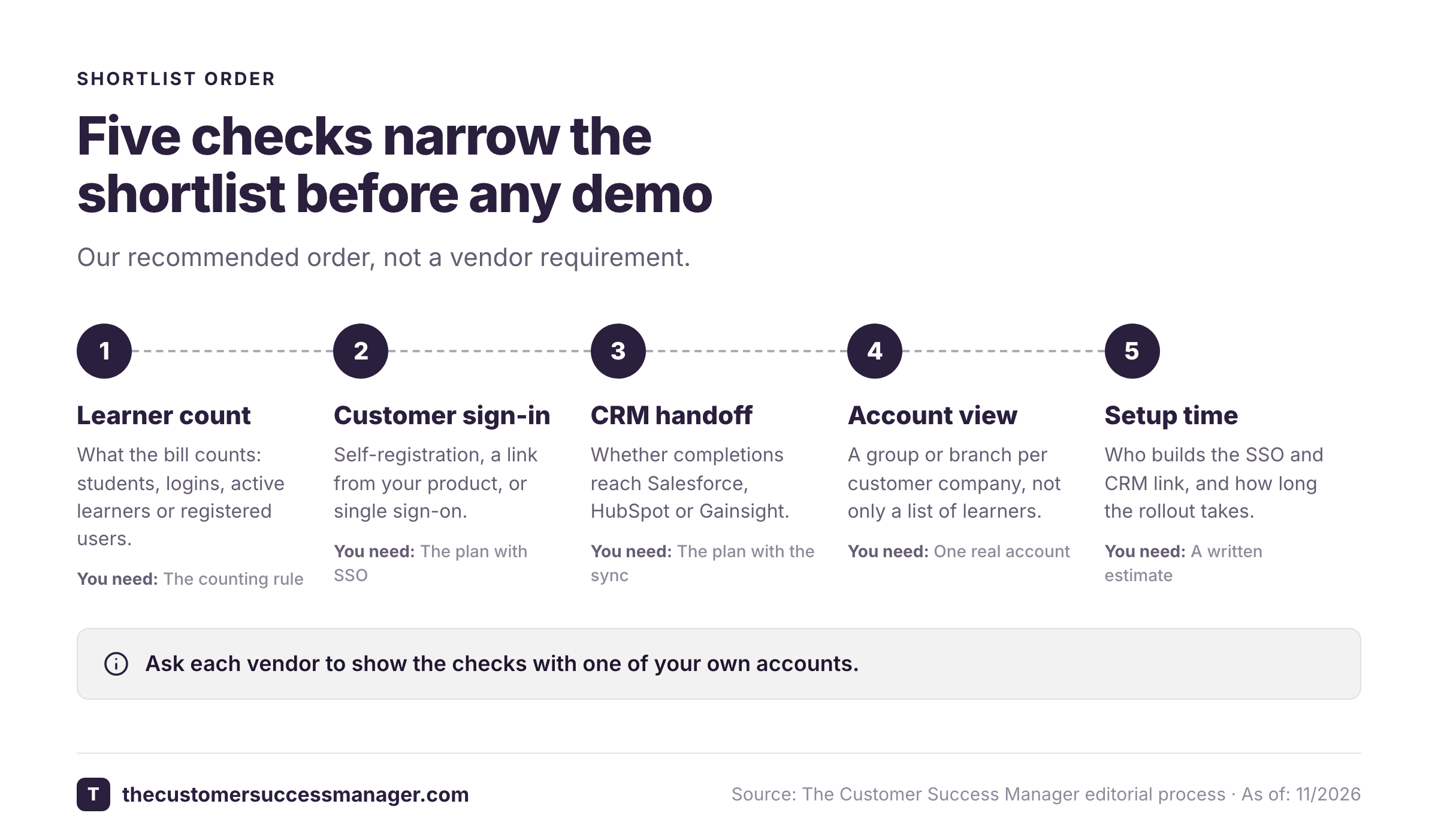
The pricing page tells you the entry price. These five checks decide whether the tool works for customers. Ask each vendor to show them with one of your own accounts.
- What a learner counts as. Thinkific counts current students, TalentLMS counts people who log in each month, LearnWorlds counts active learners per month, Skilljar counts users who register and consume, and Docebo offers three models. A launch spike or a bulk import can change the bill.
- How a customer gets in. Self-registration, a link from your product, or single sign-on. Thinkific lists SSO on Plus only, and Skilljar includes learner SSO on every plan.
- How training reaches your CRM or CS platform. Skilljar has native Salesforce and Gainsight integrations. LearnWorlds and TalentLMS list HubSpot. Thinkific's Salesforce connector is view only. Ask which plan includes the integration: Skilljar's pages do not say which plan has the Salesforce package or the Gainsight CS link, though they cap premium integrations at 3, 5 and 7 by plan.
- Whether you can see it per account. Look for a customer group or branch that maps to a company, not just a list of learners. Training ROI shows up as fewer support tickets and more active accounts, so ask which report ties completions to an account. Only Skilljar documents pushing completions into health scores.
- Who does the setup. Docebo reports an average implementation of about 4 months on G2. A self-serve academy needs far less rollout time than that, but you'll build the SSO and CRM link yourself.
- We know who we train: end users, admins, partners or all three
- We chose academy, in-app guidance or both
- The price basis is clear: per learner, per user, flat or quote
- SSO for customers is included in the plan we need
- Each customer company can be a group or branch
- Completions reach our CRM or customer success platform
- We can see quiz results, not only enrollments
- A vendor demo used one of our real accounts
Which customer training software should you choose?
- A branded academy on a flat monthly priceThinkific (Start or Grow)
- A free start or several separate customer portalsTalentLMS
- HubSpot as your CRM and paid coursesLearnWorlds (Learning Center)
- Training progress inside Gainsight or SalesforceSkilljar
- Many customer portals with their own domainsDocebo (Enterprise)
- Short lessons inside the product that link to an academyUserpilot, beside one of the above
- Promised training sessions tracked to verified deliveryThe Customer Success Manager, beside your stack
Training is also a customer promise
Training platforms track whether a learner finished a course. They don't track the promises your team makes around it: the admin session offered before go-live, the recording promised after a workshop, the certification seats included in a renewal. Those commitments are made in calls and emails and often live nowhere a platform can read. For a CSM, an unkept training promise is as visible to the customer as a bug.
The Customer Success Manager is a ledger for those commitments. Each one records who confirmed it, what was promised, who owns it and whether delivery was verified, and only people confirm and verify. It doesn't host courses and it doesn't replace any tool above, and signup needs an access code. If you also need a place for the answers customers keep asking, our knowledge base software guide covers that side.
FAQ
What is customer training software?
Customer training software is a learning platform for people outside your company, such as users, admins and partners. It hosts courses, quizzes and certificates, enrolls external learners through registration or single sign-on, and reports completion. Thinkific, TalentLMS, LearnWorlds, Skilljar and Docebo are examples.
Is customer education software the same thing?
Yes. Customer education software, customer academy software and external LMS all describe a platform for training customers. Skilljar and Docebo use the education and extended enterprise wording, while Thinkific and LearnWorlds describe the same job as customer training.
Is there free customer training software?
TalentLMS has a free plan for up to 5 users and 10 courses with no time limit. Thinkific and LearnWorlds offer a 30-day trial and no free plan. Skilljar and Docebo list no free plan or trial.
What is the difference between an academy and in-app guidance?
An academy is a separate site with structured courses and certificates. In-app guidance shows checklists and tooltips inside your product. Userpilot is in-app guidance, and it can send customers to an academy from a checklist task or its Resource Center.
Does customer training software integrate with a CRM?
Some do. Skilljar integrates with Salesforce and Gainsight CS. LearnWorlds and TalentLMS list HubSpot. Thinkific lists Salesforce and HubSpot on its Plus plan, and its Salesforce connector is view only. Docebo offers Docebo for Salesforce as a paid add-on.
How much does customer training software cost?
Paid self-serve plans start at $44 per month billed annually for LearnWorlds, $82 billed annually for Thinkific and $119 on monthly billing for TalentLMS, which also has a free plan for up to 5 users. Skilljar and Docebo are quote only and price on active learners. Userpilot, which is in-app guidance, starts at $299 per month.