The best user onboarding software depends on who in your company will build and change the flows. Userflow, Appcues, UserGuiding and Chameleon are the builders a customer success manager can run without an engineer once a developer has installed them. Userpilot and Pendo tie the same tours and checklists to product analytics, which suits teams where product owns onboarding. If you're replacing the analytics tool underneath, see our guide to Amplitude alternatives. Gainsight PX is the option for companies that already run Gainsight and want a CSM to start an in-app guide from a customer success program. This guide compares seven tools on how a flow is built and targeted, what each plan includes, what the entry price buys in monthly users, and who should skip each one.
It's written for customer success teams at B2B software companies that want new users to reach first value without a call for every account. That is tech-touch onboarding: product tours, checklists, tooltips and a help menu that live inside the app. It isn't the same job as a kickoff call and project plan for a large account, which our guide to customer onboarding software covers, and it isn't employee onboarding, which is a different kind of software.
- tools compared
- 7
- publish no USD price for paid plans
- 3
- G2 rating range
- 4.4 to 4.8
Best user onboarding software at a glance
 Best for no per-seat or per-flow limitsUserflowUnlimited seats, experiences, checklists and a resource center on every plan. $240 a month billed annually with 1,000 monthly active users.
 Best for event-triggered flowsAppcuesFlows triggered by pages, audiences or events. No USD prices published; Start covers up to 3,000 monthly active users.
 Best for a quick web app rolloutUserGuidingA Chrome extension builder, checklists, resource center and NPS. From $249 a month for 2,000 monthly active users, with a 14 day trial.
 Best for CRM-driven targetingChameleonTours, Launchers for checklists and resource centers, microsurveys and HelpBar search. From $279 for 2,000 tracked users; checklists start on Pro.
 Best when analytics drive targetingUserpilotFlows, checklists and product analytics in one tool. $299 a month for 2,000 monthly active users; the Resource Center starts on Growth.
 Best for a free startPendoFree up to 500 monthly active users with analytics and in-app guides. Paid plans are quote only.
 Best if you already run GainsightGainsight PXUser and account targeting, with in-app guides a CSM can start from Gainsight CS. Quote only.
 Our product · for the promises made outside the appThe Customer Success ManagerNot an onboarding tool. It records what your team promised each customer, with owner and evidence.
| Tool | Kind | What it passes on | Starting price | Rating |
|---|---|---|---|---|
| Userflow | In-app onboarding and product adoption | Onboarding milestones and flow completion events to Salesforce and Segment (Studio and above); Zapier and Slack on all plans | Essentials $240/mo, Studio $400/mo, billed annually, 1,000 MAUs included | 4.8 (125) |
| Appcues | In-app user onboarding | User and group properties and events in; HubSpot, Salesforce and Mixpanel data matched by User ID | Quote-based, no USD prices published; plans Start (up to 3,000 MAUs), Grow, Enterprise | 4.6 (359) |
| UserGuiding | In-app user onboarding | User and company attributes and events in; HubSpot, Salesforce, Segment and webhook integrations are listed (plan gating unclear) | From $249/mo (Starter, 2,000 MAU, billing cycle not stated); Growth from $499/mo; Enterprise custom | 4.7 (772) |
| Chameleon | Product adoption and in-app onboarding | Webhooks on tour and survey completion, plus two-way HubSpot and Mixpanel sync and Salesforce account data for targeting. | From $279 (Startup, 2,000 MTUs); Pro from $750/mo for 5k MTUs; Growth from $1,250/mo for 5k MTUs; Enterprise custom | 4.4 (364) |
| Userpilot | In-app onboarding and product adoption | Events, company and user attributes via identify and track; segments; Segment, HubSpot and Salesforce sync (CRM sync is an add-on). | Starter $299/mo (2,000 MAU), Growth from $849/mo, Enterprise quote only | 4.6 (1,020) |
| Pendo | Product analytics and in-app guides platform | Two-way Salesforce sync of account attributes and usage or NPS columns | Free up to 500 MAU; Base, Core and Ultimate quote only | 4.4 (1,825) |
| Gainsight PX | Product experience and in-app engagement | Identify-call users and accounts, segments, and engagement events, with native Journey Orchestrator triggering from Gainsight CS. | Quote only; no plans, prices or user caps shown | 4.4 (243) |
| The Customer Success Manager Our product | Customer commitment tracking | Not an onboarding tool: records the promises your team makes to a customer, with owner and evidence | From $49/month per workspace | No reviews yet |
What is user onboarding software?
User onboarding software shows new users how to get value from a product while they are inside it. It adds product tours, checklists, tooltips and a help menu on top of your app, lets a non-developer build and change them, and reports who finished which step. Targeting rules decide who sees what, usually by user role, plan, behavior or the account a user belongs to. For the part customers finish without a call, see our guide to digital customer onboarding software.
For a B2B product the useful question is rarely how to draw a tooltip. It is which person on your team changes the flow when it stops working, and what the tool knows about the customer account behind the user.
How is it different from customer onboarding software?
User onboarding software works on individual users inside your product and runs without a person on your side. Customer onboarding software manages the account: a project plan, tasks, owners, a customer portal and a go-live date, run by a CSM or implementation manager. Large accounts usually need both. Our guides to client onboarding software and customer onboarding software cover the account-level tools. If customers also need courses and certificates that go deeper than a tour, our guide to customer training software covers the academy side.
Three kinds of user onboarding tools
All seven tools install the same way: a developer adds a script or SDK once and sends user and account details to the tool. The groups below differ in who builds the flows afterward and where the targeting data comes from.
| Kind | Flow builder | What engineering must do | Tools |
|---|---|---|---|
| No-code builders | A CSM or product manager, in a visual editor or Chrome extension | Install the script and send user and account attributes once | Userflow, Appcues, UserGuiding, Chameleon |
| Builders with product analytics | Product manager, with CSM input | Install the SDK and send events so segments and funnels work | Userpilot, Pendo |
| Builder tied to a CS platform | A CSM can start an in-app guide from a Gainsight CS program | Install the tag and the identify call | Gainsight PX |
Builders a CSM can run without engineering
These four tools are built so that after the one-time install a CSM can create a tour, set who sees it and publish it. Where they differ is what a plan includes, how accounts are handled and what happens to the bill as users grow.
Userflow
Unlimited seats and experiences; CRM sync from Studio.
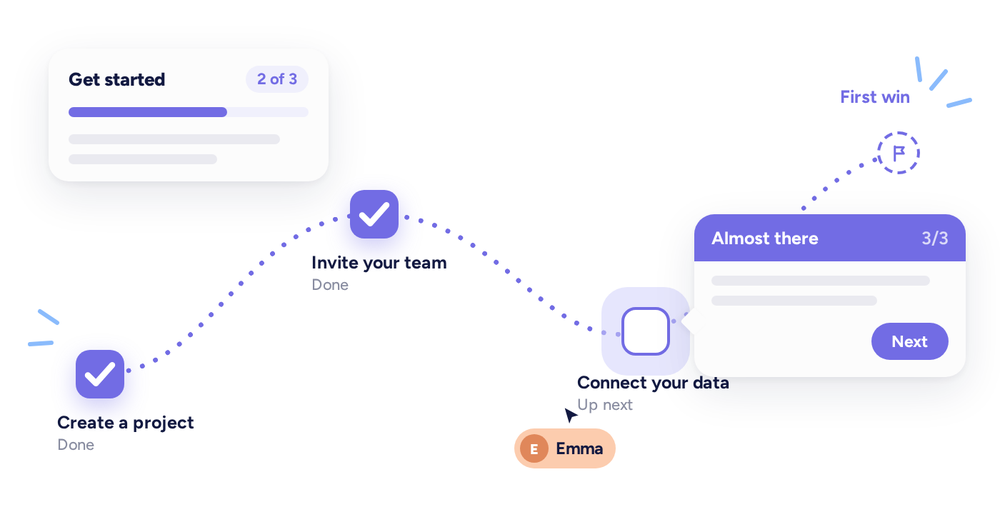
A no-code builder where seats, experiences, checklists and the resource center are unlimited on every plan, and the price follows monthly active users.
Userflow builds tours, tooltips, checklists, surveys and a resource center in a visual builder, then shows them to segments of users or companies. A developer installs a JavaScript snippet or the userflow.js package once. The app then calls identify() with a user ID and attributes, group() to attach the user to a company, and track() to send named events. Company attributes are the data behind company-level targeting, which the pricing table lists. Checklists can be triggered by role or lifecycle stage and tick steps off automatically from user behavior, so a CSM doesn't mark progress by hand.
The feature that matters most to a CS team is the CRM link. On Studio and above, the Salesforce integration can start an onboarding flow when a deal closes or a contact is created, and send onboarding milestones back. The Segment integration works in both directions as well. Essentials lists Zapier and Slack; the other integrations appear to need Studio. Analytics history is 6 months on Essentials and 12 on Studio.
- You need checklists, tours, surveys and a resource center without per-seat or per-flow limits
- You want CRM-driven onboarding triggers, for example start a flow when a Salesforce deal closes
- You need a native mobile SDK; none is documented on the pages read
- You run a large user base and want predictable cost; MAU blocks add to the base price
Price, limits and integrations
Essentials is $240 a month and Studio $400 a month, both billed annually, and both include 1,000 monthly active users. Extra users are billed in blocks of 1,000 starting at $40 a month, with the block price falling at higher volume. Usage is counted over a rolling 30 days. There are 14 days of free trial with no card. Studio adds custom CSS, a white-label resource center and a dedicated customer success manager; on Studio, extra environments cost $100 a month each. Studio includes 500 AI credits a month for the Adoption Agent that answers user questions. We found no native mobile SDK in the published vendor pages. G2 lists the vendor as Joincube, Inc. (DBA Beamer) and shows 4.8 from 125 reviews; no review text is quoted, so no themes are given.
- Starting price
- Essentials $240/mo, Studio $400/mo, billed annually, 1,000 MAUs included
- Entry price
- $240/mo annual, 1,000 MAUs
- Billing basis
- Monthly active users, rolling 30 days
- Free trial
- 14 days, no card
- Seats
- Unlimited on all plans
- CRM sync
- Salesforce and Segment on Studio and above
- Ownership
- Acquired by Beamer in February 2024 (reported); G2 lists the vendor as Joincube, Inc. (DBA Beamer)
Appcues
No list price; the pricing page says every plan has every experience type.
A no-code builder where the pricing page says every plan includes every experience type, flows start from a page, an audience or a tracked event, and plans are capped by monthly users and published experiences.
Appcues builds flows in its Studio builder or from a Chrome extension on the live page. Steps are modals, slideouts, tooltips or hotspots with text, images, video, forms and surveys. Under Target and Publish a flow gets page rules, an audience, a frequency and a priority, and it can be tested in a staging environment before it goes live for matching users.
Installation has three parts: the SDK (snippet, npm, Segment or Google Tag Manager), identify() for users and groups, and track() for events. User ID is the only required property, and account-level attributes go in as group properties. HubSpot, Salesforce and Mixpanel data is matched by User ID, so a CSM can target by plan, role or a CRM list. A flow can also start from a single event, though the docs say event attributes can filter the trigger but can't be used in audience targeting, and that event triggering is on select plans or an add-on.
- You want CS or product to build and publish tours and checklists without engineering after a one-time install
- You need segment and event triggers plus HubSpot, Salesforce or Segment data for targeting
- You need account-level checklist progress out of the box, since completion is tracked per user ID
- You need published, predictable pricing; no USD prices are listed and plans are capped by MAUs and published experiences
- Users like
- Easy to use, easy setup and creation
- Users dislike
- Limitations and missing features
- Source: G2, 359 reviews
Plans, limits and account handling
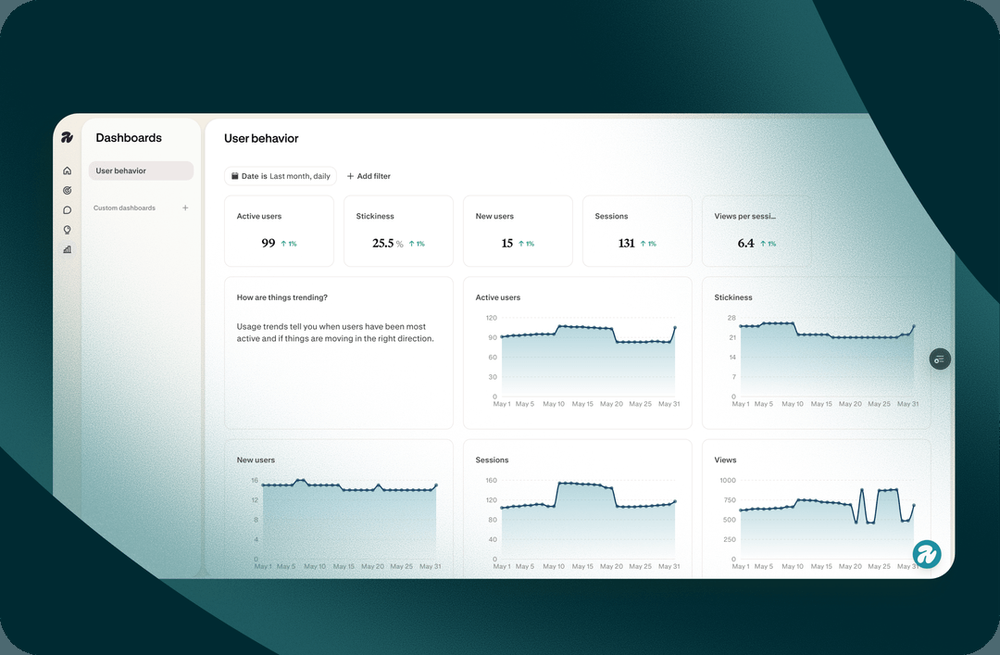
The pricing page shows three plans, Start, Grow and Enterprise, and no USD prices. Start covers up to 3,000 monthly active users and 10 published experiences, Grow starts at 3,000 users and 25 experiences, and Enterprise has 100. Third-party sites quote conflicting figures, so we don't repeat them. The pricing page says every plan includes every experience type and integration, and that overages are handled by an upgrade conversation rather than a shut-off. The pricing page lists a trial without a card and no free plan; G2 data shows a $0 'Start Free' offer we could not confirm, and a Spark program exists for teams under 25 people. Checklist items can launch a flow, send the user to a page or complete on a property or event, and progress is tracked per user ID, so account-level completion needs separate work. A help-center article title points to a mobile SDK; we did not read it.
- Starting price
- Quote-based, no USD prices published; plans Start (up to 3,000 MAUs), Grow, Enterprise
- Billing basis
- MAUs, installations, published experiences
- Plan caps
- Start 10 experiences / Grow 25 / Enterprise 100
- Install
- Snippet, NPM, Segment or GTM
- Checklist completion
- Per user ID
- Free trial
- Yes, no card
UserGuiding
Entry price, trial and quotas on checklists and segments.
A no-code builder for web apps with a Chrome extension editor, published entry prices and a 14 day trial, capped by how many checklists and segments are active at once.
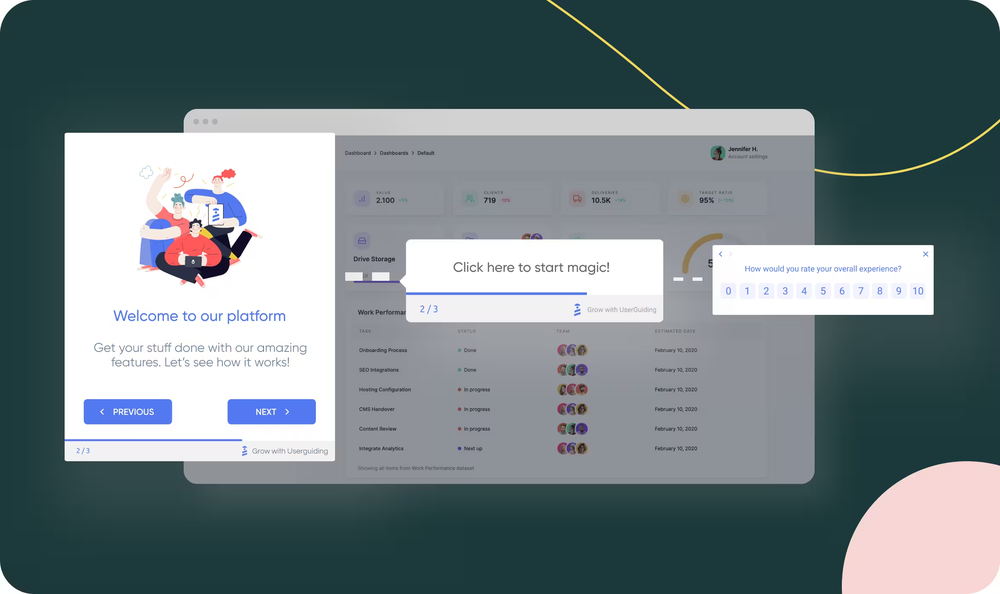
UserGuiding builds tours with tooltips, modals and progress bars in a Chrome extension, chains them into onboarding sequences and shows them only to segments based on user attributes, behavior or events. Each tour reports views, completions, completion rate and drop-off by step. Separate no-code event tracking records clicks, hovers, inputs and page views, so a CSM can track clicks and page views without asking a developer for a new event.
Installation is a container code snippet placed in the head of the app, or loaded through Google Tag Manager. User attributes go in through identify(), and company attributes go in a company object in the same call, which needs a company ID. The help center lists Company page articles, which suggests account data can be viewed there; we read only the titles. The limit to plan for is the content quota: the pricing page appears to cap active checklists and surveys at 1 on Starter and 5 on Growth, and segments at 10 and 25; the table layout was ambiguous.
- You need checklists, tours and NPS running fast on a web app without engineering time after setup
- You want published entry pricing and a 14 day trial without a sales call
- Your users are mostly in a native mobile app
- You need deep analytics or heavy customization of flows
- Users like
- Ease of use, quick setup, responsive support
- Users dislike
- Limited customization, basic analytics, weak mobile support
- Source: G2, 772 reviews
Price, quotas and integrations
Starter is from $249 a month and Growth from $499 a month; both start at 2,000 monthly active users and go to a quote above that. The vendor page doesn't say whether the monthly figure assumes annual billing, and G2 lists lower starting prices ($174 and $349), so confirm the current price and billing cycle with the vendor. Enterprise is quote only. Surveys and NPS, reporting and segmentation are on Starter; A/B tests with goal tracking, advanced analytics, premium integrations and localization are listed from Growth. Integrations include HubSpot, Salesforce, Segment, Amplitude, Mixpanel, Intercom and Slack; we found no Gainsight, ChurnZero or Vitally connector. The help center says native mobile apps are not supported, and screens under 800 pixels require contacting the vendor.
- Starting price
- From $249/mo (Starter, 2,000 MAU, billing cycle not stated); Growth from $499/mo; Enterprise custom
- Free trial
- 14 days, no card
- Entry MAU
- 2,000, quote above
- Checklists
- 1 active on Starter, 5 on Growth
- Segments
- 10 Starter, 25 Growth
- Mobile
- Native mobile apps not supported per help center
- CRM sync
- HubSpot, Salesforce, Segment
Chameleon
Launchers for checklists; CRM connections from Pro.
A no-code builder where checklists and resource centers are built as Launchers and priced by monthly tracked users, with checklists, segmentation and CRM connections starting on Pro.
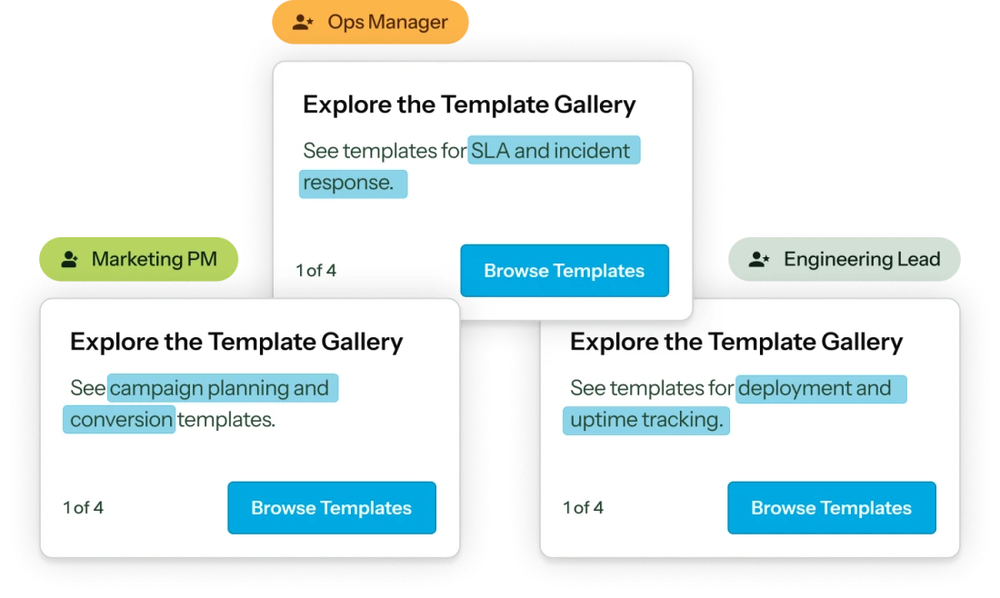
The Chameleon pricing page lists four experience types: Tours (single or multi-step overlays), Launchers (an on-demand menu used for onboarding checklists and resource centers), Microsurveys for NPS, CSAT and feature feedback, and HelpBar, a search box that surfaces your knowledge base in the app. Experiences are built in a Chrome-based builder on the live product, or drafted with Copilot, an AI agent that writes the copy, sets targeting and builds a campaign for review.
A developer installs the npm package, a script tag or a Segment, Google Tag Manager or Freshpaint connection, then calls chmln.identify(). Account data goes in a nested company object with a uid, name and plan. Salesforce contact and account records can decide who sees guidance, HubSpot and Mixpanel sync both ways, and Slack gets alerts. Completion leaves Chameleon as a webhook, for example tour.completed or response.finished, with a JSON payload to your own endpoint.
- You want non-technical staff to build tours, checklists and surveys after a one-time install.
- You need Salesforce account data to decide who sees guidance, or a HubSpot, Mixpanel or Amplitude integration.
- You need a permanent free plan; only a trial is listed.
- You need published mobile app support; none was found in the pages read.
- Users like
- Easy interface and no-code building with fast support.
- Users dislike
- Steep learning curve for advanced features and some bugs.
- Source: G2, 364 reviews
Plans, caps and billing basis
Startup is from $279 for 2,000 monthly tracked users, Pro from $750 a month for 5,000, Growth from $1,250 a month for 5,000, and Enterprise is custom. Pro is billed monthly and Growth annually; Startup's billing cycle is not stated. Live experiences are capped at 10 on Startup and 20 on Pro; seats at 10 on Pro and 15 on Growth. The pricing table appears to list checklists, segmentation, A/B tests, webhooks and CRM connections from Pro, not Startup; confirm Startup's limits with Chameleon. Extra seats and single sign-on cost extra. The trial is described as 14 days in the FAQ and 30 days elsewhere on the page. Billing counts every user ID sent by Segment, the API or webhooks over a rolling 30 days, even if the person never opens the app. We found no mobile support or Gainsight and Vitally integration on the published vendor pages.
- Starting price
- From $279 (Startup, 2,000 MTUs); Pro from $750/mo for 5k MTUs; Growth from $1,250/mo for 5k MTUs; Enterprise custom
- Billing basis
- Monthly tracked users (MTUs)
- Entry price
- From $279 for 2,000 MTUs
- Live experiences
- 10 Startup, 20 Pro, unlimited Growth
- Seats
- 10 Pro, 15 Growth, unlimited Enterprise
- Trial
- 14 days listed (page also says 30)
- Account data
- Company object in identify call
Tools that share the product team's analytics
When the person who owns onboarding is a product manager who also reads funnels, a tool that holds both the flows and the usage data saves an export step. These two do that. For a CS team the trade is access: the plans are priced by monthly users and the features a CSM wants most sit higher up.
Userpilot
Flows, checklists and analytics in one tool.
An in-app engagement and analytics tool where a Chrome extension builds flows and checklists, targeted by segment, event or page, with the Resource Center starting on Growth.
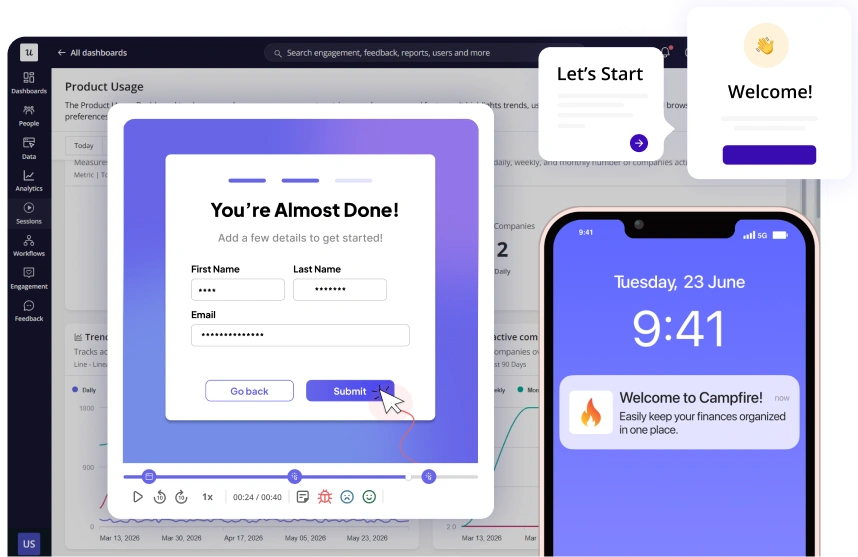
Userpilot flows are modals, slideouts, tooltips and driven actions, and they can branch by a signup answer or by segment. A welcome survey on first login can sort users by role, use case or goal. Checklists are built without code, and older docs list a maximum of 15 tasks; each task can do nothing and complete automatically, go to a page, trigger a flow or run a script. The Resource Center holds guides, FAQs, video tutorials and knowledge base content inside the product.
A developer installs a JavaScript snippet, npm package, Segment or Google Tag Manager, then identifies users with identify(), companies with a company object that needs an ID, and events with track(). Dashboards cover signups, activation and trial-to-paid conversion, with funnels, paths, retention and cohorts, and the vendor lists session replay, A/B tests and event autocapture. The pricing page appears to list up to 10 segments on Starter and unlimited segments on Growth and Enterprise.
- You want in-app flows, checklists and analytics in one tool and can get an engineer to install the SDK once
- Your accounts are tracked by company ID and you want segment-based tech-touch onboarding
- You need a permanent free plan, since only a 14-day trial is listed
- You need Resource Center, advanced surveys or CRM sync on a small budget, since these sit on Growth or add-ons
Price, plan gating and add-ons
Starter is $299 a month with 2,000 monthly active users, 3 seats and one year of data retention. Growth starts at $849 a month, includes 15 seats and three years of retention, and has to be bought through a demo. Enterprise is quote only. The pricing page lists no permanent free plan, and a 14 day trial without a card is mentioned in the footer; the Starter button reads 'Get Started Free', which we could not classify. Resource Center, advanced surveys and advanced product analytics appear to start on Growth, and Starter includes NPS; the checkmarks were hard to read, so confirm with Userpilot. Salesforce and HubSpot sync appear as add-ons and premium CRM integrations as an Enterprise feature, and mobile engagement is listed as Enterprise. G2 shows 1,020 reviews for Userpilot, with a 4.6 rating read from a comparison card on another G2 page.
- Starting price
- Starter $299/mo (2,000 MAU), Growth from $849/mo, Enterprise quote only
- Billing basis
- Monthly active users
- Starter
- $299/mo, 2,000 MAU, 3 seats
- Growth
- From $849/mo, 15 seats, Resource Center
- Checklist limit
- 15 tasks per checklist (older docs)
- Install
- JS snippet, NPM, Segment or GTM
- Free plan
- None listed, 14-day trial
Pendo
Free to 500 users; checklists on Guides Pro.
A product analytics platform with a no-code Visual Design Studio for in-app guides, free up to 500 monthly active users, with paid plans on quote.
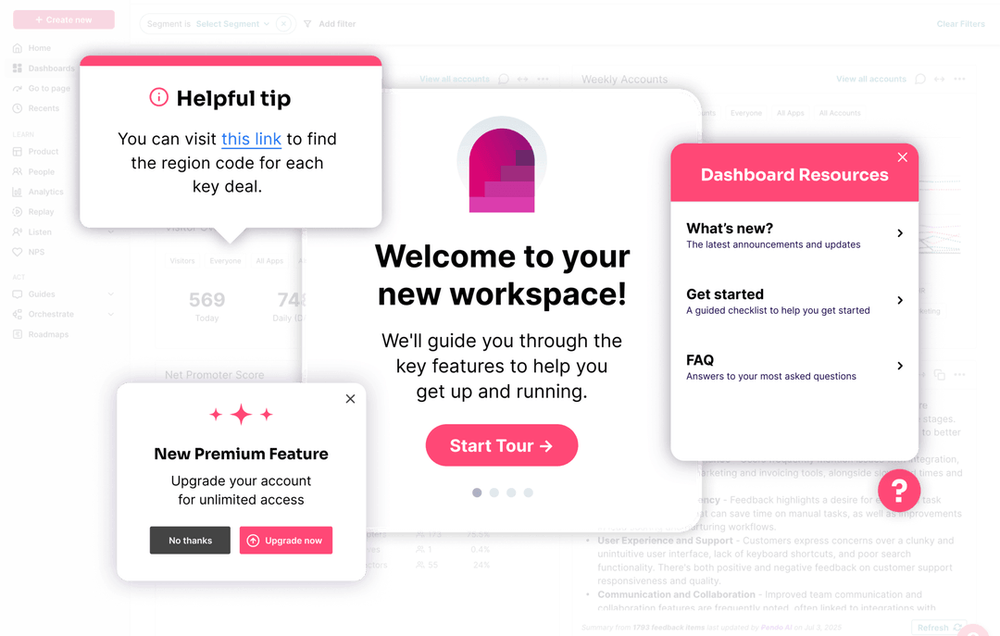
Pendo guides are built in the Visual Design Studio against the live app URL and activated automatically, by a badge, by a confirmation or on a target element, with up to two methods combined. A guide can be limited by status (staged or public), page, device type, throttling, localization and custom code, and targeted to a segment; the in-app guides page says targeting works at user or account level, while the activation docs describe visitor-level controls. The in-app guides page describes embedded guides, walkthroughs, tooltips, branching and guides on web and mobile.
The CS link is the two-way Salesforce sync. Pendo pulls Salesforce attributes such as region, customer status and account owner in for segmenting and guide targeting, and pushes usage and NPS columns back to the account, for health scores. The sync runs about once a day, and Pendo doesn't say which plan includes it. Installation uses the Pendo Web SDK with a public app ID, and Pendo recommends keeping visitor and account IDs the same across dev, QA and production.
- You want analytics and in-app guides in one tool and need Salesforce attributes for guide targeting
- You can start on the free 500 MAU plan and negotiate paid pricing later (the plan that includes the Salesforce sync is not published).
- You need published prices or a plan list you can budget without a sales call
- You need checklists and a full Resource Center on a plan whose tier mapping is not published
Free plan, tiers and Salesforce sync
Pendo's free plan includes analytics, in-app guides, Pendo-branded roadmaps and Pendo-branded NPS surveys up to 500 monthly active users, and the pricing page says free users over 500 monthly active users can't create new segments until they upgrade. Base, Core and Ultimate are quote only and priced by monthly active users over 30 days; Core appears to add session replay and Ultimate to add sentiment surveys such as NPS, PMF and CSAT; the feature table was ambiguous. The support docs split guides into Guides and Guides Pro, and list checklists, a full Resource Center, localization and guide A/B tests as Guides Pro only. Pendo doesn't publish how Guides Pro maps to Base, Core and Ultimate, so ask before you buy. G2 data read on another product's comparison page shows 4.4 from 1,825 reviews; Pendo's own G2 page is not cited.
- Starting price
- Free up to 500 MAU; Base, Core and Ultimate quote only
- Free plan
- 500 MAU
- Paid pricing
- quote only
- Checklists
- Guides Pro
- Salesforce
- two-way sync, every 24 hours
- Mobile guides
- included
The option tied to a customer success platform
Most CS teams already hold account health in a platform. One in-app tool is built to sit next to it.
Gainsight PX
Account targeting and CS program triggers.
Gainsight's product experience product for in-app guides, surveys and analytics, targeted by user and account, with a native link to Gainsight Customer Success.
Gainsight PX needs a developer for the PX tag in the page head and an identify call with a required user ID and a required account ID. Accounts then appear in Account Explorer and users in Audience Explorer, and segments combine user and account rules such as role, plan, feature usage and custom events with AND and OR logic. Guides are built in an in-app editor from your product URL, with badge, tooltip and hotspot steps mapped to elements on the page, and a launch is blocked until steps are mapped and audience rules are saved.
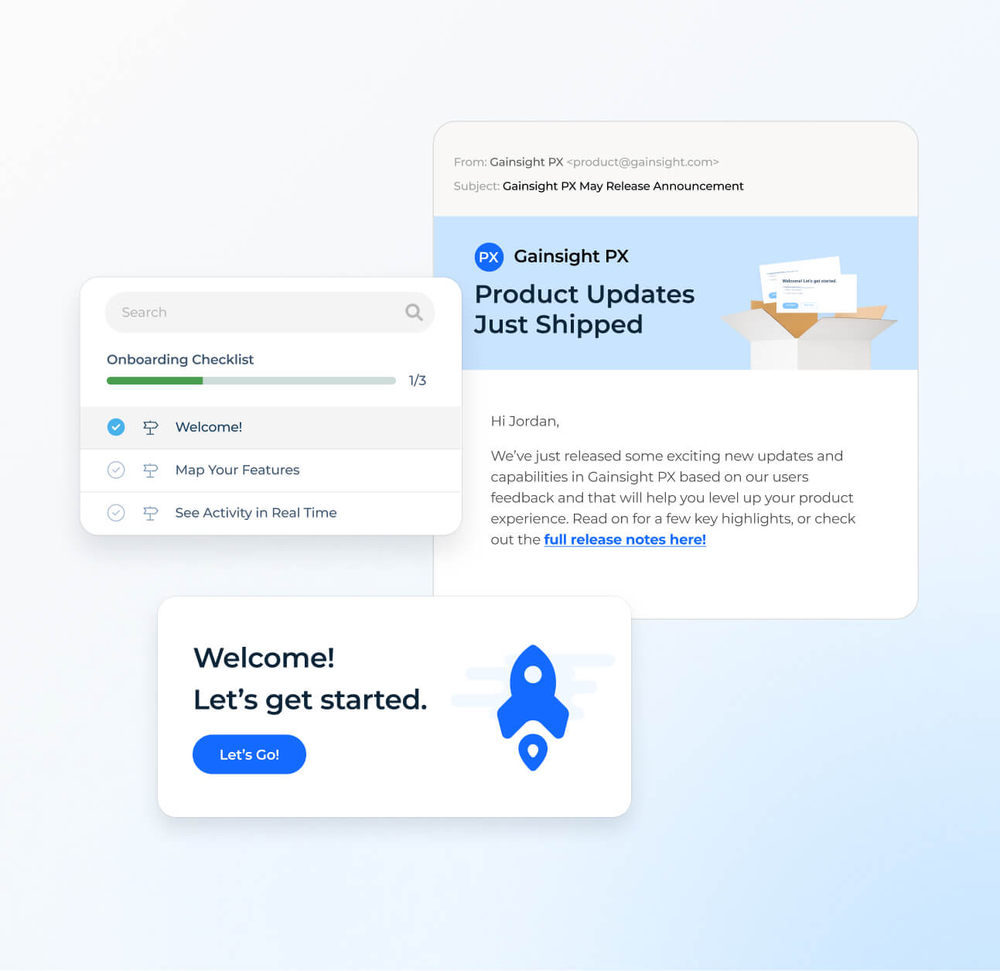
What sets it apart for a CS team is Journey Orchestrator. A program in Gainsight CS can trigger a PX dialog, slider, guide or survey, so a CSM reacts to an account signal with an in-app message. That needs both CS and PX subscriptions and a PX connector. PX also lists goals measured by a feature or custom event, throttling to limit user fatigue, and surveys such as NPS, CES and CSAT. One caution: the product page mentions onboarding checklists, but the engagement types in the docs we read don't name checklists or a resource center.
- You already run Gainsight CS and want CSMs to trigger in-app guides and surveys from CS programs.
- You need account-level targeting plus funnel and path analytics in one product.
- You want published prices and a self-serve plan; PX is quote only.
- A CSM must build flows without developer help; install and the identify call need engineering.
- Users like
- in-app engagements and audience targeting are flexible, analytics are useful out of the box
- Users dislike
- a learning curve and complex setup, and editor previews that don't always match the live result
- Source: G2, 243 reviews
Scope, Journey Orchestrator and limits
Gainsight lists pricing as Request Pricing, with no plans, prices, billing basis or user caps shown. The pricing page names Product Analytics, In-App Guides and Engagements, In-App Hub, User Surveys and Feedback, and web, mobile and desktop support as the PX scope, without per-plan gating. Runtimes include iOS, Android, React Native and Windows desktop. CSV segments take up to three hours to become available. G2 shows 4.4 from 243 reviews and lists native integrations with Gainsight Customer Success, Customer Communities and Skilljar, with an average implementation of three months.
- Starting price
- Quote only; no plans, prices or user caps shown
- Pricing
- Quote only
- Targeting
- User and account rules, AND/OR
- Install
- JS tag plus identify call
- Surveys
- NPS, CES, CSAT
- Platforms
- Web, iOS, Android, desktop
- CS link
- Journey Orchestrator triggers
What each plan includes
Marketing pages list the same words, tours, checklists, resource center, for every tool. The table shows what the pages and docs we read say about the three things a CS team asks for first.
| Tool | Checklists | Resource center | Account-level targeting | CRM sync |
|---|---|---|---|---|
| Userflow | On every plan | On every plan; white-label on Studio | Company-level targeting listed in the pricing table, fed by group() | Salesforce and Segment on Studio and above, HubSpot listed with Studio's integrations; Zapier on all plans |
| Appcues | Listed as included on every plan; progress per user ID | Listed as included on every plan | Group properties sent with the user | HubSpot, Salesforce and Mixpanel matched by User ID |
| UserGuiding | On every plan, 1 active on Starter and 5 on Growth | Documented as a widget; plan quota not clear | Company object in identify(), needs a company ID | HubSpot, Salesforce and Segment; premium integrations from Growth |
| Chameleon | From Pro, built as Launchers | Built as a Launcher; not gated separately on the pricing page | Company object in identify() | Salesforce, HubSpot and Mixpanel from Pro |
| Userpilot | Without code, up to 15 tasks; plan not confirmed | Growth and above | Company object with required ID | Salesforce and HubSpot as add-ons |
| Pendo | Guides Pro; tier mapping not published | Full access on Guides Pro, limited on Guides | User or account level segments | Two-way Salesforce sync about daily |
| Gainsight PX | On the product page, not in the docs we read | In-App Hub listed; resource center not named in the docs we read | Required account ID, user and account rules | Journey Orchestrator from Gainsight CS |
What drives the bill
Six of the seven tools price by monthly users, and Appcues also counts installations and published experiences, so the first question is how many people open your app in a month. Gainsight PX publishes no billing basis. The entry price tells you very little without the user count next to it.
| Tool | Entry price (USD) | Users included | What changes the price |
|---|---|---|---|
| Userflow | $240 a month, billed annually | 1,000 monthly active users | Extra users in blocks of 1,000 from $40 a month; Studio is $400 |
| UserGuiding | From $249 a month | 2,000 monthly active users | Quote above 2,000; Growth from $499 |
| Chameleon | From $279 | 2,000 monthly tracked users | Pro from $750 for 5,000; live experience caps on lower plans |
| Userpilot | $299 a month | 2,000 monthly active users | Growth from $849 and a demo to buy |
| Appcues | Not published | Start up to 3,000 monthly active users | Published experiences: 10, 25 or 100 by plan |
| Pendo | Free; paid on quote | 500 monthly active users free | Plan tier and monthly users |
| Gainsight PX | Quote only | Not published | Not published |
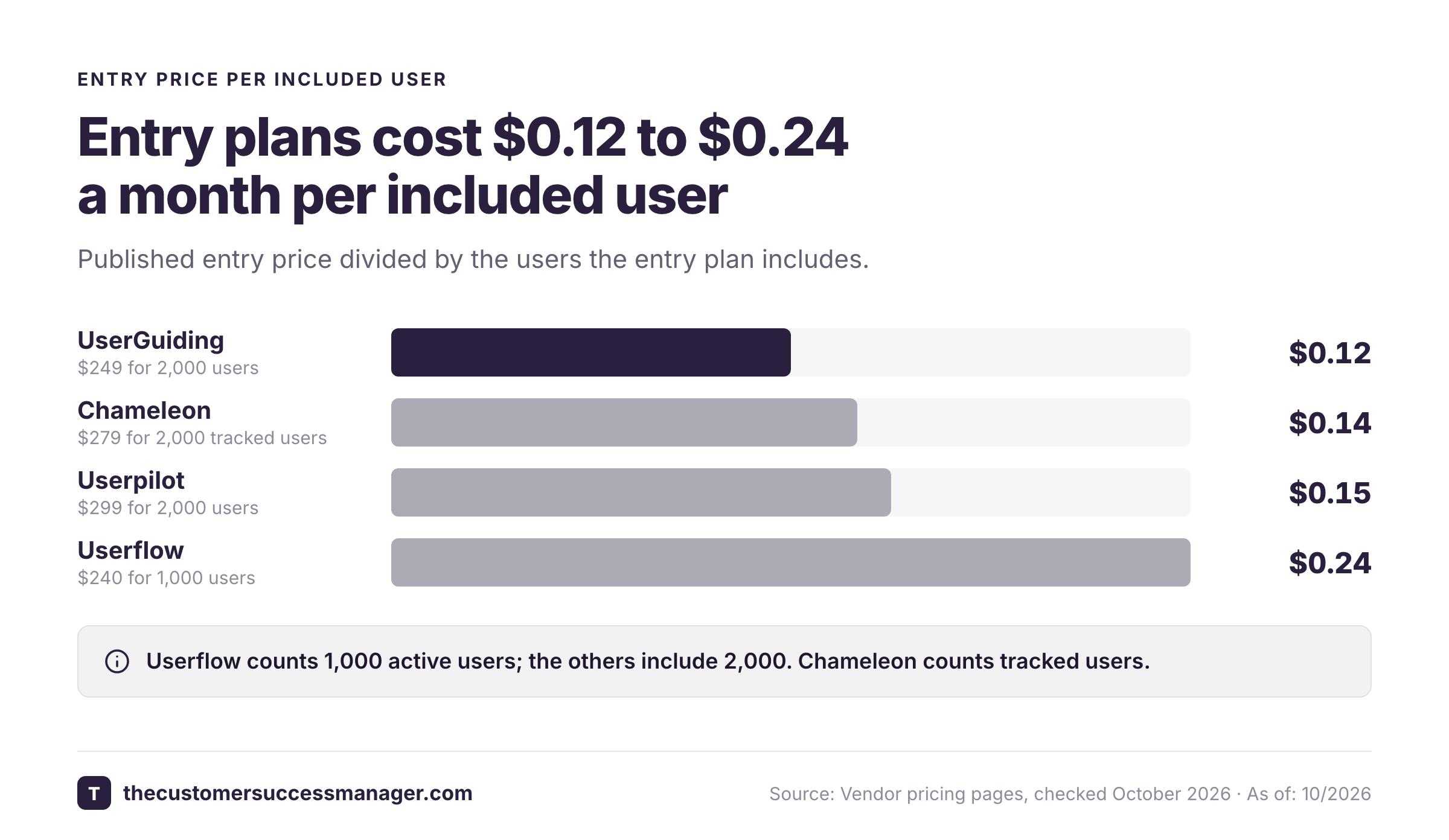
Prices were read on the vendor pages in October 2026. Userflow and UserGuiding show the lowest published monthly figures, but Userflow's includes half as many users as UserGuiding's, so compare the price per included user and the plan limits before you compare the headline number. Divided by the users each entry plan includes, that is about $0.12 a month for UserGuiding, $0.14 for Chameleon, $0.15 for Userpilot and $0.24 for Userflow. These figures use the headline price: Userflow's is billed annually, UserGuiding's and Chameleon Startup's billing cycle is not stated, and Userflow's extra users cost only $40 per 1,000, so its per-user cost falls as you add blocks.
Who does what in tech-touch onboarding
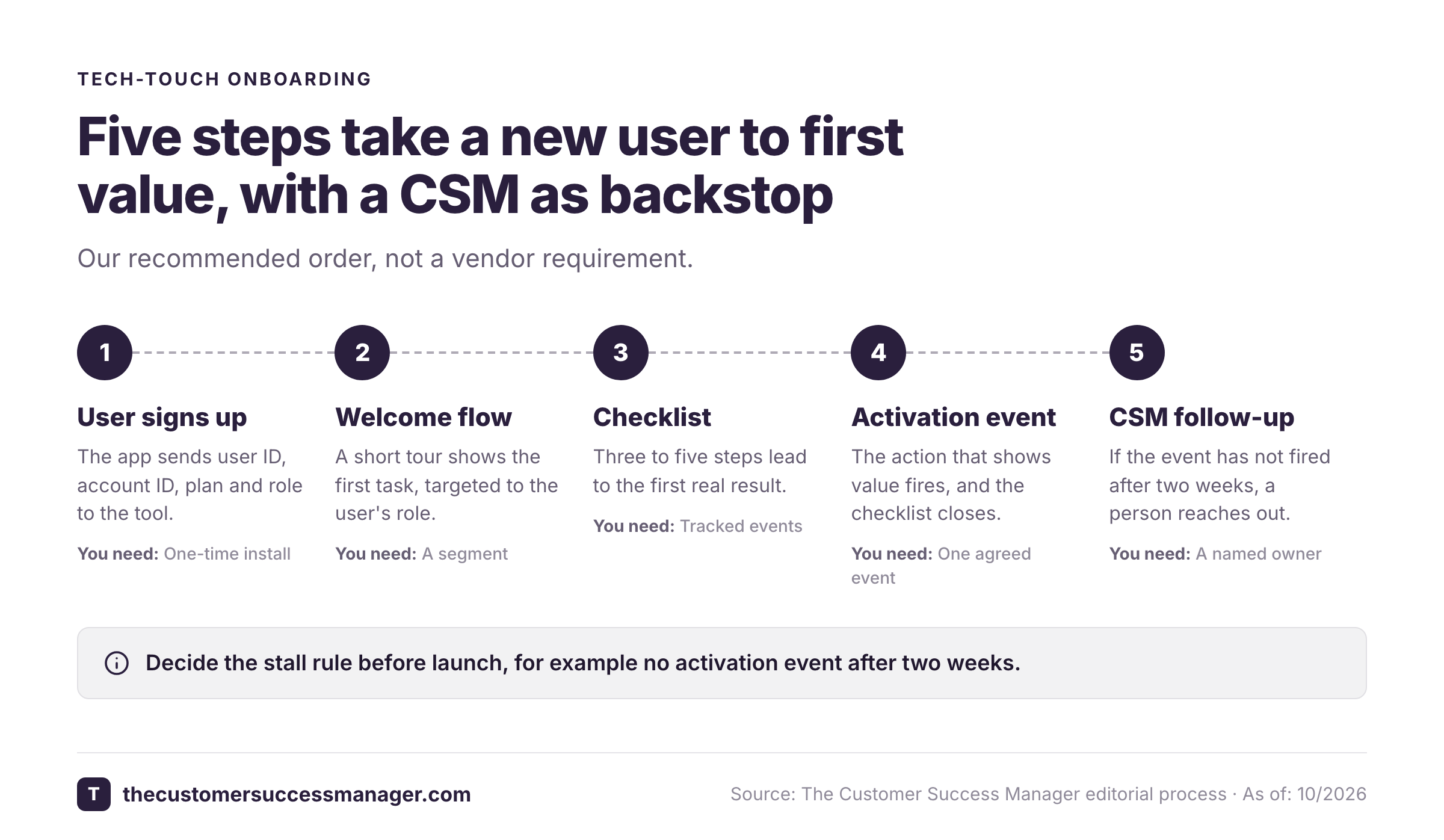
The software doesn't decide the result. The split of work does. This timeline shows a workable split for a first in-app onboarding flow.
- EngineerInstall the script and send user ID, account ID, plan and role Week 1
- CSM and product managerPick the one action that shows a new user got value, such as the first report shared, and send it as an event Week 1
- CSMBuild a welcome flow and a short checklist for one segment, for example new admins Week 2
- SupportList the five how-to questions that come in most and put the answers in the help menu Week 2
- CSMPublish to that segment only and watch completion and drop-off by step Week 3
- CSM and product managerEdit the step with the biggest drop-off, then widen the segment Every two weeks
- CSMSet a rule for a human follow-up when an account's users stall, such as no activation event after two weeks Week 4
How do you measure user onboarding?
Count the share of new users who reach the activation event, and look at where they leave. Appcues reports flow completion rates and step-by-step drop-off, UserGuiding shows views, completions and completion rate per tour with drop-off by step, and Userpilot has dashboards for signups, activation and trial-to-paid conversion. Review the numbers every two weeks, change the one step with the biggest drop-off, and compare cohorts of new users before and after the change. A completed tour is a weaker signal than the activation event itself, because a user can click through every tooltip and still never do the task.
Where in-app onboarding stops
An in-app tool knows what a user clicked. It doesn't know what your team promised the customer's champion on the kickoff call: "we will set up single sign-on before your launch on the 12th" or "an engineer will join your next planning call." Those promises sit in call notes and email threads, and they are the first thing lost when an account changes owner.
How to choose user onboarding software
- A CSM must build and change flows without engineeringUserflow, Appcues, UserGuiding or Chameleon
- No per-seat or per-flow limits and a CRM trigger for new dealsUserflow on Studio
- Flows and funnels in one tool owned by productUserpilot or Pendo
- A free start while you testPendo up to 500 monthly active users
- A CSM triggers in-app guides from a Gainsight CS programGainsight PX
- Mobile app onboardingPendo and Gainsight PX list mobile guides, Appcues lists a mobile SDK (docs not read) and Userpilot lists mobile on Enterprise; ask the others in writing
Before you sign, ask each vendor four things in writing: which users are counted on the bill, which plan holds checklists and the resource center, whether a CSM can edit a live flow without a developer, and how account-level progress is reported. Our guides to customer success software, customer engagement software and knowledge base software cover the tools around onboarding.
FAQ
What is the best user onboarding software?
The best user onboarding software depends on who builds the flows. For a CSM without engineers, Userflow, Appcues, UserGuiding and Chameleon are the no-code builders in this guide. Userpilot and Pendo suit teams where product owns onboarding and wants analytics in the same tool. Gainsight PX suits companies that already run Gainsight Customer Success.
How much does user onboarding software cost?
Published entry prices are $240 a month for Userflow with 1,000 monthly active users, $249 for UserGuiding (billing cycle not stated) and $299 for Userpilot with 2,000, and $279 for Chameleon with 2,000 tracked users. Appcues, Gainsight PX and Pendo's paid plans publish no USD price. For six of the seven tools the bill rises with the number of monthly users; Gainsight PX publishes no billing basis.
Is there free user onboarding software?
Pendo has a free plan up to 500 monthly active users with analytics and in-app guides. Userflow, UserGuiding and Userpilot list a 14 day trial, Pendo's pricing FAQ mentions a 30 day trial through sales, Chameleon lists a trial of 14 or 30 days, and Appcues offers a trial without a card. We did not find a permanent free plan for the others.
Do you need a developer to set up user onboarding software?
Yes, once. Every tool here needs a script or SDK installed in your app and a call that sends user and account details. After that, the no-code builders let a CSM or product manager create and publish flows, though some event triggers and account attributes still need an engineer.
What is the difference between user onboarding and customer onboarding software?
User onboarding software guides individual users inside your product with tours and checklists. Customer onboarding software manages the account with a project plan, tasks, owners and a go-live date, usually run by a person. Large B2B accounts often need both.