
The best Rocketlane alternative depends on how you want to pay and how much of the platform you actually use. GUIDEcx and OnRamp are the like-for-like onboarding platforms and both price by quote. Dock is the lightest option and has a free plan. Moxo fits onboarding that is mostly paperwork with the customer, and Kantata sits at the heavy end with resourcing and financials. monday.com and Asana suit teams that would rather bend a work management tool than buy an onboarding platform. This guide compares seven alternatives with Rocketlane as the reference, on price model, how each one starts a project from a deal, how customers get in, and who should skip it.
It's written for customer success managers and CS leaders at B2B software companies who run onboarding or implementation. Rocketlane is rated 4.7 on G2 from 881 reviews, so few teams leave because it fails. They leave because the per-seat price has a five-member floor, because it has grown into a professional services platform with more in it than an onboarding team needs, or because reporting and customization limits get in the way. Those are the cases this page sorts out.
- platforms compared, Rocketlane included
- 8
- Rocketlane's G2 rating and review count
- 4.7 from 881
- publish a price list you can budget with
- 4 of 8
Why teams look past Rocketlane
Rocketlane holds a 4.7 rating on G2 from 881 reviews. Reviewers especially praise ease of use and clear project tracking. The complaints that come up most concern missing features and about how the product behaves once projects get large.
Three reasons sit behind switching for a customer success or onboarding team.
- The price follows your team, and it has a floor. Standard ($49) and Premium ($69) are priced per team member per month on annual billing, with a minimum of five team members. Five members on Standard come to $245 a month, which is our arithmetic from the published price. Customer members are unlimited on every plan, so the bill grows with your headcount, not your customer count.
- It's a bigger platform than an onboarding portal. Rocketlane now describes itself as an enterprise PSA platform. Resource planning, utilization tracking, invoicing and revenue recognition sit in Premium. A team that only needs a customer-facing plan, forms and approvals is paying for a platform with far more in it.
- Reporting and automation limits show up as you scale. G2 reviewers name missing reporting and audit logs and limited customization. The pricing page lists custom reports and unified dashboards on Enterprise only, and caps custom automations at 200 runs per user per month on Standard and 500 on Premium.
If none of these is your reason, skip ahead to the section on when to stay on Rocketlane.
What Rocketlane's three plans include and cap
Most alternatives below publish less about packaging than Rocketlane does, so it helps to know what the reference platform states. These are the figures on Rocketlane's pricing page, read on November 18, 2026.
| Item | Standard | Premium | Enterprise |
|---|---|---|---|
| Published price | $49 per team member per month, billed annually | $69 per team member per month, billed annually | Custom |
| Minimum | 5 team members | 5 team members | Quote |
| Projects and customer members | Unlimited | Unlimited | Unlimited |
| Branded customer portal, approvals, magic-link login | Included | Included | Included |
| HubSpot | Included | Included | Included |
| Salesforce | Not listed | Included | Included |
| Time tracking and timesheets | Included | Included | Included |
| Resource planning and utilization | Not listed | Included | Included |
| Invoicing and revenue recognition | Not listed | Included | Included |
| Custom automation runs per user per month | 200 | 500 | Unlimited |
| Custom reports and unified dashboards | Not listed | Not listed | Included |
| SAML and role-based access | Not listed | Not listed | Included |
Two things follow from the table. A team that wants Salesforce to start projects is shopping for Premium, at $345 a month for five members. And anyone who wants custom reports is shopping for a quote, which changes the comparison with platforms that publish a single price.
Rocketlane alternatives at a glance
 Best like-for-like swapGUIDEcxStarts a project on closed-won and gives customers a login-free portal, with unlimited projects and customers on all three packages, sold by quote.
 Best for volume-based pricingOnRampPriced from $15,000 by onboarding volume rather than per seat, with the Aero AI layer in every plan.
 Best for a free startDockA free plan with 10 workspaces, then $350 a month with five users, and free access for the customers you invite.
 Best for paperwork-heavy onboardingMoxoFlows that chain forms, file requests, approvals and e-signatures, with customers acting through a portal or magic link.
 Best when staffing and margins matter mostKantataA full PSA with resourcing, forecasting and financials, sold by quote.
 Best if your team already runs on itmonday.comA board per customer from a template, from $9 a seat on annual billing, with a free plan for two seats.
 Best for guests and rules, not a portalAsanaForms and rules that assign tasks, with free guests, from $10.99 a user.
 For the promises made on kickoff callsThe Customer Success ManagerKeeps each customer commitment with an owner and evidence, beside whichever onboarding tool you choose.
| Tool | Best for | What the customer gets | Published price | Rating |
|---|---|---|---|---|
 Rocketlane | The reference: services-led onboarding with a portal | Project templates, a branded customer portal and, from Premium, resourcing and billing | $49 per team member per month (Standard) or $69 (Premium), billed annually, 5-member minimum; Enterprise custom | 4.7 (881) |
| GUIDEcx | A closed-won launch and a login-free portal | Closed-won launch, templates and a login-free customer portal | Quote only, no public price (Starter, Premium and Advanced packages) | 4.6 (463) |
| OnRamp | Many accounts, priced by volume | Playbooks that start from a closed-won deal and a portal the client opens by magic link | Starts at $15,000 (quote only; scales with playbooks, customer accounts and user types; no self-serve trial) | 4.4 (208) |
| Moxo | Forms, approvals and signatures with the customer | Flow templates with forms, approvals and e-signatures for external parties | No published price list; pricing links lead to a demo request | 4.5 (194) |
| Kantata | Services firms that bill for implementation | Resourcing, project delivery and financials in one PSA, bought by quote | Quote only; a PSA advisor builds a plan from company size and goals | 4.2 (1,576) |
| Dock | A small team that wants a free start | A shared workspace per customer with a plan, forms and engagement tracking | Free plan; Standard $350 per month with 5 seats; Premium $1,000 per month with 10 seats, billed annually | 4.6 (481) |
| monday.com | Teams already on monday | A board per customer built from a template, with a form for intake | Free plan (2 seats); Basic $9, Standard $12, Pro $19 per seat per month billed annually; paid plans start at 3 seats; 14-day Pro trial | 4.7 (17,971) |
| Asana | Teams already on Asana | A template, a form for client goals and rules that assign tasks | $10.99 per user per month (Starter) or $24.99 (Advanced), billed annually; free Personal plan for up to 2 users | 4.4 (14,135) |
| The Customer Success Manager Our product | Customer commitment tracking | Records what your team promised each customer and whether delivery was verified | From $49 per month per workspace; card required at checkout (vendor homepage, as of 2026-11-05) | No reviews yet |
Prices are the published list prices; quote-only platforms show no figure. Ratings are G2 averages.
How each platform prices, starts a project and admits customers
Only four of the eight platforms publish a price you can budget with. The rest sell by quote, so the useful comparison is the price model, the way a project starts from a deal and how customers get in without extra seats.
| Platform | Price status | How you pay | Project from a CRM deal | Customer access |
|---|---|---|---|---|
| Rocketlane | $49 or $69 published, Enterprise custom | Per team member, 5 minimum | HubSpot on Standard, Salesforce on Premium | Unlimited customer members, magic-link login |
| GUIDEcx | Quote only | Package: Starter, Premium, Advanced | Launches on closed-won | Unlimited customers, login-free secure links |
| OnRamp | From $15,000, quote only | Onboarding volume, playbooks and user types | Closed-won creates the project in Salesforce or HubSpot | Unlimited client users, magic link |
| Moxo | No public price, free trial offered | Quote after a demo | Salesforce, HubSpot and Microsoft Dynamics sync | Branded portal or time-bound magic link, no account |
| Kantata | Quote only | Plan built by a PSA advisor | Connector library of 1,200+ | Not a stated feature |
| Dock | Free, $350 or $1,000 a month | Flat plan with seats included | Salesforce and HubSpot from Standard | Free access for external collaborators |
| monday.com | $9, $12 or $19 published | Per seat, from 3 seats | No CRM start described | Guests; Standard bills one seat per four guests after the first three |
| Asana | $10.99 or $24.99 published | Per user | Salesforce connection on Advanced and up | Free, unlimited guests |
The monthly cost of the platforms with a published price depends on how many people work in them, so here is the arithmetic for your own team size.
Published list prices on annual billing, before tax. monday.com sells seats in blocks above the minimum, so the real bill can round up. GUIDEcx, OnRamp, Moxo and Kantata are quote only and aren't shown.
Platforms that sell by quote
GUIDEcx, OnRamp, Moxo and Kantata don't publish a price you can budget with, and three of them price by volume or package rather than per seat. That removes the Rocketlane seat floor and replaces it with a sales process.
GUIDEcx
GUIDEcx
An onboarding platform that launches a project from a closed-won CRM deal with a template applied, and gives each customer a branded portal that needs no login. The Advanced package adds resourcing, utilization and billing.
GUIDEcx is the closest like-for-like swap: a project starts on closed-won and customers get a login-free portal, but the price is a quote.
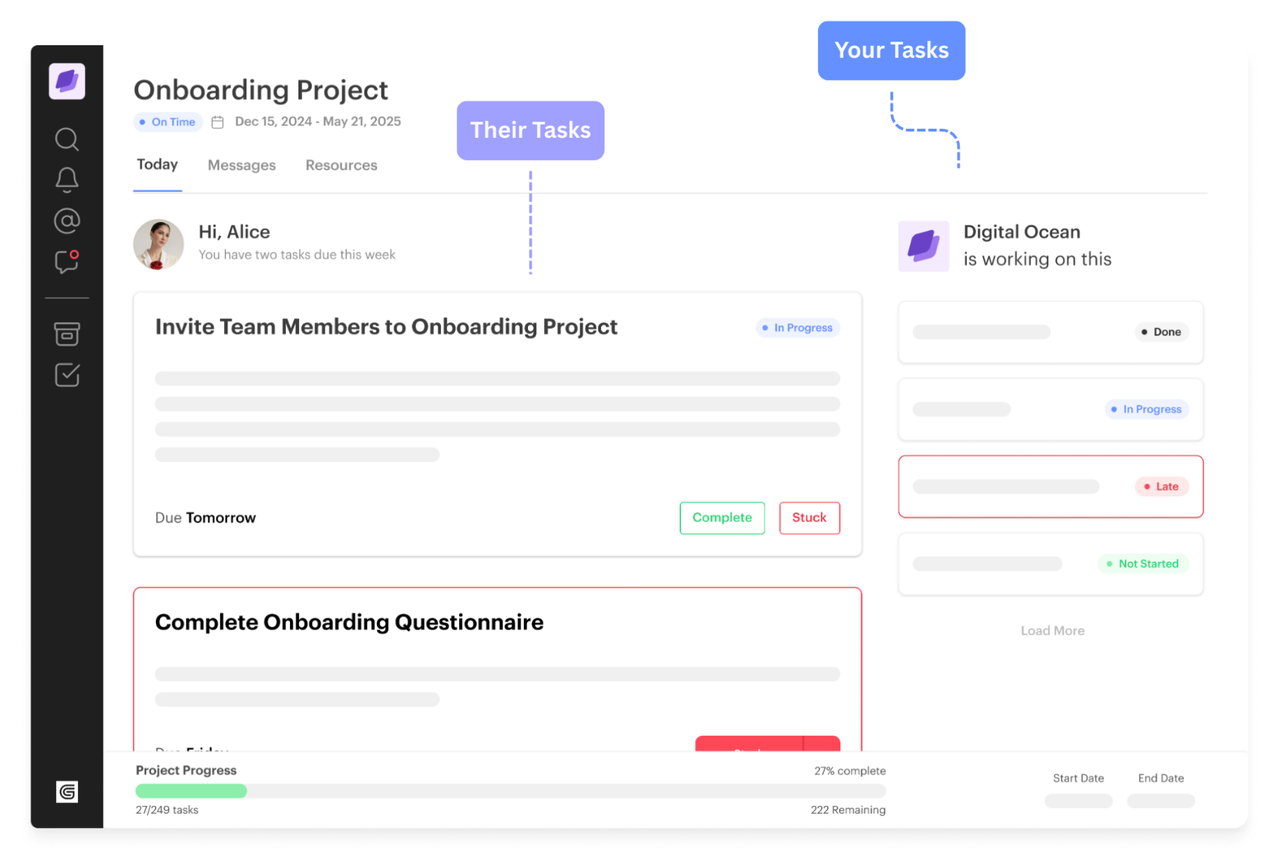
GUIDEcx starts onboarding where sales ends. A closed-won deal launches the project from a template, and each customer gets a branded portal through secure links without creating an account. Customers own tasks and see a forecast end date. All three packages include unlimited projects and unlimited customers.
Starter covers the portal, white-label branding, task and email automation, a threaded inbox and Gantt, list and board views. Premium adds MCP access, an AI-ready analytics API, a built-in iPaaS that includes a Workato subscription with 250,000 automation tasks, single sign-on, SMS notifications and CSAT surveys. Advanced adds an embedded portal, program management, a sandbox and a PSA layer with resourcing, utilization and billing. That last step covers the same ground Rocketlane Premium covers, so the two converge at the top. The vendor cites an average setup of about 45 days, and there is no free trial.
- the handoff from sales to implementation is where your onboardings stall and you want the project to start itself on closed-won
- you want customers to own tasks and see a forecast end date without creating accounts
- you want self-serve signup or a price to budget with: all three packages are quote only and there is no free trial
- you need a tool live within days: the vendor cites an average setup of about 45 days
- Users like
- ease of use, customer support and a smooth onboarding process
- Users dislike
- a steep learning curve from complex setups and slow loading on large projects
- Source: G2, 463 reviews
How it works in practice
G2 shows 4.6 from 463 reviews. Reviewers praise ease of use and support and the way onboarding runs across tools. The complaints are small in count but specific: a steep learning curve from complex setups, and slow loading on large projects. G2 files GUIDEcx under customer onboarding and customer portal, where Rocketlane sits under professional services automation.
Compared with Rocketlane, the trade is a published per-seat price for a package quote, and no seat floor. Our client onboarding software guide compares more tools built around this handoff.
- Starting price
- Quote only, no public price (Starter, Premium and Advanced packages)
- Packages
- Starter, Premium, Advanced
- Projects and customers
- Unlimited on all
- Trial
- None, demo only
- Premium adds
- MCP access, built-in iPaaS with a Workato subscription, SSO, SMS, CSAT surveys
- Advanced adds
- Embedded portal, program management, sandbox, PSA with resourcing and billing
OnRamp
OnRamp
An onboarding platform where a closed-won deal in Salesforce or HubSpot creates a project from a playbook, assigns the CSM and invites the client to a portal that needs no password.
OnRamp prices by onboarding volume instead of per seat, starting at $15,000, and includes its AI layer in every plan.
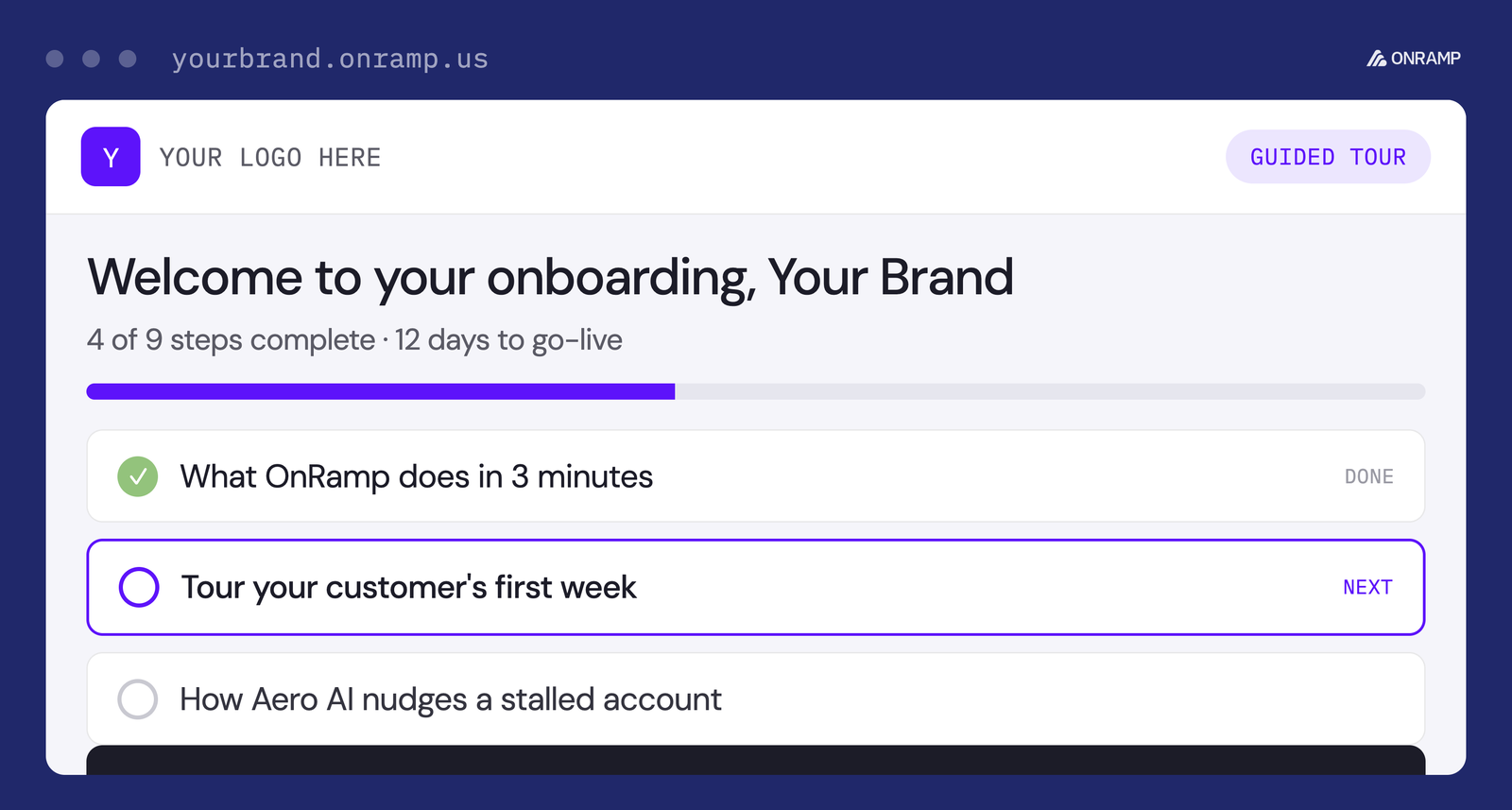
When a deal closes in Salesforce or HubSpot, OnRamp pulls the account context into a playbook, assigns a CSM through routing rules and invites the client to a portal that opens by magic link with no password. Clients see milestones, a timeline and the tasks that are theirs. Client-side users are unlimited on every plan.
Pricing starts at $15,000 and scales with onboarding volume, team size, the number of playbooks and integration needs, across plans from Basic to Premier. Every plan includes the branded portal, pre-built playbooks, automated task assignment and reminders, the Salesforce and HubSpot integrations, real-time tracking and SOC 2 Type II security. Aero, the AI layer, monitors active onboardings, flags at-risk accounts and re-engages customers who go quiet, at no extra charge. There is no self-serve trial, but teams get a sandbox during evaluation.
- a B2B team onboards many accounts and wants a closed-won deal to create the project, route it to a CSM and invite the client automatically
- you want unlimited client-side users on every plan, with role-based views
- your budget is under about $15,000 a year: that is the published starting price and there is no self-serve trial
- you want per-seat billing: OnRamp quotes by playbooks, active customer accounts and user types on a call
- Users like
- ease of use and customer support
- Users dislike
- missing features, limited customization and a steep learning curve
- Source: G2, 208 reviews
How it works in practice
G2 shows 4.4 from 208 reviews. Reviewers praise ease of use and responsive support. The recurring complaints are missing features, such as limited visibility of customer notes, a steep learning curve and limited customization.
Compared with Rocketlane, OnRamp is the better fit when you onboard many accounts and want deal-to-project routing to do the assigning. It's a poor fit, though, if you also want time tracking and billing in the same system.
- Starting price
- Starts at $15,000 (quote only; scales with playbooks, customer accounts and user types; no self-serve trial)
- Pricing floor
- $15,000, quote only
- Pricing units
- Playbooks, accounts, user types
- Client users
- Unlimited on all plans
- Client access
- Magic link, no password
- CRM
- Salesforce and HubSpot, two-way
- Trial
- No self-serve trial; sandbox during evaluation
- AI
- Aero, included in all plans
- Plans
- Basic to Premier, set by onboarding volume
- Security
- SOC 2 Type II
- Price floor
- $15,000, quote only
Moxo
Moxo
A workflow tool for processes that involve clients: a flow template strings together forms, file requests, approvals and e-signatures, and customers act through a branded portal or a magic link without an account.
Moxo suits onboarding that is mostly paperwork with the customer: forms, file requests, approvals and signatures in one flow.
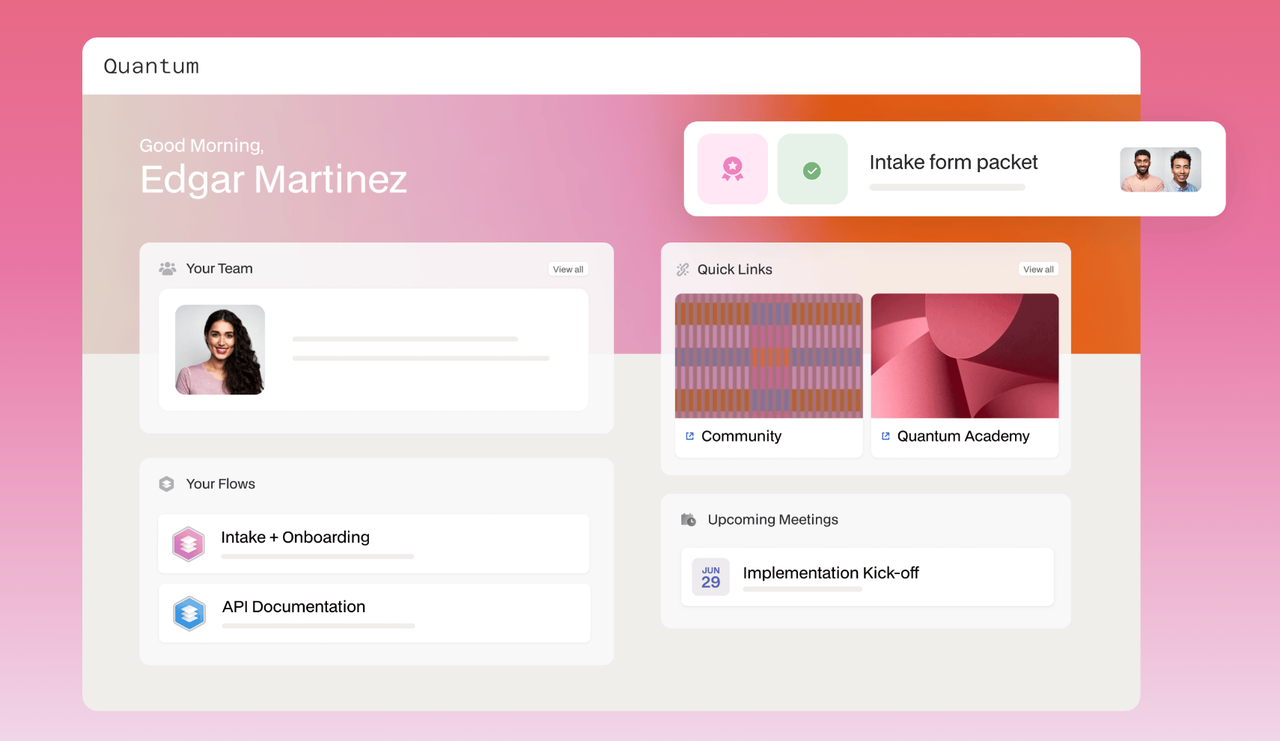
Where Rocketlane is built around a project plan, Moxo is built around flows. A flow template strings together forms, document requests, approvals and e-signatures, and the customer acts through a branded portal or a time-bound magic link without an account. The audit trail of who completed what is the point of the product. Moxo syncs with Salesforce, HubSpot and Microsoft Dynamics and lists customers in fields such as financial services and accounting.
A free trial is offered but its terms aren't published, and the pricing links lead to a demo request.
- your onboarding is mostly paperwork with the customer, such as forms, document requests and sign-offs, and you want an audit trail
- you work in a field such as financial services or accounting, where Moxo's customers and security pages point
- you want to compare costs before a demo: Moxo's pricing links lead to a demo request, and outside sources disagree on how it charges
- you need a plain shared checklist for a small CS team: Moxo is built for workflow orchestration and reviewers cite missing features and limited customization
- Users like
- ease of use, customer support and client communication in one place
- Users dislike
- missing features, limited customization and integration problems
- Source: G2, 194 reviews
How it works in practice
G2 shows 4.5 from 194 reviews. Reviewers praise ease of use and customer support. The complaints are missing features, such as a built-in timer and advanced filters, limited integrations and limited customization, including no way to preview the customer portal.
Compared with Rocketlane, Moxo gives you less project planning and more document and approval handling. Our client portal software comparison covers portals more broadly.
- Starting price
- No published price list; pricing links lead to a demo request
- Trial
- Free trial offered, terms not published
- Client access
- Portal or magic link
- CRM sync
- Salesforce, HubSpot, Dynamics
- Core object
- Flow template
Kantata
Kantata
A professional services automation platform that ties project delivery to resourcing, forecasting and financials, with a library of more than 1,200 connectors and built-in MCP support.
Kantata is the full PSA end of the range, with resourcing, forecasting and financials first and project delivery attached.
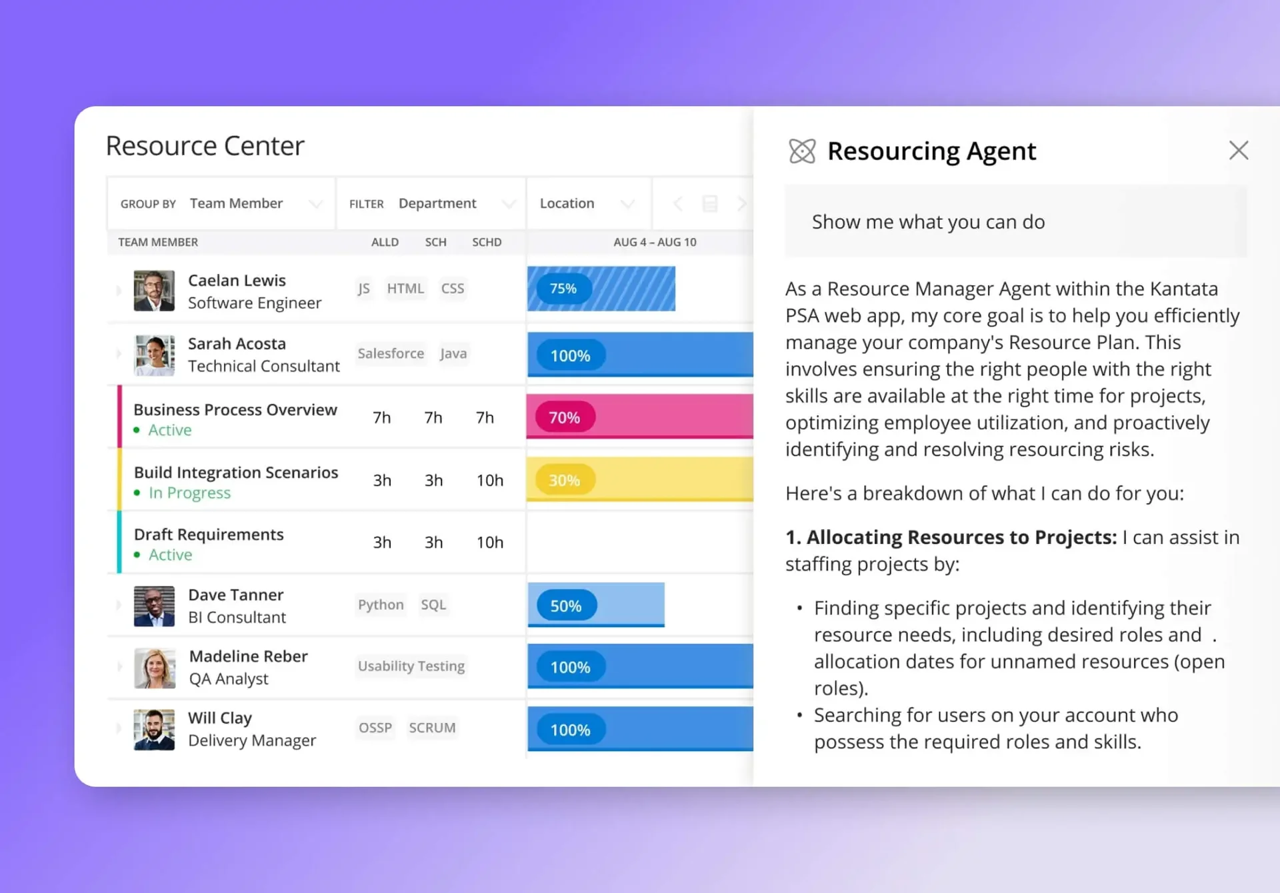
Kantata sells an AI-driven professional services automation platform. Its Resource Center shows allocation by person and skill, a resourcing agent proposes teams by scope, availability and skills, and forecasting uses live project and pipeline data. It lists more than 1,200 prebuilt connectors, secure APIs and built-in MCP support, and a PSA advisor builds a quote from company size and goals.
That's the ground Rocketlane Premium and Enterprise cover with resource planning, invoicing and revenue recognition. G2 files Kantata under professional services automation, project management and resource management, not customer onboarding, and it doesn't market a customer-facing portal.
- your onboarding team sits inside a services organization that bills for implementation and needs utilization, margins and staffing in the same system
- you want revenue forecasting that uses live project and pipeline data
- you want a published price or a quick trial: Kantata sells by quote only
- you run a simple customer handoff: G2 reviewers report a steep learning curve (16 mentions) and a manual feel (14 to 15 mentions)
- Users like
- real-time financial visibility and resource management
- Users dislike
- dashboard building that feels manual, a steep learning curve and an unintuitive interface
- Source: G2, 1,576 reviews
How it works in practice
G2 shows 4.2 from 1,576 reviews. Reviewers praise real-time financial visibility and resource management, project tracking and reporting. The complaints are that building dashboards feels manual, that the interface isn't intuitive, and that the learning curve is steep.
Choose it when your onboarding team sits inside a services organization that bills for implementation and the finance team drives the tool decision. If your goal is a customer-facing plan, you'll be paying for a PSA you won't use.
- Starting price
- Quote only; a PSA advisor builds a plan from company size and goals
- Focus
- Resourcing, forecasting, financials
- Integrations
- 1,200+ prebuilt connectors, APIs, MCP
- Pricing
- Quote from a PSA advisor
- Connectors
- 1,200+ prebuilt
Platforms with a published price
These three publish what they cost, which makes them easy to budget and easy to compare with Rocketlane's $49. They also give you less purpose-built onboarding structure, though, so the question is how much of it you'd rebuild yourself.
Dock
Dock
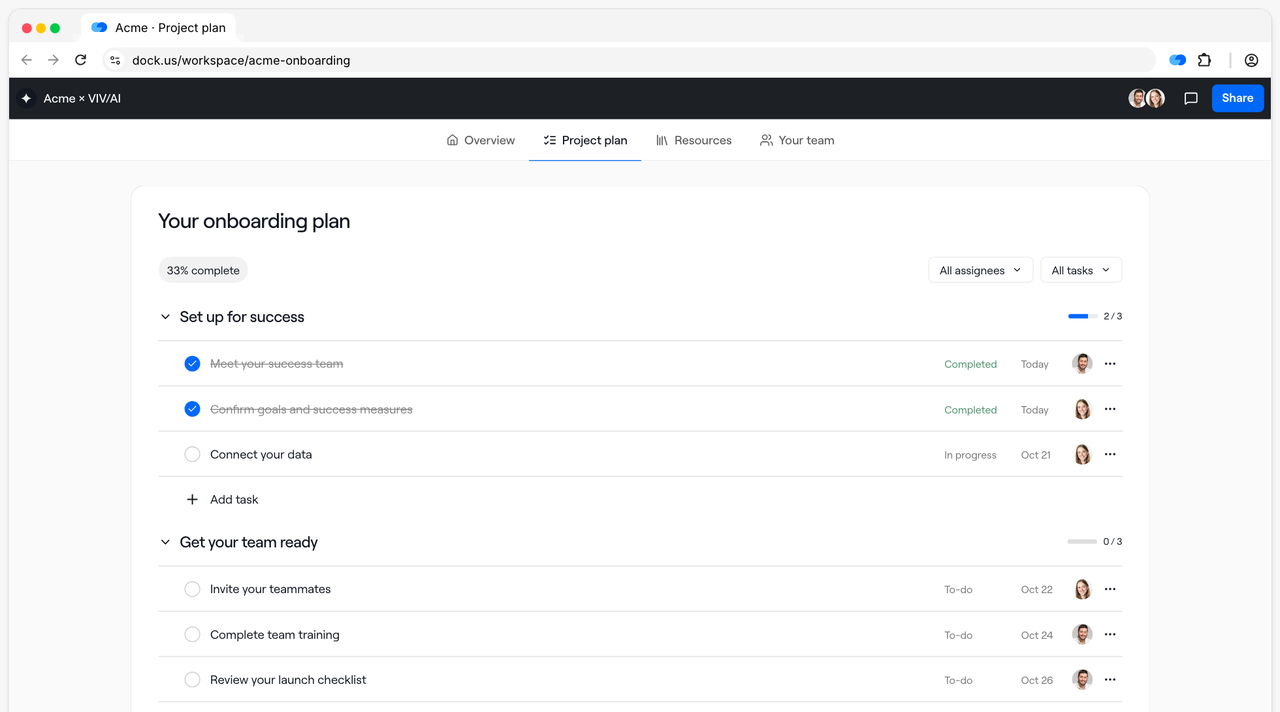
A shared workspace per customer, built from an onboarding template, with an owner and due date per task, intake forms and a view of what the customer has opened.
Dock is the lightest option here: a free workspace plan, then a flat monthly price that includes seats.
Dock gives each customer a shared workspace built from an onboarding template, with an owner and due date per task, intake forms and a view of what the customer has opened. The Free plan is $0 and includes 10 workspaces, one playbook and limited AI. Standard is $350 a month with five users and Premium is $1,000 a month with ten users on annual billing, and extra seats cost $50 a month. External collaborators get free access, and Salesforce and HubSpot connect from Standard.
Five members on Rocketlane Standard come to $245 a month, against $350 for Dock Standard with five users, so Dock isn't the cheaper option once you pass the free plan. It buys a lighter tool, not a smaller bill. Webhooks start on Premium and the API is Enterprise only.
- a small customer success team wants a customer-facing plan and a resource hub without a long setup
- you want to see which customers opened the workspace and which tasks they finished
- you need webhooks on a mid budget: they start on Premium at $1,000 per month and the API is Enterprise only
- you need a Gmail, Outlook or Jira connector: none is listed on Dock's integrations page
- Users like
- ease of use and one place for customer content
- Users dislike
- limited customization, plus integration issues and a learning curve
- Source: G2, 481 reviews
How it works in practice
G2 shows 4.6 from 481 reviews. Reviewers praise ease of use and setup and having customer content in one place. The complaints are limited customization, missing features such as automated check-ins, integration limits and a learning curve when setting up.
Choose it for a small customer success team that wants a shared plan and resource hub without a long setup. Skip it if you need project scheduling, time tracking or billing, which Rocketlane covers and Dock doesn't. Our customer collaboration software guide compares shared workspaces further.
- Starting price
- Free plan; Standard $350 per month with 5 seats; Premium $1,000 per month with 10 seats, billed annually
- Free plan
- 10 workspaces, 1 playbook
- Seats
- 5 on Standard, 10 on Premium, extra seats $50 per month
- Customers
- Free access for external collaborators
- CRM
- Salesforce and HubSpot from Standard
- Standard
- $350 a month, 5 users
- Extra seats
- $50 a month
monday.com
monday.com
Board-based work management that many teams bend into an onboarding tracker: a board per customer, automations for recurring updates and a form for intake. Customers take part as guests.
monday.com is the pick when your team already runs on it and you'd rather bend a board than buy an onboarding platform.
monday.com offers a Customer Onboarding template with groups for awaiting onboarding, onboarding in progress and paying customers, and columns for progress, package, contract value, onboarding dates and time zone. You build the rest: a board per customer, automations for recurring updates and a form for intake. Customers take part as guests.
The Free plan covers two seats. Basic is $9, Standard $12 and Pro $19 per seat per month on annual billing, and paid plans start at three seats. Pro comes with a 14-day trial. Standard bills one seat per four guests after the first three, so a large customer base adds cost that Rocketlane's unlimited customer members don't.
- your team already runs on monday and wants onboarding boards and automations without buying another tool
- you want a board you can shape to your own onboarding steps rather than a fixed implementation model
- you want a purpose-built customer portal, success plans or health data: monday is general work management
- you expect many customers to log in: Standard bills one seat per four guests after the first three
- Users like
- intuitive daily use, flexible boards and easy setup
- Users dislike
- a steep learning curve, slow large boards, high pricing and limited integrations
- Source: G2, 17,971 reviews

How it works in practice
G2 shows 4.7 from 17,971 reviews. Reviewers praise intuitive daily use, flexible boards and workflows, and easy setup. The complaints are a steep learning curve, slow performance on large boards, high pricing as teams grow and limited integrations.
Compared with Rocketlane, you get flexibility and a platform your other teams may already use, and you give up the purpose-built portal, approvals and CSAT at milestones. It doesn't carry customer health or success plans, either.
- Starting price
- Free plan (2 seats); Basic $9, Standard $12, Pro $19 per seat per month billed annually; paid plans start at 3 seats; 14-day Pro trial
- Free plan
- 2 seats
- Paid plans
- $9, $12, $19 per seat, 3 minimum
- Trial
- 14 days on Pro
- Guests
- Standard bills one seat per four guests after the first three
Asana
Asana
A general work management tool that many teams use for customer onboarding projects: a template, a form that collects client goals and rules that assign the tasks.
Asana fits when customers are happy to join your workspace as free guests and you want forms and rules rather than a portal.
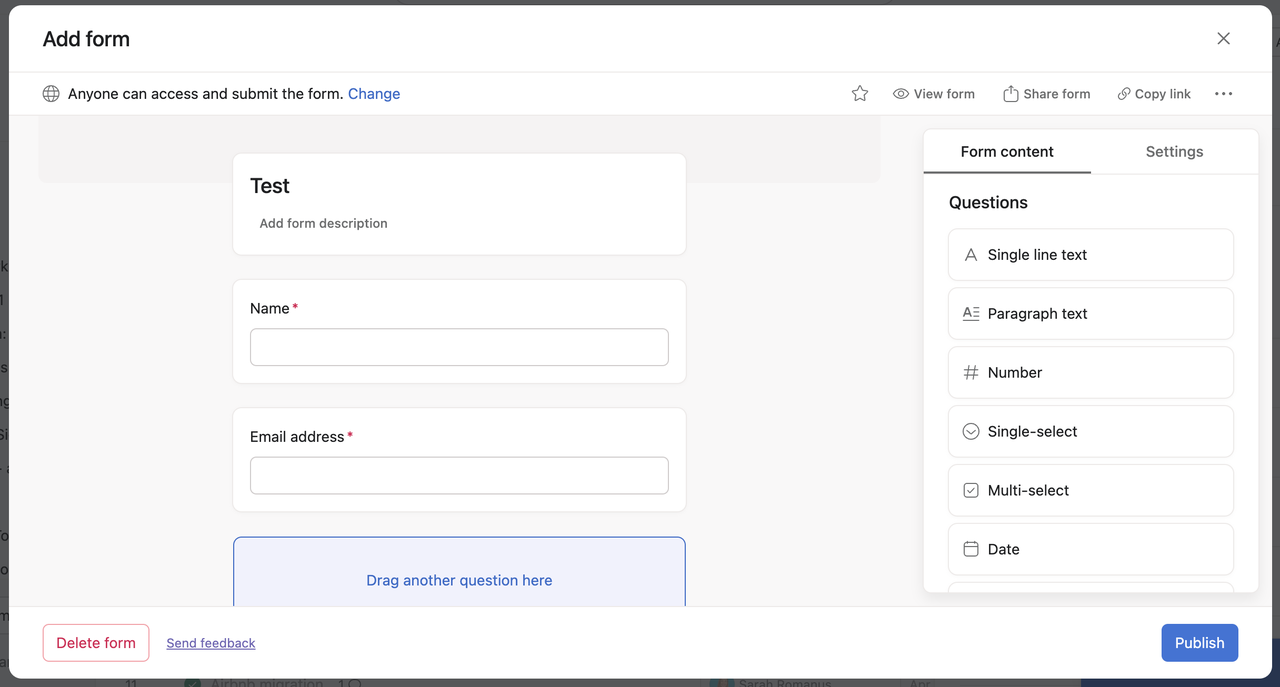
A common Asana setup for onboarding is a template, a form that collects the customer's goals and rules that assign the tasks when it's submitted. Forms are on Starter ($10.99 per user per month on annual billing) and branching comes with Advanced ($24.99). A free Personal plan covers up to two users. Guests are free and unlimited, with no seat cap on Starter, and the Salesforce connection starts on Advanced.
Asana's documentation describes guests working inside your workspace, not a white-label customer portal.
- you already run on Asana and want an onboarding template with forms and rules without buying another tool
- your clients are fine joining your workspace as free guests
- you want a branded customer portal: clients join your workspace as guests, and Asana's documentation describes no white-label portal
- you need customer health or renewal data: Asana has no customer success data model
- Users like
- ease of use and task organization
- Users dislike
- a confusing start, reporting and automation held back for higher-priced plans, and notification overload
- Source: G2, 14,135 reviews
How it works in practice
G2 shows 4.4 from 14,135 reviews. Reviewers praise ease of use, organized tasks and easy setup. The complaints are a confusing start, reporting and automation held back for higher-priced plans, notification overload and pricing for small teams.
Compared with Rocketlane, Asana is cheaper per seat and has no five-member floor, and it leaves out the customer portal, CSAT at milestones and customer approvals as a product feature. Our customer onboarding software guide covers the wider field.
- Starting price
- $10.99 per user per month (Starter) or $24.99 (Advanced), billed annually; free Personal plan for up to 2 users
- Forms
- Starter and up
- Salesforce connection
- Advanced and up
- Guests
- Free and unlimited
- Branching
- Advanced
Moving off Rocketlane

When to stay on Rocketlane
Staying is a legitimate answer. Keep Rocketlane if you use the Premium features every week: resource planning, utilization tracking, invoicing and revenue recognition, which most of the lighter alternatives don't have. Keep it if Salesforce needs to start projects, because that's a Premium feature and a cheaper tool may not cover it. Keep it if your customers already work in the portal and approve deliverables there, since moving means retraining them. And keep it if your team is at or above five people, where the seat minimum isn't a constraint.
Switch when you pay for a platform you use as a customer-facing checklist, when reporting needs push you toward Enterprise, or when volume pricing from a platform like OnRamp or GUIDEcx would cost less than a growing seat count. For the wider picture of onboarding tools, see our guide to client onboarding software and the customer success onboarding checklist.
What none of these platforms record
What none of these platforms record is the specific promises your team made to the customer. An onboarding plan tracks tasks, owners and dates, not what the team said on the kickoff call. A project can be on schedule while the customer still asks about the integration review you agreed to in the first meeting, and nobody can say who owned it. The Customer Success Manager is a small ledger for that: it keeps each customer commitment with an owner, a due date, the source excerpt and a reviewer's verification, and you can ask about open promises from Claude over MCP. It sits beside an onboarding platform, not instead of one. Our sales to customer success handoff checklist covers what to carry across the handoff.
Which Rocketlane alternative should you pick?
- A like-for-like onboarding platform without a seat floorGUIDEcx
- Volume-based pricing and routing from closed-won dealsOnRamp
- A free start for a small teamDock
- Forms, approvals and signatures with the customerMoxo
- Resourcing, forecasting and financials in one PSAKantata
- A flexible board your other teams already usemonday.com
- Free guests and rules, with no portalAsana
- A record of customer promises, not tasksThe Customer Success Manager, beside your platform
FAQ
What is the best alternative to Rocketlane?
The best alternative to Rocketlane depends on how you want to pay and how much of the platform you use. GUIDEcx and OnRamp are the closest onboarding platforms and price by quote, Dock has a free plan, Moxo fits paperwork-heavy onboarding, and Kantata is the choice for a full PSA. monday.com and Asana suit teams that prefer a general work management tool.
How much does Rocketlane cost?
Rocketlane publishes two prices: $49 per team member per month for Standard and $69 for Premium, both billed annually with a minimum of five team members. Enterprise is custom. Customer members are unlimited on every plan, and Rocketlane lists a free trial rather than a free plan.
Is Rocketlane a PSA or a customer onboarding tool?
Rocketlane is both. It describes itself as an enterprise professional services automation platform, and G2 lists it in that category. The customer portal, templates and approvals cover onboarding and implementation from Standard, while resource planning, invoicing and revenue recognition start on Premium.
Is there a free alternative to Rocketlane?
Three alternatives have a free plan or tier. Dock's Free plan includes 10 workspaces and one playbook, monday.com has a free plan for two seats, and Asana has a free Personal plan for up to two users. None of them matches Rocketlane's customer portal, approvals and CSAT at milestones.
How does Rocketlane compare with GUIDEcx?
Rocketlane and GUIDEcx both start onboarding projects from a template and give customers a portal without a per-customer fee. Rocketlane publishes $49 and $69 per team member, while GUIDEcx quotes by package, with no free trial. Rocketlane's own customer-story page credits a SupportLogic switch from GUIDEcx with a 60 percent faster time-to-value, which is the vendor's claim.
Does Rocketlane connect to Salesforce and HubSpot?
Rocketlane connects to both. HubSpot is listed from Standard and Salesforce from Premium, along with Zapier, Jira, Slack and the calendar integrations. Workato and Snowflake are listed on higher plans.