The best customer intelligence software for a customer success team depends on which signal you need to read.  Gainsight Customer Success and
 Planhat turn CRM, usage and conversation data into account health,
 Gong,
 Chattermill,
 Enterpret and
 Qualtrics CustomerXM turn what customers say into insight, and
 Pendo and
 Amplitude show what accounts actually do in the product. Seven of the eight tools do not publish a price for their paid plans.
- tools compared
- 8
- signal sources
- 3
- publish no paid price
- 7
- G2 rating range
- 4.3 to 4.7
Best customer intelligence software at a glance
Every tool below builds knowledge about customers from raw data, but they read different signals and hand the result to different places. The picks are by signal. Most customer success teams end up combining two of them, because no single tool reads calls, feedback and product usage equally well, and that's worth knowing before you build a shortlist.
- Best for account riskGainsight Customer SuccessScorecards plus AI that reads emails, calls, tickets and meetings and rates each account's risk from 1 to 5.
- Best for tunable healthPlanhatHealth profiles you configure per segment, with email, chat and call sentiment feeding the score.
- Best for call signalsGongReads customer calls and email for sentiment, ghosting and stakeholder changes.
- Best for feedback tied to accountsEnterpretLinks tickets, reviews and calls to accounts and revenue, with anomaly alerts.
- Best for account-level usagePendoAccount usage fields pushed to Salesforce every 24 hours, plus a churn and upsell model.
 For what none of them trackThe Customer Success ManagerRecords the promises your team made to each customer. It does not read signals.
All eight tools compared
| Tool | Type of tool | Where the insight goes | Starting price | G2 rating |
|---|---|---|---|---|
| Gainsight Customer Success | Customer success platform | Risk synopsis, CTAs and playbooks | Quote only (Essentials and Enterprise tiers) | 4.5 (1,747) |
| Planhat | Customer success platform | Alerts, tasks and playbooks | Quote only, no public USD price | 4.5 (926) |
| Gong | Conversation intelligence | Gainsight, ChurnZero and Salesforce records | Quote only: licenses are priced per user plus a platform fee based on the number of users supported; no amounts are published | 4.7 (6,434) |
| Chattermill | Feedback analytics (VoC intelligence) | Slack, email and Jira alerts | No public price: the pricing page leads to a demo request | 4.4 (238) |
| Enterpret | Customer feedback intelligence | Jira, Linear and Slack | No public price: the vendor pricing page returned a 404 on 2026-11-08 and G2 lists no pricing | 4.6 (110) |
| Qualtrics CustomerXM | Enterprise experience management suite | Follow-up tickets and Salesforce | Quote only: CX is priced by interactions, no public price and no free trial | 4.3 (751) |
| Pendo | Product analytics and in-app guides platform | Salesforce account fields | Free up to 500 MAU; Base, Core and Ultimate quote only | 4.4 (1,825) |
| Amplitude | Product analytics | Cohorts and Salesforce export | Free to 2M events/month; Plus from $0; Growth and Enterprise by quote | 4.5 (3,045) |
| The Customer Success Manager Our product | Customer commitment tracking | Records what your team promised each customer and whether delivery was verified | From $49 per month per workspace; card required at checkout (vendor homepage, as of 2026-11-05) | No reviews yet |
Prices and plan details as of November 2026. G2 review counts are rounded.
What customer intelligence software does
Customer intelligence software collects customer data from calls, emails, support tickets, surveys, product usage and your CRM, and turns it into insight about each customer or account that a team can act on. For a customer success manager that means a short answer to questions such as which accounts are going quiet, what customers keep complaining about and who has stopped using the feature they bought.
How it differs from a CRM, a CDP and BI
- A CRM stores the records your team enters: contacts, deals, contract dates. Customer intelligence tools read the messy data around those records and write conclusions back.
- A customer data platform unifies customer profiles and sends them to other tools. It doesn't read a call transcript or rank the themes in a thousand survey answers.
- Business intelligence charts data you have already modeled. Customer intelligence tools do the reading and tagging first, and they don't need you to model the data beforehand.
- A customer success platform scores health and runs playbooks. Some tools below are exactly that, and the others feed one.
How customer signals become decisions
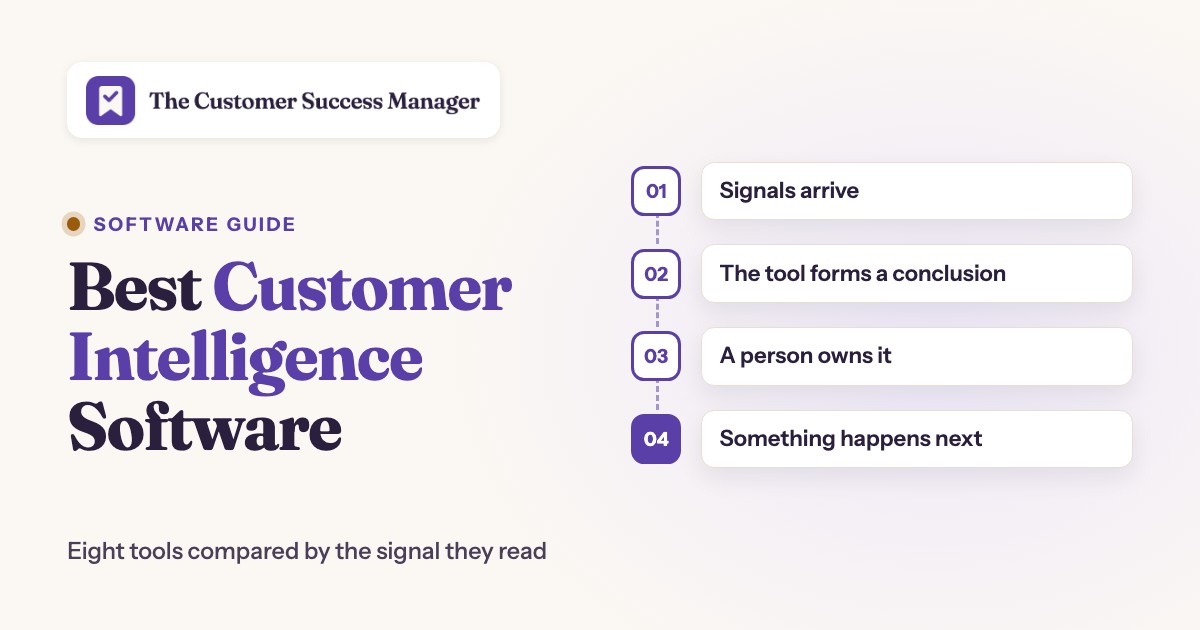
Every tool in this list follows the same four steps. Signals arrive, the tool turns them into a conclusion, a person owns that conclusion, and something happens next. Each step is where a tool can fall short, and the sections below say which.
- Step 1Signals arrive
- Gong
- Chattermill
- Pendo
Limit a tool can only conclude from what it reads, so Gong sees conversations and Pendo sees product use - Step 2The tool forms a conclusion
- Gainsight Customer Success
- Planhat
- Enterpret
Limit scores and themes are only as good as the factors and taxonomy someone configured - Step 3A person owns it
- Qualtrics CustomerXM
- Gainsight Customer Success
Limit a conclusion with no owner is a dashboard; Qualtrics routes follow-ups as tickets and Gainsight as CTAs - Step 4Something happens next
- Planhat
- Enterpret
- Amplitude
Limit the handoff is often one way, such as Gong to Gainsight, so check the direction before you plan a workflow
Account health platforms: which accounts are at risk
Gainsight Customer Success and Planhat build one view of each account and score it. They are customer success platforms first, and their intelligence comes from combining the sources the other tools in this list also read.
Gainsight Customer Success
Gainsight Customer Success
Answers which accounts are at risk and why, using weighted scorecards plus AI that reads emails, calls, tickets and meetings.
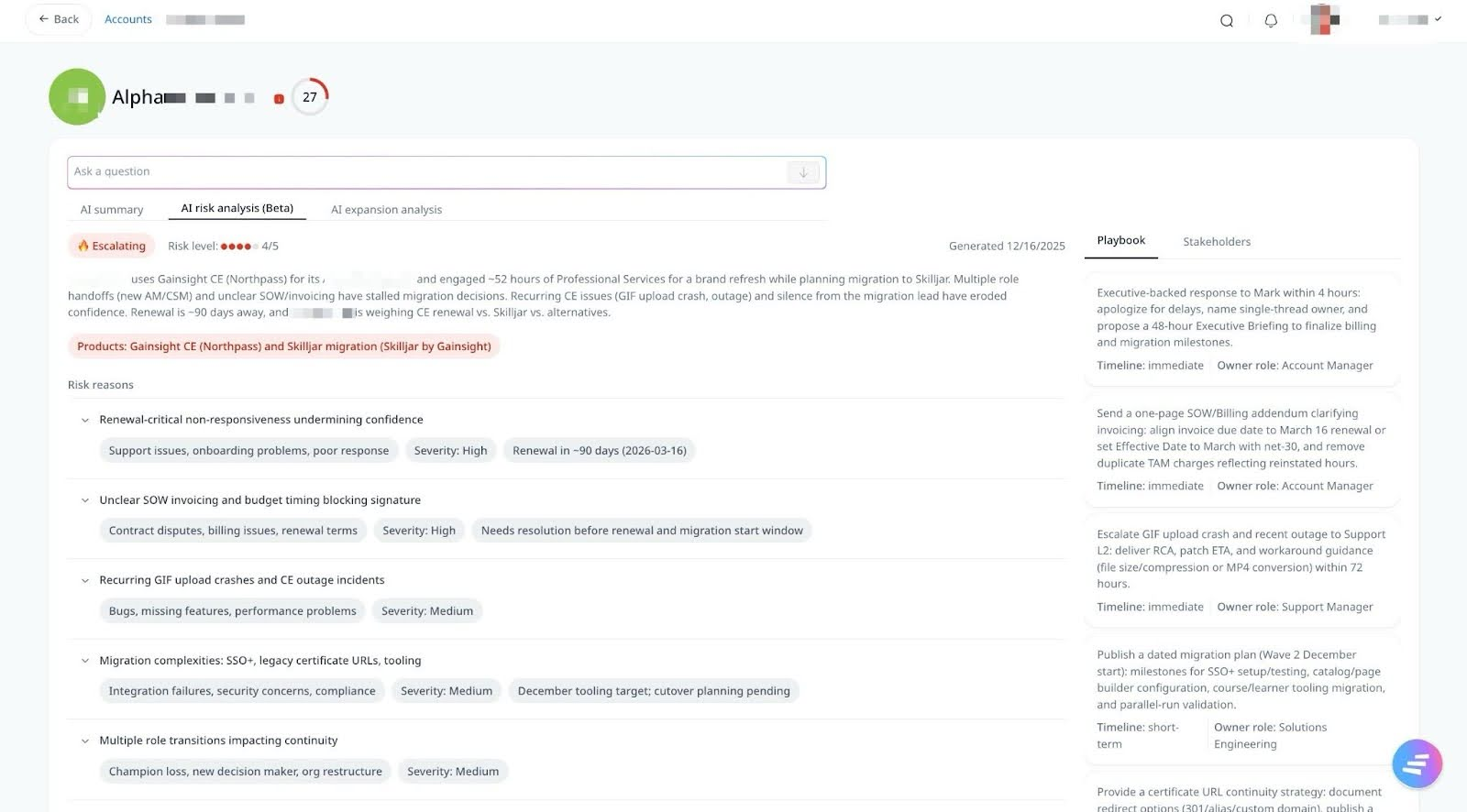
Gainsight builds the account view in two layers. Health Scorecards are weighted measures that an admin configures, and several scorecards can differ by lifecycle stage, segment or industry. On top of that, Staircase AI's Signal Scout watches current emails, calls, tickets and meetings and starts the Risk Analyst when it detects a churn risk event.
The Risk Analyst writes a Risk Synopsis on the account page: a plain-language summary, a risk level from 1 to 5, a trajectory and risk reasons, each with a severity and recommended actions, sorted into nine categories such as Product Issue, Value Perception or Competitive Pressure. The summary is generated when the risk is detected and refreshed about every eight hours while the risk stays active. A Playbook Creator proposes step-by-step playbooks with owners and timeframes from an Experience Library of past churn risk events, and a Stakeholders tab lists contacts with role, sentiment and outreach advice.
Both plans include AI Insights, Health Scorecards, Customer 360, Playbooks and Success Plans. Renewal and Expansion Forecasting, Organizational Mapping and Sponsor Tracking and Company News are Enterprise only. Essentials covers 10 full users and 100 customers per user, and Enterprise 20 full users and 200 customers per user.
- You want configurable scorecards plus AI that reads emails, calls, tickets and meetings and returns a 1 to 5 risk level with reasons
- You have a customer success ops owner who can run a larger platform and route risk into playbooks and CTAs
- You need a quick setup: G2 reviewers most often cite a steep learning curve
- You need a published price or a churn probability: neither is published, and the plan that holds Staircase AI is not stated
- Users like
- centralized customer data, journey visibility, health scoring
- Users dislike
- a steep learning curve, non-intuitive navigation, limited customization
- Source: G2, 1,747 reviews
Reviews, plans and price
G2 lists Gainsight at 4.5 from about 1,750 reviews. Reviewers credit centralized customer data and visibility into the customer journey, and they cite non-intuitive navigation and limited customization. Prices are on request for Essentials and Enterprise. Our Gainsight review and Gainsight pricing posts go further.
- Starting price
- Quote only (Essentials and Enterprise tiers)
- Risk method
- Weighted scorecard (rules) plus Staircase AI communication analysis
- Risk output
- Health score 0-100 and Risk Level 1-5 with risk reasons
- Inputs
- Usage and CRM via scorecards; emails, calls, tickets, meetings via Staircase AI
- Refresh
- Risk summary about every 8 hours while active
- Tiers
- Essentials and Enterprise; Staircase AI gating not published
- Vendor claim
- Up to 95% renewal forecast accuracy, as reported by Gainsight
- CS packages
- Essentials, Enterprise
- Essentials full users
- 10
- Enterprise full users
- 20
- CRM connectors
- Salesforce, HubSpot
- Published USD price
- Request pricing
- Renewals
- Confirm add-on entitlement
- Segment builder
- Journey Orchestrator segments from Salesforce or Matrix Data objects; 26 filters, 100,000 records per segment, 500 segments per tenant
- Segment refresh
- Only on a schedule you set; deletes and company merges are not reflected
- Reads
- CRM, usage, surveys, emails, calls, tickets, meetings
- Insight level
- Account
- Gate
- Forecasting and sponsor tracking on Enterprise only
Planhat
Planhat
Answers how healthy each account is, scored on the factors you pick and fed by sentiment from emails, chats and calls.
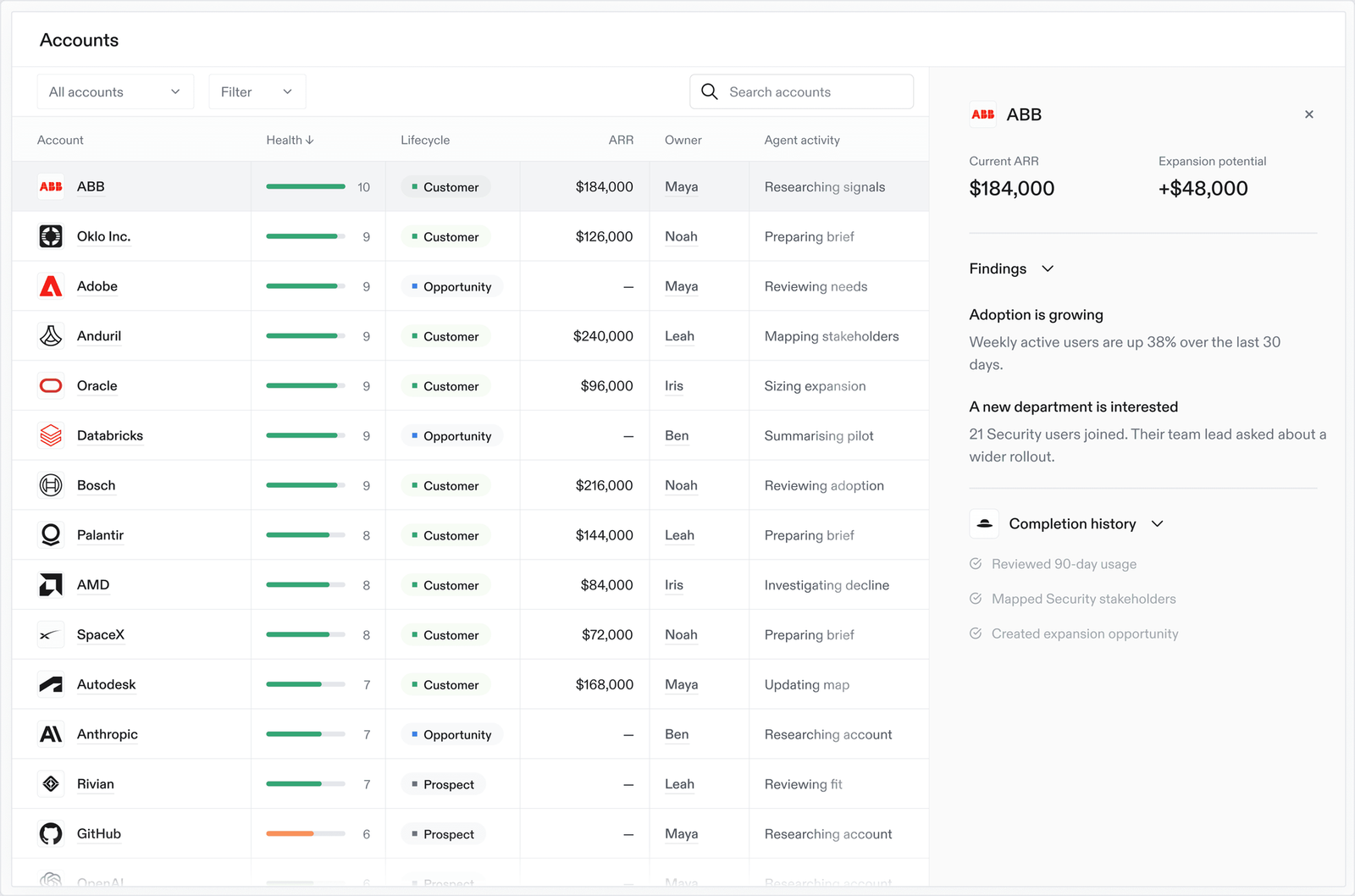
Planhat keeps usage, conversations, support, delivery and contract terms in one customer record. You build a health profile with typically 2 to 8 factors. Each factor adds or subtracts points from a neutral 5 on a 0 to 10 scale, using hard conditions or sliding scales. Criteria, weights and thresholds can differ by segment, portfolio and product line while every account still gets one comparable score, and you can preview how a change to a factor or weight moves the scores before you apply it.
The intelligence layer is conversational AI. It tags emails, chats and calls as positive, neutral or negative and by subject, such as support or billing, rolls the sentiment up to company, end user and user level, and can feed health scores, automations and reporting. Conversation Summary condenses long threads. Automations include a Use AI step that runs on Planhat's managed models or on your own connection to Anthropic, OpenAI, Azure OpenAI or Gemini.
Planhat reads product analytics from Pendo, Mixpanel, Segment and Amplitude, CRM data from Salesforce, HubSpot and Pipedrive, support data from Zendesk, Freshdesk, Help Scout, Intercom and Jira, and call recorders such as Gong. Public documentation states the direction for only a few connections.
- You want per-segment health profiles that CS ops can tune and preview without a data scientist
- You want email, chat and call sentiment to feed health scores and automations in a flexible data model
- You need a documented trained churn probability or revenue-at-risk model: the health model is rules you configure
- You need to know up front which plan includes the AI features: they use Planhat AI credits and the plan mapping is not stated
- Users like
- a clean interface, a flexible data model, responsive support
- Users dislike
- a steep learning curve, tricky integrations, occasional performance issues
- Source: G2, 926 reviews
Reviews and price
G2 lists Planhat at 4.5 from about 930 reviews. Reviewers praise a clean interface, a flexible data model and responsive support, and they cite a steep learning curve and tricky integrations. Pricing is a platform fee plus a minimum number of core users, billed annually upfront, with unlimited view users. No USD amounts are published.
- Starting price
- Quote only, no public USD price
- Scoring type
- Rules-based, 0 to 10, baseline 5
- Inputs
- Fields, metrics, NPS, usage, AI sentiment
- AI
- Sentiment and summaries, credit based
- Plan gating
- Not published; AI add-on listed
- Refresh
- Not published
- Pricing model
- Platform fee plus minimum core users; extra core users and add-ons
- Billing
- Annual upfront, USD by default
- View users
- Unlimited on all plans
- Segment builder
- Public help pages did not load; the vendor's own guide describes ARR-band tiers with a health model per tier
- Segment gating
- Not published
- Reads
- Usage, CRM, support, surveys, emails, chats, calls
- Insight level
- Account, with sentiment at company, end user and user level
- Score
- 0 to 10, neutral 5, 2 to 8 factors
- Gate
- AI credits; AI Platform add-on
Conversation and feedback intelligence: what customers say
Gong, Chattermill, Enterpret and Qualtrics CustomerXM read the words customers use. They differ in the channel: Gong reads sales and customer conversations, Chattermill and Enterpret read feedback in bulk, and Qualtrics runs the surveys itself.
Gong
Gong
Answers what customers are saying on calls and in email, and which accounts show ghosting, stakeholder changes or stalled renewals.
Gong captures customer calls, emails and demos and analyzes them with AI. Its customer success page names the churn-risk signals it looks for: customer sentiment, ghosting, stakeholder changes, follow-up gaps, stalled renewals, recurring product issues and adoption or value gaps. Smart trackers follow a topic, such as a product issue, across conversations, and an insights dashboard shows how it trends. A single account view collects past conversations, key moments and next steps, which makes it useful for the handover from sales to the CSM.
The handoff matters most here. Gong lists integrations with Gainsight, ChurnZero and Salesforce. The Gainsight integration is one way, from Gong to Gainsight, and puts call logs and AI notes on Gainsight Timelines. It requires Gainsight NXT. Public documentation does not describe the scoring method or the alert mechanics.
Licenses are priced per user, with a platform fee based on the number of users supported. No amounts, currency or tiers are published, and the pricing page says you can connect your existing stack for free.
- Your customer relationships live in calls and email and you want sentiment, ghosting and stakeholder-change signals per account
- You already use Gainsight, ChurnZero or Salesforce and want call context on the CSM timeline
- You need product usage or survey and ticket theme analysis: Gong's inputs are conversations and email
- You need a public price: it is quoted per user plus a platform fee, and G2 reviewers flag cost on annual contracts
- Users like
- a smooth interface, good fit with existing tools and AI call analysis
- Users dislike
- cost on annual contracts, onboarding time and AI summaries that sometimes misread details
- Source: G2, 6,434 reviews
Reviews and price
G2 lists Gong at 4.7 from about 6,400 reviews. Reviewers praise a smooth interface, a good fit with existing tools and AI call analysis. They cite cost, the time it takes to onboard and AI summaries that sometimes misread details.
- Starting price
- Quote only: licenses are priced per user plus a platform fee based on the number of users supported; no amounts are published
- Reads
- Calls, emails, demos
- Churn signals
- Sentiment, ghosting, stakeholder changes
- Gainsight link
- One way, Gong to Gainsight Timelines
- Insight level
- Account
- Gate
- Not published
Chattermill
Chattermill
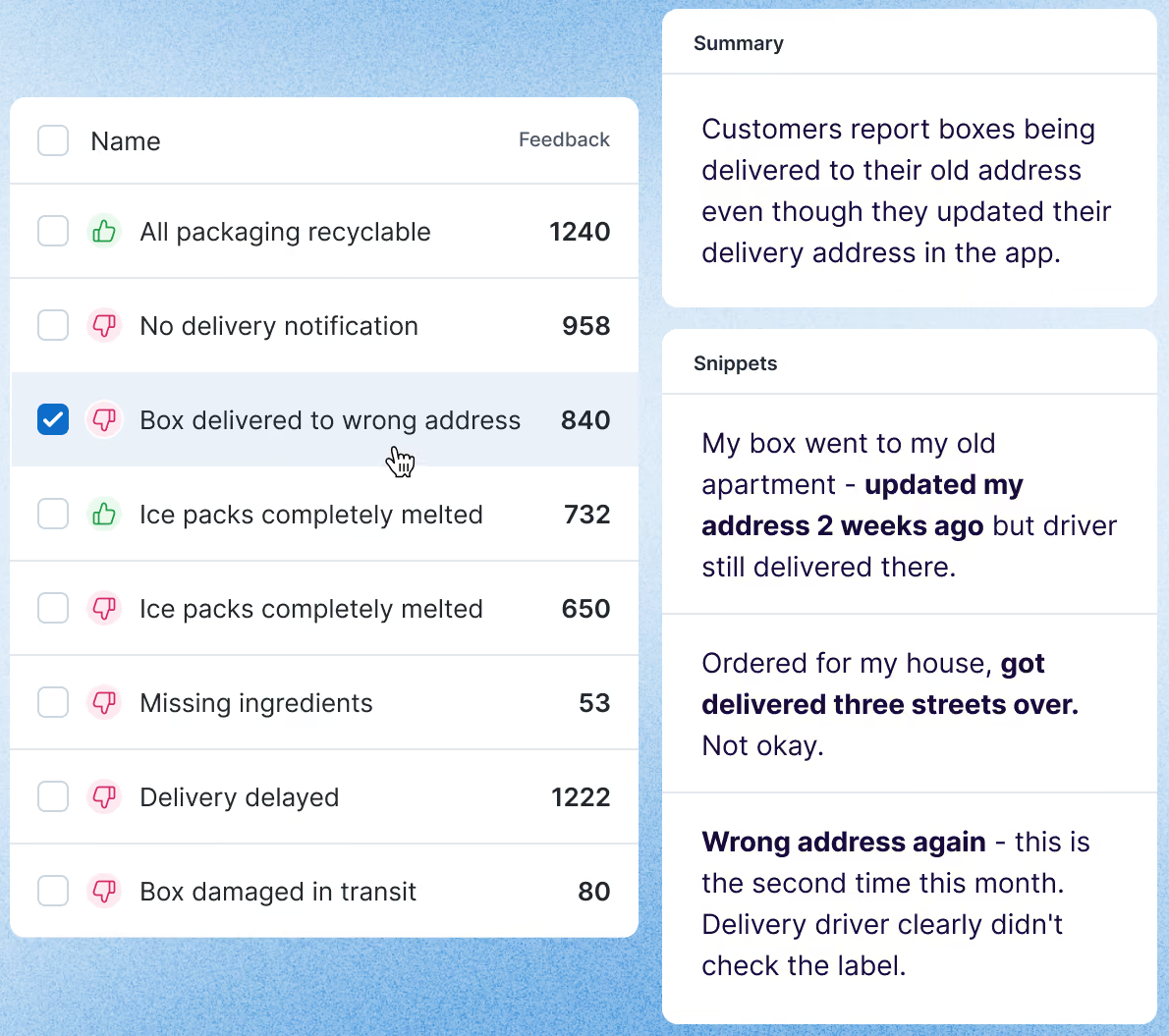
Answers why NPS and CSAT are moving, by ranking the themes in survey answers, reviews, chats and calls.
Chattermill pulls feedback from surveys, review sites, support chats and calls into one data layer and adds context such as customer ID and channel to each comment. A taxonomy classifies every piece of feedback, and its Lyra AI model combines aspect-based sentiment analysis, supervised learning and large language models to tag themes and sentiment. Precision Insights rank issues by volume with the customer quotes behind them, and Impact Analysis shows which themes lift or drag metrics such as NPS and CSAT.
Anomaly Detection and Proactive Insights watch in the background and flag spikes or new issues. Alerts can go to Slack, email or Jira, and the Lyra Agent answers questions such as why NPS shifted. Chattermill imports from Zendesk, Intercom, Salesforce, Gong and Snowflake.
Public documentation does not describe account-level or B2B roll-ups, so it answers why scores move across your customer base better than it answers how one account is doing. The pricing page offers only a demo.
- You already collect feedback in surveys, support tools and reviews and need themes ranked by impact on NPS or CSAT, with quotes
- You want anomaly alerts pushed to Slack or Jira so customer success and product see new issues early
- You need account-level health or a per-account view: public documentation does not describe B2B account roll-ups
- You need to send surveys or want a published price: Chattermill analyzes feedback collected elsewhere and quotes after a demo
- Users like
- ease of use and grouping large volumes of feedback
- Users dislike
- an interface some reviewers call not intuitive, and reliance on the tech team
- Source: G2, 238 reviews
Reviews and price
G2 lists Chattermill at 4.4 from about 240 reviews. Reviewers name ease of use and feedback management as strengths and call the interface not intuitive. Pricing is demo only. Our customer feedback software guide compares tools that collect the feedback in the first place.
- Starting price
- No public price: the pricing page leads to a demo request
- Tagging
- Aspect-based sentiment per comment
- Alerts
- Slack, email, Jira
- Zendesk import
- CSAT with comments, hourly, one-way
- Reads
- Surveys, reviews, chats, calls
- Insight level
- Theme across feedback; account roll-up not described
- Gate
- Not published
Enterpret
Enterpret
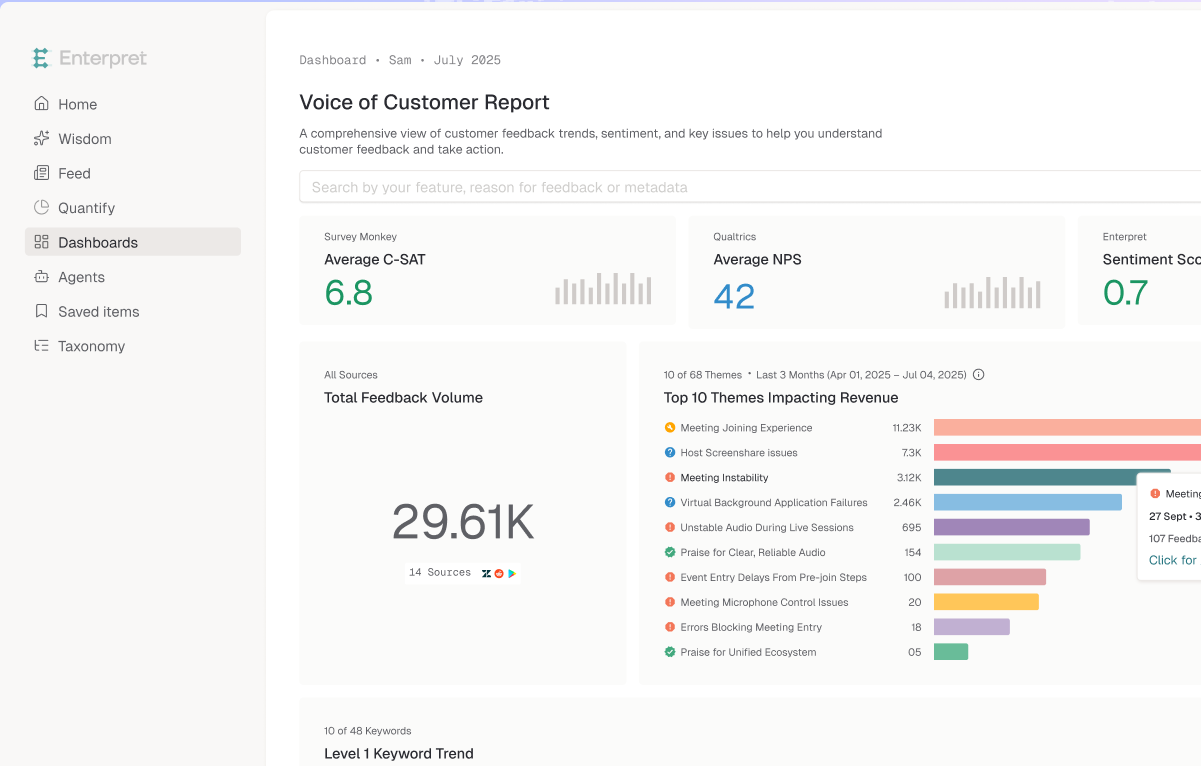
Answers which feedback themes hit which accounts and how much revenue sits behind them.
Enterpret pulls feedback from support tickets, reviews, calls, surveys and social channels into a Knowledge Graph. Cross-source entity resolution merges the same user and account across sources into one identity, and you model your own entities, such as accounts, opportunities and personas, so each comment links to them without manual tagging. An adaptive taxonomy classifies feedback into five levels, from L1 down to sub-theme, plus intent categories: help, improvement, complaint and praise.
Quantify and Trends filter feedback by revenue, CSAT, NPS or region and rank themes by business impact, and Anomaly Detection flags activity above baseline. Agents investigate spikes and escalation risk. Linear issues can be created from feedback, Slack carries digests and questions, and an export API delivers hourly CSV links. Named inputs include Zendesk, Intercom, Salesforce and Gong.
No price is published. Public documentation does not say whether it writes into Gainsight or ChurnZero.
- You want support, survey and call feedback tied to accounts and revenue so CSMs see which issues hit key customers
- You want themes, anomaly alerts and Jira, Linear or Slack handoffs for escalations from customer success to product
- You need a customer success platform with health scores and playbooks: Enterpret analyzes feedback
- You need a public price or a light setup: pricing is not published and G2 reviewers mention complex setup
- Users like
- aggregating insight from support tickets and in-app surveys, and responsive support
- Users dislike
- inconsistent AI insights, a learning curve and export limits
- Source: G2, 110 reviews
Reviews and price
G2 lists Enterpret at about 4.6 from a small number of reviews. Reviewers praise how it aggregates ticket and survey feedback and cite inconsistent AI insights, a learning curve and export limits.
- Starting price
- No public price: the vendor pricing page returned a 404 on 2026-11-08 and G2 lists no pricing
- Sources
- 50+ claimed
- Taxonomy
- Five levels plus intent
- Alerts
- Anomaly Detection, Slack digests
- Reads
- Tickets, reviews, calls, surveys, social (50+ sources claimed)
- Insight level
- Theme linked to accounts and revenue
- Gate
- Not published
Qualtrics CustomerXM
Qualtrics CustomerXM
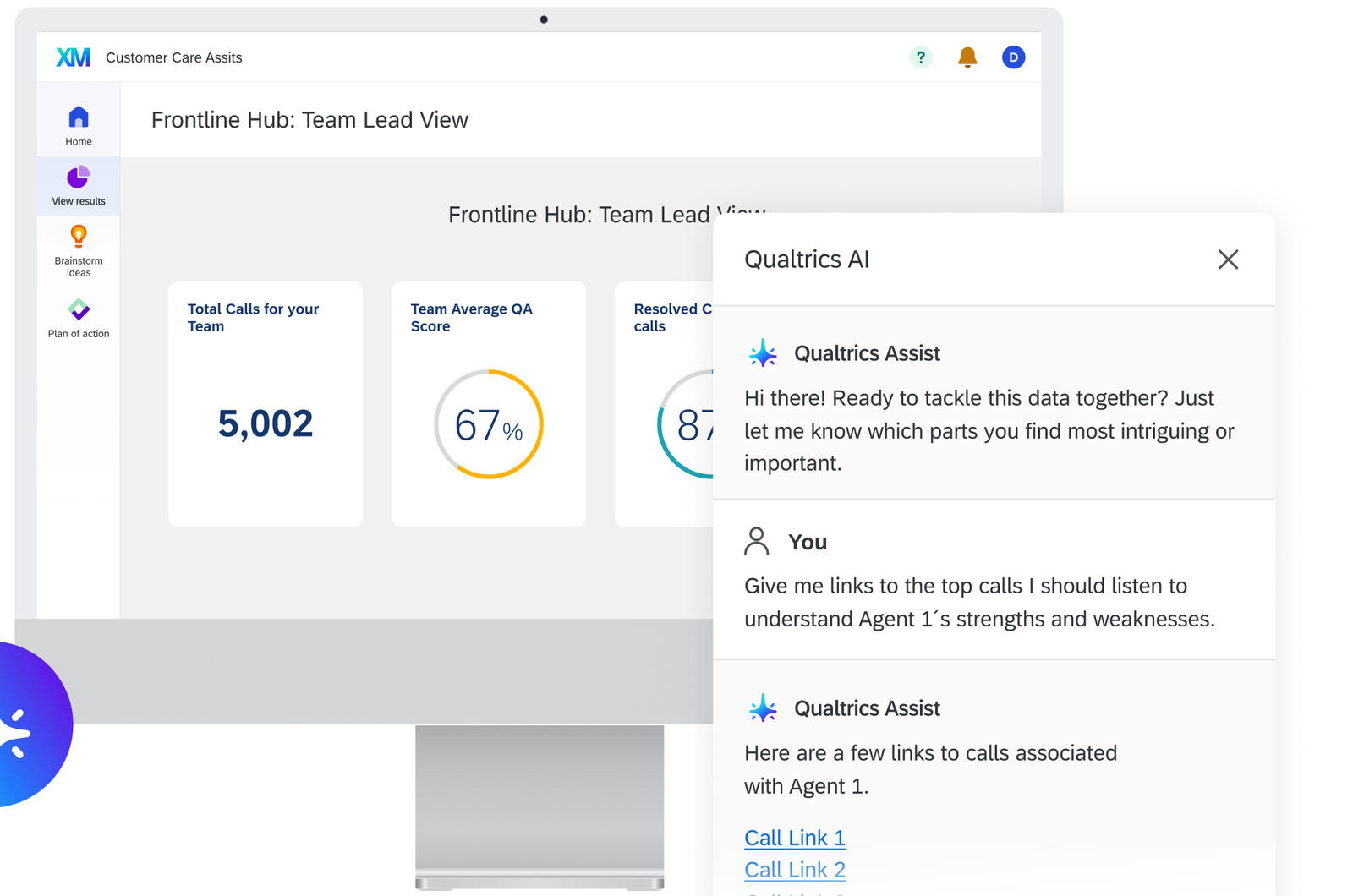
Answers which customers gave a low score and who is following up, across surveys, calls and chat.
Qualtrics CustomerXM stitches surveys, calls, chats, email and digital behavior into customer profiles in XM Directory. Contact Center Experience Analytics analyzes conversations, and the vendor says it can monitor 100 percent of contact center conversations. The part that matters for a customer success team is Active Follow-ups: you set a threshold on CSAT, an engagement score or NPS, and a breach creates a ticket for the owner.
The vendor markets predictive churn models and a Revenue Signals dashboard, and public documentation does not explain how either works. The Salesforce link is two way: response data maps to Salesforce records, Salesforce fields can be pulled into Qualtrics, and the Salesforce extension needs a license that includes it.
A Qualtrics Community thread says contacts in XM Directory have no native account relationship field, with an account ID on every contact row as an unofficial workaround. If your insight has to be per account, ask for a demo of exactly that.
- You run a formal experience program across teams and want surveys, interaction analytics and follow-up tickets in one suite
- You need threshold triggers on CSAT, NPS or engagement that create tickets, plus a two-way Salesforce link
- You need account-level roll-ups out of the box: the contact model is person based
- You want a published price or a light setup: price is quote only and G2 reviewers call it complex
- Users like
- analytics, ease of use and a robust feature set
- Users dislike
- complexity for basic needs and sentiment analysis missing from basic licenses
- Source: G2, 751 reviews
Reviews and price
G2 lists Qualtrics Customer Experience at 4.3 from about 750 reviews. Reviewers praise analytics and ease of use, and they report that sentiment analysis is missing from basic licenses. Pricing is quote only.
- Starting price
- Quote only: CX is priced by interactions, no public price and no free trial
- Pricing unit
- Interactions (quote only)
- Follow-up queue
- Tickets with owners, statuses, 10,000-row view
- AI
- Experience Agents, predictive churn models
- Reads
- Surveys, calls, chat, email, digital behavior
- Insight level
- Customer profile (contact level)
- Handoff
- Follow-up tickets; two-way Salesforce
- Gate
- Salesforce extension needs a license that includes it
Product usage intelligence: what accounts actually do
Pendo and Amplitude measure behavior inside your product. Their value to a customer success team depends on one thing: whether the usage is reported per account and whether it reaches the CRM or customer success platform where the CSM works.
Pendo
Pendo
Answers which accounts use which features, and which accounts look at risk or ready to expand.
Pendo collects usage retroactively from your app and groups it by visitor and by account. Account Reports hold usage columns, such as active visitors, that you can push to Salesforce. That push runs once every 24 hours between midnight and 6 AM in the subscription time zone, and the time cannot be changed. The pull on the same cycle brings Salesforce attributes into Pendo for segments and guide targeting. Segments serve analysis and in-app guides, so the team that finds low-adoption accounts can guide them in the same tool.
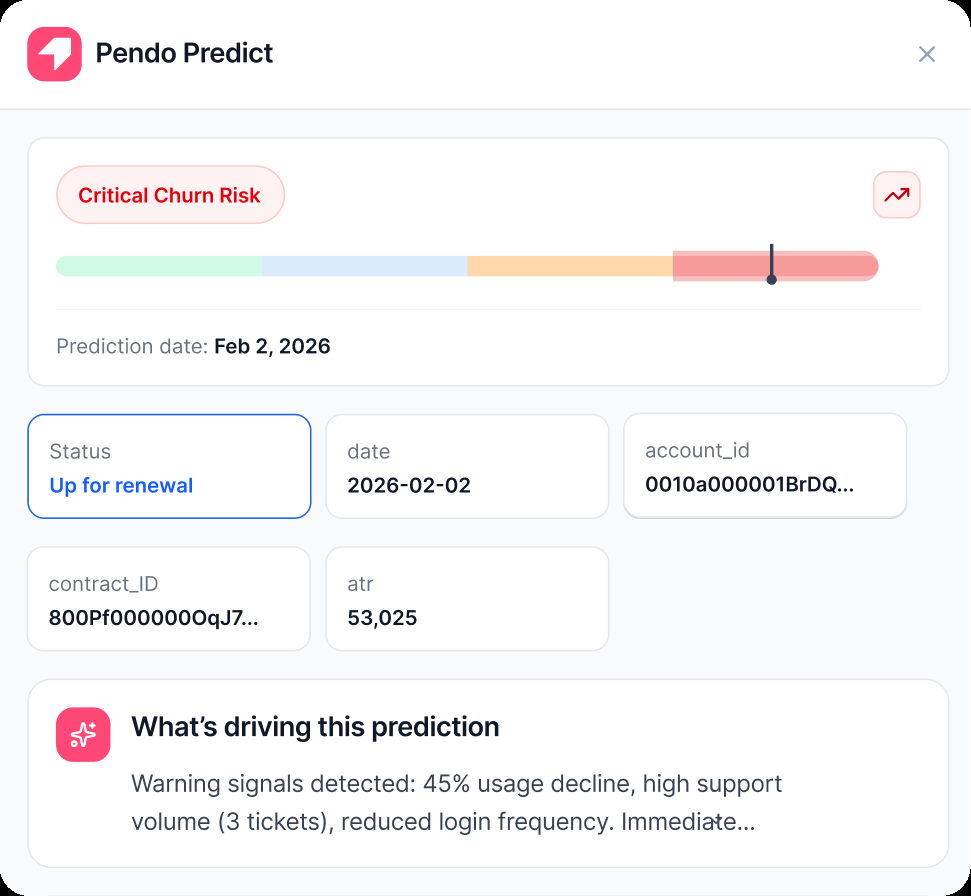
For Gainsight, Pendo's guide routes data through the Salesforce Account object: Pendo writes Pendo_ prefixed fields and a Gainsight Load to Usage rule reads them. Predict is a separate add-on that scores accounts as at risk or expansion ready from CRM and usage data, with Slack alerts and results shown in Salesforce. Leo answers account questions in plain English, such as which accounts have dropped off recently.
The free plan covers up to 500 monthly active users. Base, Core, Ultimate and Predict are quote only, and the plan that includes the Salesforce sync is not stated.
- You want account-level feature adoption in the same tool that runs in-app guides, with daily usage fields landing on the Salesforce account
- You want a vendor-built churn and expansion model from CRM and usage data and can budget for a quote
- You need published prices: every paid plan and Predict are quote only
- You need near real-time usage in the CRM: the push is a fixed 24-hour cycle, and a customer success platform adds another hop
- Users like
- analytics and in-app guidance working together, and responsive support
- Users dislike
- a steep learning curve, time-consuming setup and cost as usage grows
- Source: G2, 1,825 reviews
Reviews and price
G2 lists Pendo at 4.4 from about 1,800 reviews. Reviewers praise analytics and in-app guidance working together, and they cite a steep learning curve, time-consuming setup and cost as usage grows.
- Starting price
- Free up to 500 MAU; Base, Core and Ultimate quote only
- Free plan
- 500 MAU
- Paid pricing
- quote only
- Checklists
- Guides Pro
- Salesforce
- two-way sync, every 24 hours
- Mobile guides
- included
- Reads
- In-product usage per visitor and account, survey responses
- Insight level
- Visitor and account
- Handoff
- Salesforce account fields every 24 hours
- Gate
- Over 500 MAU needs a paid plan; Predict is an add-on
Amplitude
Amplitude
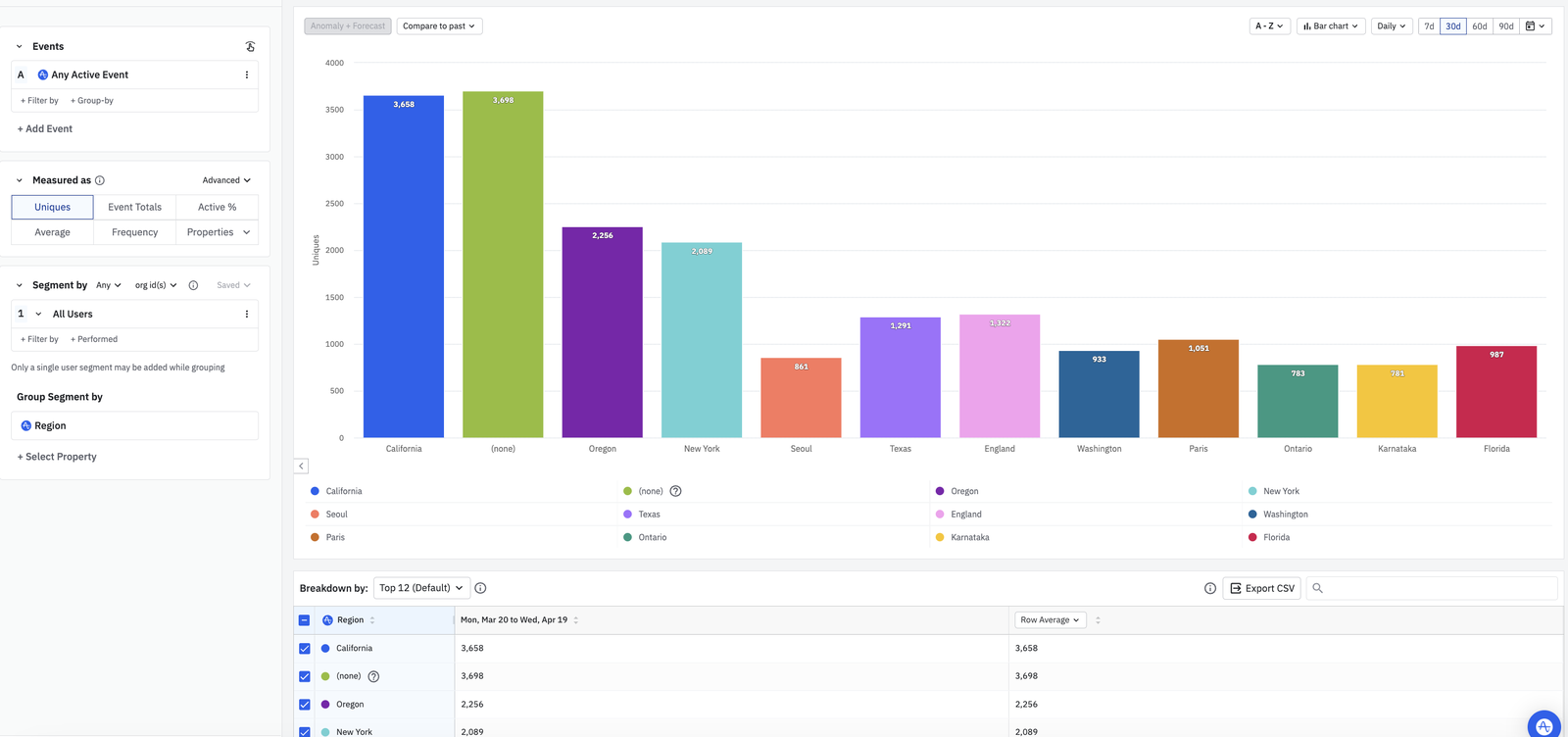
Answers which accounts are active, retained and adopting a feature, counted per company instead of per user.
Amplitude measures usage as events. Engineers send events with its SDKs and assign users to group types such as account. With the Accounts add-on, groups appear in the segmentation module and most chart types count distinct accounts instead of users. A project can hold up to five group types and up to 1,000 account-level properties, such as plan type or renewal date. Dynamic properties turn a saved chart, for example last 7 day active users, into an account property.
Amplitude can import Salesforce fields as group properties, and behavioral cohorts can be built at the account level and synced to destinations one time, hourly or daily. Real-time cohort sync is an add-on, and HubSpot and Salesforce Marketing Cloud are excluded from it. Amplitude ships no health score or playbooks, so the account-level view needs a customer success platform or CRM to act on it. Public documentation does not confirm connections to Gainsight, Vitally or ChurnZero.
The free plan includes up to 2 million events a month. Group analytics are not on Free. Growth and Enterprise are quote only.
- You have engineers who instrument events and want account-level retention and adoption without buying a customer success platform
- You want account cohorts that sync to other tools you already use
- You want a health score, playbooks or alerts for CSMs: Amplitude reports usage and leaves the action to another tool
- You need account analytics on the free plan: group analytics need Plus, Growth or Enterprise with the Accounts add-on
- Users like
- Clear behavior insights and an intuitive interface
- Users dislike
- Steep learning curve, missing features, event cost and management
- Source: G2, 3,045 reviews
Reviews and price
G2 lists Amplitude at 4.5 from about 3,000 reviews. Reviewers praise an intuitive interface and detailed behavior analysis, and they cite a steep learning curve. Our Amplitude alternatives post covers the other product analytics options.
- Starting price
- Free to 2M events/month; Plus from $0; Growth and Enterprise by quote
- Billing unit
- Events (Plus tier shows up to 700K MTU / 70M events)
- Free plan
- 2M events/month, unlimited seats, 1 year data access
- Account analysis
- Groups, 5 group types per project, Accounts add-on
- Cohort sync
- One-time, scheduled (hourly or daily) or real-time; real-time is an add-on on Growth and Enterprise
- Data retention
- 1 year Free, 2 years Plus, unlimited Growth and up
- Session replay
- 10,000 sessions/month on Free and Plus
- Cohort builder
- Behavioral cohorts from event rules in a time window; account-level cohorts need the Accounts add-on
- Reads
- Product events and group properties
- Insight level
- User; account with the Accounts add-on
- Handoff
- Cohorts to destinations; Salesforce group sync
- Gate
- Accounts add-on; real-time sync is an add-on
What each tool reads and where the insight goes
The table puts the eight tools side by side on the four things that decide whether the insight reaches a CSM: what the tool reads, whether the result is per account, where it goes next and what gates it.
| Tool | Reads | Insight level | Where it goes next | Gate |
|---|---|---|---|---|
| Gainsight | CRM, usage, surveys, emails, calls, tickets, meetings | Account | Risk synopsis, CTAs, playbooks | Forecasting and sponsor tracking on Enterprise |
| Planhat | Usage, CRM, support, surveys, emails, chats, calls | Account, sentiment at user level | Alerts, tasks, playbooks | AI credits, AI Platform add-on |
| Gong | Calls, emails, demos | Account | Gainsight timelines, ChurnZero, Salesforce | Not published |
| Chattermill | Surveys, reviews, chats, calls | Theme; account roll-up not described | Slack, email, Jira | Not published |
| Enterpret | Tickets, reviews, calls, surveys, social | Theme linked to accounts | Jira, Linear, Slack, exports | Not published |
| Qualtrics | Surveys, calls, chat, email, digital behavior | Customer profile | Follow-up tickets, Salesforce | Salesforce extension license |
| Pendo | In-product usage, survey responses | Visitor and account | Salesforce account fields every 24 hours | Paid plan over 500 MAU |
| Amplitude | Product events, group properties | User; account with add-on | Cohorts, Salesforce group sync | Accounts add-on |
What to check before you buy
Customer intelligence demos are easy to steer, so ask every vendor the same questions and ask them to answer on your own data, not on a sample account.
- Name the one question the tool has to answer for your team, such as which accounts are quietly going cold
- List the signals that question needs: calls, tickets, surveys, product usage, CRM fields
- Ask which of those signals the tool reads natively and which need a connector or an add-on
- Ask whether the insight is per account or per person, and how contacts roll up to an account
- Ask where the insight goes next and in which direction the integration syncs
- Ask who gets alerted, and what the alert looks like when a CSM is on holiday
- Ask which plan or add-on holds the AI features and whether they use credits
- Ask for a price in writing, since seven of the eight tools here publish none
Which tool fits which team
- You want one health score and a risk reason per account, with playbooksGainsight
- You want health profiles that CS ops can tune per segmentPlanhat
- Your customer relationship runs on calls and emailGong
- You need to know why NPS and CSAT move across the customer baseChattermill
- You want feedback themes tied to accounts and revenueEnterpret
- You run an enterprise survey program with follow-up ticketsQualtrics
- You want account usage in Salesforce plus in-app guidesPendo
- You have engineers and want account retention and adoption analyticsAmplitude
The eight tools often work in pairs. Gong feeds Gainsight, Pendo feeds Gainsight through Salesforce, and Planhat reads Pendo, Amplitude and Gong directly. Start with the signal you are blind to today. For a wider look at the platforms that score health, see our customer success software guide, and for the model side see churn prediction software.
What these tools don't record
Customer intelligence software tells you what a customer said, did and felt. It doesn't tell you what your team promised back. A commitment made on a call or in a QBR shows up in a Gong transcript as a sentence, in a Gainsight timeline as a note, and nowhere as an owned item with a due date and proof of delivery. The Customer Success Manager keeps that ledger. It isn't a customer intelligence tool, and it reads no signals.
FAQ
What is customer intelligence software?
Customer intelligence software collects customer data from calls, emails, tickets, surveys, product usage and your CRM, and turns it into insight about each customer or account that a team can act on, such as a risk level, a feedback theme or an adoption trend.
How much does customer intelligence software cost?
Customer intelligence software is mostly quote only: seven of the eight tools here publish no price for their paid plans: Gainsight, Planhat, Gong, Chattermill, Enterpret, Qualtrics and Pendo. Amplitude and Pendo have free plans, covering up to 2 million events a month and up to 500 monthly active users respectively, and Amplitude's Growth and Enterprise plans are quote only. Gong charges per user plus a platform fee.
What is the difference between customer intelligence and a CRM?
A CRM stores the records your team enters, such as contacts, deals and contract dates. Customer intelligence software reads the data around those records, such as calls, tickets and product usage, and produces conclusions like risk and themes that can be written back to the CRM.
How do I choose customer intelligence software?
To choose customer intelligence software, write down the question the tool must answer, then list the signals that question needs and check which tools read them natively. Check whether the insight is per account, where it goes next and which plan or add-on holds the features you need. Most teams combine two tools because no single tool reads calls, feedback and product usage equally well.
Do I need a customer success platform as well?
A customer success platform is usually needed as well, if you want a health score and playbooks. Gainsight and Planhat are customer success platforms with built-in intelligence. Gong, Pendo and Amplitude read one signal each and send it to a platform or the CRM, and Chattermill and Enterpret send themes to Slack, Jira or Linear.
Can customer intelligence tools predict churn?
Customer intelligence tools can score churn risk, but few publish how. Gainsight rates risk from 1 to 5 with reasons, Planhat computes a rules-based health score you configure, and Pendo sells a separate Predict add-on for at-risk and expansion-ready accounts. Qualtrics markets predictive churn models. None of the eight publishes a churn probability.
Related reading
Related: best voice of customer software compares eight tools by who they hear, where the answer goes and which plan gates it.